Truist bank statement to Excel, credits and debits as one signed, proven column.
To convert a Truist bank statement to Excel, open Documents for the account at truist.com, download the statement PDF, upload it to the ZeraBooks bank statement converter and download Excel or CSV. ZeraBooks reads Truist’s Credits and Debits columns into one signed amount, keeps check numbers and proves the month against the printed balances.
In a Truist checking statement we have seen, activity sits in one table rather than in separate blocks, with money in and money out in two columns and a running balance beside them. That is easier to read than most, and still awkward in Excel.
Column on the statement
What it holds
In the converted file
Date
The posting date
Date, with the year from the statement period
Check #
The check number, on check lines only
Check Number in All details
Transaction Description and Details
What the line is, then extra text such as the ACH company or a reference
Description
Credits
Money in, printed positive
Amount, positive, or Money In
Debits
Money out, also printed positive
Amount, negative, or Money Out
Balance
The balance after the line
Balance in Money in and out; also used to check each row
Typically, meaning this is the layout of the copies we have seen, and Truist has more than one statement format. ZeraBooks Convert reads the layout from the statement itself. When a running balance is printed, every row is checked against it, so a single misread line shows up exactly where it happened.
WORKED EXAMPLE
What does a converted Truist statement look like?
Blue Ridge Landscaping is a fictional company with Truist business checking ending 5528. August 2026 has two deposits, two checks, payroll and the service charge for July. In the Money in and out format, which keeps Truist’s running balance:
Date
Description
Money In
Money Out
Balance
08/04/2026
Deposit
3,450.00
12,554.88
08/06/2026
Check 3318
780.00
11,774.88
08/11/2026
ACH Deposit, Square
2,186.40
13,961.28
08/15/2026
ACH Debit, Gusto Payroll
4,912.36
9,048.92
08/21/2026
Service Charges - Prior Period
42.75
9,006.17
08/22/2026
Check 3320
1,035.00
7,971.17
Totals from 9,104.88
5,636.40
6,770.11
7,971.17
The proof: 9,104.88 + 5,636.40 − 6,770.11 = 7,971.17, the ending balance Truist printed, and every line agrees with the balance printed beside it. Check 3319 is missing from the month. It hasn’t cleared, or it was voided; either way it belongs on the reconciliation, as in how to do a bank reconciliation.
BUSINESS ACCOUNTS
What is the Truist Account Analysis statement?
Many Truist business accounts get a separate Account Analysis statement. Truist’s own guide says it explains the prior period’s service charges, such as maintenance, activity and per-item fees, and any earnings credit, which only certain commercial accounts receive. It appears in the statements area after the fifth business day of the month. It explains the fee. It doesn’t move any money by itself.
Upload the checking statement, not the analysis statement. Truist combines the charges and takes them from the account later in the month as one line, described as Service Charges - Prior Period, like the 42.75 above. That line is the only row the books need, and it belongs to the month before, which matters if you close books on an accrual basis. If you want the fee broken down by service for a budget or a bank negotiation, keep the analysis PDF next to the converted file.
The same goes for anything else that comes in Documents with the statement: notices, tax forms, check images and other enclosures. They read like financial documents and none of them are transactions.
WHAT GOES WRONG
Why does copying a Truist statement into Excel go wrong?
One table looks easy to copy. The trouble is in the columns.
Two amount columns
Credits and Debits are both positive. A paste keeps them in separate columns, so a SUM tells you nothing until you build a signed column yourself.
Details on their own line
The extra text under a transaction, such as an ACH company name, pastes as a row of its own with no date and no amount.
The balance column breaks a sum
Highlight the amounts and pick up the Balance column by accident, and the total is off by millions.
Old bank names
Statements from before the merger say BB&T or SunTrust. They are still valid for the years they cover; upload them with the rest.
AFTER THE FILE
Which file should you download for a Truist account?
FORMATS
One signed column, or money in and out.
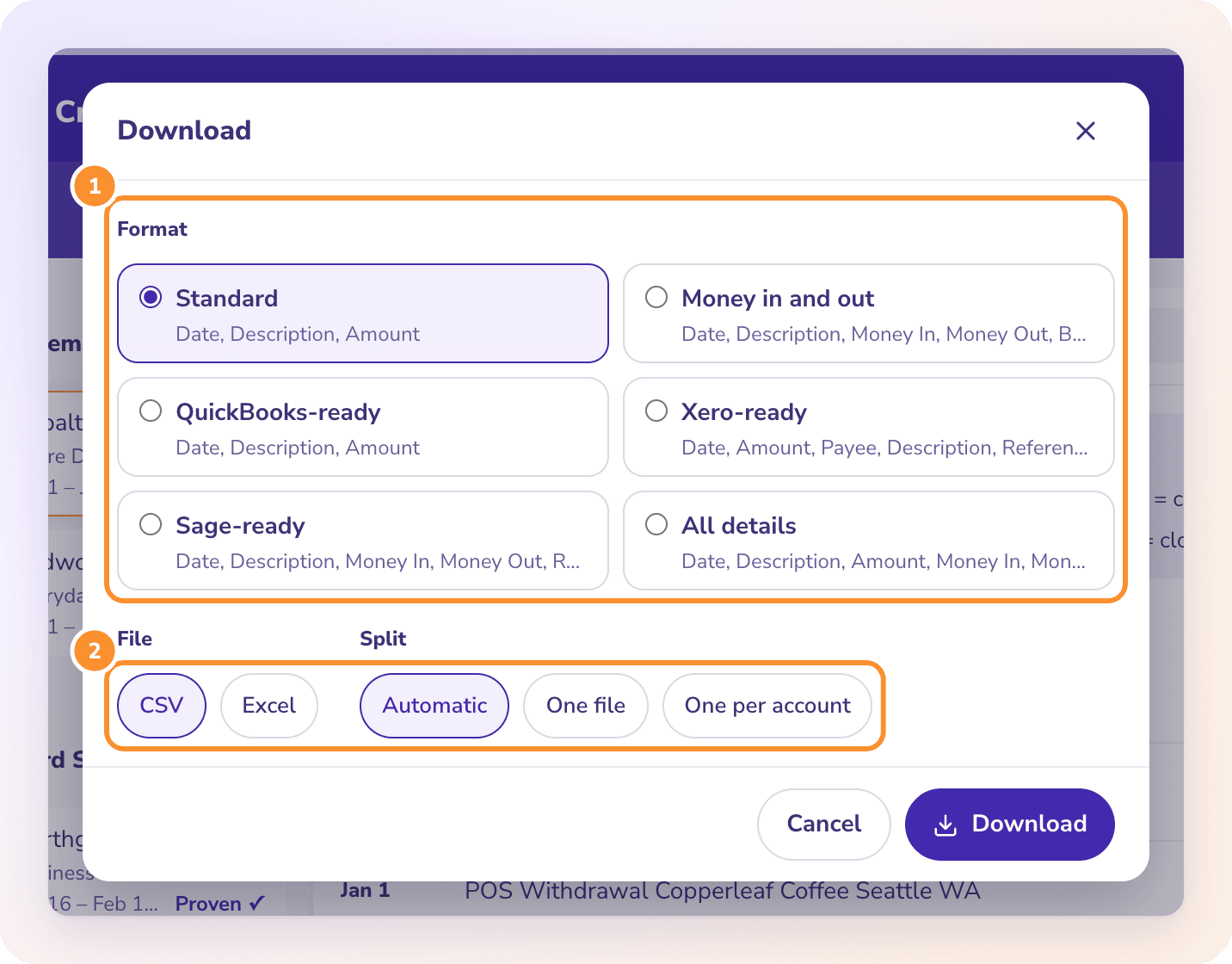
Standard gives one signed Amount column. Money in and out keeps Truist’s two columns and its balance. QuickBooks-ready and Xero-ready fit those imports. You choose in the Download dialog, as Excel or CSV.
TRUIST CARDS
Card statements in the same upload.
Open the card account, then its documents, and upload the card PDF with the checking statements. A card is proven on its previous and new balance; see credit card statement to Excel.
Yes. Truist holds them now, in the account’s documents area or on request. Upload them as they are; the bank name printed on them doesn’t matter to the conversion.
Should I upload the Account Analysis statement?+
No. It explains how the monthly charge was worked out. The charge itself is one line on the checking statement, which is the file to convert.
Does the converted file keep Truist check numbers?+
Yes. All details has a Check Number column filled from Truist’s Check # column.
Does ZeraBooks connect to Truist?+
No. ZeraBooks has no bank feeds and never asks for your Truist sign-in. You download the PDF and upload it.
How much does converting Truist statements cost?+
It is part of the ZeraBooks subscription: 1,000 pages a month for $79 a month billed annually or $149 monthly, after a 7-day trial. See ZeraBooks pricing.
Damin founded ZeraBooks in 2025 and still talks to the bookkeepers, firms and owners who use it every week. He writes about what he sees in their statements and ledgers, and every page here is checked against the live product before it goes up.
Upload a Truist statement. Get one signed column, checked line by line.
1,000 pages a month from $79 a month billed annually. Other banks: Regions, Huntington, TD Bank and Wells Fargo, which also prints separate credit and debit columns. Keeping the books too? See AI bookkeeping.