A YEAR AT ONCE
Twelve PDFs, one file.
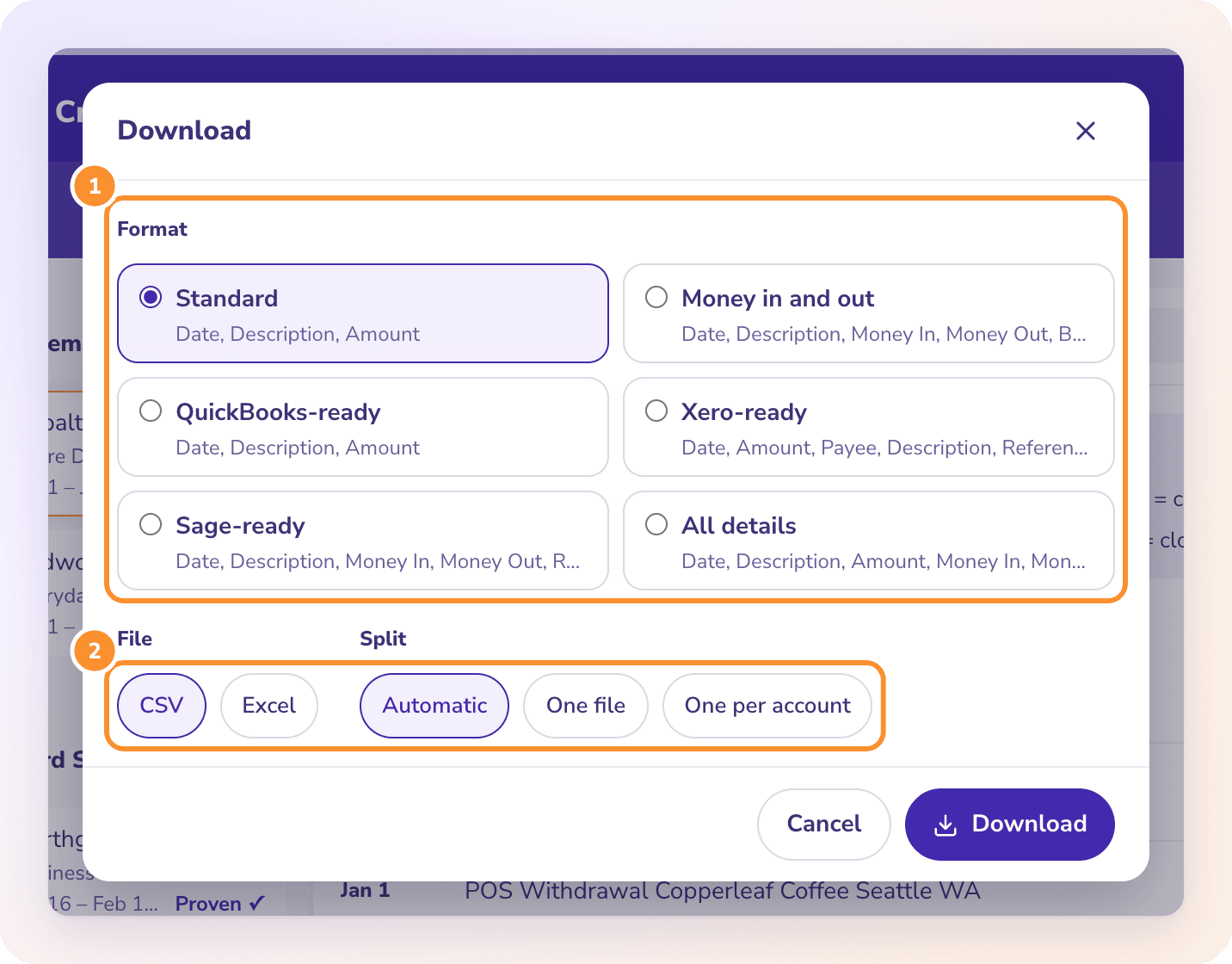
Tick a year of statements in Convert and download them together, with an Account column if you have more than one Huntington account. Each month is proven on its own first. See combine bank statements.
General Ledger + Converter in one subscription.
See pricingBY BANK · HUNTINGTON
To convert a Huntington bank statement to Excel, download the statement PDF from Huntington online banking, upload it to the ZeraBooks bank statement converter and download Excel or CSV. Huntington prints money in and out under headings marked (+) and (-); ZeraBooks turns them into one signed Amount column and proves the ending balance.
7-day trial · card required, nothing charged for 7 days · 1,000 pages a month from $79/month billed annually

STEP 1 · DOWNLOAD
Huntington says you can check up to two years of statements online. For a longer catch-up, ask Huntington for the older months early. General tips are in Download statements from any other bank.
The app shows statements too, but saving a year of PDFs is quicker on a computer.
Each account has its own statements, even when the statement’s first page summarizes all of them.
Investment and brokerage statements sit in their own Statements and Tax Forms area, and Huntington says those aren’t in the mobile app.
Save it as it is. A printed or screenshotted copy loses the text layer that makes reading fast and exact.
Try it on your own documents. One-week free trial, both apps included.
HOW HUNTINGTON LAYS IT OUT
Huntington’s own sample statement puts the direction of money in the headings themselves. That is helpful on paper, and it is exactly what a copy into Excel throws away.
| Part of the statement | What it holds | In the converted file |
|---|---|---|
| Relationship summary | Typically every Huntington account you have, with its balance | Not rows |
| Account summary | Beginning Balance, Credits (+), Debits (-), Total Fees (-), Ending Balance, Average Balance, Low Balance | Used for the proof, not rows |
| Deposit / Credit Activity (+) | Deposits, ACH credits and transfers in | Rows, Type Deposit, positive |
| Other Withdrawal / Debit Activity (-) | Card purchases, ACH debits and transfers out | Rows, Type Withdrawal, negative |
| Checks | Check number, date and amount, where the account has them | Rows, Type Check, negative |
| Fees | Service charges, totalled on their own summary line | Rows, Type Fee, negative |
| Balance Activity | A grid of dates and the balance on each | Not rows |
The amounts in each section print without a sign: the (+) or (-) is in the heading. ZeraBooks Convert carries that sign onto every row. The Average Balance and Low Balance lines in the summary look like amounts but aren’t money moving; they are left out.
WORKED EXAMPLE
Lakeside Print Shop is a fictional business with Huntington business checking ending 7062. October 2026 has two credits, three debits and a monthly fee. In the Standard format:
| Date | Description | Type | Amount |
|---|---|---|---|
| 10/02/2026 | ACH Credit, Square | Deposit | 2,875.00 |
| 10/07/2026 | Debit Card, Staples | Withdrawal | -389.99 |
| 10/10/2026 | ACH Debit, Paper Supplier | Withdrawal | -1,212.34 |
| 10/16/2026 | Mobile Deposit | Deposit | 1,940.60 |
| 10/27/2026 | ACH Debit, Rent | Withdrawal | -2,450.00 |
| 10/31/2026 | Monthly Service Fee | Fee | -20.00 |
| Beginning balance 6,318.45 + rows | 7,061.72 |
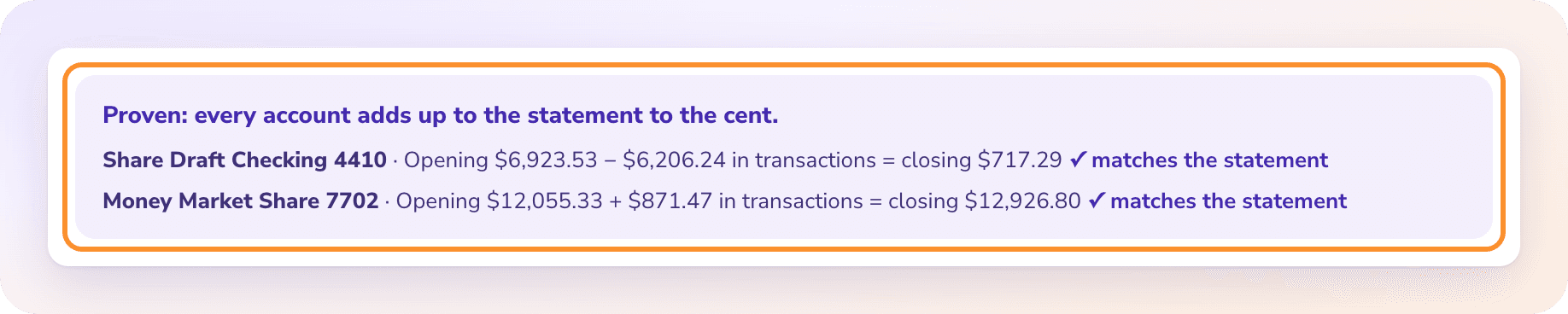
The proof: 6,318.45 + 4,815.60 − 4,052.33 − 20.00 = 7,061.72, the ending balance Huntington printed. Fees are their own line in the summary, separate from debits. Count the 20.00 fee as a debit and again as a fee, and the month lands on 7,041.72, 20.00 short; ZeraBooks would mark that Needs a look and name the gap.
WHAT GOES WRONG
Most of what goes wrong is in the pages around the transactions.
Debits print as plain numbers under a heading marked (-). Paste the sections together and every debit becomes a credit.
The relationship summary lists balances for savings, loans or cards. Copy the first page and those balances land in the sheet as if they were this account’s activity.
Dates and balances printed side by side in columns. Pasted, they look like dated transactions with large amounts.
With about two years online, a three-year cleanup needs older statements requested from Huntington. Upload them with the rest; each statement proves on its own.
AFTER THE FILE
A YEAR AT ONCE
Tick a year of statements in Convert and download them together, with an Account column if you have more than one Huntington account. Each month is proven on its own first. See combine bank statements.
INTO THE BOOKS
The same statements can go straight into the ZeraBooks General Ledger, where AI categorizes and every month ties to the bank. See AI bookkeeping, or have our team do it with bookkeeping services.
MORE BANKS
Huntington says up to two years. For older statements, ask Huntington. Upload whatever you get as PDFs; scanned copies work too.
Yes, both. Business layouts can differ a little, and ZeraBooks reads the layout from each statement rather than from a fixed template.
No. They describe the month; they aren’t transactions. The beginning and ending balance are used for the proof.
No. ZeraBooks has no bank feeds and never asks for your Huntington sign-in. You download the PDF and upload it.
Convert is in the ZeraBooks subscription: 1,000 pages a month for $79 a month billed annually or $149 monthly, after a 7-day trial. See ZeraBooks pricing.

ONE-WEEK FREE TRIAL
1,000 pages a month from $79 a month billed annually. Nearby banks: Fifth Third, Citizens Bank, PNC and Regions.