Citi bank statement to Excel, every account on the statement in its own sheet.
To convert a Citi bank statement to Excel, download the statement PDF from Citi online banking, upload it to the ZeraBooks bank statement converter and download Excel or CSV. A Citi statement often combines checking, savings and CDs in one PDF; ZeraBooks splits it by account and proves each one against its own opening and closing balance.
7-day trial · card required, nothing charged for 7 days · 1,000 pages a month from $79/month billed annually
Statements in, proven to the cent.
STEP 1 · DOWNLOAD
How do you download a Citi bank statement as a PDF?
Citi runs more than one online banking site for businesses, so sign in where you normally bank. The full walk-through is in Download your Citi statements.
1
Sign in on a computer
Use the Citi site you already bank on. Citizens Bank is a different bank with its own site.
2
Open the account
Statements are usually listed on the account’s own page.
3
Find Statements
Sometimes it sits under a documents menu. How far back it goes depends on the account and the site.
4
Download the PDF
Not the activity CSV: it usually has no opening or closing balance, so nothing can be proven.
Try it on your own documents. One-week free trial, both apps included.
The Citi statements we have read put every product in a relationship on one statement. Each account gets its own activity table, and each table prints its own opening and closing balance as dated lines inside it.
Part of the statement
What it holds
In the converted file
Relationship summary
Every product combined onto the statement, with its balance
Not rows; used to find the accounts
Opening Balance line
A dated line at the top of each account’s table, with the balance only
Not a row; it is the opening balance the proof starts from
Date
MM/DD/YY, with the year
MM/DD/YYYY
Description
Payee or transfer text, often with a time and “Reference #”
Description, joined onto one line
Amount Subtracted
Money out, printed positive
Negative Amount, or Money Out
Amount Added
Money in
Positive Amount, or Money In
Balance
The balance after the line
Balance, in Money in and out and All details
Closing Balance line and Total Subtracted/Added
The account’s end balance and its two column totals
Not rows; the closing balance is what the account must reach
Credit cards block
A summary as of the last card statement
Not rows: card transactions come on the card’s own statement
Citi says it on the statement: opening and closing dates are shown with the opening and closing balance for each product, in that product’s activity section. ZeraBooks Convert reads each one separately, so a CD or a savings account is proven against its own figures, not the checking account’s.
WORKED EXAMPLE
What does a converted Citi statement look like?
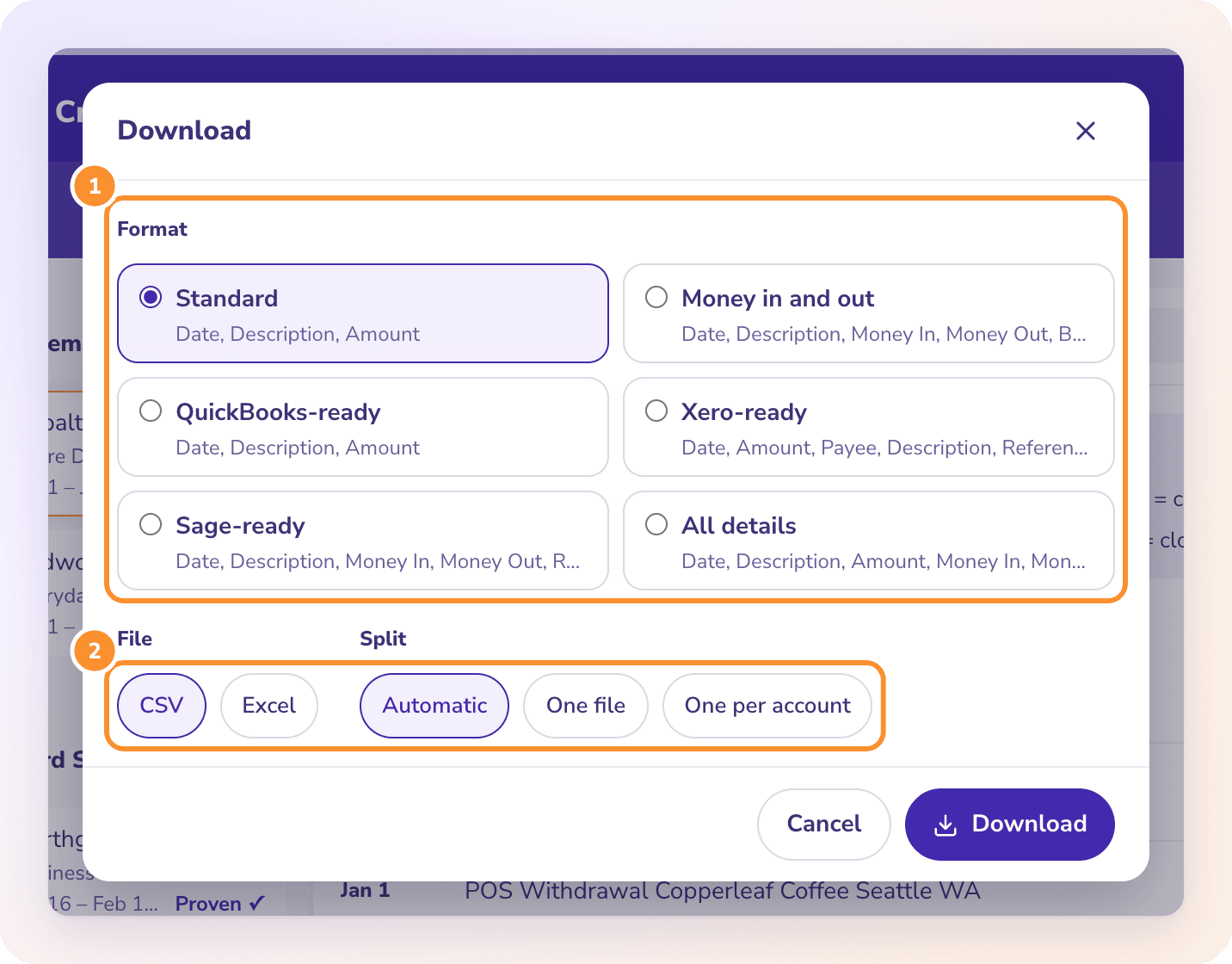
Harbor Lane Studio is a fictional business with Citi checking ending 6630 and savings ending 6648 on one June 2026 statement. One transfer moved $1,000 from checking to savings, so it appears on both accounts. Downloaded in the Standard format with One file, an Account column is added:
Date
Description
Amount
Account
06/02/2026
Mobile Deposit
2,300.00
Checking 6630
06/05/2026
ACH Debit Gusto Payroll
-3,118.44
Checking 6630
06/11/2026
Transfer To Savings 6648 Reference # 204118
-1,000.00
Checking 6630
06/18/2026
Zelle From Northpoint Design
1,650.00
Checking 6630
06/30/2026
Monthly Service Fee
-15.00
Checking 6630
06/11/2026
Transfer From Checking 6630 Reference # 204118
1,000.00
Savings 6648
06/30/2026
Interest Paid
4.12
Savings 6648
Checking: opening 7,412.90 + rows
7,229.46
Savings: opening 12,000.00 + rows
13,004.12
Each account ties on its own: 7,412.90 + 2,300.00 − 3,118.44 − 1,000.00 + 1,650.00 − 15.00 = 7,229.46, and 12,000.00 + 1,000.00 + 4.12 = 13,004.12, the two closing balances Citi printed. Both transfer lines are real, one per account. If you add the two accounts together for a cash total, remove the pair first or the business looks $1,000 richer in deposits than it is. For one tab per account instead, choose One per account; combine bank statements shows months chained together.
WHAT GOES WRONG
Why does copying a Citi statement into Excel go wrong?
Most of it comes from the combined layout.
The balance lines paste as transactions
Opening Balance and Closing Balance sit inside the table with a date, so a copied table has two extra rows per account. Sum the Balance column by mistake and the totals mean nothing.
Accounts run together
A relationship statement goes checking, then savings, then CDs, with “Continued” headers between pages. Pasted as one block, nothing says which row belongs to which account.
Two amount columns
Amount Subtracted and Amount Added are both printed positive. Excel needs one signed column to total, or a formula per row.
Transfers counted twice
A move from checking to savings is a withdrawal on one and a deposit on the other. Fine per account; wrong if you total deposits across the whole statement.
CARDS AND CSVS
What about Citi credit cards and the activity download?
CITI CARDS
Convert the card statement, not the summary.
The card block on a banking statement is a summary as of the last card statement, and Citi says you keep getting the card statement itself. Download that one. A Citi card statement is proven as previous balance plus charges minus payments equals the new balance, and store cards issued by Citi, such as the Costco card, are on Citi’s site. See credit card statement to Excel.
ACTIVITY CSV
Use the CSV for a glance, the PDF for the books.
Citi may let you download activity from the account page. It usually carries no opening or closing balance, so nothing can be checked. The statement PDF has both, and that is what the proof needs.
Can I convert a combined Citi statement with several accounts?+
Yes. ZeraBooks Convert splits a combined Citi statement by account, shows “+n” on the tile for the extra accounts, and proves each account against its own opening and closing balance. Download one file with an Account column, or one tab per account.
Does the Citi date format include the year?+
The Citi statements we have read print dates as MM/DD/YY. Every ZeraBooks download writes MM/DD/YYYY, so Excel reads the date the same way on every computer.
Is Citizens Bank the same as Citi?+
No. Citizens Bank is a separate bank. Download its statements from its own online banking; ZeraBooks converts those too.
Does ZeraBooks connect to my Citi account?+
No. ZeraBooks has no bank feeds and never asks for your Citi sign-in. You download the PDF and upload it.
How much does it cost?+
Convert comes with the ZeraBooks subscription: 1,000 pages a month for $79 a month billed annually or $149 monthly, after a 7-day trial. The combined Citi statement we tested ran to 14 pages for nine accounts. See ZeraBooks pricing.
Upload a Citi statement. Get each account back, proven.
1,000 pages a month from $79 a month billed annually. Other banks: Chase, U.S. Bank and PNC. To keep the books instead of a spreadsheet, the same subscription includes AI bookkeeping.