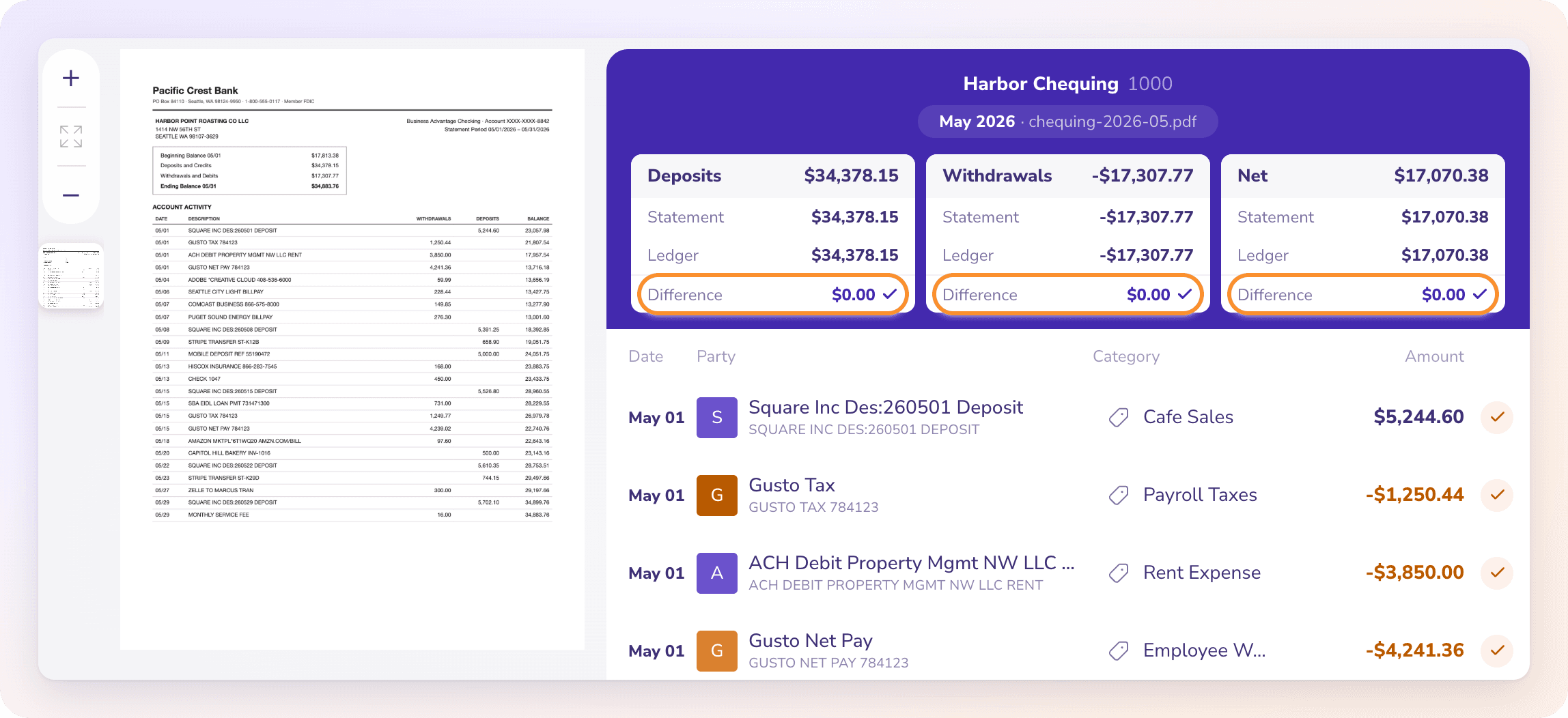
How to handle credit card rewards in your books, in whatever form they arrive.
Book cash back from spending as a reduction of expenses, not as sales: credit a Card rewards category under expenses, whether it arrives as a statement credit or a deposit. Points spent on a business purchase reduce that purchase. Points earned but unused need no entry. ZeraBooks can categorize the credit the same way every month.
7-day trial · card required, nothing charged for 7 days · then $79/month billed annually or $149 monthly
Correct one, and the rest follow.
DEFINITION
What is a contra-expense account?
A category that sits among your expenses but carries a credit balance, so it reduces total expenses. A Card rewards category works this way: each 1% back on spending lowers what the business actually paid.
FIVE FORMS, FIVE ENTRIES
How do you record each kind of credit card reward?
The reward is the same idea each time, money back on what you spent. Only the account that receives it changes.
How the reward arrives
Debit
Credit
Note
Cash back as a statement credit
Credit card (the liability)
Card rewards (contra-expense)
Lowers what you owe on the card
Cash back deposited to checking
Checking
Card rewards (contra-expense)
Same category, different account
Points pay for a business purchase
Credit card, for the points credit
The expense the purchase went to
Book the purchase, then the credit; the net is what it cost you
Points earned, not yet used
No entry
No entry
Keep the balance on the issuer’s site, not in the ledger
Bonus for opening an account
Checking
Other income
Not tied to spending; may come with a Form 1099
If points or cash back are redeemed for something personal, treat it as an owner’s draw rather than a business reward. Some bookkeepers post all rewards to Other income because it is simpler; if you do, tell your tax preparer, because spending rewards are generally treated as a price reduction, not income.
Try it on your own documents. One-week free trial, both apps included.
Example: a card statement with cash back and a points credit
Copper Kettle Catering is fictional. Its business Visa statement for September 2026 has a cash back credit and a points credit for a hotel stay on the same page as the purchases:
Line
Amount
Where it goes in the books
Previous balance
4,200.00
The card balance from August
Purchases (food, rentals, a 600.00 hotel)
6,350.00
Each to its expense; the hotel to Travel
Payment, thank you
(4,200.00)
Transfer from checking, not income
Cash back statement credit
(63.50)
Card rewards
Points travel credit, hotel
(400.00)
Travel, against the 600.00 stay
New balance
5,886.50
The card balance at September 30
The proof: 4,200.00 + 6,350.00 − 4,200.00 − 63.50 − 400.00 = 5,886.50, the printed new balance. The hotel cost the business 600.00 − 400.00 = 200.00, which is what Travel should show. In October a second card deposited 120.00 of cash back into checking, so Card rewards stands at 63.50 + 120.00 = 183.50 for the two months, reducing total expenses by that much. The statement’s rewards summary box (points earned this month) is not a transaction and isn’t booked.
TAX TREATMENT
Are business credit card rewards taxable?
No IRS publication names credit card rewards directly, so this is how they are generally treated, checked October 22, 2026. Your tax preparer makes the call.
Rewards for spending are generally a rebate
IRS Publication 525 (2025) says a cash rebate from a dealer or manufacturer isn’t income; instead it reduces the cost of what you bought. Cash back and points earned by spending are generally treated the same way: a lower price, not income.
So the deduction shrinks, too
A business that spent 6,350.00 and got 63.50 back paid 6,286.50, and that is the cost to deduct. Booking rewards as a contra-expense keeps the books matching that.
Rewards not tied to spending can be income
IRS Publication 550 (2025) says gifts for opening a deposit account may be reported as interest on Form 1099-INT. In Shankar v. Commissioner, 143 T.C. 140 (2014), the Tax Court held that an airline ticket bought with bank points was income.
Points spent on an asset
If points reduce the price of equipment, the asset’s cost (its basis) is the lower amount, which is also what gets depreciated. Pub. 525’s example: a 24,000.00 car with a 2,000.00 rebate has a 22,000.00 basis.
A Form 1099 is a signal
If an issuer or bank sends one for a bonus, the payer has treated it as income. Give it to your preparer rather than deciding alone.
STEP BY STEP
How to set up rewards bookkeeping once
Do this once and every later statement takes a minute.
1
Add a Card rewards category
Create it under expenses, not income, so its credits lower total expenses. Name it plainly so your preparer sees it, such as Card rewards (cash back). A chart of accounts template shows where it fits.
2
Decide the points rule
Write down that points credits go against the expense they paid for, and that personal redemptions are owner’s draws. One sentence saves arguments in March.
3
Book the statement credit on the card
Categorize the cash back line on the card account to Card rewards. The card balance drops and the expense side shrinks.
4
Book any deposit on the bank account
Cash back paid into checking gets the same category, on the bank side.
5
Check the card ties
Previous balance plus purchases, minus payments and credits, must equal the new balance. A missing 63.50 credit is the kind of difference that is easy to ignore and annoying to find later.
6
Give your preparer the total
At year end, report the Card rewards total and any Form 1099 received. If you put rewards in Other income instead, flag it.
WITH ZERABOOKS
Set the category once, and the credits follow.
ZeraBooks reads the card statement you upload and keeps credits, payments and purchases apart.
CATEGORIZING
Correct one cash back line; the rest follow.
Set the first cash back credit to your Card rewards category and ZeraBooks offers to apply it to similar lines from the same merchant in the same direction, across your accounts and dates. Later statements are categorized from that history, and when it isn’t sure, it asks. For Amex statements with several cardholders, see American Express expense categorization.
A payment from checking to the card is recorded as a transfer on both sides, so it never inflates income or expenses. Each card reconciles month by month against its statement: payments, charges and net, to the cent. Only need the statement as a spreadsheet? Convert a credit card statement to Excel.
Cash back earned by spending is generally treated as a reduction in what you paid, not income, in line with how IRS Publication 525 treats cash rebates. Book it to a contra-expense category. Your tax preparer has the final word.
Should credit card rewards be other income or a reduction of expenses?+
A reduction of expenses matches the general tax view and keeps your costs accurate. Other income is common because it is simple, but then the preparer has to adjust it. Pick one and use it every month.
How do I record points used for business travel?+
Record the trip at its full price to Travel, then record the points credit against Travel. A 600.00 hotel with a 400.00 points credit leaves 200.00 of Travel. If the issuer charged nothing at all, there is no entry; note the trip in a memo.
Do I record points when I earn them?+
No. Unused points aren’t cash and their value can change or expire. Record them when they turn into a credit, a deposit or a purchase.
Are sign-up bonuses taxable?+
It depends on whether you had to spend to get them. A bonus for opening an account, with no spending needed, can be income; IRS Publication 550 treats gifts for opening a deposit account as interest. A bonus earned by spending is generally treated like other rewards. Ask your preparer.
Can someone handle this for me?+
Yes. Our bookkeeping services team categorizes card rewards, reconciles every card and bank account monthly, and hands your preparer clean totals. From $150 a month (USD), quoted after a free call.
Upload a card statement with cash back on it. Set the category once.
ZeraBooks reads the card statement, keeps the payment as a transfer and proves the month against the printed balance. 7 days, then $79 a month billed annually; see ZeraBooks pricing.