The AI-native general ledger. Books that keep themselves current.
General ledger software is the system of record that holds every account and transaction in a business’s books and produces its financial statements. ZeraBooks is an AI-native general ledger: statements become proven double-entry transactions, AI categorizes and drafts month-end entries for your review, and every report is calculated from the same ledger.
7-day free trial · card required, nothing charged for 7 days · then $79/month billed annually or $149 monthly
Correct one, and the rest follow.
DEFINITION
What is an AI-native general ledger?
An AI-native general ledger is double-entry accounting software designed around AI from the start, rather than an older ledger with AI added on. The AI reads source documents, categorizes and proposes entries; the ledger keeps the debits and credits, does every calculation and records each change, so every AI action can be reviewed and undone.
WHAT’S IN THE LEDGER
Everything a ledger needs. The busywork done for you.
CHART OF ACCOUNTS
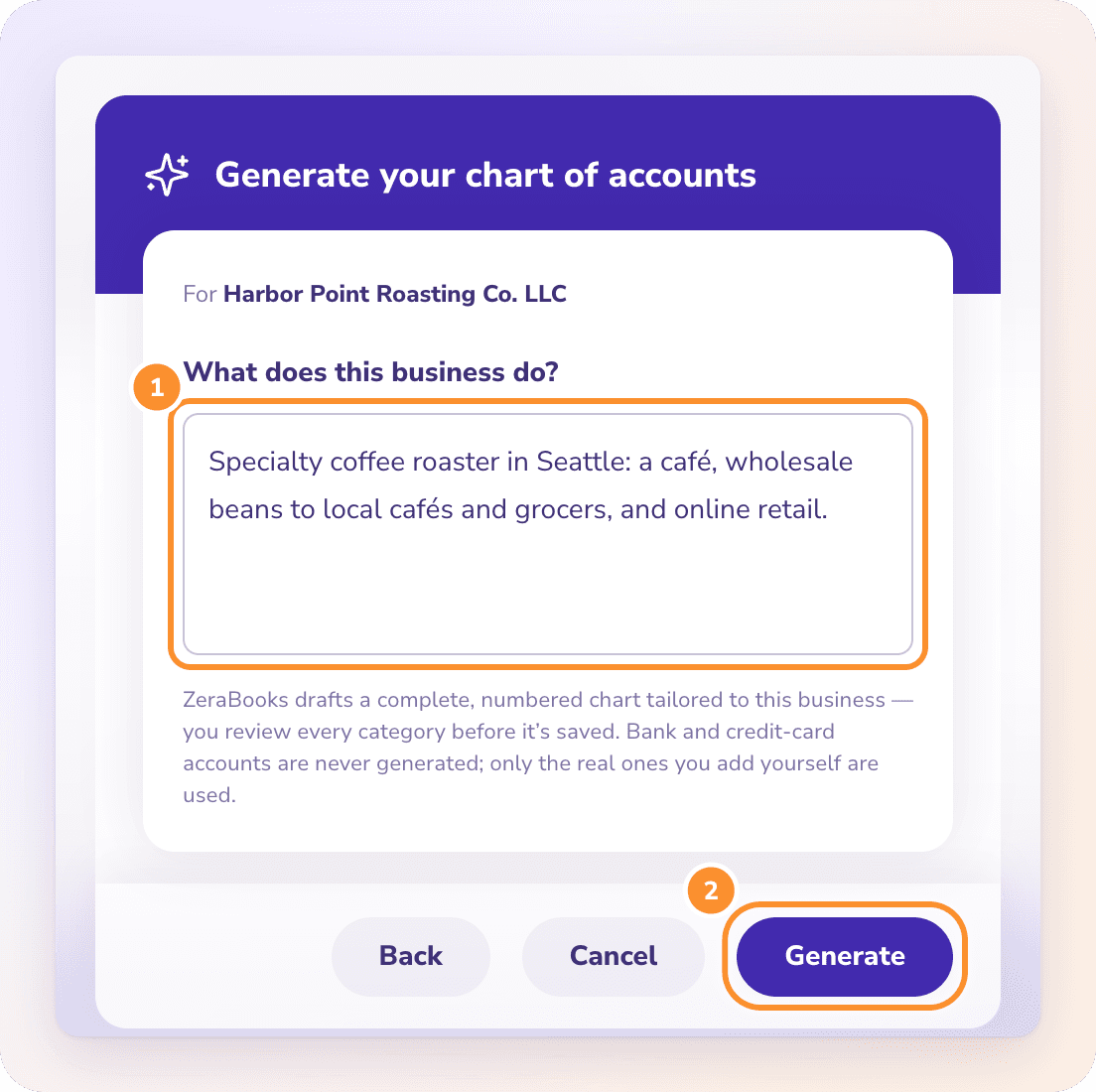
Start with a chart that fits the business.
Let AI draft a numbered chart of accounts from a description of the business, import the one you have from QuickBooks, Xero, Sage, a spreadsheet or a PDF, or build it yourself. You review every category before it’s saved, and an import never overwrites the categories you already have.
The Ledger shows one register per category for any period, built from categorized bank and card activity, bills, invoices and your own entries. Change a transaction’s category and ZeraBooks offers to apply it to similar ones. Click any row to open its source.
Periods from this month to all time, or a custom range
Filter by party, description, memo, date, category or amount
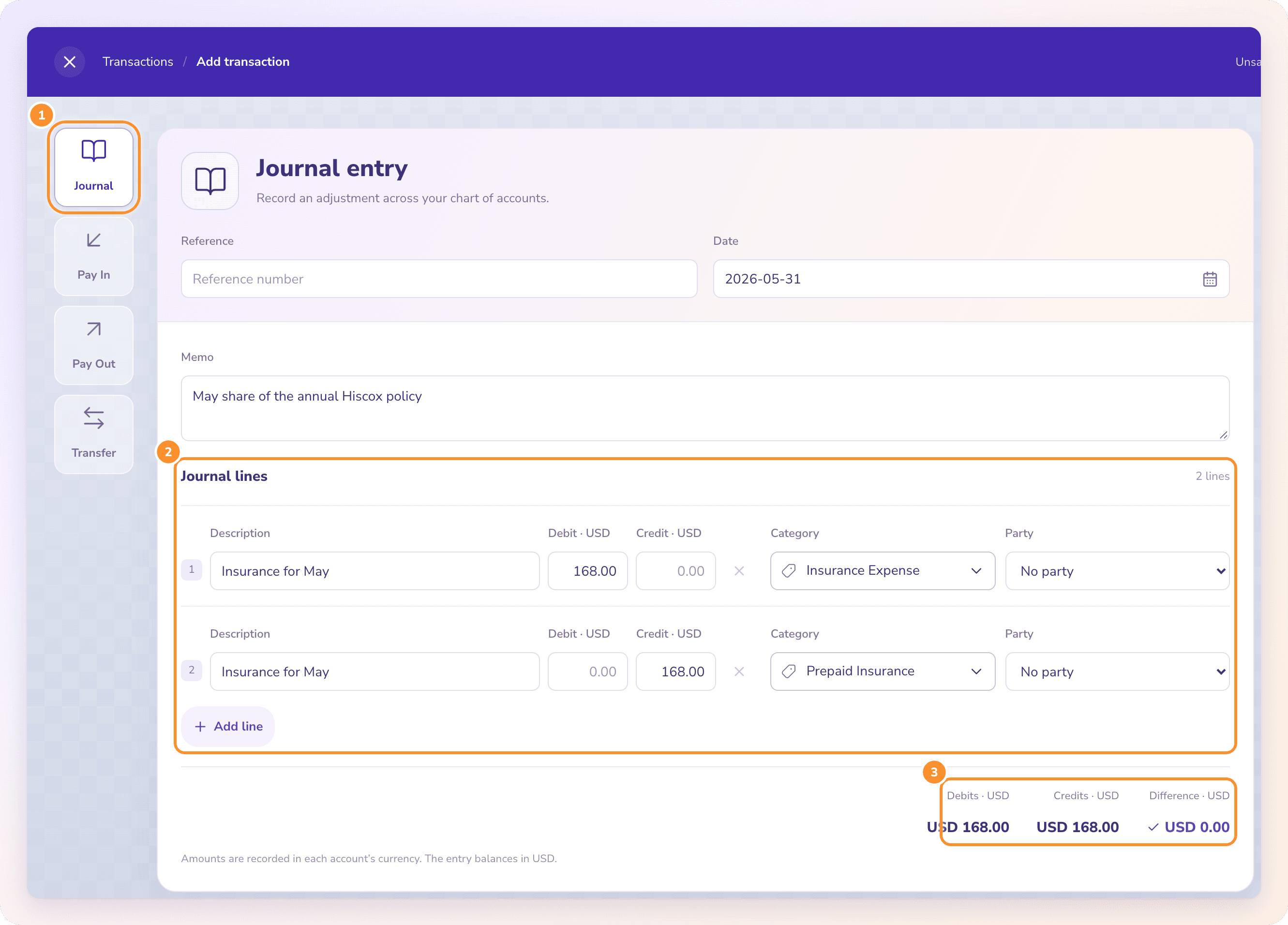
Record accruals, prepaid spreads, depreciation or reclassifications as journal entries of 2 to 200 lines that must balance to zero before they save. Import up to 100 balanced entries at once from CSV or Excel; if any entry fails the checks, none are posted.
Autopilot records straight-line depreciation, splits loan interest out of loan payments and spreads prepaid expenses over the months they cover. Each is a journal dated the last day of the month with its calculation in the memo. It asks about recurring bills that didn’t show up, and never touches a closed month.
Profit & Loss, Balance Sheet, Cash Flow, Trial Balance and A/R and A/P aging are calculated from the ledger each time you open them, so there is nothing to run or refresh. Change a transaction and the statements follow. Click any amount to see the transactions behind it.
Closing the books sets a date. Nothing on or before it can be added or changed anywhere in ZeraBooks, including Autopilot’s own work, and reports still include those months as they are. Reopen when you need to, with an optional closing password.
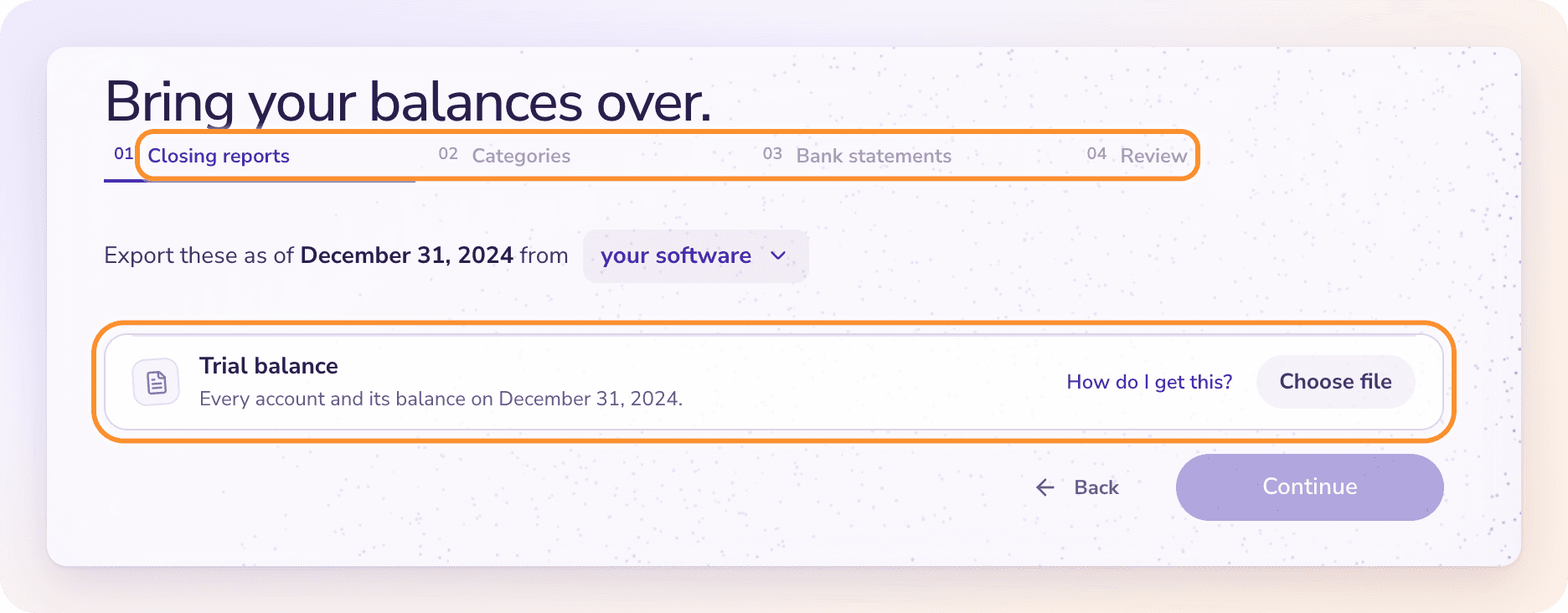
Opening books picks up where your old software left off. Old transactions don’t need to come across one by one; the closing balances carry the history.
1
Pick the handoff date
Choose the first day in ZeraBooks: the day after your last reliable, reconciled closing date.
2
Upload your closing reports
Export the trial balance as of the closing date from QuickBooks, Xero or other software, plus unpaid invoice and bill reports if money was still owed. PDF, CSV or Excel all work.
3
Match balances to categories
Every balance on the old trial balance gets a home in ZeraBooks. In a new company, the categories are created from the trial balance for you to confirm.
4
Hand off each bank account
Upload the last statement on or before the closing date for each bank and card, and list any checks or deposits that hadn’t cleared.
5
Review and import
Check the opening books and import them. You can undo the import if something needs another look.
An AI ledger is a general ledger where AI does the routine bookkeeping inside the system of record: reading statements and documents, categorizing transactions and proposing entries. In ZeraBooks the AI makes judgment calls only; every amount is calculated by the ledger, and each AI action is logged with an undo.
What is the best general ledger software?+
It depends on who keeps the books. Large companies use ERP ledgers such as NetSuite or Sage Intacct; small businesses often use QuickBooks Online or Xero. If you want a double-entry ledger where AI does the bookkeeping from your statements and you review it, with a 7-day free trial, ZeraBooks is built for that.
Is ZeraBooks a real double-entry ledger?+
Yes. Every transaction posts as balanced debits and credits to a chart of accounts with eight category types, and the Trial Balance, Balance Sheet, Profit & Loss and Cash Flow are calculated from those postings.
Can I import my chart of accounts and history?+
Yes. Import a chart of accounts from QuickBooks, Xero, Sage, a spreadsheet or a PDF, and bring your books over with opening balances from your old trial balance, unpaid invoices and bills, and uncleared bank items. Journal entries can be imported in bulk from CSV or Excel.
Does ZeraBooks handle month-end close?+
Yes. Statements are reconciled as they’re uploaded, Autopilot drafts depreciation, loan interest and prepaid entries, tied months are signed off, and closing the books locks every date on or before the close.
Which currencies are supported?+
Books can be kept in U.S. dollars (the default), Canadian dollars or euros. The books currency locks once the books have their first transaction.
How much does it cost?+
$79 a month billed annually ($948 a year) or $149 billed monthly, after a 7-day free trial. The Converter is included.