How to convert a QFX file to CSV, with card signs that still make sense.
To convert QFX to CSV, take each STMTTRN record and write its DTPOSTED, NAME and TRNAMT as Date, Description and Amount, keeping FITID as an ID. On a card file, purchases are negative and payments positive, so flip the column if your software expects charges as positive. ZeraBooks reads the PDF card statement instead; see the bank statement converter.
7-day trial · card required, nothing charged for 7 days · 1,000 pages a month from $79/month billed annually
Statements in, proven to the cent.
FIELD BY FIELD
Which QFX tags become CSV columns?
A .qfx is Quicken’s flavour of OFX; what is a QFX file walks through a bank download line by line. A credit card file uses slightly different blocks, and this table follows those.
QFX tag
CSV column
What to do
DTPOSTED (20260904)
Date
Rewrite as 09/04/2026
NAME
Description
Copy; 32 characters at most
MEMO
Memo
Copy when present
TRNAMT (-219.99)
Amount, or Charge and Payment
Keep the sign, or split: negative to Charge, positive to Payment, both written positive
TRNTYPE (DEBIT, CREDIT, FEE)
Type
Optional label; the sign decides the direction
FITID
ID
Keep for de-duplicating overlapping downloads
CCACCTFROM › ACCTID
Account
Once per file; often masked. There is no routing number on a card
LEDGERBAL › BALAMT (negative)
Not a row
What you owe at the end, written as a minus
INTU.BID
Nothing
Quicken’s bank code; useless outside Quicken
Try it on your own documents. One-week free trial, both apps included.
The same four transactions, with the amount written two ways: as the QFX signs it, and split into charges and payments for software that wants both positive.
Date
Description
Amount (QFX sign)
Charge
Payment
ID
09/04/2026
TRAILHEAD PARTS CO
-219.99
219.99
260904001
09/11/2026
HARBOR SHIPPING 0412
-48.75
48.75
260911002
09/18/2026
PAYMENT THANK YOU
1500.00
1500.00
260918003
09/25/2026
ANNUAL CARD FEE
-35.00
35.00
260925004
Totals
1196.26
303.74
1500.00
The check, from what is owed: 2,410.30 owed on August 31, plus 303.74 of charges, minus the 1,500.00 payment = 1,214.04, which is the LEDGERBAL of −1,214.04. In QFX signs it reads −2,410.30 + 1,196.26 = −1,214.04. The 2,410.30 comes from the August statement, because a QFX has no opening balance.
THE SIGN PROBLEM
Why are credit card amounts backwards in a QFX file?
They aren’t backwards, they are signed from your side of the account. The OFX standard says amounts show the effect on the customer: a purchase adds to what you owe, so it is negative, and a payment reduces it, so it is positive. The balance follows the same rule, which is why Ferncliff’s 1,214.04 debt shows as −1,214.04.
Many spreadsheets and card imports think the other way, with charges as positive amounts. Whichever way your destination wants it, flip the whole column at once and check the total afterwards. Don’t use TRNTYPE to decide; the specification says the label doesn’t change the effect, and a refund can arrive marked DEBIT with a positive amount.
WHAT GETS LOST
What do you lose converting QFX to CSV?
Quicken’s duplicate check
Quicken remembers FITIDs and skips repeats. Keep the ID column, or two overlapping downloads stacked in a sheet will double some charges.
The ending balance
LEDGERBAL isn’t a transaction, so it disappears unless you note it. It is the only figure in the file that proves the rows add up.
Who made each charge
A QFX lists transactions for the account. It has no cardholder field, so a card shared by three people comes out as one list.
The card number
Often masked in the file and stated once. Add an Account column before combining cards.
Intuit’s tags
INTU.BID and any other Intuit tags have no column to go to and are dropped. Free parsers such as ofxtools ignore them by design.
FREE ROUTES
How can you convert QFX to CSV for free?
Checked against each tool’s documentation on October 22, 2026. A QFX is OFX inside, so these are the same tools that read OFX:
Route
How
Watch for
GnuCash (free desktop accounting)
Create a credit card account, File › Import › Import OFX/QFX transactions, then File › Export › Export Transactions to CSV
You import into an account first; GnuCash remembers the match next time
ofxtools (Python library)
A short script on Python 3.10 or later; reads 1.x and 2.x
Intuit tags are skipped
Excel Power Query
Data › Get Data › From File › From XML
Only if the first line is <?xml
Whichever route you use, run the balance check above before you rely on the CSV. The Power Query steps in full are in our OFX to Excel guide.
THE BETTER SOURCE
Convert the card statement PDF instead.
ZeraBooks Convert reads PDF statements. It doesn’t read or make QFX, QBO, OFX or QIF files, and it doesn’t connect to Quicken.
CARD STATEMENTS
Charges, payments and cardholders, read from the PDF.
Upload the card statement and Convert reads every transaction. When a statement has several cardholders, a Cardholder column is added, or you can download one file per cardholder, which a QFX can’t give you. Money in and out writes payments and charges in two positive columns, so there is no sign to flip. See credit card statement to Excel.
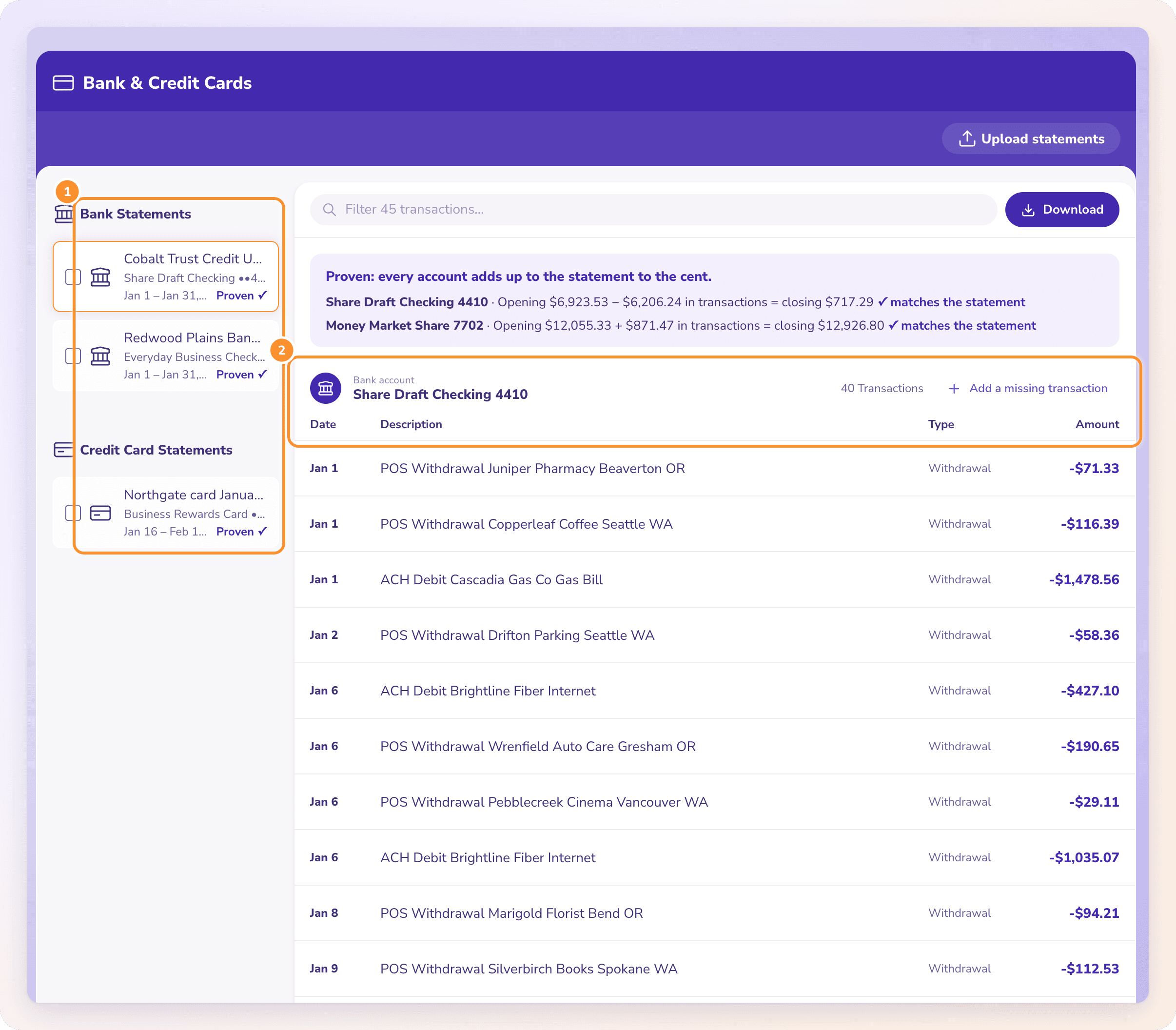
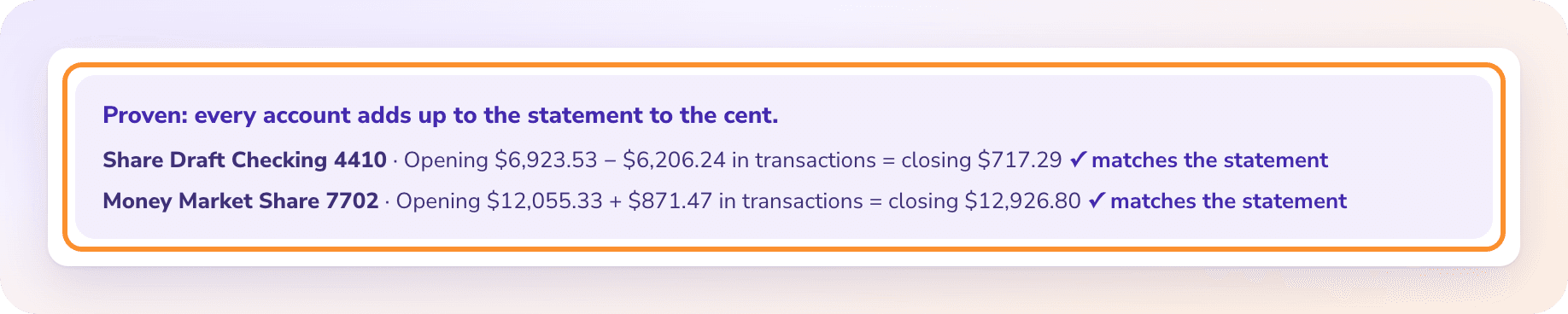
The PDF prints both the previous balance and the new one, so Convert checks every account against them before you download. The 2,410.30 to 1,214.04 check Ferncliff did by hand is automatic, and a statement that doesn’t tie is flagged with the difference.
Only if the file is XML, meaning its first line starts with <?xml. Then Data, Get Data, From File, From XML reads it. A file starting OFXHEADER:100 isn’t XML; convert it with GnuCash first.
Is converting QFX the same as converting OFX?+
Yes. A QFX is OFX with Intuit’s tags added. The transactions sit in the same STMTTRN records, and the same tools read both. For the reverse direction, see CSV to OFX.
Why are my card charges negative in the CSV?+
Because QFX signs amounts from your side: a purchase increases what you owe, so it is negative, and a payment is positive. Flip the whole column if your software expects charges as positive, then check the total. Card issuers’ own CSV downloads are covered in how to export a credit card statement to CSV.
Does a QFX file include the previous balance?+
No. It has the transactions and the balance at the end. To prove the month is complete, take the previous balance from your last statement, add the net of the transactions and compare with the QFX balance.
Can ZeraBooks convert QFX to CSV?+
No. ZeraBooks Convert reads PDF statements only and doesn’t read or make QFX, QBO, OFX or QIF files. If you have the PDF card statement, Convert turns it into CSV or Excel, checked against the printed balances.
Start from the card statement. Get a CSV that ties.
ZeraBooks Convert reads PDF bank and card statements, splits them by account and cardholder, and proves every account before you download. 7-day trial, then $79 a month billed annually; see ZeraBooks pricing.