GUIDE · FINANCIAL STATEMENTS
Profit and loss statement:
what it is and how to read one.
A profit and loss statement, also called a P&L or income statement, shows what a business earned over a period, minus what it cost to earn it and run the business. What is left at the bottom is net income. ZeraBooks builds the P&L from its general ledger each time you open it, so a corrected transaction changes the report straight away.
7-day trial · card required, nothing charged for 7 days · then $79/month billed annually or $149 monthly
THE PARTS
What is on a profit and loss statement?
A P&L reads top to bottom. Each subtotal answers a slightly different question about the business.
- 1
Revenue
Sales and fees from what the business does, for the period. Also called income or sales.
- 2
Cost of revenue
Costs that rise and fall with sales: materials, stock, contractors on client work. Also called cost of goods sold.
- 3
Gross profit
Revenue minus cost of revenue. Divided by revenue, it is the gross margin: how much of each dollar of sales is left to run the business.
- 4
Operating expenses
Rent, salaries, software, advertising, insurance. What it costs to keep the doors open whatever sales did that month.
- 5
Operating income
Gross profit minus operating expenses. Profit from the business itself, before interest and one-off items.
- 6
Other income and expenses
Items outside day-to-day operations, such as interest earned on savings or interest paid on a loan.
- 7
Net income
The bottom line: everything above added together. Negative means a net loss for the period.
Try it on your own documents. One-week free trial, both apps included.
WORKED EXAMPLE
Example: a profit and loss statement for a small design studio
One month for a fictional five-person studio. The right column shows each line as a percentage of total revenue, the same as ZeraBooks’ Percentages › of Income option.
| Line | March 2026 | % of revenue |
|---|---|---|
| Revenue | ||
| Design services | 42,500 | 84.2% |
| Retainers | 8,000 | 15.8% |
| Total revenue | 50,500 | 100.0% |
| Cost of revenue | ||
| Contractors | 12,400 | 24.6% |
| Stock images and fonts | 600 | 1.2% |
| Total cost of revenue | 13,000 | 25.7% |
| Gross profit | 37,500 | 74.3% |
| Operating expenses | ||
| Salaries and wages | 18,000 | 35.6% |
| Rent | 3,200 | 6.3% |
| Software subscriptions | 1,150 | 2.3% |
| Advertising | 900 | 1.8% |
| Insurance | 420 | 0.8% |
| Bank and card fees | 230 | 0.5% |
| Total operating expenses | 23,900 | 47.3% |
| Operating income | 13,600 | 26.9% |
| Interest income | 45 | 0.1% |
| Loan interest | (310) | (0.6%) |
| Net income | 13,335 | 26.4% |
Amounts in U.S. dollars. Expenses are shown as positive numbers and subtracted, the usual layout; the loan interest is in brackets because it reduces net income. The loan repayment itself is not on the P&L, only its interest.
READING IT
How do you read a profit and loss statement?
Using the studio above. Five checks take about two minutes once you know where to look.
- 1
Start at the bottom
Net income of $13,335 on $50,500 of revenue is a 26.4% net margin. That one number says whether the month made money.
- 2
Check the gross margin
74.3% means about 74 cents of every sales dollar is left after the contractors. If it drops next month while sales hold, contractor costs rose faster than prices.
- 3
Find the biggest expense
Salaries are 35.6% of revenue, more than every other operating expense combined. Small savings elsewhere matter less than how busy the team is.
- 4
Compare with other periods
One month alone can mislead. Put three or twelve months side by side, or this March next to last March, before reading a trend into it.
- 5
Remember what isn’t there
Loan principal, owner draws, equipment purchases and money moved between your own accounts are not income or expenses. That is why profit and the cash in the bank rarely match.
HOW IT FITS
Profit and loss vs balance sheet vs cash flow statement
| Profit and loss | Balance sheet | Cash flow statement | |
|---|---|---|---|
| Question it answers | Did the business make money? | What does it own and owe? | Where did the cash come from and go? |
| Time covered | A period, such as March | One date, such as March 31 | A period, such as March |
| Bottom line | Net income | Assets equal liabilities plus equity | Change in cash |
| Includes loan repayments | Interest only | The loan balance | The full payment |
IN ZERABOOKS
How ZeraBooks produces a profit and loss statement
There is nothing to run. The P&L is calculated from the ledger when you open it.
- 1
Upload bank and card statements
PDF or CSV. ZeraBooks reads each transaction, checks the statement against its printed balances and places each line in your chart of accounts, learning from your corrections.
- 2
Reconcile the month
A month ties when the statement adds up, follows the previous one and agrees with the ledger. Tied months can be closed so the P&L for them stops changing.
- 3
Open Financials › Profit & Loss
Pick the period. For a single month, show 1, 3, 6 or 12 months side by side, with a change column against the month before or the average.
- 4
Add comparisons
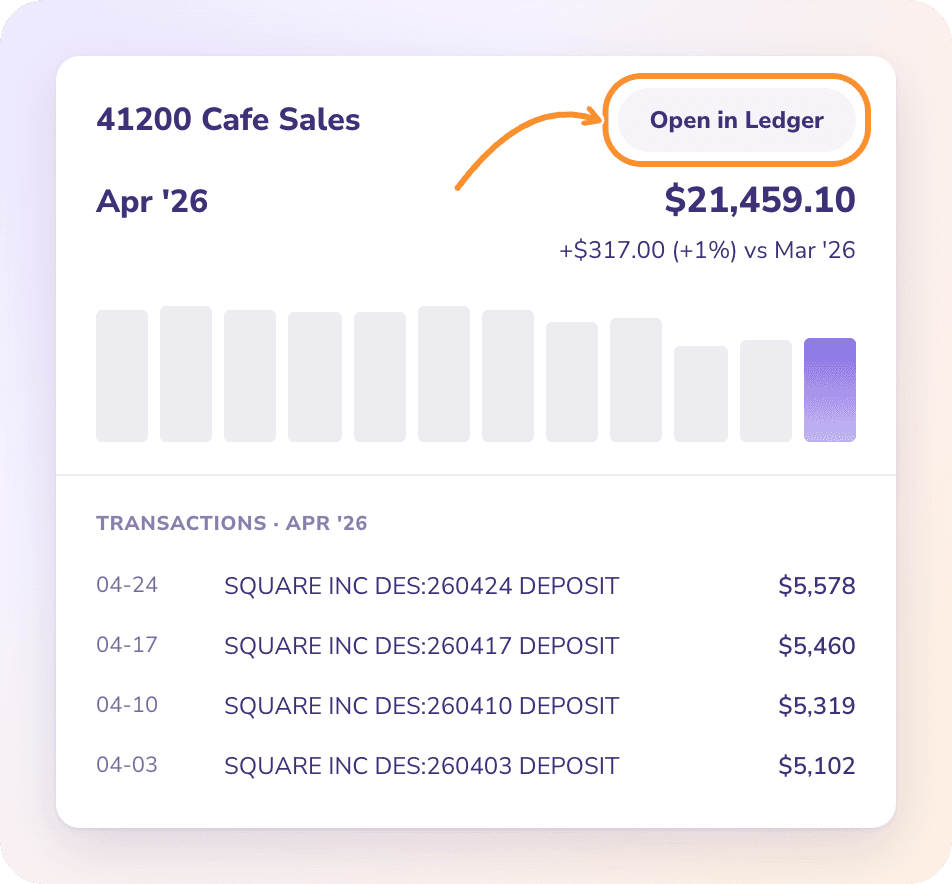
Under Options, add percentages of income, the same period last year or a year-to-date column. Click any amount to see the transactions behind it.
- 5
Download or send it
PDF for printing (up to six columns), CSV or an Excel workbook, or email it from the same menu.
Is a profit and loss statement the same as an income statement?
Yes. Profit and loss statement, P&L, income statement and statement of operations all mean the same report: revenue minus expenses over a period. Nonprofits call theirs a statement of activities; a church keeping its books in ZeraBooks reads the same report, as our guide to church accounting software explains.
Is the ZeraBooks P&L cash basis or accrual basis?
There is no switch. Bank and card transactions post on the date the money moved. Approved bills and invoices post when you approve them, and month-end entries such as depreciation are accrual entries. If your books come only from bank statements, the P&L effectively shows income and expenses when cash moved.
Why is my profit different from the money in my bank account?
Because some cash movements are not income or expenses. Loan principal, owner draws, equipment purchases, sales tax collected and transfers between your own accounts change the bank balance without touching the P&L. Unpaid invoices do the opposite: income on the P&L, no cash yet.
How often should a small business look at its P&L?
Monthly, after the month is reconciled. A P&L built from unreconciled books can be missing a statement or count a transfer as spending, so the reconciliation comes first.
Can I make a profit and loss statement in Excel?
Yes: list every transaction, give each a category, then total the categories under revenue, cost of revenue and expenses. Most of the work is getting the transactions in. The ZeraBooks bank statement converter turns PDF statements into a spreadsheet to start from, or let the ledger build the P&L for you.
Can ZeraBooks show a P&L by department or location?
No. ZeraBooks statements have no departments, classes or locations. A business with two locations can give each its own income and expense categories, or its own bank account, as many restaurants do; see restaurant bank accounts and daily deposits.
ONE-WEEK FREE TRIAL
See your own P&L, built for you.
Upload last month’s statements.
ZeraBooks reads them, categorizes the transactions and builds the profit and loss statement. Then $79 a month billed annually, or $149 monthly. See ZeraBooks pricing.
Last updated October 12, 2026 · Written by Damin Mutti, founder of ZeraBooks