How to convert CSV to OFX, and whether your software needs it at all.
To convert CSV to OFX, wrap each row in an STMTTRN record (TRNTYPE, a YYYYMMDD date, a signed amount, a unique FITID and a NAME), then add the header, account block and closing balance. First check whether your software takes CSV; most do. ZeraBooks Convert makes QuickBooks-ready and Xero-ready CSV from PDFs; see the bank statement converter.
7-day trial · card required, nothing charged for 7 days · 1,000 pages a month from $79/month billed annually
FIELD BY FIELD
How does each CSV column map to OFX?
Bank CSVs differ, but most have a date, a description, the amount in one or two columns and sometimes a running balance. Here is where each goes in an OFX file, whose layout is explained in what is an OFX file.
CSV column
OFX element
Rule
Date (10/02/2026)
DTPOSTED
Year first, no separators: 20261002
Description
NAME
32 characters at most; put any overflow in MEMO
Debit (212.48)
TRNAMT
Written negative: -212.48
Credit (1,860.00)
TRNAMT
Written positive, no thousands comma: 1860.00
Debit or Credit
TRNTYPE
DEBIT or CREDIT to match; the sign still rules
Check number, if any
CHECKNUM
Up to 12 characters
Balance (last row)
LEDGERBAL › BALAMT and DTASOF
Only the final balance goes in; the running column is dropped
(none)
FITID
Invent one per row, unique and stable
(none)
BANKID, ACCTID, ACCTTYPE, CURDEF
From your account details; ACCTTYPE is CHECKING, SAVINGS, MONEYMRKT, CREDITLINE or CD
(none)
DTSTART, DTEND
First and last dates in the CSV
Try it on your own documents. One-week free trial, both apps included.
Tidewater Yoga Studio is a fictional studio. Its bank exports October 2 to 14, 2026 like this, with debits and credits in separate columns:
Date
Description
Debit
Credit
Balance
10/01/2026
Opening balance
3515.27
10/02/2026
STUDIO PAYOUT 4471
1860.00
5375.27
10/05/2026
CITY POWER AND LIGHT
212.48
5162.79
10/09/2026
MAT CLEANING SUPPLY
64.10
5098.69
10/14/2026
STUDIO PAYOUT 4471
1420.00
6518.69
Totals
276.58
3280.00
6518.69
The check before converting: 3,515.27 + 3,280.00 − 276.58 = 6,518.69, the last balance. If the running balance doesn’t agree with the debits and credits, a row is missing, and an OFX built from it will carry the gap into your books.
THE OFX
What does the CSV look like as an OFX file?
The same data as an OFX 2.x file, which is XML, so every element closes. The header and sign-on block are shortened.
<STMTTRN><TRNTYPE>DEBIT</TRNTYPE><DTPOSTED>20261005</DTPOSTED><TRNAMT>-212.48</TRNAMT><FITID>20261005-01</FITID><NAME>CITY POWER AND LIGHT</NAME></STMTTRN>
The opening-balance row isn’t a transaction, so it has no STMTTRN; OFX has no place for an opening balance at all. The four amounts net to 1,860.00 − 212.48 − 64.10 + 1,420.00 = 3,003.42, and 3,515.27 + 3,003.42 = 6,518.69, the LEDGERBAL.
GET IT RIGHT
What rules must a hand-made OFX file follow?
Most failed imports come down to one of these. They are set by the OFX specification, not by any one program.
Every required element present
Sign-on needs STATUS, DTSERVER and LANGUAGE. The statement needs CURDEF, the account block and LEDGERBAL. Each transaction needs TRNTYPE, DTPOSTED, TRNAMT and FITID.
One header style, matched to the body
An XML header with XML tags that all close, or the old OFXHEADER:100 lines with SGML. Mixing the two breaks the file.
Sign by effect on the account
Money out is negative and money in positive. On a credit card, a purchase is negative and a payment positive. TRNTYPE doesn’t change the effect.
FITIDs unique and stable
Up to 255 characters, never repeated in the account, and the same every time the same row is converted. Date plus a sequence within the day, as above, stays stable as long as the bank keeps its row order.
Lengths respected
NAME 32 characters, CHECKNUM 12, BANKID 9, ACCTID 22. Longer values can be cut or rejected.
Plain numbers
No currency signs, no thousands commas, a period for decimals.
FREE ROUTES
What are the free ways to convert CSV to OFX?
Checked against each project’s own documentation on October 22, 2026. Start with the first row: it often makes the rest unnecessary.
Route
What it does
Note
Import the CSV directly
QuickBooks Online, Xero and GnuCash all import CSV bank files
No OFX needed; GnuCash uses File › Import › Import Transactions from CSV
csv2ofx (open source, MIT License)
Command-line tool and Python library: csv2ofx -m <mapping> source.csv dest.ofx
Needs a column mapping for your bank’s CSV; -L lists the built-in ones
ofxtools (Python library)
Writes OFX 1.x (SGML) or 2.x (XML) from Python
Python 3.10 or later; you write the script
By hand in a text editor
Copy the sample above and replace the values
Fine for a few rows; easy to break a tag
GnuCash reads OFX but exports only CSV, so it can’t write an OFX for you. Quicken looks for the QFX flavour with Intuit’s bank ID, so a homemade OFX may be refused there whatever tool made it.
WHAT CHANGES
What is lost or made up when you convert CSV to OFX?
Two things are lost. The running balance shrinks to a single closing figure, and the opening balance disappears entirely, because OFX has no element for it. Any extra columns your bank added, such as a category or a branch, have nowhere to go unless you squeeze them into MEMO.
Two things are made up. The FITIDs are yours, not the bank’s, so a real download from the bank for overlapping dates won’t match them and can import the same transactions twice. The account block is whatever you typed. Nothing in a converted OFX is more accurate than the CSV it came from; it is the same data in a stricter wrapper.
SKIP THE OFX
Most software takes a CSV. Start from the PDF.
ZeraBooks Convert doesn’t read CSV and doesn’t make OFX, QFX, QBO or QIF files. It reads PDF statements and downloads the CSV your accounting software already imports.
READY FOR YOUR SOFTWARE
QuickBooks-ready, Xero-ready or Sage-ready CSV.
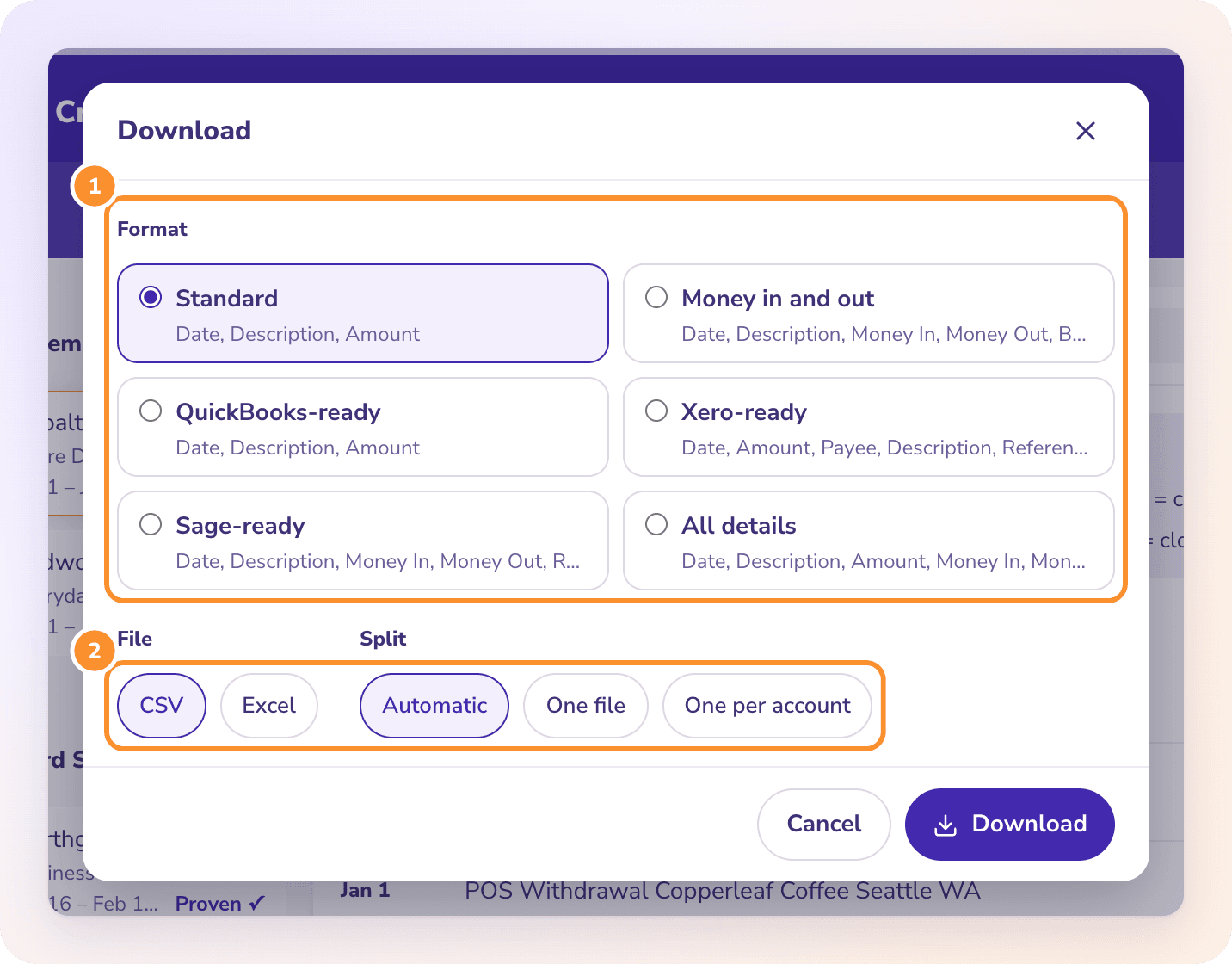
Pick the format for where the file is going and the columns, signs and US dates are already right. Xero-ready gives Date, Amount, Payee, Description and Reference; the steps for Xero are in bank statement to Xero. For a plain spreadsheet, see convert a bank statement to CSV.
A PDF statement prints the opening and closing balance, which an OFX can’t hold. Convert checks every account against both, to the cent, so the 3,515.27 to 6,518.69 check above happens before you download. A statement that doesn’t tie is flagged with the difference.
No. An OFX file is tagged text with a header, an account block and one STMTTRN per transaction. A renamed CSV has none of that, and any program expecting OFX will reject it. The same is true of a .qbo file; see how to convert CSV to QBO format.
Do QuickBooks Online and Xero need OFX?+
No. Both import CSV bank files as well as OFX. Converting a CSV to OFX for them adds work without adding information.
How do I create a FITID for each transaction?+
Use something unique within the account that won’t change if you convert the same CSV again, such as the date plus a sequence number within that day: 20261002-01, 20261002-02. Never use a random number; it changes every run and causes duplicates.
Why does my converted OFX file import twice?+
The FITIDs changed between runs, or a real bank download overlapped your homemade file. Software skips only FITIDs it has already seen. Delete the duplicates in the software, and keep one source per date range.
Can ZeraBooks convert CSV to OFX?+
No. ZeraBooks Convert reads PDF statements and downloads Excel or CSV only; it doesn’t make OFX, QFX, QBO or QIF files. Most accounting software, including QuickBooks Online and Xero, imports its CSV formats directly. To go the other way with a card download, see QFX to CSV.
Skip the OFX step. Get a CSV your software takes, checked.
ZeraBooks Convert reads PDF statements, proves every account to the cent and downloads QuickBooks-ready, Xero-ready or Sage-ready CSV. 7-day trial, then $79 a month billed annually; see ZeraBooks pricing.