QuickBooks Online can’t read a PDF bank statement, but its bank upload accepts a CSV file. ZeraBooks Convert reads the PDF, proves every account against the printed balances to the cent, and downloads a QuickBooks-ready CSV with Date, Description and Amount, which you upload in QuickBooks Online’s bank transactions. Convert makes CSV and Excel, not .qbo files.
7-day free trial · 1,000 pages a month from $79/month billed annually
Statements in, proven to the cent.
DEFINITION
What is a QBO file?
A QBO file is QuickBooks’ Web Connect format: a bank-transaction file in the OFX standard that banks export for QuickBooks. QuickBooks Online also accepts bank transactions as a CSV file, which is what a PDF statement converter such as ZeraBooks Convert produces.
STEP BY STEP
How to import a PDF bank statement into QuickBooks Online
1
Convert the PDF
Upload the statement to ZeraBooks Convert on Bank & Credit Cards. Reading usually takes under a minute.
2
Check the proof
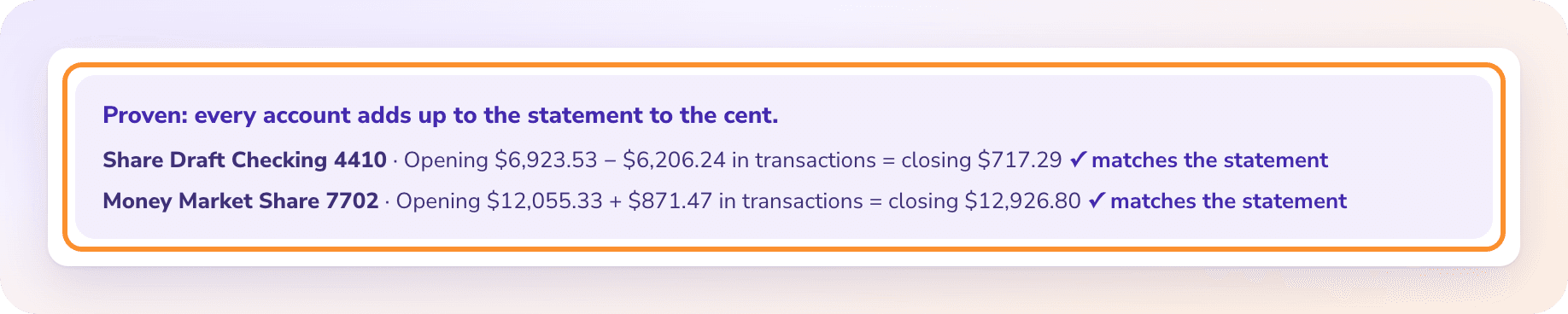
Make sure the statement is Proven: every account adds up to its printed balances to the cent.
3
Download a QuickBooks-ready CSV
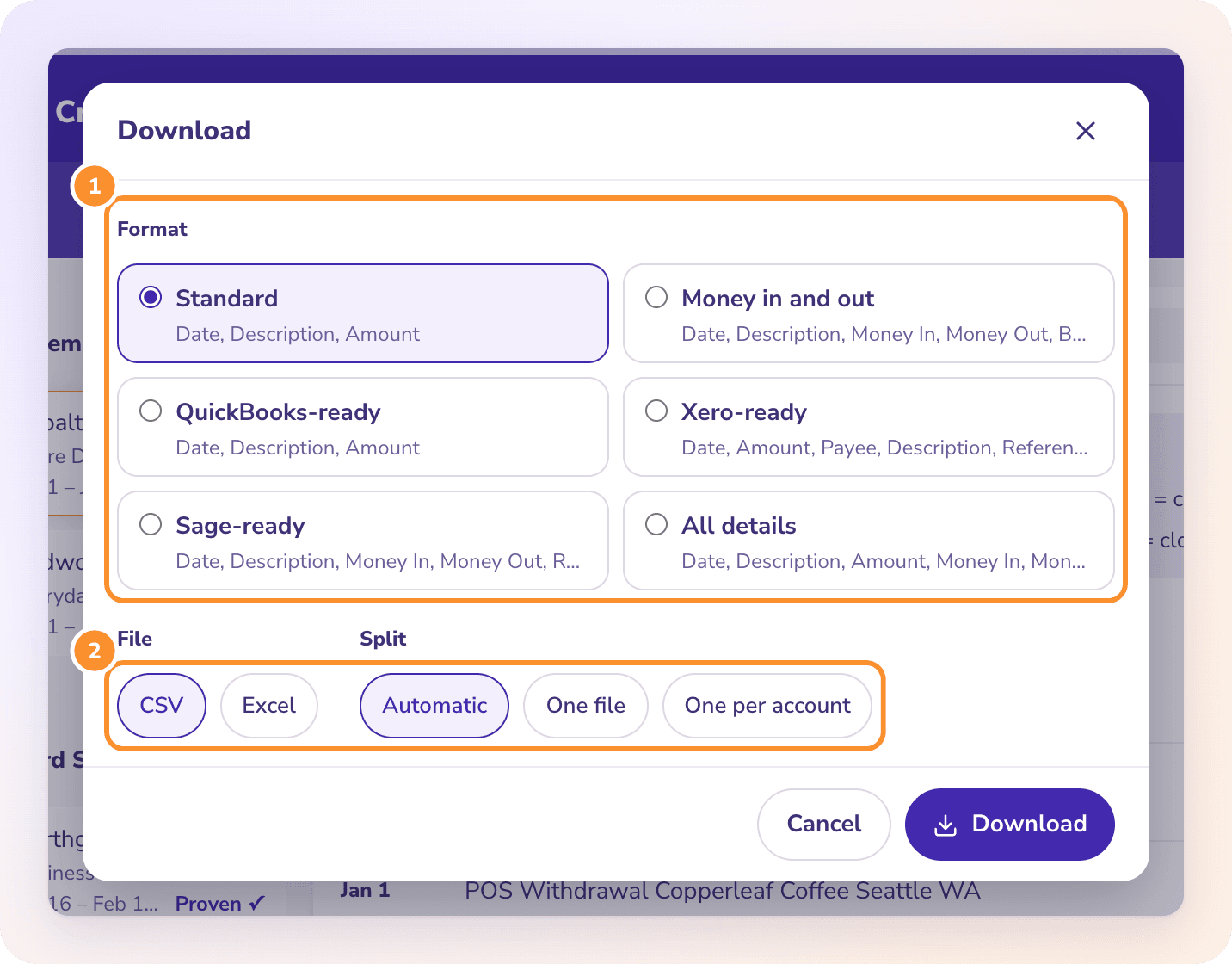
Click Download, choose QuickBooks-ready and CSV. With several accounts, choose one file per account so each one goes to the right QuickBooks account.
4
Upload it in QuickBooks Online
In QuickBooks Online’s bank transactions, use the upload-from-file option, select the CSV, choose the matching bank account and map Date, Description and Amount.
5
Review in QuickBooks
The transactions arrive in QuickBooks’ For review list, where you categorize or match them.
Try it on your own documents. One-week free trial, both apps included.
The ZeraBooks General Ledger reads the same statement, categorizes it, reconciles the month and drafts month-end entries, with no import step. It’s included in the same subscription.
Not as bank transactions. QuickBooks Online imports bank transactions from CSV (or bank files such as QBO), not PDF. Convert the PDF to a QuickBooks-ready CSV first, then upload that.
How can I convert a PDF file to CSV format for QuickBooks?+
Upload the PDF to ZeraBooks Convert, check that it’s Proven, then click Download and choose QuickBooks-ready and CSV. The file has the Date, Description and Amount columns QuickBooks Online’s bank upload takes.
What is a QBO file format?+
QBO is QuickBooks’ Web Connect format for bank transactions, based on OFX. ZeraBooks Convert doesn’t make QBO files; it makes QuickBooks-ready CSV, which QuickBooks Online also accepts.
Does ZeraBooks connect to QuickBooks?+
No. Convert doesn’t connect to QuickBooks or any accounting software. Data goes out only as files you download.
Does it work for QuickBooks Desktop?+
The QuickBooks-ready format is built for QuickBooks Online’s bank upload. Check your QuickBooks Desktop version’s import options before relying on CSV.