TD CARDS
Card statements are in the same menu.
Choose the card account in Statements and Documents. A card statement is proven as previous balance plus charges minus payments equals the new balance. See credit card statement to Excel.
General Ledger + Converter in one subscription.
See pricingBY BANK · TD BANK
To convert a TD Bank statement to Excel, download the PDF from Statements and Documents in TD Bank Online Banking (U.S.), upload it to the ZeraBooks bank statement converter and download Excel or CSV. TD Bank splits daily activity into blocks by kind; ZeraBooks merges them into one list, keeps each check number and proves the ending balance.
7-day trial · card required, nothing charged for 7 days · 1,000 pages a month from $79/month billed annually
STEP 1 · DOWNLOAD
Sign in on the U.S. site. TD’s Canadian site is a different bank and won’t show U.S. accounts. The full walk-through is in Download your TD Bank statements.
On a computer, so several months are quick to save.
Checking, savings and business card statements are all listed there.
TD Bank keeps up to 7 years online. Older than that, ask TD Bank.
Not the Quicken or QuickBooks download: it has the transactions but usually no opening or closing balance.
Try it on your own documents. One-week free trial, both apps included.
HOW TD BANK LAYS IT OUT
A TD Bank checking statement typically has two parts: an account summary with a total for each kind of activity, then Daily Account Activity, where the same transactions are listed block by block. Copying it into Excel means putting the blocks back into one list.
| Part of the statement | What it holds | In the converted file |
|---|---|---|
| Header | Statement Period, Cust Ref # and Primary Account # | The period gives each row its year |
| Account Summary | Beginning Balance, a total per kind of activity, Ending Balance, Average Collected Balance | Used for the proof, not rows |
| Deposits and Electronic Deposits | Branch and mobile deposits, then ACH and card settlement credits | Rows, Type Deposit, positive |
| Checks Paid | Check number, date paid and amount, in number order, with the count of checks | Rows, Type Check, negative, number in Check Number |
| Electronic Payments and Other Withdrawals | ACH debits and other money sent out | Rows, Type Withdrawal, negative |
| Service Charges | Maintenance and other fees | Rows, Type Fee, negative |
| Daily balance table | The balance at the end of each day with activity | Not rows |
Every amount in a block is printed positive; the block’s heading says which way the money moved. ZeraBooks Convert sets the Type from the block and gives money out a minus, so the file sums straight to the change in balance.
WORKED EXAMPLE
Seaside Bakery is a fictional customer with TD business checking ending 8834. Its September 2026 statement prints one branch deposit, two card settlement deposits, two checks, two electronic payments and a fee, across five blocks. In the All details format, trimmed to five columns:
| Date | Description | Type | Check Number | Amount |
|---|---|---|---|---|
| 09/03/2026 | Deposit | Deposit | 1,875.00 | |
| 09/08/2026 | CCD Deposit, Clover Settlement | Deposit | 4,312.60 | |
| 09/10/2026 | Check | Check | 2041 | -1,200.00 |
| 09/15/2026 | CCD Debit, PSE&G Utility | Withdrawal | -642.18 | |
| 09/17/2026 | Check | Check | 2043 | -860.00 |
| 09/22/2026 | CCD Deposit, Clover Settlement | Deposit | 3,980.15 | |
| 09/25/2026 | ACH Debit, ADP Payroll | Withdrawal | -5,410.92 | |
| 09/30/2026 | Maintenance Fee | Fee | -25.00 | |
| Beginning balance 10,240.55 + rows | 12,270.20 |
The proof: 10,240.55 + 1,875.00 + 8,292.75 − 2,060.00 − 6,053.10 − 25.00 = 12,270.20, the ending balance TD Bank printed. Check 2043 printed with an asterisk, TD’s mark for a break in the number sequence: check 2042 didn’t clear this month. The asterisk isn’t part of the number, so the file says 2043.
THE ASTERISK
TD Bank lists paid checks by number, and an asterisk next to a number means the one before it is missing from this statement. It is not an error. Check 2042 might still be in someone’s wallet, it might have been voided, or it might clear next month.
For a bank reconciliation, that is exactly the list you want. Download All details, sort by Check Number, and every gap is a check to chase: outstanding at month end, or voided and never recorded. Our guide on how to do a bank reconciliation shows where outstanding checks go.
Some statements also repeat paid checks in a recap after the dated list. ZeraBooks drops a repeated check only when the account’s printed balance says it is a repeat, so two real checks for the same amount both stay.
WHAT GOES WRONG
The blocks look tidy on paper and fall apart in a spreadsheet.
Electronic Payments and Checks Paid print the same way as Deposits. Paste the blocks together and the month adds up to a huge deposit.
Checks Paid runs by check number, not date, so pasted rows jump around the month. Sorting by date puts them back, but only if the dates came across as dates.
“2043*” pastes as text, so lookups against your check register miss it.
TD Canada Trust statements look different and come from a different site. Both convert in ZeraBooks; just upload the one for the account you mean.
CARDS AND OTHER FILES
TD CARDS
Choose the card account in Statements and Documents. A card statement is proven as previous balance plus charges minus payments equals the new balance. See credit card statement to Excel.
QUICKBOOKS
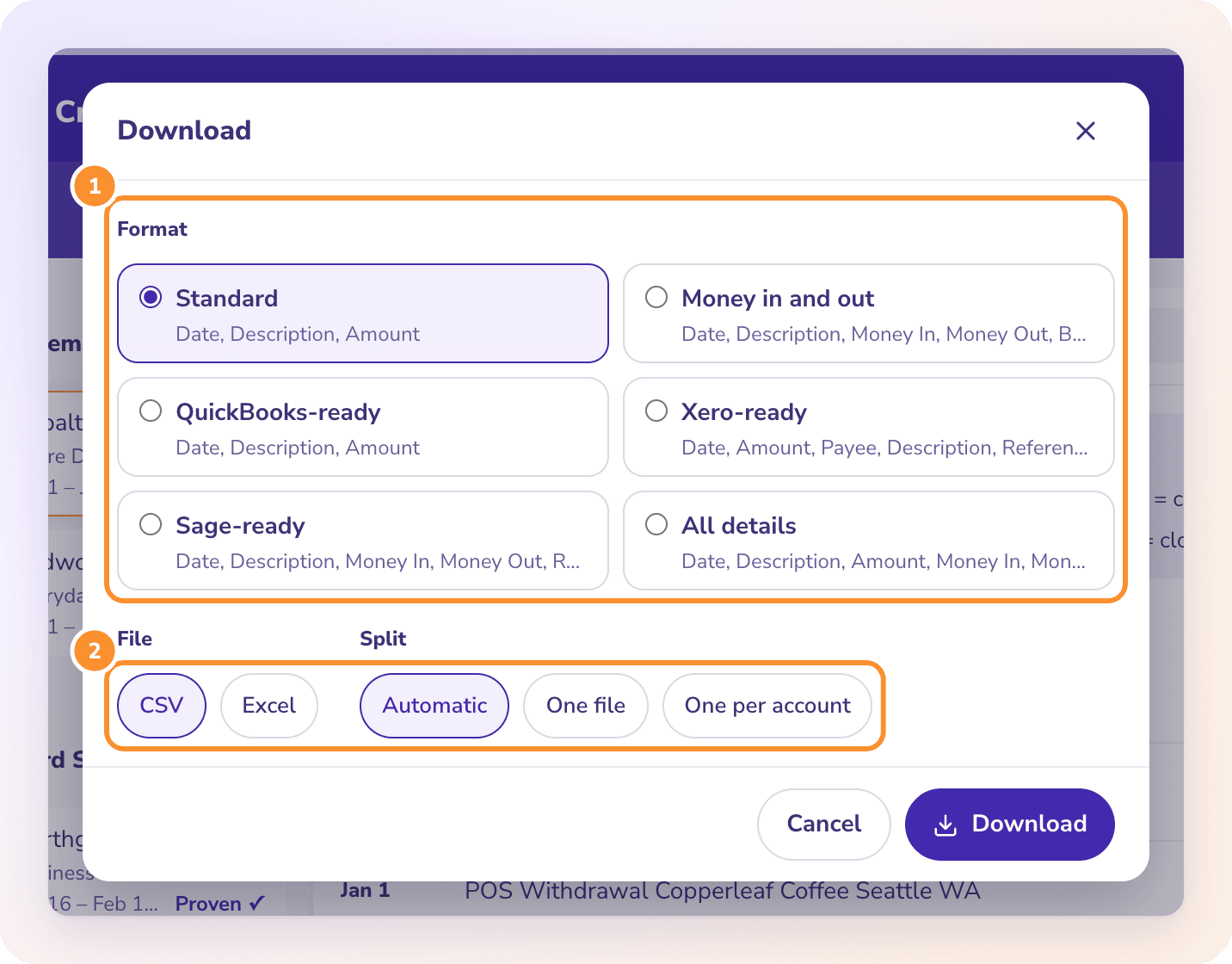
TD Bank’s own Quicken and QuickBooks downloads skip the balances. ZeraBooks’ QuickBooks-ready format gives Date, Description and Amount for QuickBooks Online’s bank upload, from a statement that already tied. See PDF to QuickBooks.
MORE BANKS
Yes, though the download steps differ. TD Canada Trust is covered on our Canadian bank statement converter page. This page is for TD Bank in the U.S.
TD Bank Online Banking shows up to 7 years. For older statements, ask TD Bank.
Yes. The All details format has a Check Number column, filled for every check paid.
No. ZeraBooks has no bank feeds and never asks for your TD Bank sign-in. You download the PDF and upload it.
Convert comes with the ZeraBooks subscription: 1,000 pages a month for $79 a month billed annually or $149 monthly, after a 7-day trial. See ZeraBooks pricing.
ONE-WEEK FREE TRIAL
Proven against the ending balance, 1,000 pages a month from $79 a month billed annually. Other banks: PNC, U.S. Bank and Bank of America. Keeping the books too? See AI bookkeeping.
Last updated November 5, 2026 · Written by Damin Mutti, founder of ZeraBooks