SIDE BY SIDE · ACROBAT
ZeraBooks vs Adobe Acrobat
for turning bank statements into Excel.
Adobe Acrobat exports a PDF’s tables to Excel, one worksheet per table, page or document, exactly as they sit on the page. ZeraBooks reads a bank statement as transactions: one row each, money out negative, accounts split, and the result proven against the printed opening and closing balances. For statements, ZeraBooks is the better tool.
7-day trial · card required, nothing charged for 7 days · 1,000 pages a month from $79/month billed annually

THE REAL DIFFERENCE
A table export is not a transaction list
Acrobat sees a statement the way it sees any PDF: text and tables on pages. Its Excel export is good at keeping that layout. The trouble is that a bank statement’s layout is built for reading, not for adding up. The summary box, the page headers, the "continued" lines and the running balance all come across as cells, sitting between the transactions.
So the export is where the work starts. You delete the header rows on every page, merge the description lines that wrapped onto two rows, turn the withdrawal column negative, and then check by hand that the rows still add up to the closing balance. For QuickBooks, ZeraBooks also has a PDF to QBO-ready download.
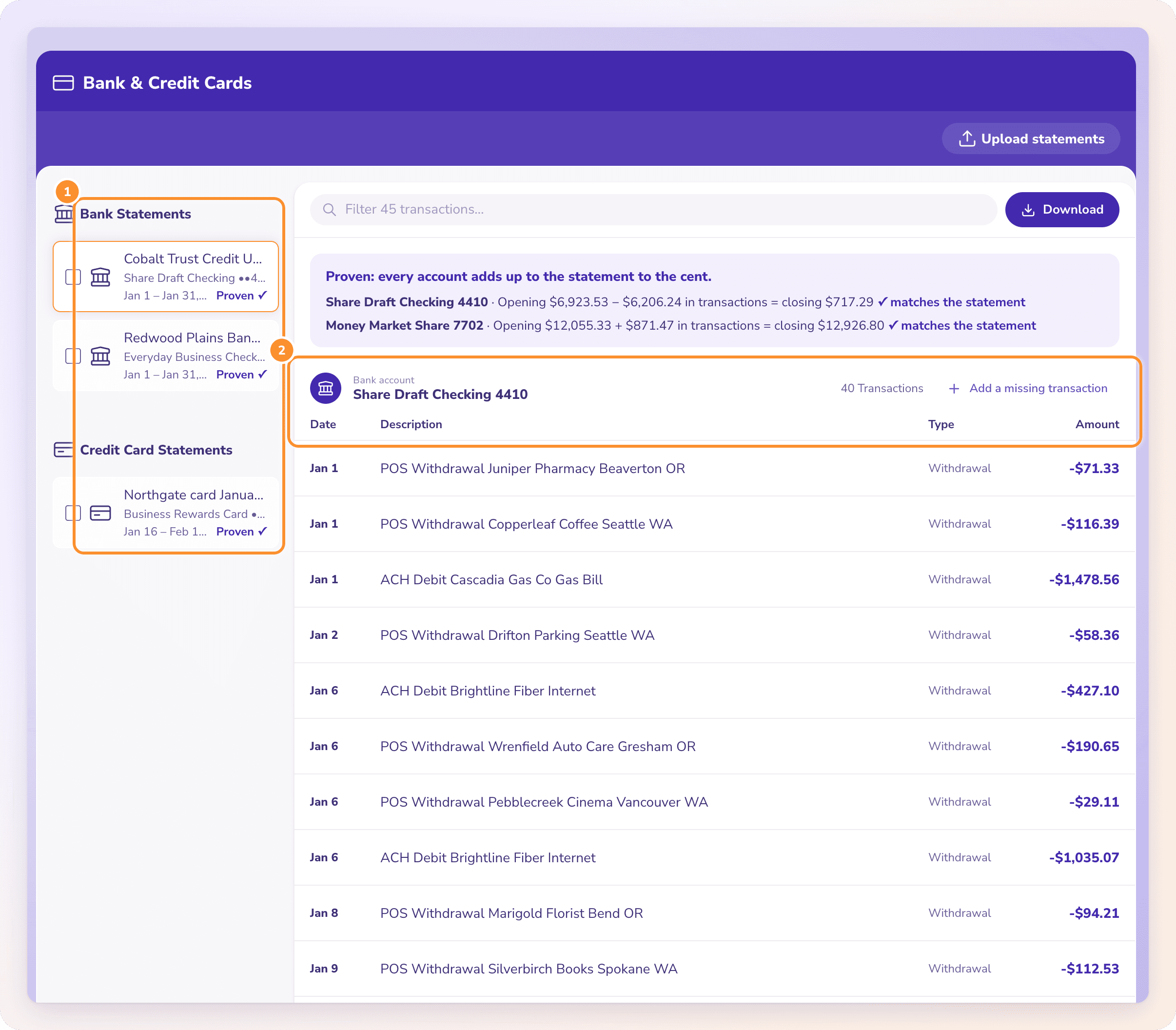
ZeraBooks starts from the other end. It reads the statement as transactions, so the summary box and page furniture never become rows, and it tells you whether the result ties to the printed balances before you download anything. Excel’s own importer has the same blind spot; see ZeraBooks vs Excel’s Get Data From PDF.
Try it on your own documents. One-week free trial, both apps included.
WHAT ACROBAT CAN’T TELL YOU
Whether every line made it
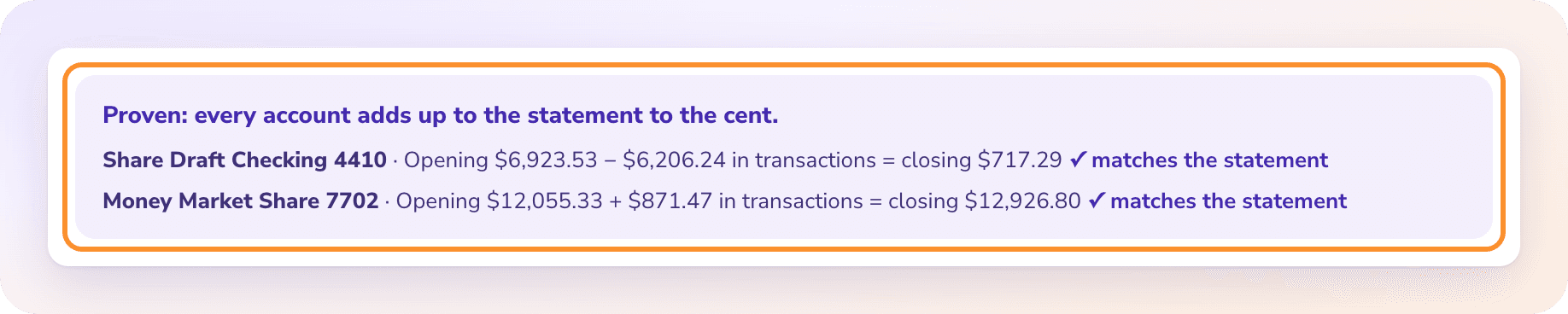
This is the line Acrobat has no equivalent for: the opening balance, plus every transaction ZeraBooks read, equals the printed closing balance. If one line were dropped or misread, it wouldn’t.
WHICH ONE FOR WHICH JOB
Picking the right tool
| Job | Use |
|---|---|
| A year of bank or card statements for the books | ZeraBooks |
| Statements for a tax preparer, lender or divorce file | ZeraBooks |
| A QuickBooks or Xero import | ZeraBooks |
| A one-off table from a report that isn’t a statement | Acrobat |
MORE REVIEWS AND COMPARISONS
Other tools we have reviewed
- DocuClipper vs NanonetsPage bundles against block runs, compared on real statements.
- MoneyThumb vs DocuClipperPer-account conversions against per-page pricing.
- Dext vs HubdocHow each handles bank statements, and what both miss.
- ZeraBooks vs Excel Power QueryExcel’s own PDF import against ZeraBooks.
- QuickBooks alternativeMove from QuickBooks to an AI-native ledger, step by step.
- Best AI accounting softwareAn honest comparison of the AI accounting tools worth a look.
Can Adobe Acrobat convert a bank statement to Excel?
Yes, it exports the PDF’s tables to an Excel workbook. It doesn’t know which rows are transactions or check the result against the statement’s balances, so expect to clean it up and check it yourself.
Does Acrobat read scanned bank statements?
Acrobat Pro can run text recognition on scanned pages before export. ZeraBooks reads scanned statements directly; see scanned bank statement to Excel.
Do I need Acrobat if I use ZeraBooks?
Not for statements. Upload the PDF to ZeraBooks as it is; converting a bank statement to Excel walks through it. Keep Acrobat if you edit or sign other PDFs.
Sources and further reading

ONE-WEEK FREE TRIAL
See it on your own books.
Free for one week.
General Ledger and Converter, both included. $79 a month billed annually or $149 monthly after the trial.