How to export a credit card statement to CSV, and what to do when the download stops short.
To export a credit card statement to CSV, sign in to the issuer’s website, open the card’s activity or statements page, pick a date range and download as CSV. American Express offers two years of activity this way. For older months, download the PDF statements and convert them with the ZeraBooks bank statement converter.
7-day trial · card required, nothing charged for 7 days · 1,000 pages a month from $79/month billed annually
Statements in, proven to the cent.
BY ISSUER
Which card issuers let you download transactions as CSV?
What each issuer’s own help pages said on October 22, 2026. Where a page didn’t say, the cell says so rather than guessing.
Issuer
CSV download
How far back
Statements as PDF
American Express
Yes: activity as PDF, Excel or CSV; recent activity and six billing statements as CSV, Quicken or QuickBooks
Two years of transactions
Archived statements on request, online within 24 hours
Chase
Business (Chase Connect): CSV, PDF or Excel with a date range
Not stated for card activity on a public Chase page
Up to 7 years, depending on the account
Capital One
Not described on the help pages we read
Transactions list: two years
Up to 7 years for active card accounts
Citi
Commercial cards (CitiManager): CSV or Excel
Not stated
Not stated on the pages we read
Menus move. If the download button isn’t where you expect, look on the card’s activity page for a download icon or an export option, and set the date range before you click it. Some issuers default to the current billing period only.
Try it on your own documents. One-week free trial, both apps included.
How do you download card transactions as a CSV file?
The screens differ by issuer, but the order is the same everywhere.
1
Sign in on a computer
Use the issuer’s website rather than the phone app. Downloads and date pickers are usually only on the desktop site.
2
Open the card’s activity
Pick the card, then its transactions or statements and activity page. On Amex the PDF statements and activity sit together.
3
Set the date range
Choose a billing period or a custom range. Match it to the statement dates, not calendar months, so the file lines up with a statement you can check it against.
4
Choose CSV
Pick CSV, sometimes called comma delimited. QFX and QBO files are for Quicken and QuickBooks; Excel is fine if you only want a spreadsheet.
5
Save and open a copy
Keep the original file untouched and work in a copy. Spreadsheets can change dates and long numbers when they save.
6
Check it against the statement
Add up the rows and compare with the statement’s previous and new balance, as in the example below. Pending charges in an activity export won’t be on the statement yet.
WORKED EXAMPLE
How do you check a card CSV against the statement?
Tern Street Studio is a fictional design studio. Its card statement closing September 14, 2026 shows a previous balance of 2,406.18 and a new balance of 1,825.59. The CSV export for the same dates has six rows. This issuer writes charges as positive numbers:
Date
Description
CSV amount
Balance after
08/15
Previous balance
2,406.18
08/16
Payment, thank you
−2,406.18
0.00
08/21
Print shop
189.00
189.00
08/27
Laptop
1,250.00
1,439.00
08/30
Font license
18.99
1,457.99
09/02
Refund: print shop
−45.00
1,412.99
09/09
Studio furniture
412.60
1,825.59
Statement
Net of the rows, and new balance
−580.59
1,825.59
The test: 2,406.18 − 580.59 = 1,825.59, the new balance printed on the statement. Charges are 189.00 + 1,250.00 + 18.99 + 412.60 = 1,870.59. If the rows don’t reach the printed balance, the export is missing a line, includes a pending one, or covers different dates. Signs differ between issuers, so check one charge you know before importing the file anywhere.
WHEN THE DOWNLOAD STOPS
What if the CSV download doesn’t go back far enough?
Activity downloads are built for recent months. On October 22, 2026, a two-year window like Amex’s reaches back to about October 2024. Need January to September 2024 for a tax return, a loan file or a catch-up job? Those months exist only as statements.
Statements go back further: up to seven years at Chase and Capital One, and Amex retrieves archived ones on request. Download each month as a PDF, oldest first. A PDF also has something the CSV lacks: the printed previous and new balances, which are what prove the transactions are complete.
ZeraBooks Convert reads PDF statements you upload. It doesn’t connect to card issuers and doesn’t read CSV files.
PROVEN TO THE CENT
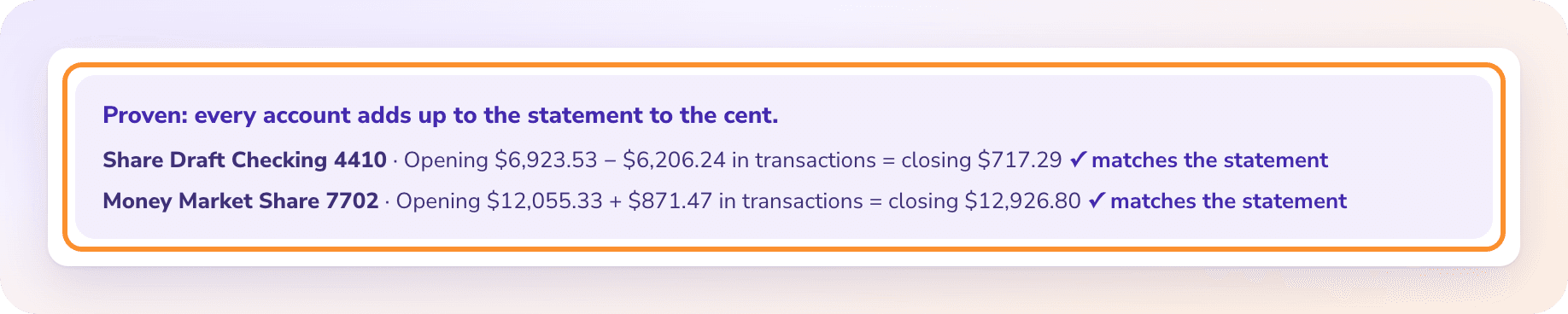
Previous balance plus charges minus payments must equal the new balance.
Convert checks every card statement against its own printed balances, and on a statement with employee cards it checks each cardholder’s charges against the total printed for them. A statement that doesn’t tie is flagged with the difference instead of downloading quietly. PDFs up to 50 MB and 500 pages, usually read in under a minute.
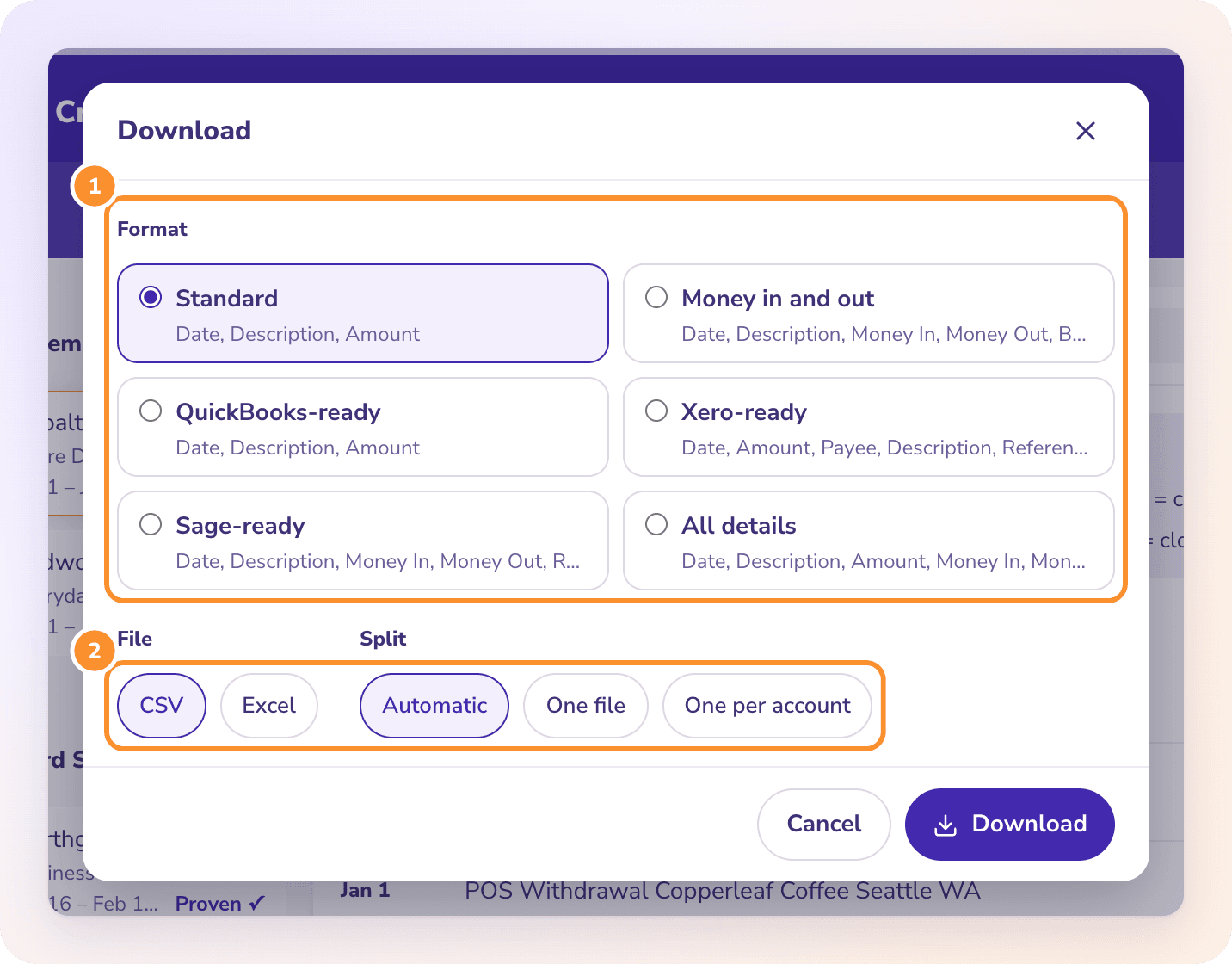
Standard, QuickBooks-ready, Xero-ready or every column.
Download CSV or Excel in a fixed format. Money out, which on a card means a charge, is written as a minus in the one-column formats. All details adds the account, cardholder and type on every row. Dates are written MM/DD/YYYY.
Can I download my credit card statement as a CSV file?+
Usually you download the card’s activity as CSV rather than the statement itself. American Express offers activity as PDF, Excel or CSV for the last two years. The statement is a PDF; to turn it into CSV, convert it.
How far back can I download Amex transactions?+
American Express says two years of transactions can be viewed and downloaded as PDF, Excel or CSV. Older statements can be requested from its archive and appear online within 24 hours. Checked October 22, 2026.
Why doesn’t my card CSV match my statement?+
An activity export can include pending charges, use calendar dates instead of the billing period, or leave out the previous balance. Export the exact statement dates, drop pending lines, and check that previous balance plus the rows equals the new balance.
Are charges positive or negative in a credit card CSV?+
It depends on the issuer. Many write charges as positive and payments as negative, the reverse of a bank account. Accounting imports usually want money out as negative, so check one known charge and flip the signs if needed. Rewards redeemed as statement credits appear as credits too; how to handle credit card rewards covers recording them.
Can ZeraBooks download statements from my card issuer?+
No. ZeraBooks has no bank or card connection and never asks for your sign-in. Download the PDF statements yourself, then upload them to Convert.
How much does ZeraBooks Convert cost?+
Convert is part of the ZeraBooks subscription: 1,000 pages a month for $149 a month, or $79 a month billed annually, after a 7-day trial. Larger page plans are on ZeraBooks pricing.
Months older than the download? Upload the PDFs and get CSV back.
Every card statement is checked against its printed balances before you download. 1,000 pages a month from $79 a month billed annually; see ZeraBooks pricing.