GUIDE · INVOICES
Invoice PDF to Excel,
every line, and the totals proven.
To get invoice PDFs into Excel, upload them to the Invoices page of ZeraBooks Convert, the bank statement converter that also reads invoices, and download Excel. You get one sheet with a row per invoice and one with a row per line, and every invoice is checked first: lines to subtotal, subtotal plus tax and shipping to total.
7-day trial · card required, nothing charged for 7 days · 1,000 pages a month from $79/month billed annually
WHAT CONVERT READS
What data does Convert extract from an invoice?
One PDF can hold one invoice or a hundred. Each invoice gets its own card, and an invoice that runs onto a second page stays one invoice.
The header
Invoice number, vendor, Bill to, invoice date, due date, terms and PO number. When no vendor is printed, the card says Vendor not printed rather than guessing one.
Every line
Description, quantity, unit price and amount, in the order printed, across every page of the invoice.
The totals
Subtotal, any discount, tax with its rate, shipping or other charges, total, any payments or deposits, and amount due.
The proof
Each line’s quantity × unit price equals its amount, the lines add up to the subtotal, the subtotal with discount, tax, shipping and charges adds up to the total, and the total less payments equals the amount due. Anything that doesn’t add up gets an orange triangle.
Try it on your own documents. One-week free trial, both apps included.
WORKED EXAMPLE · INVOICES SHEET
What does the Invoices sheet look like?
Two fictional invoices billed to Alder Creek Supply LLC in September 2026, uploaded as one PDF. The All details format puts one row per invoice on the Invoices sheet. It is shown here turned on its side, one column per invoice, so it fits.
| Column | Invoice 4471 | Invoice B-2093 |
|---|---|---|
| Vendor | Ridgeline Packaging Co. | Bayside Electric Service |
| Customer | Alder Creek Supply LLC | Alder Creek Supply LLC |
| Invoice Date | 09/03/2026 | 09/15/2026 |
| Due Date | 10/03/2026 | 09/30/2026 |
| Terms | Net 30 | Net 15 |
| PO Number | 1182 | |
| Subtotal | 1,118.90 | 829.90 |
| Discount | ||
| Tax | 81.12 | 60.17 |
| Shipping | 65.00 | |
| Total | 1,265.02 | 890.07 |
| Amount Due | 1,265.02 | 640.07 |
The sheet also has Invoice Number first and Source File last, so every row traces back to its PDF. Bayside’s amount due is 250.00 less than its total because the invoice prints a deposit received. Blank cells mean the invoice doesn’t print that value; Convert never fills one in.
WORKED EXAMPLE · LINE ITEMS SHEET
What does the Line Items sheet look like?
The second sheet of the same file, one row per line, with the invoice number on every row so you can sum by invoice.
| Invoice Number | Vendor | Description | Quantity | Unit Price | Amount |
|---|---|---|---|---|---|
| 4471 | Ridgeline Packaging Co. | Corrugated boxes 18x12x10 | 400 | 1.85 | 740.00 |
| 4471 | Ridgeline Packaging Co. | Packing tape, 2 in x 110 yd | 36 | 3.40 | 122.40 |
| 4471 | Ridgeline Packaging Co. | Void fill paper roll | 6 | 42.75 | 256.50 |
| B-2093 | Bayside Electric Service | Electrician labor, hours | 6.5 | 95.00 | 617.50 |
| B-2093 | Bayside Electric Service | 20A breaker | 4 | 18.60 | 74.40 |
| B-2093 | Bayside Electric Service | 12/2 wire, 250 ft roll | 1 | 138.00 | 138.00 |
In Excel, both sheets come in one file. As CSV, the two sheets arrive as two CSV files in one ZIP, because a CSV file can hold only one sheet.
THE CHECK
How do you check that invoice lines add up to the total?
Convert runs this check on every invoice before you download. Here it is by hand for the two invoices, so you can repeat it on any batch in Excel.
| Invoice | Lines | Tax | Shipping | Total | Payments | Amount due |
|---|---|---|---|---|---|---|
| 4471 | 1,118.90 | 81.12 | 65.00 | 1,265.02 | 0.00 | 1,265.02 |
| B-2093 | 829.90 | 60.17 | 0.00 | 890.07 | 250.00 | 640.07 |
| Batch | 1,948.80 | 141.29 | 65.00 | 2,155.09 | 250.00 | 1,905.09 |
Lines + tax + shipping = total: 1,118.90 + 81.12 + 65.00 = 1,265.02, and 829.90 + 60.17 = 890.07. Total less payments = amount due: 890.07 − 250.00 = 640.07. Convert doesn’t check the tax rate itself, so that one is yours: 1,118.90 × 7.25% = 81.12, and 829.90 × 7.25% = 60.17. In Excel, =SUMIF('Line Items'!A:A,"4471",'Line Items'!F:F) should equal that invoice’s Subtotal.
THE SECOND FORMAT
What is the Bills import format?
Bills import (one row per line) is one sheet with Vendor, Bill No., Bill Date, Due Date, and each line’s Description, Quantity, Unit Price and Amount. The vendor, bill number and dates repeat on every row, which is the shape most bill imports take: one row per line, grouped by bill number.
It is a file layout, not a connection. ZeraBooks doesn’t post bills into any accounting software; you download the file and bring it in yourself, mapping its columns to whatever your import asks for.
One thing to watch: tax and shipping aren’t lines, so they aren’t rows. Invoice 4471 comes through as three rows adding up to 1,118.90, not the 1,265.02 you owe. If your bills need to carry tax and freight, add a row for each from the Invoices sheet, or use All details and build the bill from both sheets. The same goes for fees or surcharges: they count toward the total but have no column of their own.
STEP BY STEP
How do you convert invoices to Excel?
- 1
Open Invoices
In ZeraBooks Convert, click Invoices in the left navigation.
- 2
Upload the PDFs
Click Upload invoices or drop the PDFs anywhere on the page. Several files at once is fine, up to 50 MB and 500 pages each. A scanned stack saved as one PDF works too.
- 3
Read the banner
“Lines add up to the subtotal and the total ✓ on all n invoices” means every invoice proved. “Needs a look before you download.” names each figure that doesn’t add up, for example lines that come to one amount under a different printed subtotal.
- 4
Download
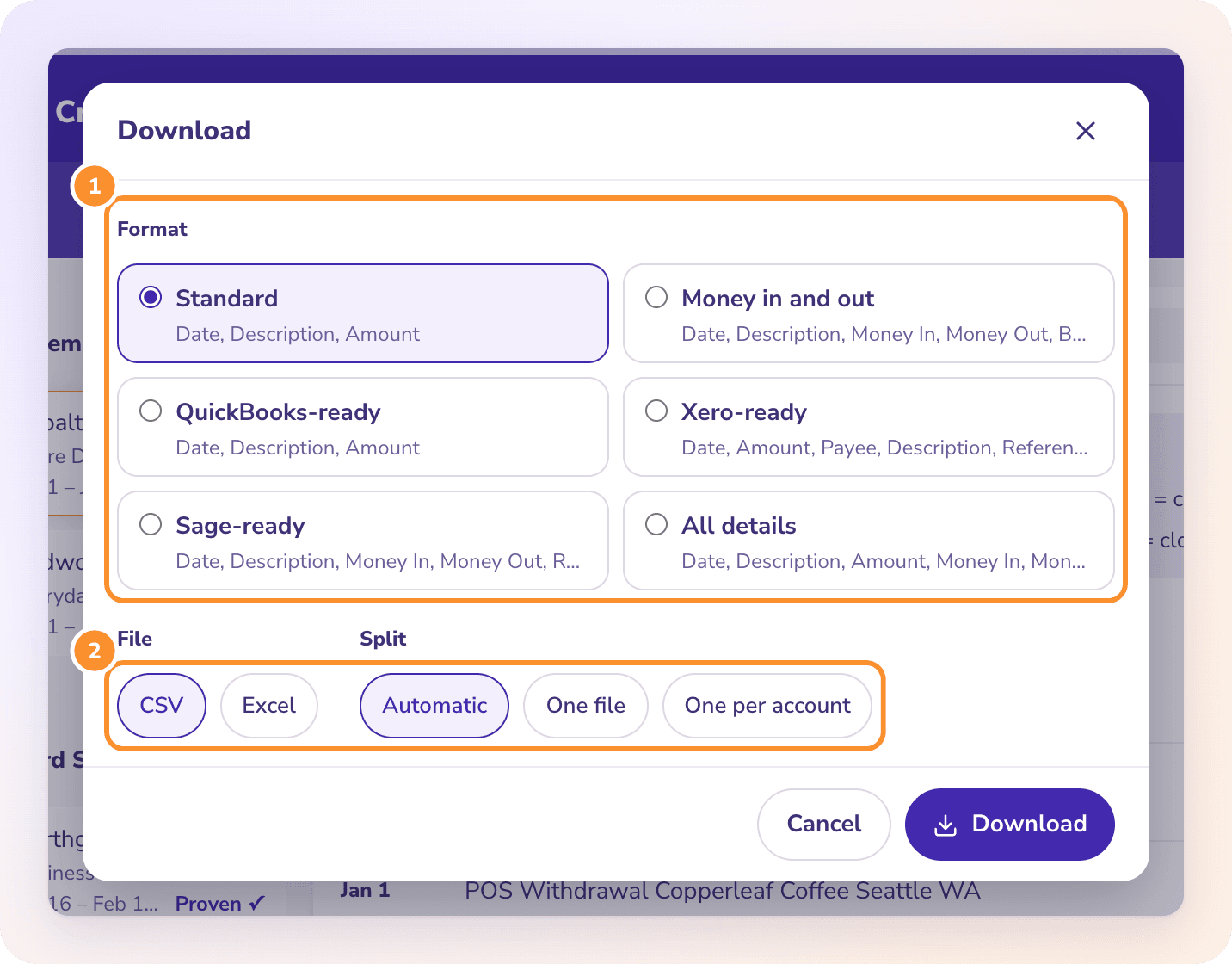
Click Download, choose All details or Bills import (one row per line), choose Excel or CSV, and click Download. For several documents in one file, tick them in the list and click Download n together.
WHAT PEOPLE USE IT FOR
What can you do with invoice data in Excel?
AP batch entry
A month of vendor bills as one Bills import file instead of keying each one. Payments made by check can be matched by number after running the checks through the check converter.
Vendor spend analysis
A pivot table on the Line Items sheet by vendor and description shows what you buy, from whom, and at what unit price over time. Price creep on a unit price shows up in one column.
Audit sampling
The Invoices sheet is the population: one row per invoice with totals and the source file. Sample from it, then pull the PDF behind each selected row. To trace payments to the bank, convert the bank statement to Excel and match amounts.
Due diligence
Invoices tie the P&L to real documents. The statements themselves come through as rows too: see financial statements to Excel.
Can ZeraBooks import invoices into QuickBooks or Xero?
No. ZeraBooks Convert has no connection to QuickBooks, Xero or any other software. It gives you a file. The Bills import format is laid out the way most bill imports take it, and you bring the file in yourself.
Can one PDF hold many invoices?
Yes. Each invoice in the PDF gets its own card and its own row on the Invoices sheet, and the proof covers all of them. An invoice that continues onto the next page stays one invoice.
Can I edit an invoice line Convert read wrongly?
No. Invoices can’t be edited in Convert. Compare it with the PDF and upload a clearer copy. Pages that couldn’t be read never count toward your plan.
Why did my CSV download come as a ZIP?
All details has two sheets, Invoices and Line Items, and a CSV file holds only one. Choose Excel to get both sheets in one file, or Bills import for a single sheet.
Can I add my own columns, such as a GL account?
No. Convert uses two fixed formats for invoices and doesn’t categorize. If you want bills categorized and matched to the payments that settled them, keep the books in ZeraBooks, where the General Ledger reads bills from PDFs.
How much does it cost?
Convert is part of the ZeraBooks subscription: 1,000 pages a month for $79 a month billed annually, with a 7-day trial. See ZeraBooks pricing.
ONE-WEEK FREE TRIAL
Upload a stack of invoices.
Get every line, with the totals proven.
Invoices and bills, 1,000 pages a month from $79 a month billed annually, with a 7-day trial.
Last updated October 17, 2026 · Written by Damin Mutti, founder of ZeraBooks