Take on more clients without hiring another bookkeeper.
A bookkeeper takes on more clients without hiring by automating the routine work each client repeats every month: statement import, categorizing, reconciling and the month-end report. ZeraBooks does that for every client in one login. AI categorizes from each client’s own history and every statement is checked against its printed balances. 3 clients are included, then $29 a month each.
$79 a month billed annually or $149 monthly · 3 clients included · 7-day trial, card at checkout
WHERE THE HOURS GO
Which bookkeeping tasks can be automated for each client?
Time yourself on one ordinary client for one month and most of the hours land in the first four rows. Those are the ones that repeat for every client, every month, and they are the ones ZeraBooks takes over.
Task
By hand
In ZeraBooks
Getting transactions in
Download, clean and import each account
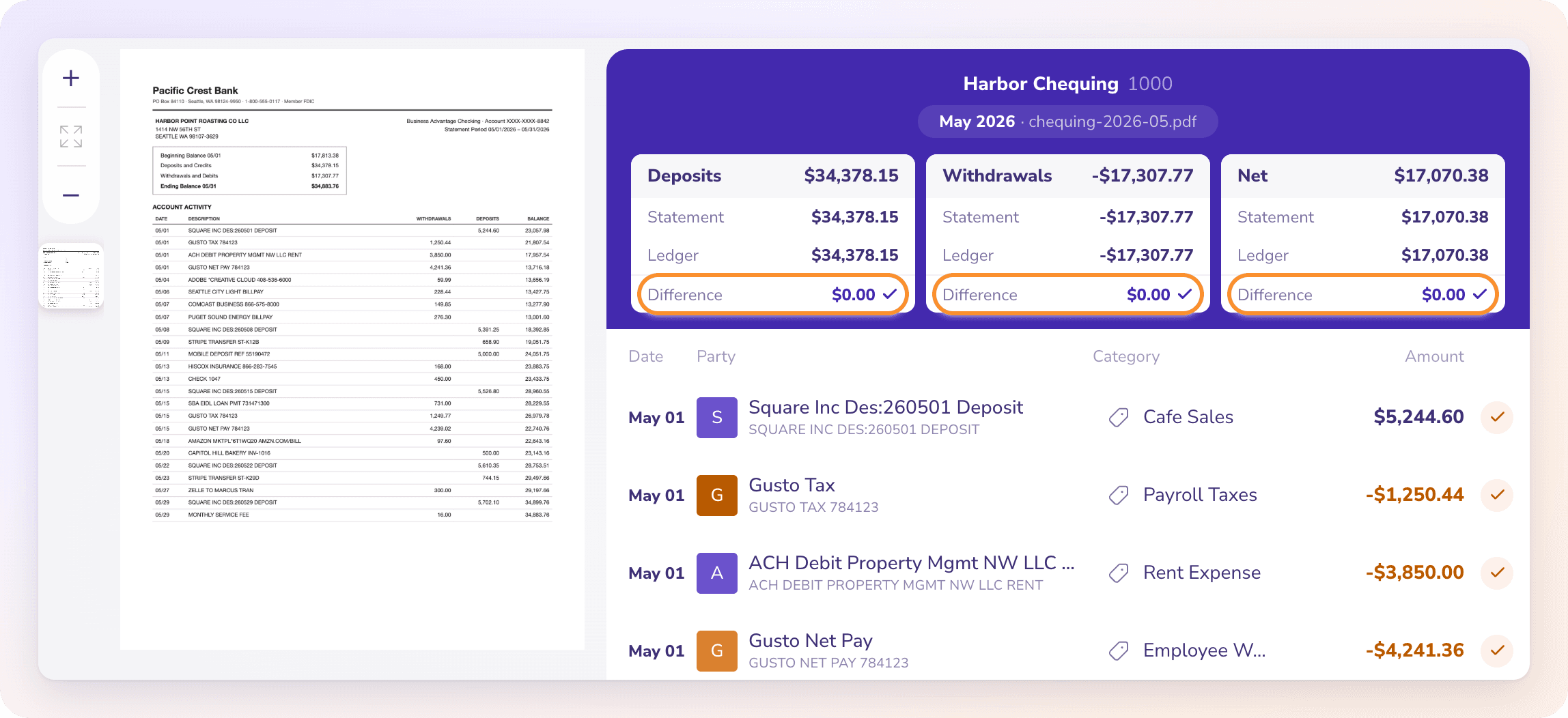
Upload the PDF or CSV statement. It is read and checked against its opening and closing balance
Categorizing
Line by line, remembering each client’s habits
AI categorizes from that client’s reviewed history and asks about the lines it isn’t sure of
Reconciling
Tick and tie each account, hunt for the difference
Each month compared with its statement; a month that doesn’t tie shows the difference and where to look
Month-end entries and report
Draft entries, build the report pack
Month-end entries drafted for approval; a month-end report published or emailed to the client
Client questions and judgment calls
You
Still you. The AI asks; you decide
Advice, tax and sign-off
You or the client’s accountant
Still you
Every AI action shows up for review and can be undone. ZeraBooks calculates every number itself; the AI never does the arithmetic.
Try it on your own documents. One-week free trial, both apps included.
How does automation let one bookkeeper handle more clients?
You stop doing the same steps once per client and start reviewing exceptions across all of them.
ONE LOGIN
Every client’s books on one screen.
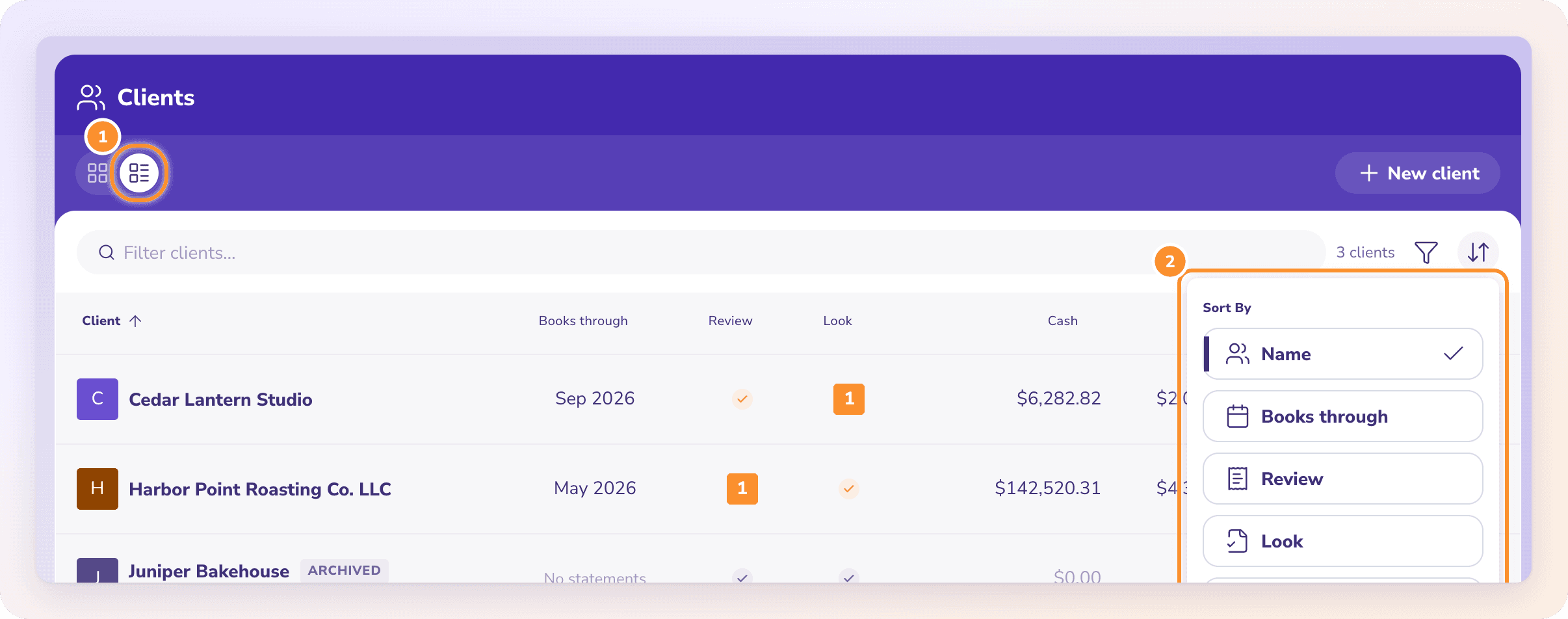
All Clients lists every business you keep books for with its status, so the morning starts with who needs you instead of opening files one by one. Each client keeps its own chart of accounts, history and reports.
Drop in a client’s statements and ask Ask Zera to do the month. It imports, categorizes, reconciles and closes, with each change shown as a card you approve, skip or undo.
Ask Zera: one message, and the month is done.
PROOF
Review the months that don’t tie, not the ones that do.
Every statement is checked against its own printed balances, so the reconciliation tells you which client and which account need a look. The rest are done.
WHAT IT COSTS
What does bookkeeping automation cost at 10, 25 and 50 clients?
One ZeraBooks subscription includes 3 active clients. Each extra client is $29 a month on monthly billing or $290 a year on annual billing. Archived clients don’t count.
Practice size
Extra clients
Billed monthly
Billed annually
Per client a month (annual)
10 clients
7
$352 a month
$2,978 a year
$24.82
25 clients
22
$787 a month
$7,328 a year
$24.43
50 clients
47
$1,512 a month
$14,578 a year
$24.30
Prices in U.S. dollars, from the base plan of $149 a month or $948 a year, which also includes 1,000 Converter pages a month for client statements. See ZeraBooks pricing. Compare the cost per client with what one more hire costs before deciding.
GETTING STARTED
How do you move existing clients into ZeraBooks?
One client at a time, starting with the one whose month takes longest.
1
Add the client
Name the business and let AI draft a chart of accounts from a description, or import the old chart.
2
Bring the opening books
Upload the trial balance and unpaid invoice and bill reports from the old software as of the closing date. ZeraBooks builds the opening balances from them.
3
Upload the first month
Bank and card statements as PDF or CSV. There is no bank feed, so every month is tied to an actual statement.
4
Review what the AI asks
Answer its questions once; the answers become that client’s history for next month.
5
Send the report
Publish or email the month-end report. Then add the next client.
ONE KIND OF CLIENT?
What if all your clients send the same document?
Practices built around one industry can go further. We build a free custom setup that reads that document and posts it to each client’s books, like the one in trucking bookkeeping automation for a bookkeeper whose clients are all truck drivers. CPA firms running client accounting services can read how ZeraBooks handles client accounting services automation.
QUESTIONS
Bookkeeping automation for bookkeepers: common questions
It replaces the typing, not the bookkeeper. Categorizing, matching and reconciling are being automated; judgment, client conversations and sign-off are not. Bookkeepers who automate the first part take on more clients with the time.
Can my clients log in to ZeraBooks?+
No. A ZeraBooks account is for one person, with no client logins or team roles. You share results by publishing or emailing reports. Firms with several staff can talk to us about ZeraBooks for accountants and custom setups.
Does ZeraBooks connect to clients’ banks or to QuickBooks?+
No. There are no bank feeds and no QuickBooks or Xero sync. You upload statements; the ledger lives in ZeraBooks. Client statements can also be converted to QuickBooks-ready CSV with the included Converter.
How much faster is a month in ZeraBooks?+
It depends on the client, so we don’t quote a percentage. The fair test is the 7-day trial: move your slowest client in and time its next month against the last one.
What about AI bookkeeping for the client’s own use?+
Business owners can run ZeraBooks AI bookkeeping themselves on their own subscription. Your practice keeps working in its own login.
Move your slowest client in first. Time the next month.
3 clients included, every client in one login, from $79 a month billed annually. 7-day trial; a card is taken at checkout and nothing is charged for 7 days.