Automated document processing, built around the documents you handle every week.
If your team retypes numbers from the same kind of PDF every week or month, for many clients, drivers or locations, ZeraBooks can take that work off them. We build the workflow around your documents: each one is read, checked against its own totals to the cent, and turned into posted entries or a file in your layout, per entity. Need a self-serve tool instead? The bank statement converter handles standard statements on a plan.
A 30-minute call with Damin, the founder. Bring one sample document.
WHO IT’S FOR
Who is automated document processing for?
One test covers all of them: someone on your team types numbers from the same kind of document, again and again, for many people or places.
Bookkeeping and back-office services
You keep books for many people in one industry, and each sends the same statement every week: drivers with carrier settlements, agencies with commission statements, routes with remittances. We post each one to the right person’s books.
Businesses with many locations or entities
Every location or company produces its own bank, card or payout statements. Instead of someone keying them in each month, they arrive as entries or one combined file in the layout your accountant uses.
Months of statements, checks or invoices that need to become usable data before a close, an audit or a lender review, and the same documents keep coming after that.
Tell us which documents eat your team’s week. You’ll pick a time with Damin right after.
Every document is checked against its own figures.
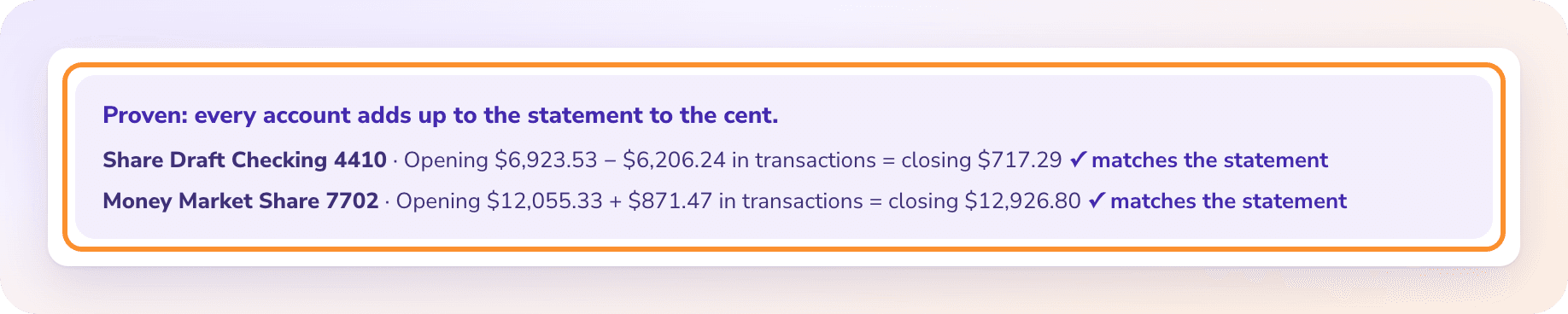
Each line is read from the document and added back up against the totals printed on it. A statement must tie to its opening and closing balances; a check’s amount in words must match its figures. When something doesn’t add up, it stops with the difference shown instead of posting a wrong number. The misreads that cost money in OCR accounting software, like a 1 read as a 7 or a lost decimal, are exactly what a total check catches.
Stops instead of guessing when a total doesn’t tie
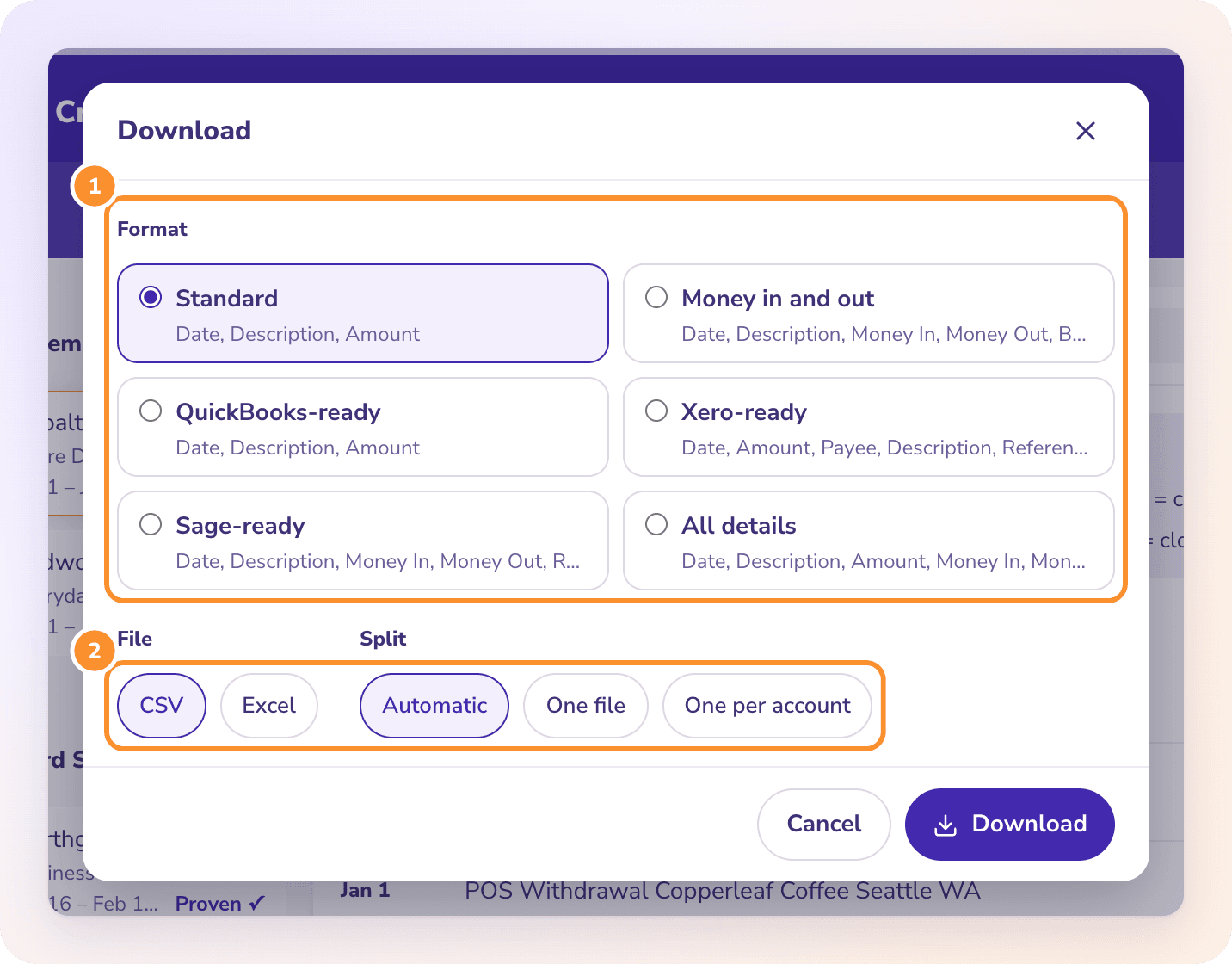
Depending on the build, each document becomes a balanced journal entry in the right client’s books inside ZeraBooks, or an Excel or CSV file in the column order your workpapers or import template expect. Invoices can come out as rows the way invoice PDF to Excel does them, with lines, tax and totals checked.
One entity per driver, client, location or account
Exceptions only: new line types and odd documents wait for one decision
Reports per entity, or all of them side by side
Excel and CSV, no .qbo files
REAL EXAMPLES
What we have built so far
Referrals from top-10 U.S. accounting firms are available as references on request.
Weekly carrier settlements for owner-operator truck drivers
Built with a bookkeeper who handles about 80 drivers. Every week each driver’s carrier settlement (loads, then fuel, insurance, lease and escrow deductions, then net pay) becomes one balanced entry in that driver’s own books, with a profit and loss and balance sheet per driver. Tested on 648 settlements across 9 weeks: every one that posted matched the answer key to the cent.
Client statements in a firm’s own layout
A team at a top-10 U.S. accounting firm converts client bank, card and investment statements with extra checks for their review process, and downloads that match their workpapers.
Documents ZeraBooks already reads
Bank and credit card statements, checks, invoices, investment and brokerage statements, and financial statements are supported today, so many builds start from there.
Your document
Commission statements, remittances, payout reports or anything else your team retypes. Bring a sample to the call and we’ll tell you plainly whether it can be automated and how it would be checked.
A PLAN OR A CUSTOM BUILD
Converter plans vs a custom build
If your documents are standard statements and a spreadsheet is the end result, a plan is enough. A custom build is for everything after that.
Feature
Custom build
Converter plans
Documents
Yours, including types we add for you
Statements, checks, invoices, investment and financial statements
Result
Posted entries per entity, or files in your layout
Excel or CSV in ready-made formats
Entities
Built around your clients, drivers or locations
You organize the files yourself
Volume
Priced for your volume
Up to 5,000 pages a month
Setup
Scoped with the founder and proved on your documents
Sign up and upload
Pricing
Per entity or by volume, agreed with you
Published on the pricing page
HOW IT WORKS
How does a custom build start?
1
Two minutes on the form
Which documents, roughly how many clients, drivers or locations, and what happens to the numbers today.
2
A call with Damin
Pick a time on the same screen. Share one real document and show where its numbers end up now.
3
A written scope
What gets automated, how each document is checked, what you see when something doesn’t tie, the price and the timeline.
4
Proof on your own documents
Before anything goes live, a batch of your real documents runs through and you compare the results with your own records.
5
Weekly work becomes review
Your team uploads and reviews the exceptions. Changes go straight to the founder.
Software reads documents such as statements, settlements or invoices, pulls out the numbers and puts them where they need to go, instead of a person typing them in. ZeraBooks adds a check that most tools skip: every document has to add up to its own printed totals before anything is posted or downloaded.
How is it different from OCR?+
OCR turns a page into text. Processing is everything after that: knowing which numbers matter, checking them against the document’s totals, and posting them to the right client or location. See OCR accounting software for where plain OCR goes wrong with financial documents.
Which documents can you automate?+
Bank and card statements, checks, invoices, investment statements and financial statements are read today. Recurring documents like carrier settlements are built for specific clients. If your document has numbers that should add up, there is usually a way to check and automate it; we’ll say on the call if there isn’t.
How is a custom build priced?+
Per entity (for example per driver or per client) or by volume, agreed with you in the written scope before work starts. If a published plan is enough for your documents, we’ll tell you that instead; see the bank statement converter.
How long does it take?+
It depends on the documents and the output. The timeline is in the written scope, and nothing goes live until it has been proved on a batch of your own documents.
What if we’d rather not do the books at all?+
Then the work can be done for you: our bookkeeping services keep the books on ZeraBooks and you get the reports.