How to categorize uncategorized transactions, the whole pile, in the right order.
To clear uncategorized transactions fast, work the pile in order: pair transfers and card payments first, match deposits to invoices or sales, fix each recurring merchant once and apply it to the rest, move personal spending to owner’s draws, then ask about what is left. ZeraBooks AI bookkeeping does this from your reviewed history and asks when it isn’t sure.
7-day trial · card required, nothing charged for 7 days · then $79/month billed annually or $149 monthly
A statement categorized as it lands.
DEFINITION
What is an uncategorized transaction?
A bank or card line parked in a holding account, often called Uncategorized Expense, Uncategorized Income, Suspense or Ask My Accountant, because nobody has decided which real account it belongs to. Until it moves, the profit and loss is wrong by that amount.
THE TRIAGE ORDER
What order should you clear uncategorized transactions in?
Biggest and easiest first. Each step shrinks the pile before you get to the lines that need real thought.
1
Transfers and card payments
Money between your own accounts is never income or expense. Pair checking to savings, and checking to the credit card. These are usually the largest lines, and clearing them first stops double counting.
2
Deposits
Match each deposit to the invoice, sale or payout it came from. A customer payment clears what they owed you; it isn’t new income if the invoice was already recorded.
3
Recurring merchants
Sort the rest by description. The same supplier, software or utility shows up every month, so categorize one line and apply it to every line from that merchant.
4
Owner and personal spending
Personal purchases on a business account, and the owner’s own tax payments, go to owner’s draws, not expenses.
5
Loans and big one-offs
Loan payments split into principal and interest. Equipment over your capitalization limit goes to fixed assets, not repairs.
6
The leftovers, as one list
Cash withdrawals, checks with no memo, transfers to people. Put them on one list of questions for the owner instead of guessing one by one.
Try it on your own documents. One-week free trial, both apps included.
Ridgeline Landscaping is a fictional sole proprietor. These are twelve lines from its September 2026 checking statement that were sitting in Uncategorized, and where each one belongs.
Statement line
Amount
Where it goes
How you know
ONLINE TRANSFER TO SAV ...4410
(2,000.00)
Transfer to savings
The other account’s number is in the description
CAPITAL ONE MOBILE PMT
(1,284.16)
Transfer to the business card
Same amount appears as a payment on the card statement
DEPOSIT 09/08
4,850.00
Customer payment against invoice 1042
Amount matches an open invoice
SQ *GREEN THUMB NURSERY
(1,140.00)
Materials (cost of goods sold)
Plants for a client job; receipt on file
ZELLE TO J MORALES
(650.00)
Contract labor
Owner confirmed a subcontractor; collect a W-9
SBA EIDL LOAN PMT
(731.00)
Loan payable, with the interest split out
Lender statement shows the split
IRS USATAXPYMT
(3,200.00)
Owner’s draws
Owner’s personal estimated tax, not a business expense
AMAZON MKTPL*2K41
(89.47)
Supplies
Order history: trimmer line and gloves
CHECK 1187
(425.00)
Repairs and maintenance
Check image: small engine shop, mower repair
ATM WITHDRAWAL
(300.00)
Ask the owner
Petty cash for the crew, or a draw
TARGET 00012345
(63.18)
Owner’s draws
Owner says it was household shopping
MONTHLY SERVICE FEE
(15.00)
Bank fees
Printed by the bank
Of the 9,897.81 that went out, only 2,319.47 is a business expense on the profit and loss, plus the interest inside the loan payment. Dumping the whole pile into one expense account would have overstated September’s costs by up to 7,578.34. How to split the loan line is in our guide to recording loan payments.
THE LINES PEOPLE GET WRONG
Which uncategorized transactions are not expenses at all?
Most of the damage in an Uncategorized pile comes from a handful of line types that look like spending but aren’t.
Transfers between your own accounts
Moving 2,000.00 to savings changes where the money sits, not how much you have. Book it as an expense and profit drops by 2,000.00 that you still own.
Credit card payments
The charges on the card are the expenses. The payment from checking only settles the card, so counting it too doubles every card expense.
Owner’s draws and the owner’s taxes
For a sole proprietor or single-member LLC, money taken out and the owner’s federal estimated tax are draws. A corporation’s own tax and payroll deposits are different, so check the entity type first.
Loan principal
Only the interest is a cost. The principal reduces what the business owes.
Customer payments on recorded invoices
If the invoice was already booked as income, the deposit clears the receivable. Booking it as income again counts the sale twice.
MAKE IT STAY CLEARED
How do you stop transactions going to Uncategorized every month?
The same merchants come back every month, so the real fix is teaching the books once. In QuickBooks Online and Xero that means writing bank rules: a description that contains this text goes to that account. Rules work, but they need upkeep when a merchant changes how it appears on the statement, and a loose rule can file the wrong lines without anyone noticing.
Keep your chart of accounts short enough that the right account is obvious. A dozen near-identical expense accounts make every line a judgment call, and the person categorizing will park the hard ones. Our bookkeeping cleanup guide covers what to do when months of these have piled up, and catch-up bookkeeping covers months that were never recorded at all.
Last, give the owner one list, not twelve messages. A single list of questions with the date, amount and description of each line gets answered in one sitting, and the answers become next month’s categories.
WITH ZERABOOKS
How ZeraBooks clears the pile for you.
No rules to write. ZeraBooks learns from what you’ve already reviewed and asks about the rest.
AUTOPILOT
Categorized from your reviewed history.
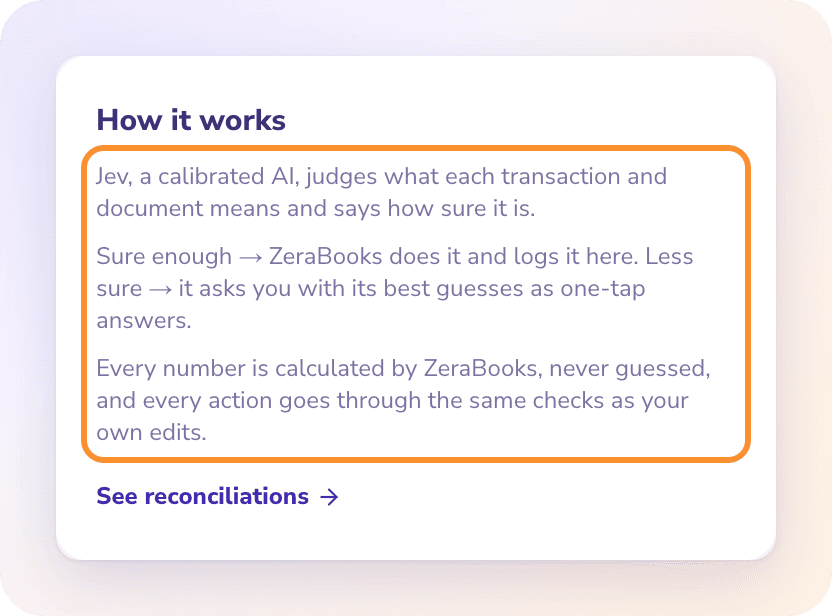
Each pass, Autopilot categorizes what the statement import couldn’t place, pairs transfers and card payments across your accounts, and moves owner withdrawals to owner’s draws. After a couple of months of bookkeeping, ZeraBooks categorizes 99.6% of transactions correctly, tested on years of bookkeeping for several companies. Every action is listed in Done by AI, where you can undo it.
Autopilot: what the AI did, one-tap questions, undo.
WHEN IT ISN’T SURE
It asks instead of guessing.
A line it can’t place becomes a question in Needs you, with its best guess first. If that guess is under 60% likely, the card says so. Personal-looking purchases get their own question: business or personal. Tell Ask Zera a rule in plain words, such as “Uber rides are business travel”, and it keeps it.
It is a holding account for money out that hasn’t been given a real category yet. It shows on the profit and loss, so a large balance there means the report’s expense lines are wrong until the lines are moved.
What is the Ask My Accountant account?+
A holding account many QuickBooks users create for lines they can’t place, so the accountant can sort them later. It works like Uncategorized: useful for a week, harmful if it is still full at year end.
Can I leave transactions uncategorized at year end?+
You shouldn’t. Uncategorized amounts sit outside every real income and expense line, so the figures your accountant uses for the tax return are off by that total. Clear the pile, or at least the large lines, before you close the year.
How long does it take to clear a year of uncategorized transactions?+
It depends on the volume and how much the owner remembers. Transfers, card payments and recurring merchants usually clear most of the pile quickly; the slow part is the leftovers that need receipts or answers. If you’d rather hand it over, our bookkeeping services team quotes the work after a free call.
Can I fix many uncategorized lines at once in ZeraBooks?+
Yes. Change one line’s category and ZeraBooks offers to apply it to every line from the same merchant going the same direction, across all accounts and dates; lines you set by hand are never touched. In Edit you can also tick many lines and use Set category. See apply a correction to similar transactions.
Does ZeraBooks connect to my bank to categorize transactions?+
No. ZeraBooks has no bank feeds. You upload bank and card statements as PDF or CSV and ZeraBooks reads and categorizes every line. The software is $79 a month billed annually or $149 monthly, after a 7-day trial.
Upload the months with the biggest pile. See what’s left after one pass.
ZeraBooks categorizes from your reviewed history and turns the rest into a short list of questions. Free for 7 days, then $79 a month billed annually; see ZeraBooks pricing.