American Express statement to Excel, every card member’s charges, checked to their total.
To convert an American Express statement to Excel, download the PDF from Statements & Activity at americanexpress.com, upload it to the ZeraBooks bank statement converter and download Excel or CSV. ZeraBooks puts each charge under its card member and proves previous balance plus charges minus payments equals the new balance Amex printed.
An Amex statement typically opens with the account summary and payment details, then lists activity by card member. What makes it hard in a spreadsheet is everything printed between the charges.
Part of the statement
What it holds
In the converted file
Account summary
Previous Balance, Payments/Credits, New Charges, Fees, Interest Charged, New Balance
Used for the proof, not rows
Payments and credits
Payments to the card, refunds and statement credits, printed with a minus
Rows, positive: money back to you. Type Payment or Credit
New charges, by card member
Each person’s charges under their name and card ending, with their total
Rows, negative, with the Cardholder column
Foreign Spend
The amount in the other currency, beside the dollar charge
Not a row; the dollar amount is the charge
Travel detail
Ticket number and date of departure under an airline charge
Not separate rows; they belong to the charge above
⧫ mark
Pay Over Time or Cash Advance activity
The charge is a row as usual
Fees and interest
Total Fees and Total Interest Charged for this Period
Rows, Type Fee or Interest, negative
Card products differ, and Amex has changed its layout over the years. ZeraBooks Convert reads the layout from the statement itself, and reads each card member’s printed total from the summary so it can check them one by one.
WORKED EXAMPLE
What does a converted American Express statement look like?
Lakeview Events is a fictional company with an Amex business card and three card members. The billing period runs 09/15/26 to 10/14/26. Downloaded in the Standard format as one file, so a Cardholder column is added:
Date
Description
Amount
Cardholder
09/16/2026
UNITED AIRLINES
-642.80
DANA LEE
09/18/2026
SQ *BLOOM FLORAL
-1,250.00
SAM ORTIZ
09/22/2026
AUTOPAY PAYMENT RECEIVED - THANK YOU
6,240.18
Account
09/30/2026
STAPLES
-118.45
DANA LEE
10/02/2026
SQ *BLOOM FLORAL CREDIT
85.00
SAM ORTIZ
10/03/2026
HILTON LONDON
-486.20
RIA PATEL
10/08/2026
PARTY CITY
-212.37
SAM ORTIZ
Sum of Amount = previous 6,240.18 − new 2,624.82
3,615.36
The account proof: 6,240.18 − 6,240.18 − 85.00 + 2,709.82 = 2,624.82, the New Balance Amex printed. Then each card member: Dana Lee 761.25, Sam Ortiz 1,462.37 in charges (1,377.37 after the refund; Amex prints it either way and both are accepted), Ria Patel 486.20. The Hilton charge printed a second line with the amount in pounds; it isn’t in the file because it isn’t a second charge. Want each person on their own sheet? Choose One per cardholder in the Download dialog.
WHAT GOES WRONG
Why does copying an Amex statement into Excel go wrong?
Most of the damage comes from lines that look like charges and aren’t.
Detail lines become rows
Airline ticket numbers, departure dates and foreign currency amounts sit on their own lines under the charge. Pasted, each one is a row, and some carry an amount that gets summed.
Card members run together
“Detail Continued” headers repeat at the top of each page, and a card member’s section can start on one page and end on the next. In a paste, nothing says whose charge a row is.
The period crosses months and years
A statement closing on January 14 holds December charges. Dates printed without a full year get the wrong one, and a December close misses half a month.
Payments look like refunds
Both are printed with a minus under payments and credits. For the books, a payment moves money from the bank to the card; a refund reduces an expense. Keep them apart, as the Type column does.
AFTER THE FILE
Where does an Amex spreadsheet go next?
CATEGORIES
Each charge into the right expense account.
Which account an Amex charge belongs to, and how to handle the annual fee, rewards and personal charges, is on our page about American Express expense categorization. In the ZeraBooks General Ledger, Autopilot does that for you; see AI bookkeeping.
XERO OR QUICKBOOKS
Import-ready files from a proven statement.
Xero-ready and QuickBooks-ready downloads write charges as negative amounts and payments as positive ones, from a statement already proven. Which sign Xero wants on a card account, and the other Xero routes, are walked through in Amex statements into Xero.
Can I split an Amex statement by card member in Excel?+
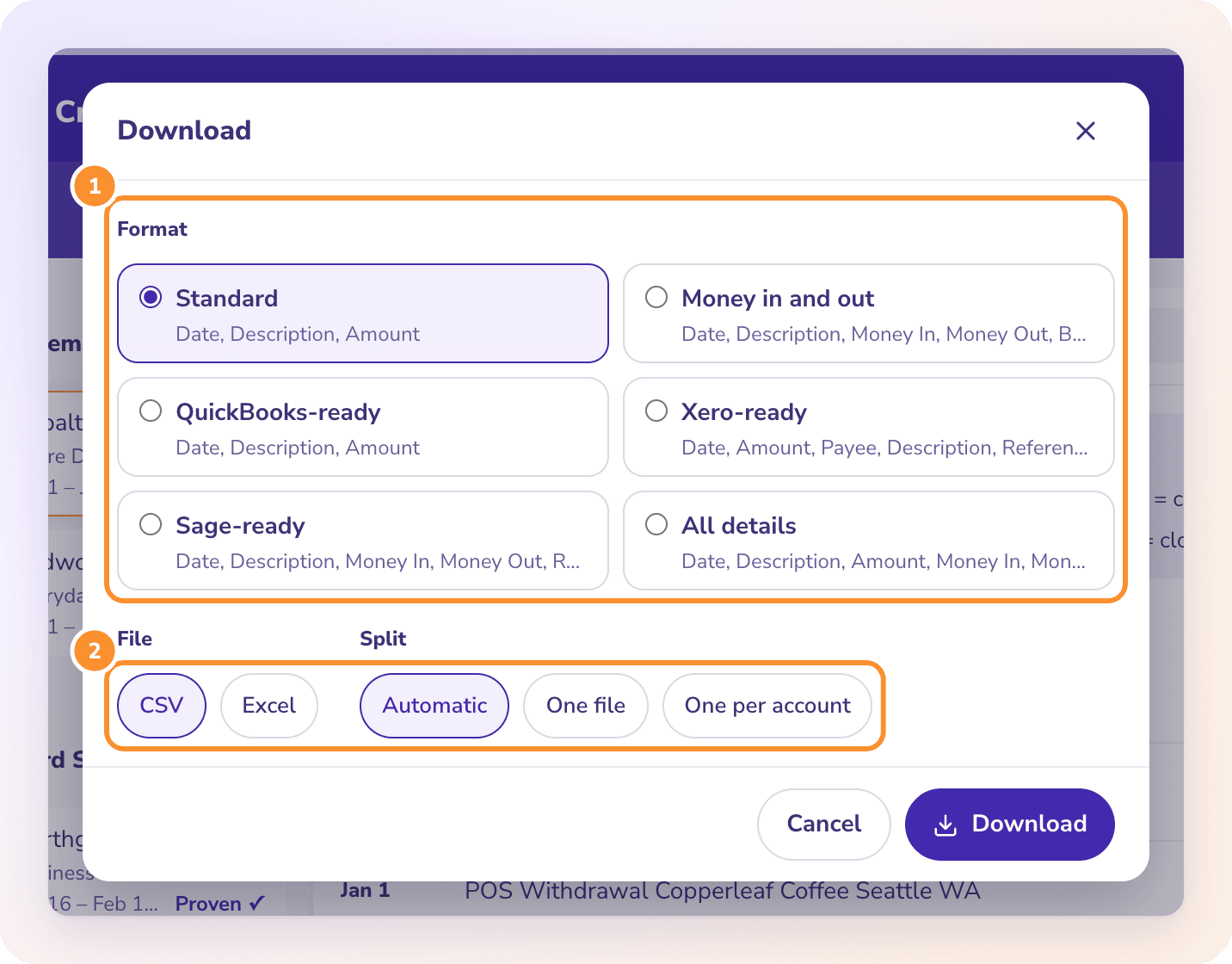
Yes. Choose One per cardholder (or Automatic) in the Download dialog, and each card member gets their own tab in Excel, or their own file in a ZIP as CSV. Each one is checked against the total Amex printed for them.
Why doesn’t my Amex statement start on the 1st?+
Amex billing periods follow your closing date, so a period from the 15th to the 14th is common. Upload each statement as it is, in order; each one is proven on its own previous and new balance.
Should I use the Amex CSV download instead?+
For a quick look, it is fine. It usually carries no previous or new balance, so it can’t be proven complete. For books, an expense audit or a tax file, convert the PDF.
Are Pay Over Time plan installments included?+
Yes. The installment billed this period is one charge on the statement and comes through as one row. The plan’s total, payments to date and remaining amount are not transactions and are left out.
Does ZeraBooks connect to my American Express account?+
No. ZeraBooks has no bank or card feeds and never asks for your Amex sign-in. You download the PDF and upload it.
How much does it cost?+
Convert comes with the ZeraBooks subscription: 1,000 pages a month for $79 a month billed annually or $149 monthly, after a 7-day trial. An Amex statement with several card members often runs to many pages; every page counts. See ZeraBooks pricing.