Regions bank statement to Excel, deposits, withdrawals, transfers and checks in one list.
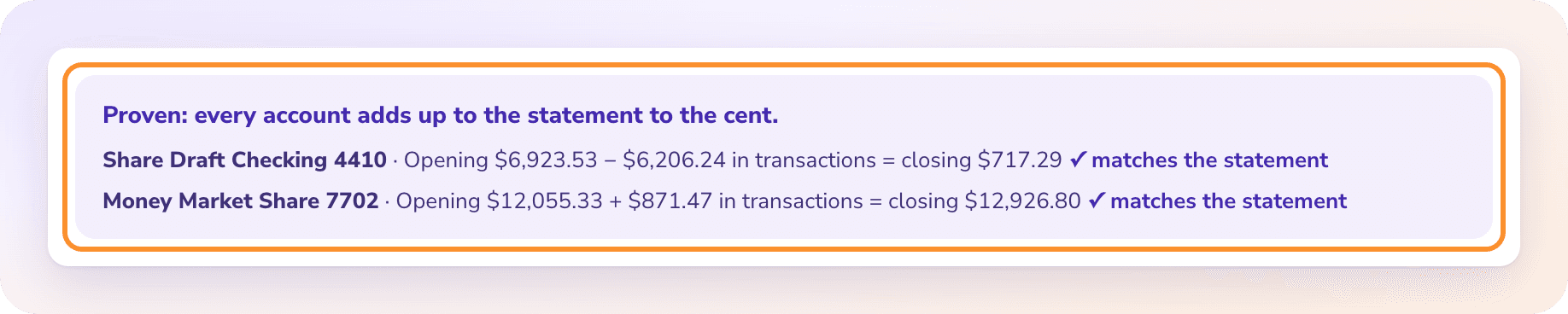
To convert a Regions bank statement to Excel, open Online Statements from the Accounts menu in Regions Online Banking, download the PDF, upload it to the ZeraBooks bank statement converter and download Excel or CSV. Regions typically splits money out into withdrawals, fees, automatic transfers and checks; ZeraBooks puts them in one dated list and proves the ending balance.
A Regions checking statement typically opens with a summary that sorts the month into kinds of activity, each with its own total. The detail follows in sections with the same names. Five kinds of activity means five places to collect rows from before the month makes sense.
Part of the statement
What it holds
In the converted file
Statement period
Written out, such as “September 1, 2026 through September 30, 2026”
Branch and mobile deposits, ACH and card settlement credits
Rows, Type Deposit, positive
Withdrawals
Card purchases, ACH debits and other money out
Rows, Type Withdrawal, negative
Fees
Service and maintenance charges
Rows, Type Fee, negative
Automatic Transfers
Scheduled moves to another Regions account, such as savings or a loan
Rows, Type Transfer, negative
Checks
Check number, date and amount
Rows, Type Check, negative, number in Check Number
Daily Balance Summary
The balance at the end of each day with activity
Not rows
Each section prints its amounts without a sign; the section says which way the money moved. ZeraBooks Convert sets the Type from the section and gives money out a minus, so the Amount column sums to the change in balance.
WORKED EXAMPLE
What does a converted Regions statement look like?
Magnolia Dental Lab is a fictional lab with Regions business checking ending 2290. September 2026 has two deposits, two withdrawals, a fee, two automatic transfers and two checks, spread over five sections. In All details, trimmed to five columns:
Date
Description
Type
Check Number
Amount
09/02/2026
Deposit
Deposit
6,250.00
09/04/2026
ACH Debit, Henry Schein
Withdrawal
-2,315.60
09/05/2026
Check
Check
1101
-1,240.00
09/10/2026
Automatic Transfer to Savings
Transfer
-1,500.00
09/15/2026
Automatic Transfer, Loan Payment
Transfer
-862.40
09/18/2026
Mobile Deposit
Deposit
4,980.75
09/22/2026
Card Purchase, Amazon
Withdrawal
-744.18
09/24/2026
Check
Check
1102
-415.25
09/30/2026
Monthly Service Charge
Fee
-18.00
Beginning balance 18,420.33 + rows
22,555.65
The proof: 18,420.33 + 11,230.75 − 3,059.78 − 18.00 − 2,362.40 − 1,655.25 = 22,555.65, the ending balance Regions printed. The two automatic transfers are worth a second look in the books. The savings transfer moves money between two of your own accounts. The loan payment is part principal, part interest, which the loan statement splits; how to record loan payments walks through it.
WHAT GOES WRONG
Why does copying a Regions statement into Excel go wrong?
The sections are clean on paper. In a spreadsheet they need putting back together.
Five lists, one month
Withdrawals, fees, automatic transfers and checks each have their own section. Paste them in order and the rows aren’t in date order, so a running balance never works.
No minus signs
Money out prints as a plain number in its section. Combine the sections and every withdrawal looks like a deposit.
The written-out period
Transaction dates in the detail are short; the year sits in the period line at the top. A statement running from December into January needs the right year on each row.
Check images mixed in
Download the enclosures with the statement and the check images land in the same folder. They aren’t transactions; the Checks section already lists every check paid.
OTHER FILES
Should you use Regions Web Connect instead?
WEB CONNECT
Good for recent activity, not for proof.
Regions offers free Web Connect files for Quicken and QuickBooks. They carry transactions for the dates you pick. A statement PDF carries the beginning and ending balance as well, and ZeraBooks uses them to mark the month Proven before you download.
QUICKBOOKS
A QuickBooks-ready file from the PDF.
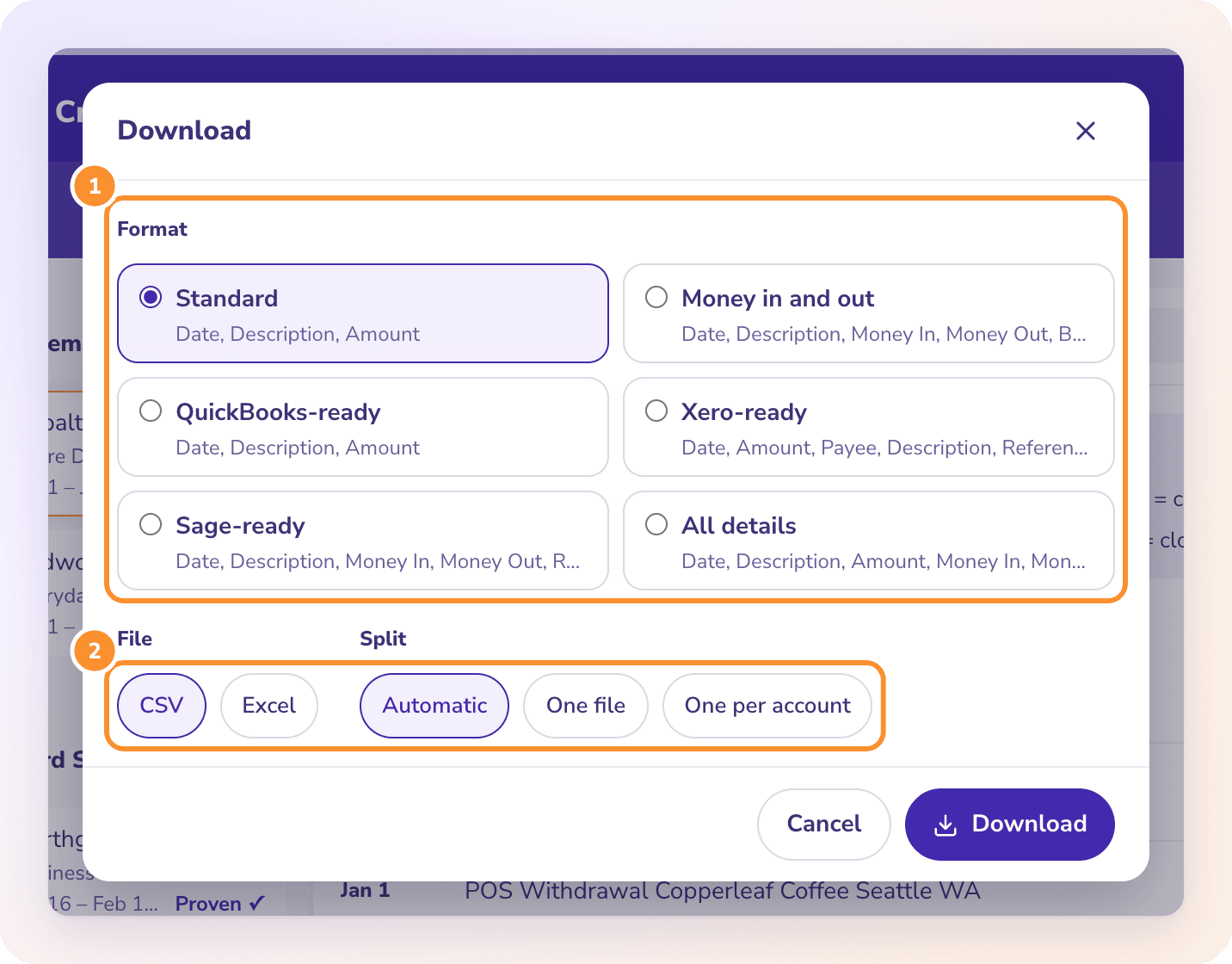
The QuickBooks-ready format gives Date, Description and Amount for QuickBooks Online’s bank upload, from a statement that already tied. It is a CSV, not a .qbo file; see PDF to QuickBooks.
How far back can I get Regions statements online?+
Regions says Online Statements holds up to seven years of statements, and the same for credit cards. Older copies can be ordered through Order Statements & Check Copies, at $5 each.
Can I convert a Regions credit card statement?+
Yes. Upload it to the same page. A card statement is proven as previous balance plus charges minus payments equals the new balance; see credit card statement to Excel.
Does the converted file keep Regions check numbers?+
Yes. All details has a Check Number column, filled for every check in the Checks section.
Does ZeraBooks connect to Regions?+
No. ZeraBooks has no bank feeds and never asks for your Regions sign-in. Download the PDF and upload it.
What does converting Regions statements cost?+
It comes with the ZeraBooks subscription: 1,000 pages a month for $79 a month billed annually or $149 monthly, after a 7-day trial. See ZeraBooks pricing.
Damin founded ZeraBooks in 2025 and still talks to the bookkeepers, firms and owners who use it every week. He writes about what he sees in their statements and ledgers, and every page here is checked against the live product before it goes up.