RECONCILING
Check numbers, ready to match.
All details keeps every check number, so a sort finds the gaps: checks written but not cleared. How to do a bank reconciliation shows where they go at month end.
General Ledger + Converter in one subscription.
See pricingBY BANK · CITIZENS
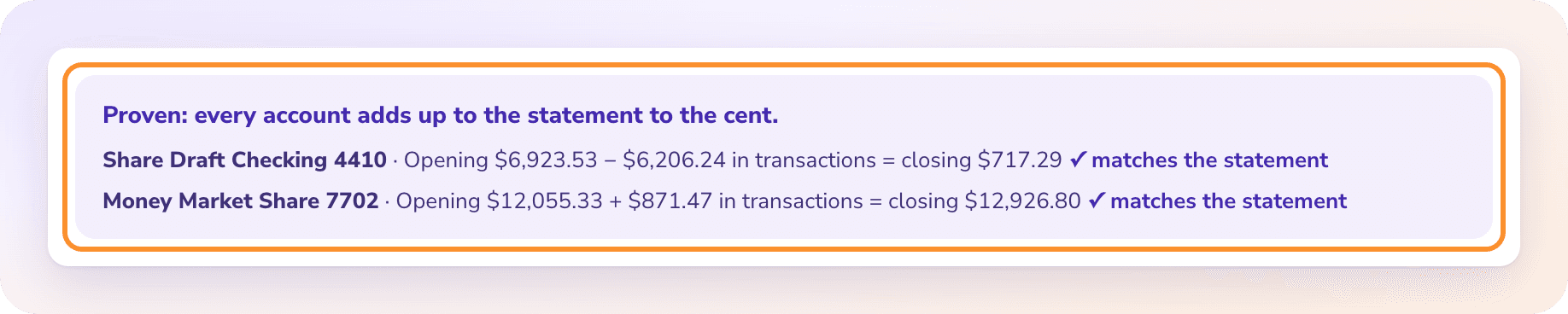
To convert a Citizens Bank statement to Excel, download the statement PDF from Citizens online banking, upload it to the ZeraBooks bank statement converter and download Excel or CSV. ZeraBooks merges the Transaction Details into one dated list and proves it against the Balance Calculation, where Citizens prints a Previous Balance and a Current Balance.
7-day trial · card required, nothing charged for 7 days · 1,000 pages a month from $79/month billed annually

FIRST, WHICH CITIZENS
This page is about Citizens Bank, N.A., the bank based in Providence, Rhode Island, part of Citizens Financial Group, at citizensbank.com. Several other banks have similar names. Citi is a different bank with its own statement layout; see Citi bank statement to Excel. First Citizens Bank and Citizens Business Bank are different banks again.
The name matters for two reasons. You sign in on a different site for each, and each prints its statement differently. ZeraBooks reads any of them, because it takes the layout from the statement itself, but the download steps below only fit Citizens Bank, N.A.
Try it on your own documents. One-week free trial, both apps included.
STEP 1 · DOWNLOAD
Citizens has redesigned its online banking more than once, so menu names move around. These steps hold for most accounts; general tips are in Download statements from any other bank.
Saving several months is quicker on a computer than in the app.
Each account has its own statements, including money market accounts.
Look for Statements or Documents on the account’s page. If a month is missing, ask Citizens for it.
Not the transaction export. Users report it covers recent activity, around 18 months, and it carries no Previous or Current Balance to prove anything with.
HOW CITIZENS LAYS IT OUT
A Citizens business statement typically opens with a Balance Calculation, then lists the activity under Transaction Details, grouped by kind. The words Citizens uses for the balances are the first thing to get right.
| Part of the statement | What it holds | In the converted file |
|---|---|---|
| Balance Calculation | Previous Balance, Checks, Debits, Deposits & Credits, Interest Paid, Current Balance | Used for the proof, not rows |
| Transaction Details: Checks | Check number, date and amount | Rows, Type Check, negative |
| Transaction Details: Withdrawals & Debits | Card purchases, ACH debits, transfers out, fees | Rows, Type Withdrawal or Fee, negative |
| Transaction Details: Deposits & Credits | Deposits, ACH credits and transfers in | Rows, Type Deposit, positive |
| Interest Paid | Interest for the period, on accounts that earn it | A row, Type Interest, positive |
Current Balance on a Citizens statement is the balance at the end of the statement period, not what is in the account today. Previous Balance is the balance at the start, which should equal last month’s Current Balance. ZeraBooks Convert uses both to prove the month.
WORKED EXAMPLE
Northgate Tutoring is a fictional business with Citizens business checking ending 3391. September 2026 has two checks to tutors, two debits, two deposits and a little interest. In All details, trimmed to five columns:
| Date | Description | Type | Check Number | Amount |
|---|---|---|---|---|
| 09/02/2026 | Deposit | Deposit | 3,600.00 | |
| 09/05/2026 | Check | Check | 512 | -650.00 |
| 09/09/2026 | Debit Card, Zoom | Withdrawal | -236.80 | |
| 09/12/2026 | Check | Check | 513 | -1,100.00 |
| 09/18/2026 | ACH Credit, Stripe | Deposit | 2,425.00 | |
| 09/25/2026 | ACH Debit, Office Lease | Withdrawal | -1,920.00 | |
| 09/30/2026 | Interest Paid | Interest | 0.84 | |
| Previous Balance 4,712.50 + rows | 6,831.54 |
The proof: 4,712.50 − 1,750.00 − 2,156.80 + 6,025.00 + 0.84 = 6,831.54, the Current Balance Citizens printed. The order of the Balance Calculation is checks, then debits, then deposits, which is not the order things happened. The file is in date order, so the running total only makes sense row by row once the sections are merged.
WHAT GOES WRONG
The grouping that makes the statement easy to read is what breaks the spreadsheet.
Checks, then withdrawals, then deposits. Pasted in that order, the rows jump back and forth across the month.
Withdrawals & Debits print as plain numbers. Put them in one column with the deposits and the month looks like all income.
People check the Current Balance on the statement against today’s balance online and think something is missing. They are different dates.
A file from First Citizens or Citizens Business Bank looks nothing like this one. It still converts; only the steps above won’t fit.
AFTER THE FILE
RECONCILING
All details keeps every check number, so a sort finds the gaps: checks written but not cleared. How to do a bank reconciliation shows where they go at month end.
IMPORTS
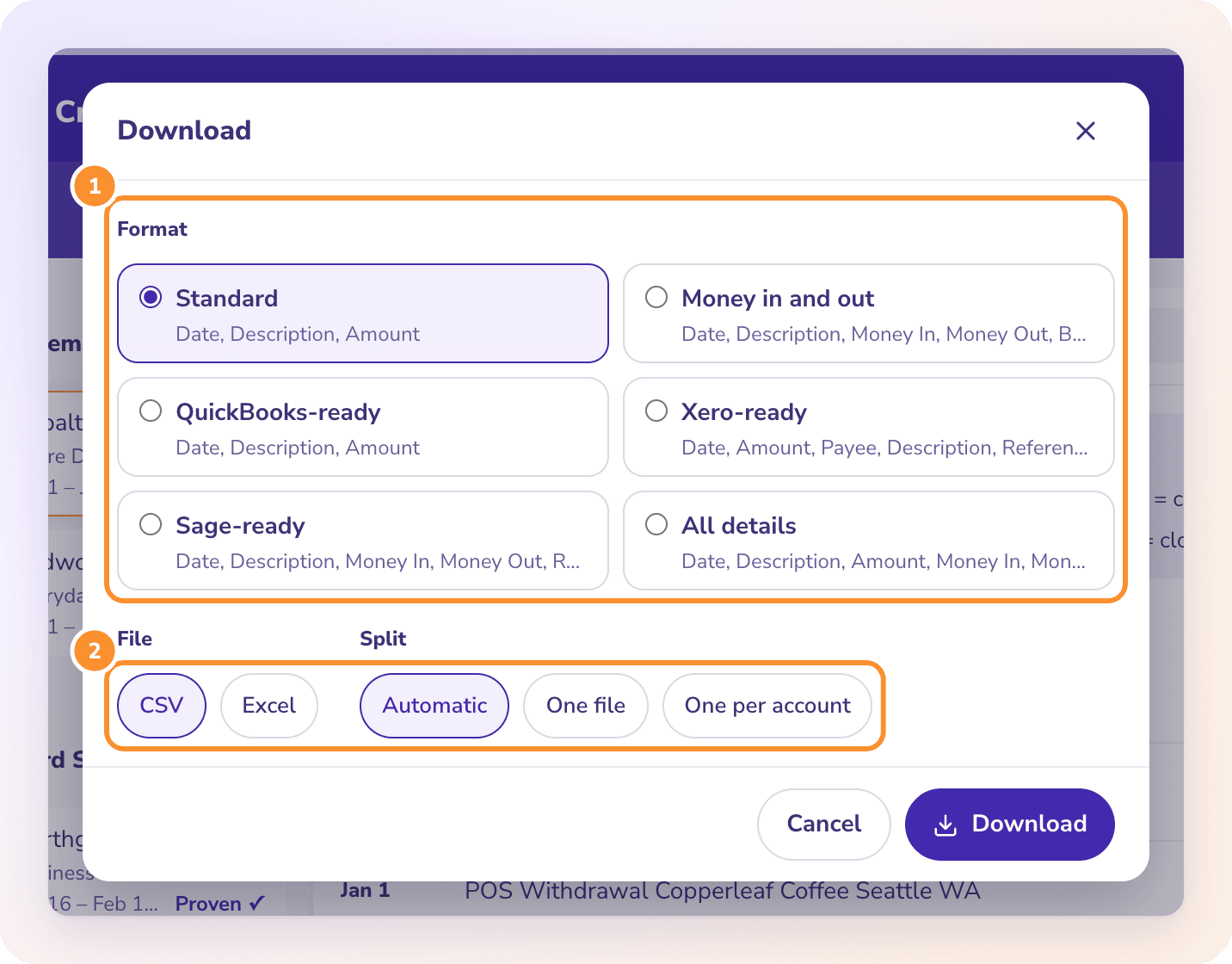
Pick the import-ready format in the Download dialog. Or keep the books in ZeraBooks itself; see AI bookkeeping.
MORE BANKS
No. Citizens Bank, N.A. is a separate bank based in Providence, Rhode Island. Citi statements have a different layout and download steps; both convert in ZeraBooks.
The balance at the end of the statement period. It should match the next statement’s Previous Balance. ZeraBooks checks each statement against both figures.
Yes. Upload it to the same page. If one PDF holds several accounts, Convert splits them and proves each on its own.
No. ZeraBooks has no bank feeds and never asks for your Citizens sign-in. You download the PDF and upload it.
The converter is part of the ZeraBooks subscription: 1,000 pages a month for $79 a month billed annually or $149 monthly, after a 7-day trial. See ZeraBooks pricing.

ONE-WEEK FREE TRIAL
1,000 pages a month from $79 a month billed annually. Other banks: TD Bank, Huntington, Truist and Chase.