Convert a bank statement to Excel, checked before you open it.
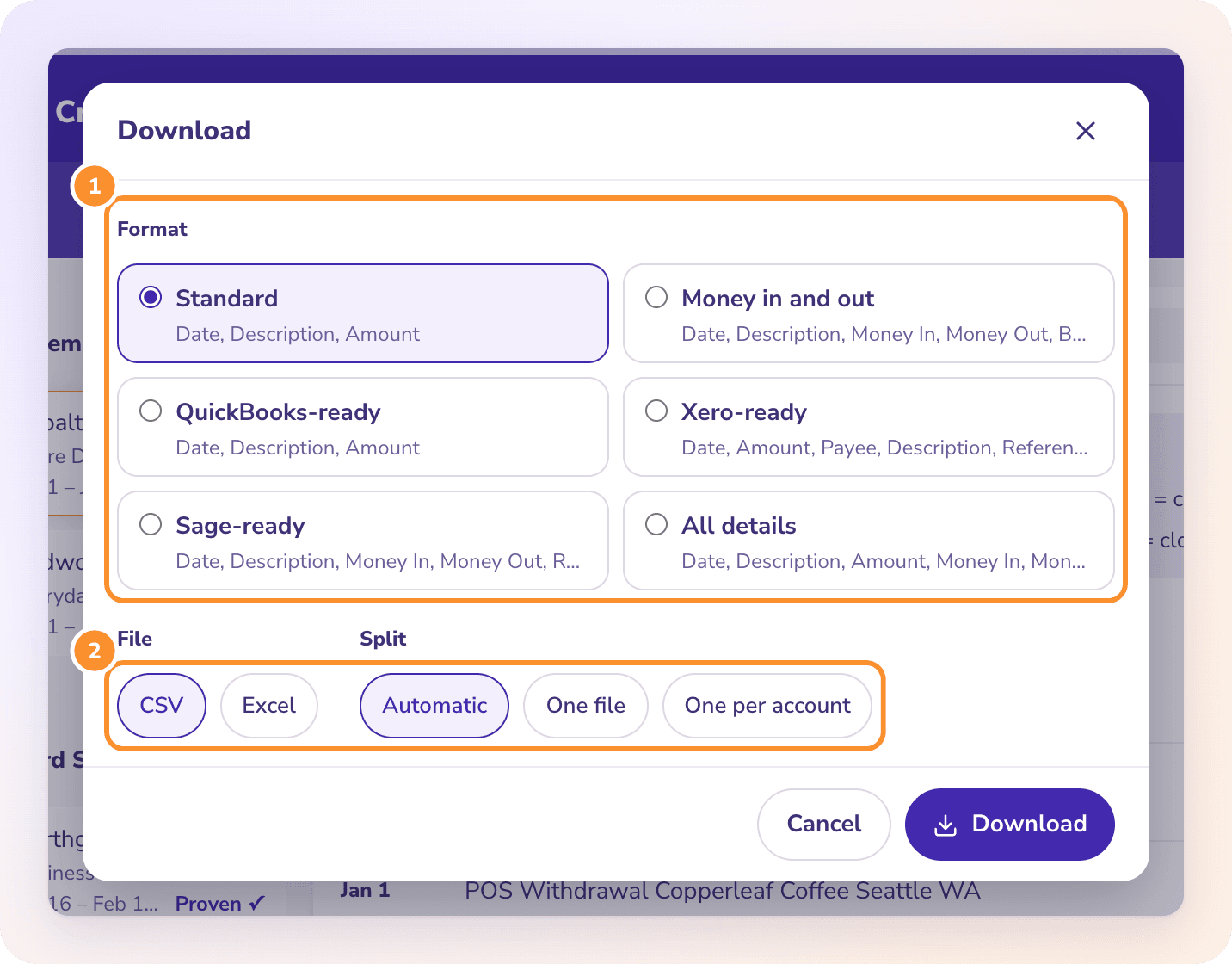
To convert a PDF bank statement to Excel, upload it to ZeraBooks Convert, check that it’s Proven against the statement’s printed balances, then click Download and choose Excel. Each account and cardholder can get its own rows or its own file, with dates, descriptions, amounts and balances in clean columns. Reading usually takes under a minute.
The columns each one’s bank import takes, if the sheet is headed for accounting software.
WHY IT’S DIFFERENT
A spreadsheet you don’t have to re-check.
PROVEN
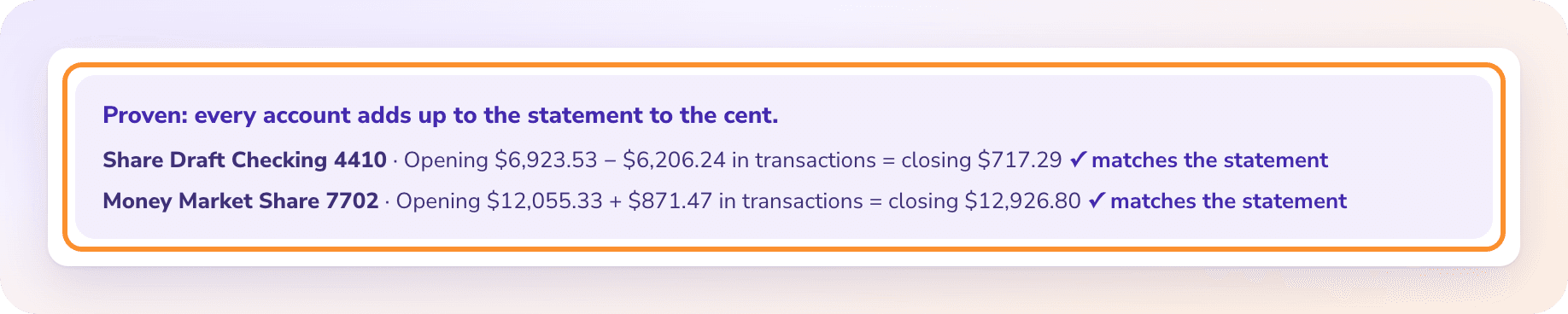
Totals that match the bank, to the cent.
Generic PDF-to-Excel tools copy the table and leave the checking to you. Convert adds up every account and compares it with the opening and closing balances the bank printed, and reads the statement again automatically if it doesn’t tie.
Tick several statements in the list and download them together: one file for everything, or one file per account. The list keeps every statement uploaded in the last 30 days.
Upload the PDF to ZeraBooks Convert, wait for it to be proven against the printed balances (usually under a minute), then click Download and choose Excel and a format such as Money in and out.
Can I convert a scanned bank statement to Excel?+
Yes, if the scan is saved as a PDF. For a poor scan, upload a clearer copy; a document that can’t be read never uses pages.
Can Excel open a PDF bank statement directly?+
Excel can import some PDF tables, but it doesn’t split accounts, handle multi-line descriptions reliably or check the totals. A bank statement converter does that and tells you whether the numbers add up.
Why are blank cells in my download?+
When a value isn’t printed on the statement, such as a running balance on some lines, the cell is left blank rather than guessed.
What dates and amounts does the Excel file use?+
Ready-made formats write U.S. dates (MM/DD/YYYY). Amounts are written either signed, with money out as a minus, or as separate positive Money In and Money Out columns, depending on the format.