GUIDE · CHURCH ACCOUNTING
Church accounting software:
what a church needs, and where ZeraBooks fits.
Church accounting software has to keep each fund separate, show that restricted gifts were spent only on their purpose, and reconcile every bank account the church holds. ZeraBooks is a general ledger, not dedicated fund accounting software: it keeps funds apart through the chart of accounts, proves each bank account against its statement, and does not track individual donors.
7-day trial · card required, nothing charged for 7 days · then $79/month billed annually or $149 monthly
THE REQUIREMENTS
What does a church need from accounting software?
A church’s books answer a question a business’s books don’t: was the money used the way the giver asked? That shapes everything below.
Fund accounting
Money given for a purpose stays with that purpose. Most churches run a general fund plus a few designated ones, such as a building fund, missions or benevolence, and each needs its own running balance.
Restricted gifts
When a donor restricts a gift, the church may spend it only on that purpose. The books have to show what came in for the fund, what went out of it and what is left.
Several bank accounts
An operating checking account, often a savings account holding the building fund, sometimes a separate account for a school or ministry. Moving money between them is not income or spending.
Reports the board can read
Monthly income and spending, what each fund holds, and how this year compares with last year, in a form a treasurer can hand to the finance committee.
Giving records
Each donor’s contributions for the year. A donor needs a written acknowledgment for any single gift of $250 or more to claim a deduction (IRS Publication 1771), so churches send year-end giving statements.
Try it on your own documents. One-week free trial, both apps included.
AN HONEST FIT CHECK
How does ZeraBooks handle each of those?
Some needs fit a general ledger well. Some don’t, and it is better to know before you move the church’s books.
| What the church needs | How it works in ZeraBooks | The limit |
|---|---|---|
| Separate funds | A sub-category per fund under Contributions, such as Contributions › Building fund, and spending categories for each restricted fund | No fund field on transactions and no balance sheet by fund |
| Restricted gifts | Gifts and spending for a restricted fund post to that fund’s own categories, so the Profit & Loss shows both for any period | ZeraBooks doesn’t stop you spending restricted money; the categories only make it visible |
| Several bank accounts | Each account added by name; its statements uploaded and proven against the printed balances; transfers between accounts paired automatically | No live bank feed: statements are uploaded as PDF or CSV |
| One deposit covering several funds | Record the Sunday deposit as a Pay In with one line per fund, then match it to the deposit when the statement arrives | The split comes from your counting sheet; ZeraBooks can’t see it on the statement |
| Board reports | Profit & Loss, Balance Sheet and Cash Flow with year-over-year and year-to-date columns, as PDF, CSV or Excel | Business report names, not nonprofit statement names, and no budget vs actual |
| Donor giving statements | Not offered | Keep donor records in your church management software and record deposit totals by fund in ZeraBooks |
WORKED EXAMPLE
Example: one month of fund balances at a small church
A church with a general fund and two restricted funds, for March. Gifts in and Spent are the lines of each fund’s categories on March’s Profit & Loss.
| Fund | Balance Mar 1 | Gifts in | Spent | Balance Mar 31 |
|---|---|---|---|---|
| General fund | $18,400 | $22,150 | $20,870 | $19,680 |
| Building fund (restricted) | $41,200 | $3,600 | $0 | $44,800 |
| Missions (restricted) | $2,350 | $1,180 | $1,500 | $2,030 |
| All funds | $61,950 | $26,930 | $22,370 | $66,510 |
Here the building fund sits in its own savings account, so the savings balance on the Balance Sheet ($44,800) should equal the fund. If it doesn’t, money moved without being recorded against the fund. A restricted fund’s balance is its gifts less its spending since the books began in ZeraBooks (the All Time period), plus any balance brought across when you moved.
SETUP
How to set up a church’s books in ZeraBooks
About an hour for a church with a handful of accounts and funds. The same profit and loss statement a business reads becomes the church’s monthly giving and spending report.
- 1
Add every bank account
Operating checking, the building fund savings account and any other account the church holds, each by a name you’ll recognize, such as “Checking 2204”.
- 2
Build the chart of accounts
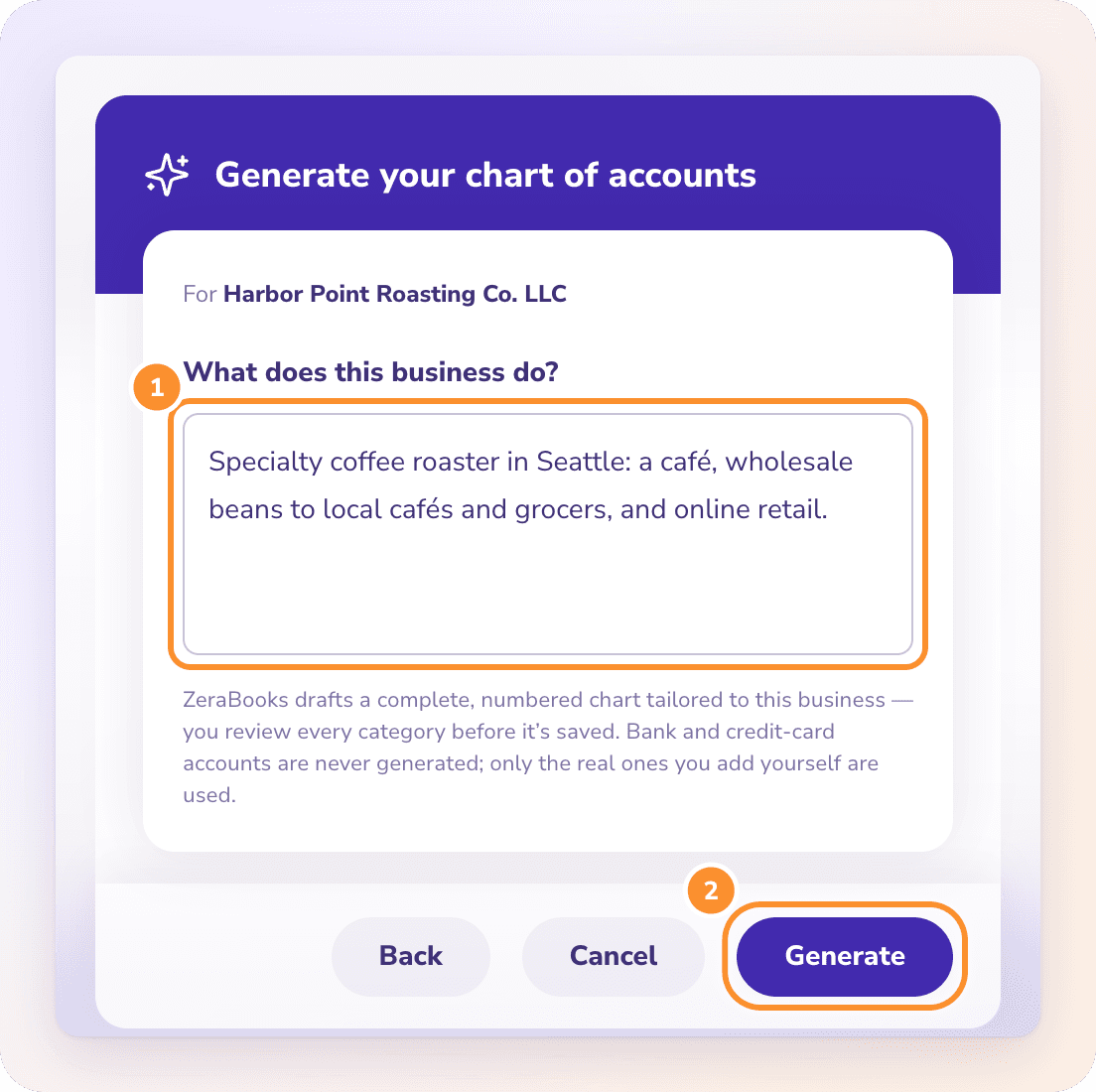
Generate a chart with AI from one line, for example “a church with a general fund, a building fund and a missions fund”, or import the chart you already use. Review it, then add a sub-category for each fund under Contributions where the draft doesn’t already have one.
- 3
Bring restricted balances across
Moving from other software? When you import the closing trial balance, map each restricted fund’s balance to its own equity category so it carries over.
- 4
Tell Zera where gifts go
For example, “payouts from our online giving platform go to Contributions › General fund”. Ask Zera remembers the rule and the categorization uses it from then on.
- 5
Upload statements and record split deposits
Upload each account’s statements. Where one deposit covers several funds, record it as a Pay In with a line per fund and match it to the statement line.
- 6
Reconcile, close and report
Close each month once every account ties to its statement, then send the board the Profit & Loss and Balance Sheet.
Is ZeraBooks fund accounting software?
No. ZeraBooks is a double-entry general ledger. It keeps funds apart through the chart of accounts, which works for a church with a few funds, but it has no fund field on transactions, no fund-by-fund balance sheet and no nonprofit statement formats.
Can ZeraBooks track donors and send giving statements?
No. ZeraBooks records deposits and their funds, not individual donors. Keep giving records in your church management software, which can produce year-end statements, and record the deposit totals by fund in ZeraBooks.
How do I record a Sunday offering that covers several funds?
Add a Pay In for the deposit with one line per fund, using the totals from your counting sheet, for example $3,100 to the general fund and $450 to missions. When the bank statement arrives, match the deposit line to that Pay In so it is counted once.
Does ZeraBooks connect to the church’s bank?
No. You upload each account’s statements as PDF or CSV. ZeraBooks checks every statement against its own opening and closing balances, so a missing month or line shows up.
What should a church use if it needs full fund accounting?
Dedicated fund accounting software that carries a fund on every transaction and produces nonprofit statements. Larger churches, and churches with grants, audits or many restricted funds, usually need that rather than a general ledger.
How much does ZeraBooks cost for a church?
The same as for any organization: $79 a month billed annually or $149 monthly, after a 7-day trial. See ZeraBooks pricing. If the church would rather hand the books over, our bookkeeping services team can keep them, quoted after a call.
What about a church that also runs a café or school?
Give that activity its own bank account and its own income and expense categories. Busy accounts with daily deposits follow the same routine as a restaurant’s; see restaurant bank accounts and daily deposits.
ONE-WEEK FREE TRIAL
Try it on last month’s statements.
See the funds side by side.
Set up the church’s accounts and funds and upload one month. Then $79 a month billed annually, or $149 monthly.
Last updated October 12, 2026 · Written by Damin Mutti, founder of ZeraBooks