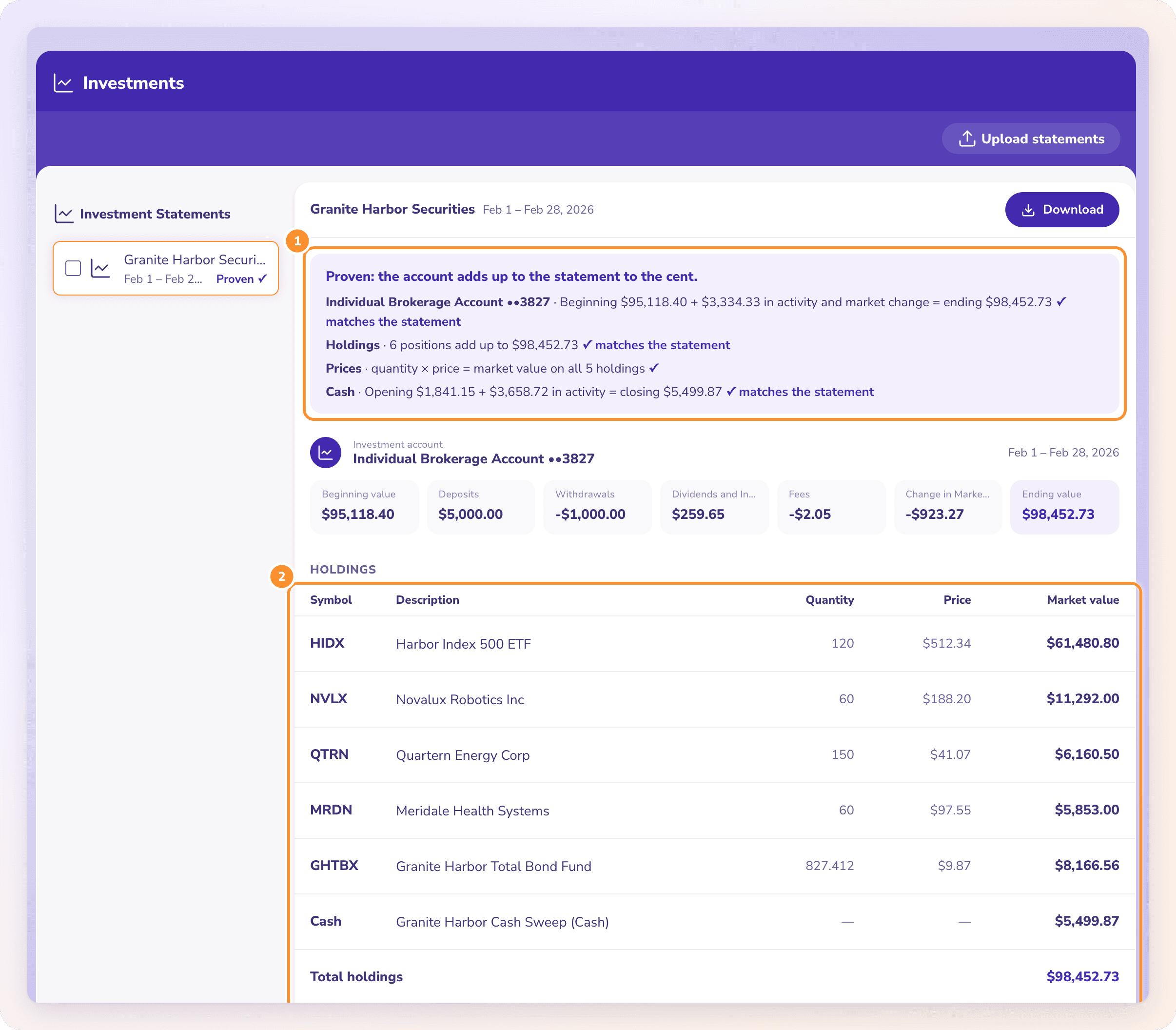
Brokerage statements to Excel, holdings and activity proven.
To convert a brokerage or investment statement PDF to Excel, upload it to ZeraBooks Convert. It reads each account’s beginning and ending value, every holding with quantity, price and market value, and the cash activity, then proves them against the statement’s own figures to the cent. Download one workbook with Summary, Holdings and Activity sheets, or CSV.
Excel gives you one workbook with a tab per table: the account summary with beginning value, deposits, withdrawals, dividends and interest, fees and ending value; every holding with symbol, description, quantity, price and market value; and every cash transaction. CSV gives a file per table in one ZIP.
How do I convert a brokerage statement PDF to Excel?+
Upload the PDF on the Investments page of ZeraBooks Convert, check that it’s Proven, then click Download and choose Excel for a workbook with Summary, Holdings and Activity tabs.
Can I export Schwab or Fidelity statements to Excel?+
Convert reads brokerage and retirement statements as PDFs you download from the provider, and proves each account against the statement’s own figures. Try your statement during the free trial.
Does it handle statements with several accounts?+
Yes. Each investment account on the statement gets its own section and its own proofs.
Is this for tax reporting?+
Convert extracts what the statement prints: values, holdings and cash activity. It isn’t a tax-lot or cost-basis calculator; use your provider’s tax documents for filing.