Canadian bank statements to Excel or CSV, from all seven big banks, checked to the cent.
Download the PDF statement from your bank’s online banking (RBC, TD, CIBC and Scotiabank all keep up to 7 years), upload it to the ZeraBooks bank statement converter, and download Excel or CSV. Every statement is checked against its printed opening and closing balances before you use the file.
Where does each Canadian bank keep its PDF statements?
These are the menu names each bank uses in its own help pages, checked October 2026. Most banks only show statements for accounts that are set up for eStatements.
Bank
Where to click
How far back
RBC Royal Bank
Online Banking: Statements/Documents at the top right of Accounts Summary. App: More, then Statements
Up to 7 years
TD Canada Trust
EasyWeb: the name on the account at the top, then Statements and Documents, then pick the account and year
Up to 7 years
BMO
Online Banking, View eStatements (personal). Online Banking for Business: Account Information, then eStatements, then Account Statements
Seven years
Scotiabank
Pick the account, then Documents (app and web)
Up to 7 years of statements
CIBC
My Documents, then Account statements under Account Documents. App: More, then My documents
7 years
Desjardins
AccèsD: your everyday account under Accounts, then Statements, then the month
7 years
National Bank
Select the account, then Documents and statements, choose the type and period, then Search
Not published
Closed accounts are kept for less time. TD, for example, says statements for closed personal and business deposit accounts stay visible for 18 months, so download them before you close an account.
We set you up and catch up your past months for free. Then ZeraBooks keeps your books done.
How does a Canadian chequing statement become rows?
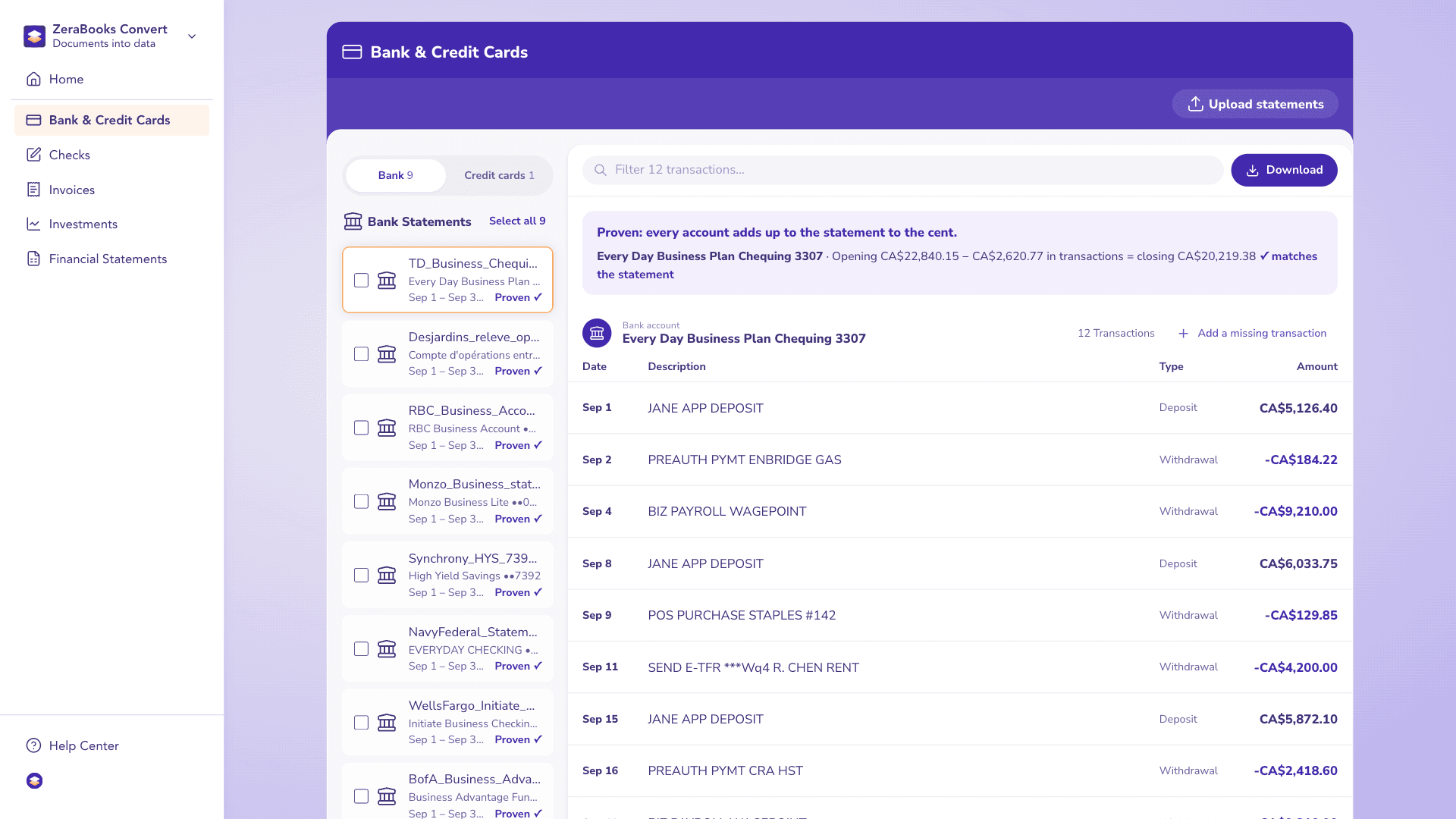
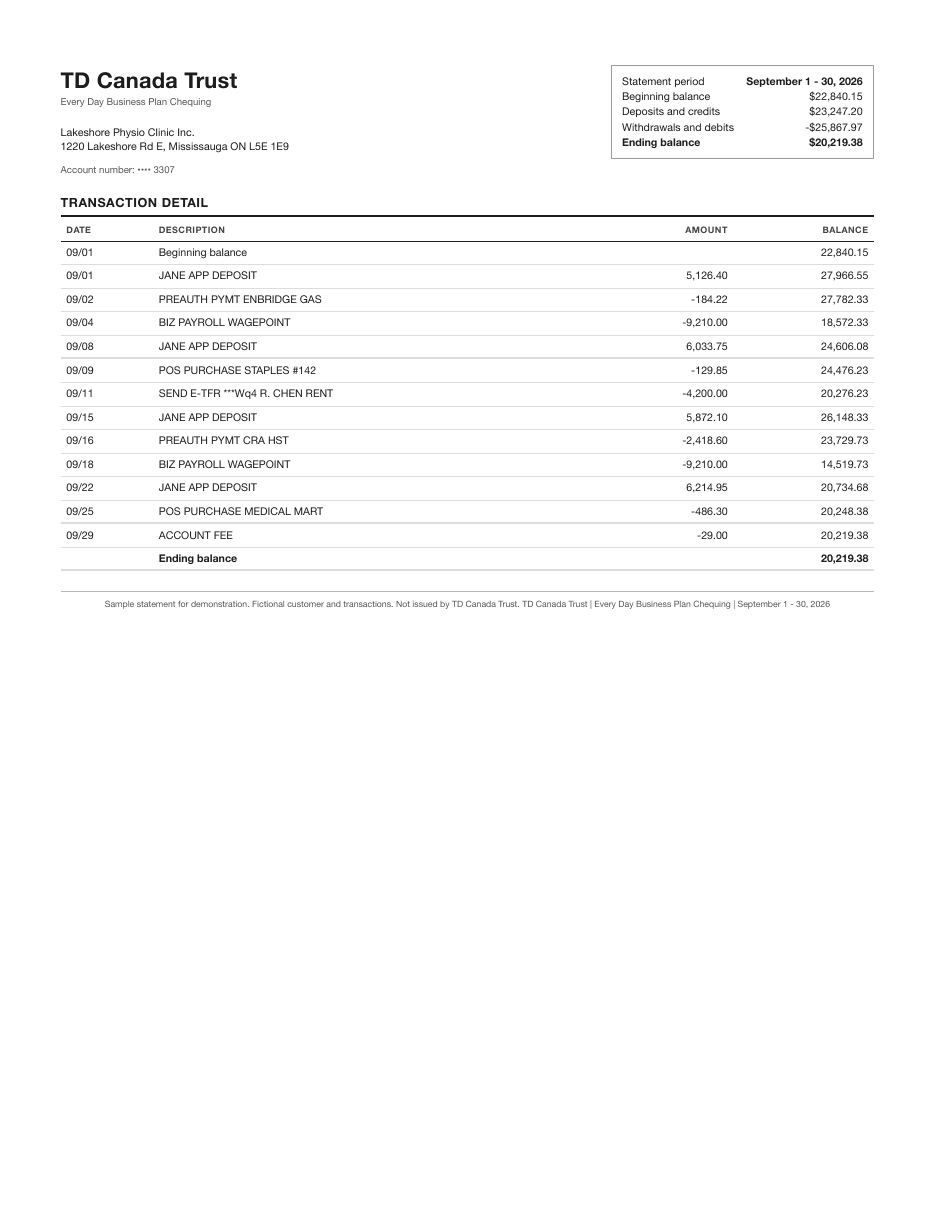
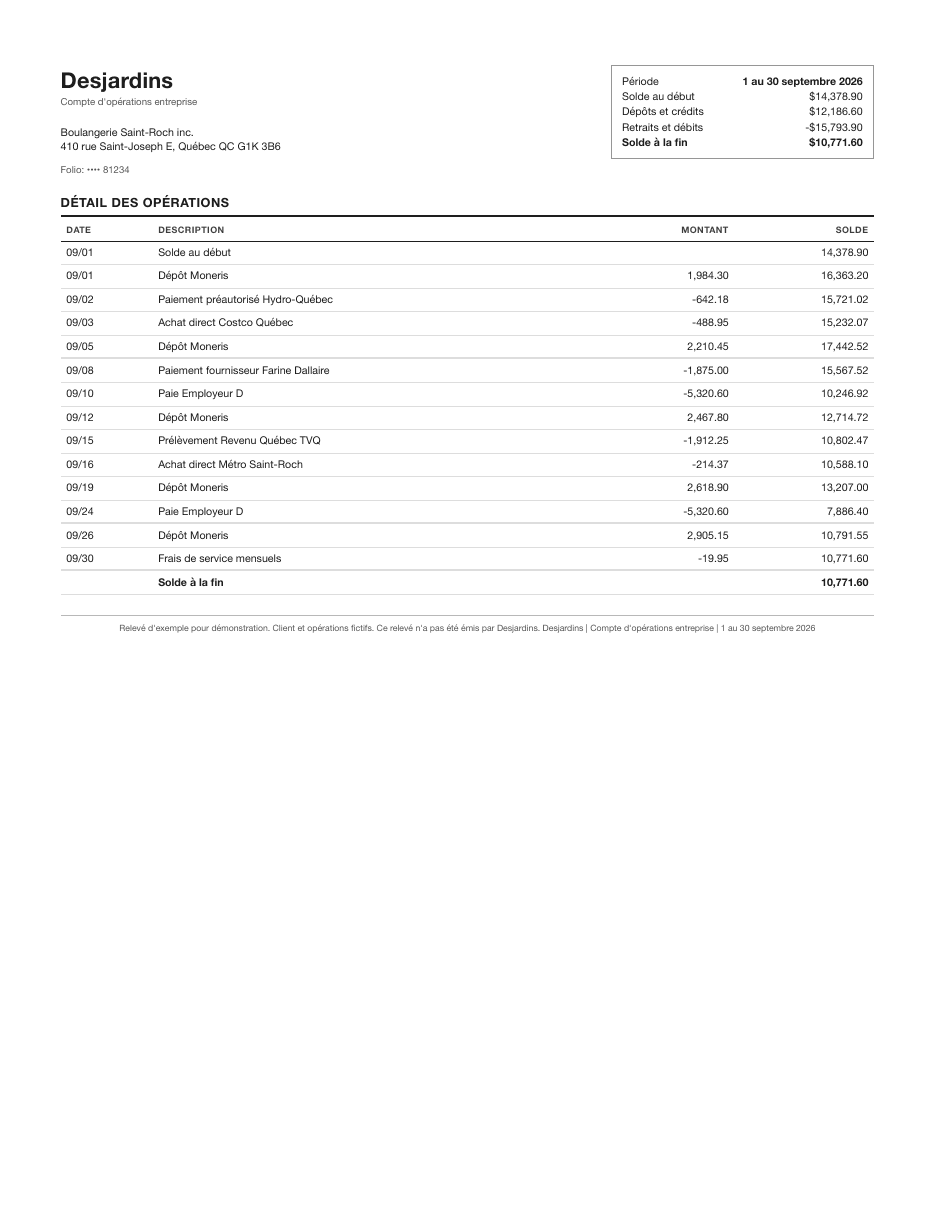
Here is a real run in ZeraBooks Convert. The statement belongs to Lakeshore Physio Clinic, a fictional clinic: its September TD Every Day Business Plan chequing statement with 12 transactions, file TD_Business_Chequing_3307_Sep2026.pdf. Convert read every line and proved $22,840.15 − $2,620.77 = $20,219.38, the closing balance printed on the statement, before offering the download.
A real run: TD_Business_Chequing_3307_Sep2026.pdf read and proven in ZeraBooks Convert. Sample statement with fictional figures.
The PDF as uploaded
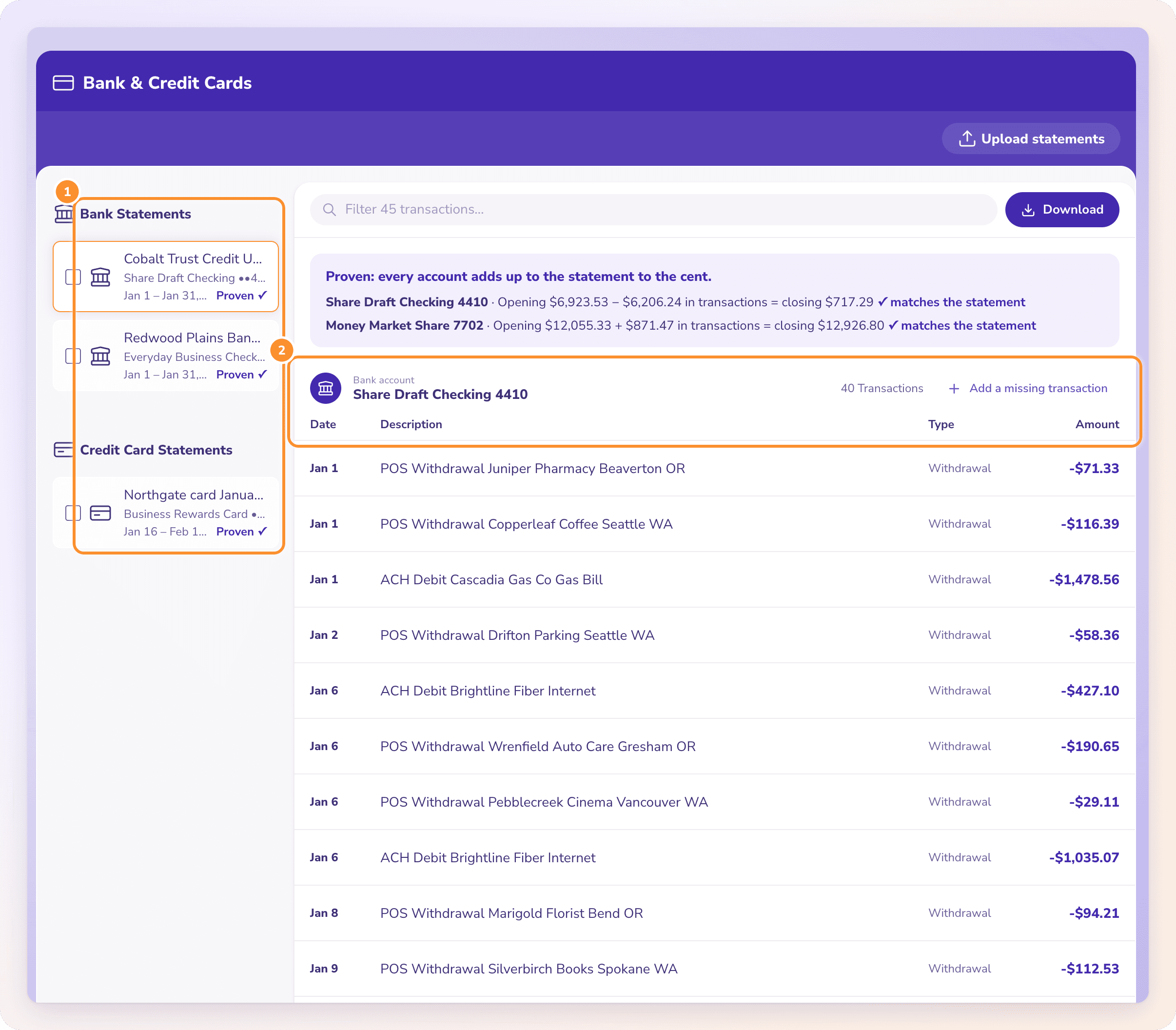
The same statement in ZeraBooks
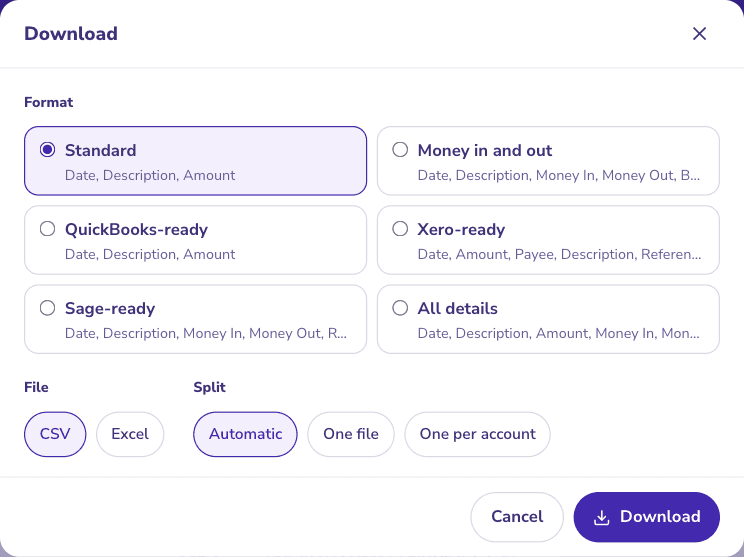
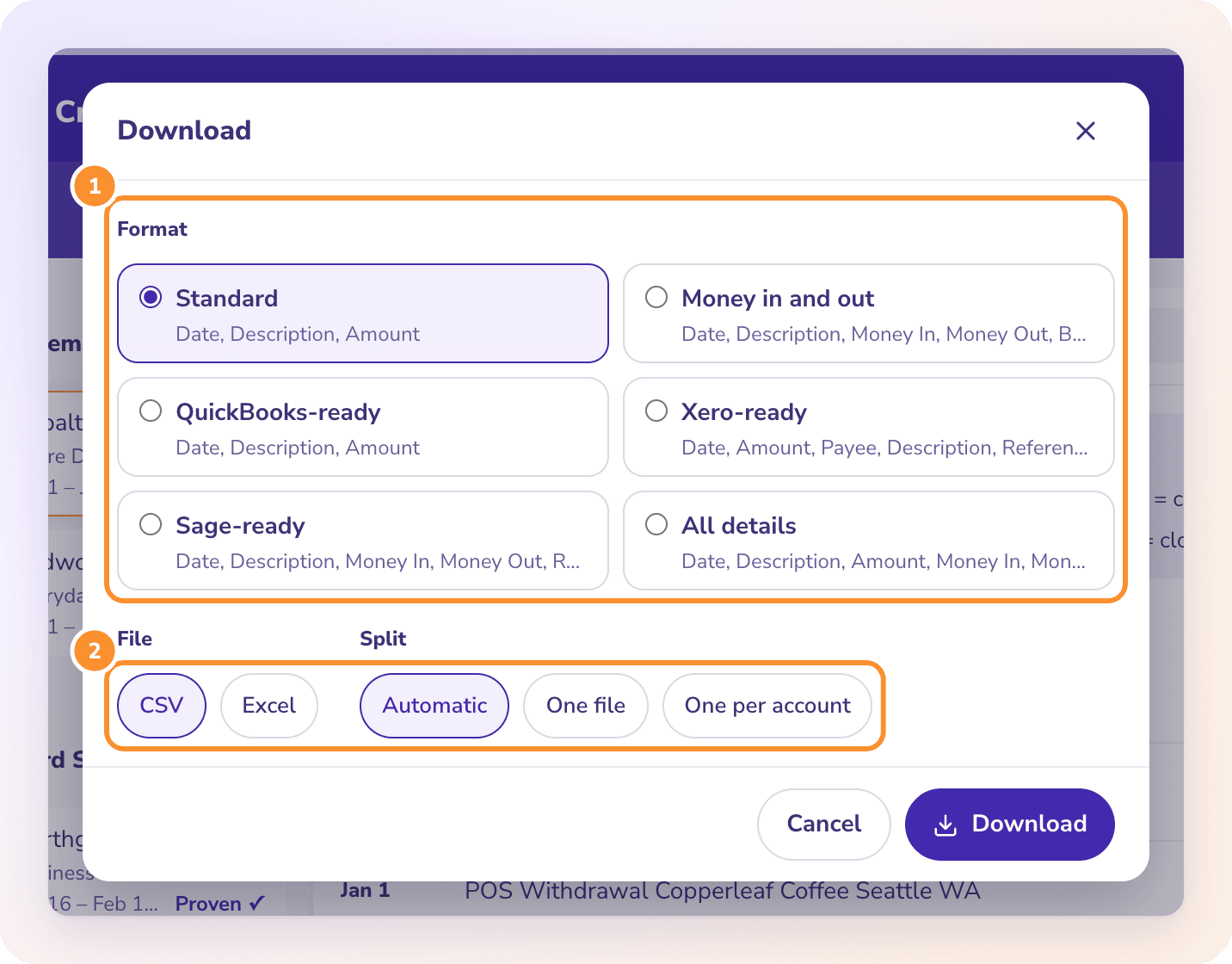
Pick a format and download CSV or Excel.
WHAT EACH BANK ADDS
What should you know about each bank before you download?
A few details from the banks’ own pages that change how you collect a year of statements:
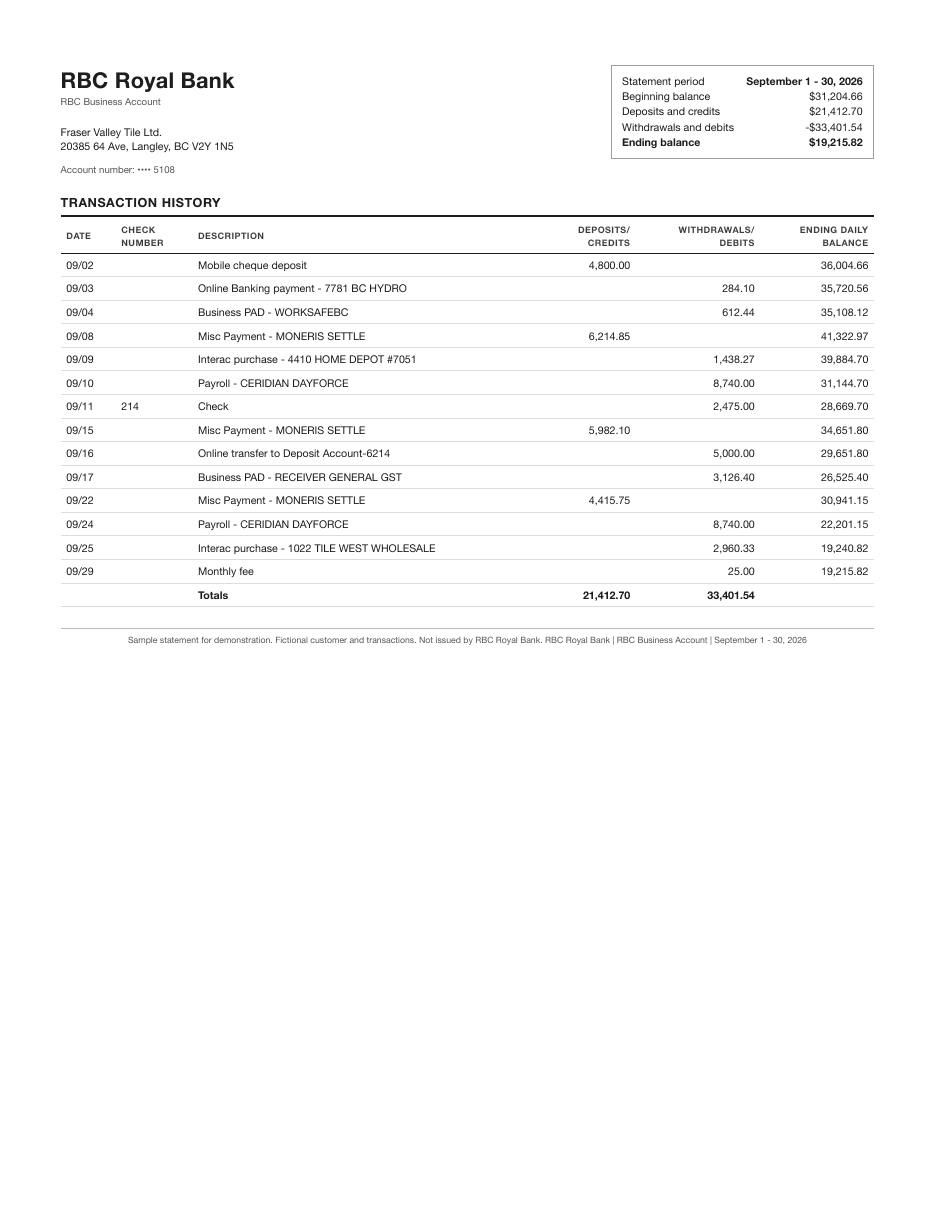
RBC shows six at a time in the app
The most recent six statements load first. Use the dropdown for earlier periods, or use Online Banking on a computer for a long run of months.
TD opens each statement as a PDF
Select a statement and it opens in an overlay as a PDF, ready to save. Filter by year to move through older months.
BMO can merge accounts into one statement
BMO offers a consolidated statement for personal accounts (business accounts can’t be added). A PDF holding several accounts still converts: each account is split out and checked on its own.
Scotiabank has two time limits
Scotiabank shows 24 months of transaction history, but archives statements for up to 7 years. For older months, go to Documents, not the activity list.
CIBC signs you up account by account
eStatements are turned on for each account separately. If one account is missing in My Documents, check that it is set to eStatements.
Desjardins posts on the first of the month
The new statement appears on AccèsD on the first day of each month. You must register for online documents before statements show up.
National Bank uses a search
Choose the document type and time period, then Search, and download from the results.
WORKED EXAMPLE
What does a converted Canadian chequing statement look like?
Northshore Sign Co. is a fictional Ontario business. Its September 2026 chequing statement opens at $5,412.80. Converted to the Standard format, money out is a minus:
Date
Description
Amount
09/03/2026
Deposit, Harbourview Dental (client payment)
2,350.00
09/05/2026
Rent, Lakeshore Properties
-1,800.00
09/10/2026
Business insurance premium
-142.35
09/16/2026
Interac e-Transfer received
615.00
09/30/2026
Monthly account fee
-16.95
09/30/2026
GST/HST remittance, CRA
-903.40
Opening 5,412.80 + rows
5,515.10
The proof: money in 2,350.00 + 615.00 = 2,965.00, money out 1,800.00 + 142.35 + 16.95 + 903.40 = 2,862.70, and 5,412.80 + 2,965.00 − 2,862.70 = 5,515.10, the closing balance printed on the statement. 09/03/2026 is September 3, not 9 March: Convert writes every date U.S. style.
BEFORE YOU CONVERT
What should Canadian users check before converting?
Dates are MM/DD/YYYY
Every Convert format writes U.S. dates. If your spreadsheet is set to day-first dates, tell it the column is month-first, or the 1st to the 12th of each month will swap.
Amounts carry no currency
Amounts come out as plain numbers. Keep CAD and USD accounts in separate files, or use the Account column when you download several statements together.
Download the PDF, not the activity list
Convert reads PDFs only. The activity lists in online banking usually cover fewer months than the statement archive and don’t carry the printed balances the proof needs.
One PDF can hold several accounts
Consolidated statements are split by account, and each account is checked against its own balances.
No sign-in to your bank
ZeraBooks never asks for your RBC, TD or other bank password. You download the PDF and upload it.
WITH ZERABOOKS
How do you convert a Canadian bank statement PDF to Excel?
The same steps work for every bank on this page. Files can be up to 50 MB and 500 pages each.
1
Download the statements
Save each month’s PDF from your bank, using the menu in the table above.
2
Upload them to Bank & Credit Cards
Click Upload statements or drop the PDFs on the page. Several files can go up at once.
3
Read the proof line
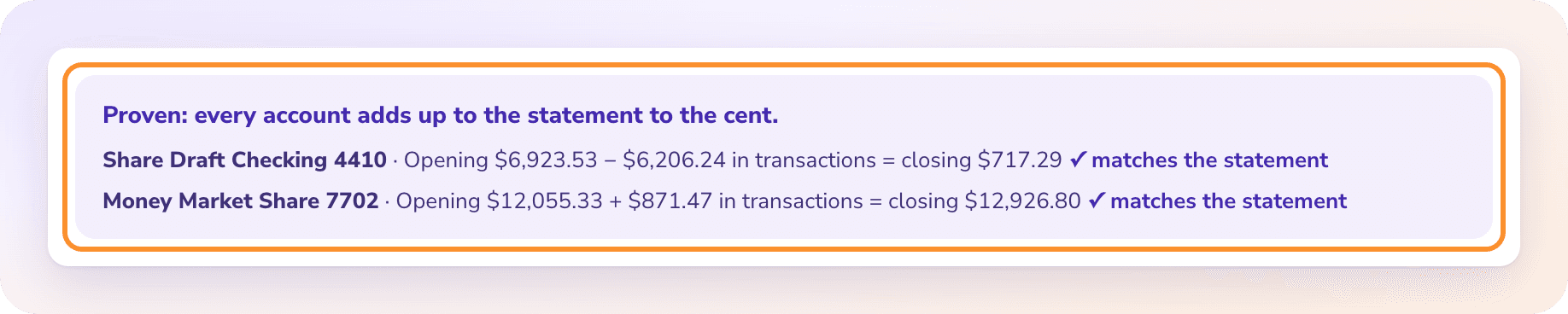
Each account shows opening balance plus transactions against the printed closing balance. Proven ✓ means it ties to the cent.
4
Download Excel or CSV
Pick Standard, Money in and out, QuickBooks-ready, Xero-ready, Sage-ready or All details. Tick several statements to get a year in one file.
WHY ZERABOOKS
A converter that proves every Canadian statement.
PROVEN TO THE CENT
The closing balance decides, not a guess.
Convert adds every line it read to the opening balance and compares the result with the closing balance on the statement. If a line is missed, the difference shows the amount to look for, so you never hand an accountant a file that quietly drops a cheque. More on the method in convert a bank statement to Excel.
Tick each statement and download them together, with an Account column on every row or a tab per account. Merging PDFs from several banks works the same way, as covered in combine bank statements.
Which Canadian banks does the converter work with?+
Convert reads statement PDFs from any bank, including RBC, TD, BMO, Scotiabank, CIBC, Desjardins and National Bank. Check the proof line on the first statement you upload from each bank. U.S. accounts work too, for example Chase statements to Excel. Download steps for two of them are on the RBC statement converter and Desjardins statement converter pages.
Can I convert French-language statements?+
Descriptions come out as printed, so a French description stays in French. The proof is arithmetic on the printed balances, so check that it reads Proven ✓ on your first statement.
Why are my dates in the wrong order in Excel?+
Convert writes MM/DD/YYYY. If Excel is set to Canadian day-first dates, change the column’s date format or import it as month-first.
Can ZeraBooks connect to my Canadian bank directly?+
No. Convert has no bank feeds and never asks for your bank sign-in. Download each PDF statement and upload it.
Do you also keep books for Canadian businesses?+
Yes. ZeraBooks runs a done-for-you bookkeeping service for businesses anywhere in Canada and the U.S., run remotely. See bookkeeping services in Canada.
How much does ZeraBooks Convert cost?+
Convert comes with the ZeraBooks subscription: 1,000 pages a month for $79 a month billed annually or $149 monthly, in U.S. dollars, after a 7-day trial. See ZeraBooks pricing.
Damin founded ZeraBooks in 2025 and still talks to the bookkeepers, firms and owners who use it every week. He writes about what he sees in their statements and ledgers, and every page here is checked against the live product before it goes up.
A box of Canadian bank PDFs? Get spreadsheets that add up.
Upload them, check each proof line, download Excel or CSV. 1,000 pages a month from $79 a month billed annually. Need the books done too? The same subscription includes AI bookkeeping that categorizes every line and closes each month against the statement.