BY BANK · CAPITAL ONE
Capital One statement to Excel,
only the transactions, proven against the new balance.
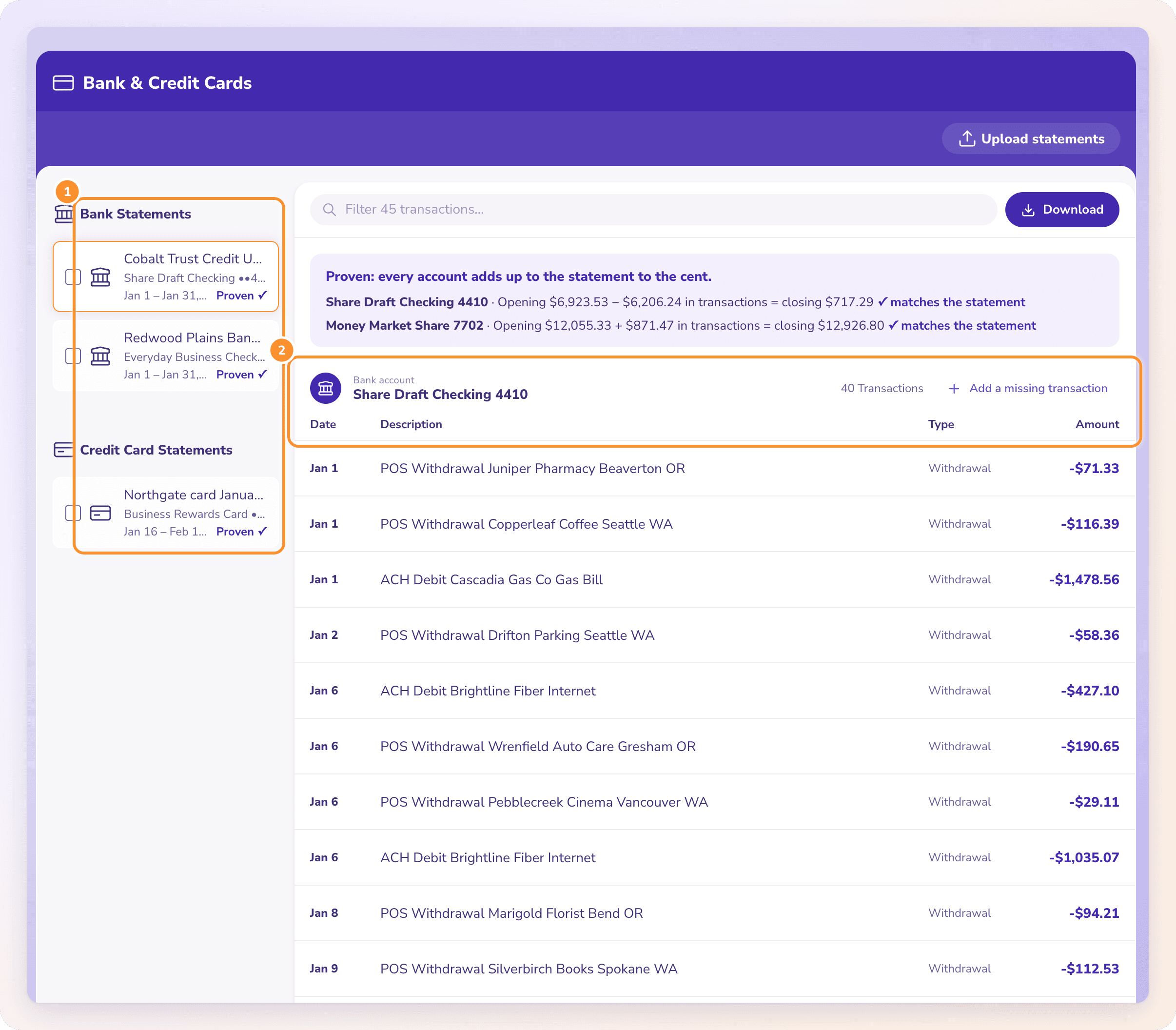
To convert a Capital One statement to Excel, open the account at capitalone.com, choose View statements, download the PDF and upload it to a bank statement converter such as ZeraBooks Convert. A card statement must prove as previous balance plus charges minus payments and credits equals the new balance before you download Excel or CSV.
7-day trial · card required, nothing charged for 7 days · 1,000 pages a month from $79/month billed annually
STEP 1 · DOWNLOAD
How do you download a Capital One statement as a PDF?
Card and bank statements sit on each account’s own page, so a business with a Spark card and checking downloads them separately. The full guide is Download your Capital One statements.
- 1
Sign in at capitalone.com on a computer
Downloading a run of months is quicker there than in the app.
- 2
Click the account
The Spark card or the checking account. Each has its own statements.
- 3
Choose View statements and pick the month
Capital One keeps up to 7 years of statements online for open bank accounts.
- 4
Download the PDF
Not the transaction download for Quicken, QuickBooks or Excel: it usually has no opening or closing balance, so nothing proves the rows are complete.
Try it on your own documents. One-week free trial, both apps included.
HOW CAPITAL ONE LAYS IT OUT
Which parts of a Capital One card statement become rows?
Capital One’s own guide to its credit card statement names these sections and says they are typical rather than on every statement. Only one of them holds transactions:
| Section | What it holds | In the converted file |
|---|---|---|
| Payment information | Due date, new balance, minimum payment and warnings | Not rows; the new balance is used for the proof |
| Account summary | Previous balance and the period’s activity, credit limit, available credit | Not rows; the previous balance starts the proof |
| Rewards summary | Rewards earned and redeemed | Not rows: rewards points or cash back earned are not money moving |
| Transactions | Payments, credits, purchases, fees, interest, balance transfers, cash advances | Rows, each with its Type and a signed amount |
| Year-end summary | Fees and interest charged so far this year | Not rows: they are totals of lines already counted |
| Interest charge calculation | Rate, balance subject to interest and interest charged | Not rows; the interest itself is already in Transactions |
| Account notifications | Fee explanations, AutoPay and other notices | Not rows |
The year-end summary and the interest calculation are where hand-copied Capital One spreadsheets most often double-count: both print amounts that look like charges. ZeraBooks Convert takes rows from the transactions only and sets each Type from what the line is: Charge, Payment, Credit, Fee or Interest.
WORKED EXAMPLE
What does a converted Capital One statement look like?
Harbor Lane Coffee is a fictional café with a Spark business card ending 6102. Its September 2026 statement has one payment, four purchases and a refund. In the Standard format, money out is negative and money back is positive:
| Date | Description | Type | Amount |
|---|---|---|---|
| 09/02/2026 | Payment received | Payment | 3,846.20 |
| 09/05/2026 | Restaurant depot | Charge | -412.18 |
| 09/11/2026 | Espresso machine service | Charge | -1,265.00 |
| 09/14/2026 | Point-of-sale software | Charge | -89.99 |
| 09/20/2026 | Coffee roaster, wholesale | Charge | -2,031.47 |
| 09/23/2026 | Refund, restaurant depot | Credit | 65.00 |
| Previous balance 3,846.20 + charges − payments and credits | New balance 3,733.64 |
The proof: 3,846.20 − 3,846.20 + 3,798.64 − 65.00 = 3,733.64, the new balance in Payment information. No interest was charged because last month was paid in full. The cash back in the Rewards summary is not in the file. More on card layouts in credit card statement to Excel.
BUSINESS CHECKING
What about Capital One checking statements?
They download the same way, from the checking account’s page, and convert on the same page as the card.
No statements online?
Capital One shows checking statements online only when the account is set to paperless. Click the account, then Account Services & Settings, then Paperless.
The proof is different
A checking statement is proven as opening balance plus deposits minus withdrawals equals the closing balance, for each account in the PDF.
Checking and savings together
If one PDF holds more than one account, Convert splits the rows by account and proves each against its own balances. Download one file per account, or one file with an Account column.
Discover cards
Discover is part of Capital One, but its statements still come from Discover’s own site. See Download your Discover statements.
OTHER BANKS
How is Capital One different from Chase or Wells Fargo?
Each bank prints the month its own way, which is what breaks copy-paste.
Capital One
Mostly a card statement for small businesses, with summary boxes around one transaction list. The work is leaving the summaries out.
Chase
Separate sections for deposits, checks and electronic withdrawals that have to be merged in date order. See Chase bank statement to Excel.
Wells Fargo
One table with credit and debit columns that have to become one signed amount. See Wells Fargo statement to Excel.
Bank of America
Credits and debits with a separate checks block. See Bank of America statement to Excel.
Can I download Capital One transactions to Excel directly?
Capital One offers a transaction download for Quicken, QuickBooks or Excel. It is fine for a quick look, but it usually has no opening or closing balance, so you can’t prove the list is complete. Convert the statement PDF when the numbers have to be right.
How far back can I get Capital One statements?
Up to 7 years online for open bank accounts. For older statements or a closed account, ask Capital One.
Does ZeraBooks connect to my Capital One account?
No. ZeraBooks has no bank feeds and never asks for your Capital One sign-in. You download each statement and upload the PDF.
What if a Spark statement has employee cards?
When a card statement lists spending by cardholder, Convert assigns each transaction to its cardholder and checks each cardholder’s printed total. The download can be split one file per cardholder.
How much does it cost?
Convert is part of the ZeraBooks subscription: 1,000 pages a month for $79 a month billed annually or $149 monthly, after a 7-day trial. See ZeraBooks pricing.
ONE-WEEK FREE TRIAL
Upload a Capital One statement.
Get the transactions, not the summary boxes.
Every row typed and signed, and the file proven against the new balance. 1,000 pages a month from $79 a month billed annually. Keeping the books too? AI bookkeeping is in the same subscription.
Last updated October 19, 2026 · Written by Damin Mutti, founder of ZeraBooks