Move your books to ZeraBooks
Bring your old books' closing balances, unpaid invoices and bills, and bank handoff into ZeraBooks, one stage at a time. You can save and come back at any stage.
What comes across
Opening books picks up where your old software left off. It brings over, as of the day your old books close:
The closing balance of every account, from your trial balance.
Invoices your customers hadn't paid and bills you hadn't paid, so they can be matched when the money moves.
Checks and deposits that hadn't cleared the bank yet.
Your old transactions don't come across one by one. The balances carry the history. You can optionally teach ZeraBooks how you categorized before. See Review, import and undo opening books.
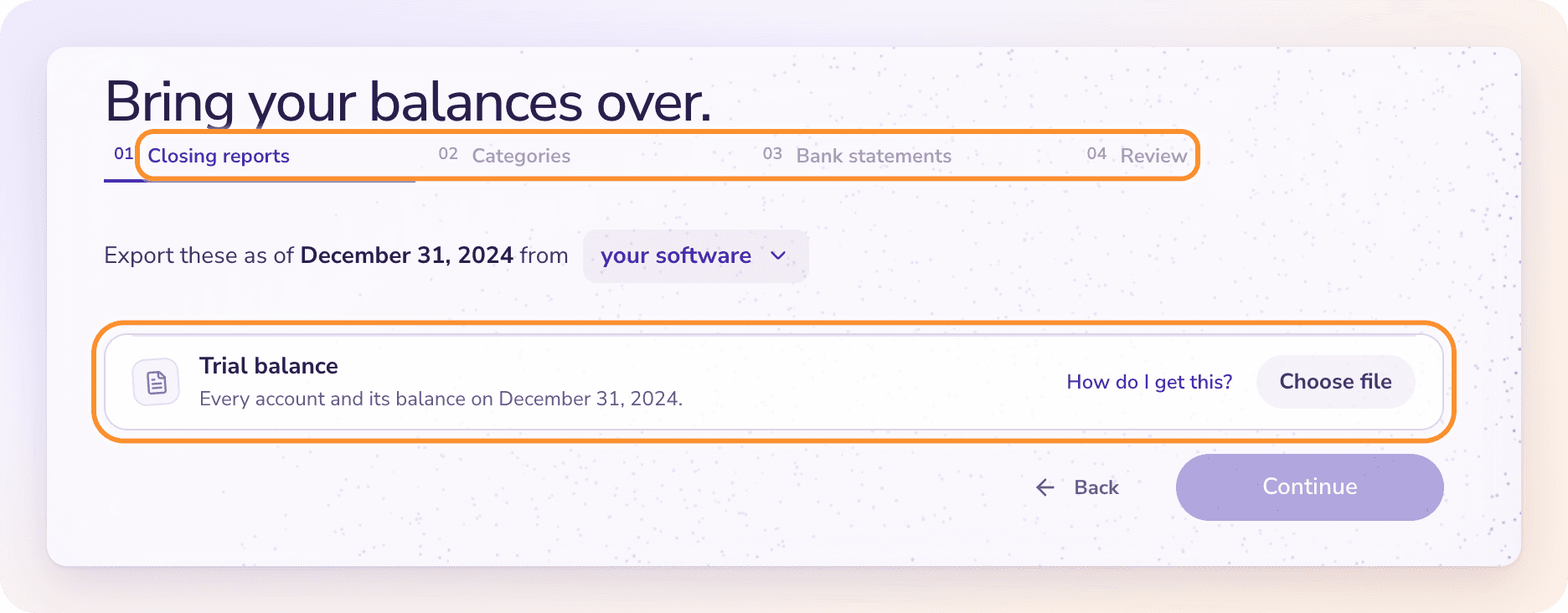
Where to find it
During setup: choose Books are up to date or Books need catching up as your starting point. Opening books becomes a step of the wizard, with four stages; the handoff date is the one you chose on the starting point step.
After setup: go to Settings › Bookkeeping and click Resume opening books, or click Continue opening books when ZeraBooks stops a statement upload. Here Opening books has a fifth stage first, Handoff date.
After the import: Settings › Bookkeeping › View opening-book record, or Review opening books on the notice the Ledger and Financials show when you look at a period before your first day.
The stages
Before you start
Reconcile the old bank and card accounts and clear any suspense balances in your old software.
Make sure the trial balance and the unpaid reports use the same closing date.
Opening balances in a foreign currency aren't supported, and neither is a full import of your transaction history.
Payroll, inventory, fixed-asset schedules and tax filings need their own supporting records. A closing balance doesn't recreate them, so keep the originals.
Important: Finish opening books before you add new activity. Until then, uploading a statement shows "Bring in your opening balances first" with a Continue opening books button. And once a company has statements, journals or documents, an opening import can't be added on top of them.
ZeraBooks never invents a balancing amount to make the books add up. If you can't establish reliable opening figures yet, click Save & leave and finish the earlier records first.
Frequently Asked Questions
Can I stop partway and come back?
Yes. Your progress and uploaded reports are saved privately as you go. Outside setup, click Save & leave; come back from Settings › Bookkeeping › Resume opening books.
Why can't I upload a bank statement yet?
Opening books isn't finished. ZeraBooks shows "Bring in your opening balances first" until the closing balances, unpaid invoices and bills, and bank handoff are reviewed. Click Continue opening books to finish them.
Can I import all my old transactions?
No. Only the closing balances, unpaid documents and uncleared bank items come across. You can add past categorization examples so ZeraBooks learns your categories, without adding transactions.
Does ZeraBooks change anything in my old software?
No. You export reports from your old software and upload them. Nothing is written back to it.
What does "This company already has statements, journals or documents" mean?
The company already has activity in ZeraBooks, and opening books has to start before that activity. You can review the files, but you can't import them into books that already have entries.
My old books were in another currency. Can I bring them over?
No. Opening balances in a foreign currency aren't supported. The closing reports need to be in the company's books currency.
Learn more about Pricing: One subscription for the General Ledger and Converter, with a one-week free trial.
Still stuck? A real person reads every message—come say hello.