General Ledger + Converter in one subscription.

See pricing
Skip to content
  1. Home
  2. Best bank statement converter
  3. Best scanned bank statement converter

RANKING · SCANNED AND PAPER STATEMENTS

The best scanned bank statement converter
proves what it read off the scan.

The best scanned bank statement converter is ZeraBooks, because it reads image-only PDFs and then proves every account against the statement’s printed balances, which is where scans go wrong. Excel’s PDF import can’t read a scan at all. The ZeraBooks bank statement converter takes scans saved as PDF up to 500 pages, from $79 a month billed annually.

We make ZeraBooks · 7-day trial · 1,000 pages a month from $79/month billed annually

A real run in ZeraBooks Convert on 2 sample statements from Navy Federal and Synchrony. Fictional sample documents.

THE RANKING

Which converters handle scanned bank statements best?

Eight tools ranked on scans: does it read an image-only PDF, what rules does it set for the scan, and does anything tell you when it misread the page.

#ToolReads scansScan rules it publishesCatches a misread
1ZeraBooksYes, scans saved as PDFPDF, up to 500 pages and 50 MBYes, the balance proof fails
2DocuClipperSays it doesNot statedSays it runs reconciliation checks on the output
3MoneyThumbSays it doesNot statedAutomatic reconciliation against the statement’s summary totals
4AutoEntryYesScanned paper statements and digital PDFsNot stated on its pages
5HubdocYes200 DPI minimum, scanned straight, English, one statement per fileErrors when totals don’t match; Canada and U.S. statements only, up to 100 pages
6DextYesDigital PDFs typically in minutes, scans up to 24 hours; 200 dpi minimumNot stated on its pages
7Adobe AcrobatPro onlyAcrobat Pro recognizes text in scanned documentsNone: it exports what is on the page
8Excel Power Query (Get Data from PDF)NoReads the PDF’s text only, so image-only scans have nothing to read; no PDF connector on MacNone

From each vendor’s own pages: AutoEntry, Hubdoc and Dext checked November 5, 2026; Acrobat and Excel November 7; DocuClipper and MoneyThumb October 11.

We set you up and catch up your past months for free. Then ZeraBooks keeps your books done.

THE VERDICT

Which scanned bank statement converter should you use?

  1. 1

    ZeraBooks Convert

    First, because a scan is where reading goes wrong and ZeraBooks is the one that tells you: an account whose rows miss the printed closing balance never shows Proven.

    From $79/mo billed annuallyScans as PDFProven

  2. 2

    DocuClipper

    Says it reads scanned PDFs and runs reconciliation checks, in page bundles.

    $29/mo for 60 pages

  3. 3

    MoneyThumb

    Says it reads scans, and reconciles against the statement’s summary totals per conversion.

    $24.95/mo for 5 conversions

  4. 4

    AutoEntry

    Takes scanned paper statements at the same 3 credits a page as digital ones.

    $13/mo for 50 credits (16 statement pages)

  5. 5

    Hubdoc

    Reads straight, English, 200 DPI scans from U.S. and Canadian banks, and errors when totals don’t match.

    $12/mo per organization

  6. 6

    Dext

    Accepts scans at 200 dpi or more, with scans taking up to 24 hours to come back.

    $13/mo add-on for 50 statements

  7. 7

    Adobe Acrobat

    Acrobat Pro turns a scan into text and tables, and leaves the totals to you.

    Acrobat subscription

  8. 8

    Excel Power Query (Get Data from PDF)

    Can’t help with a scan: there is no text in an image for it to read.

    Included in Excel for Windows

WHAT GOES WRONG ON A SCAN

How do scan errors show up in the converted file?

You rarely see a scan error by looking at the rows. You see it when the total is off by a telling amount.

  • The total is off by a multiple of 9

    WhyTwo digits swapped or one digit misread, such as 1,384.00 read as 1,348.00 (a gap of 36).

    FixDivide the gap by 9 (here 4), look for a row with two neighbouring digits that far apart, and compare it with the scan.

  • The total is off by twice one amount

    WhyA withdrawal read as a deposit: the minus sign or the column was lost.

    FixFind the row equal to half the gap and flip its sign.

  • The total is off by exactly one amount

    WhyA row was missed, often at a page break or under a stamp, or a row was read twice.

    FixCount the rows on that page of the scan against the file.

  • Every page reads, but dates are wrong

    WhyA faint or skewed scan blurred the day and month.

    FixRescan straight at 200 to 300 dpi, the way Hubdoc’s own rules ask for at least 200.

PROVEN, NOT GUESSED

What does a proven statement look like?

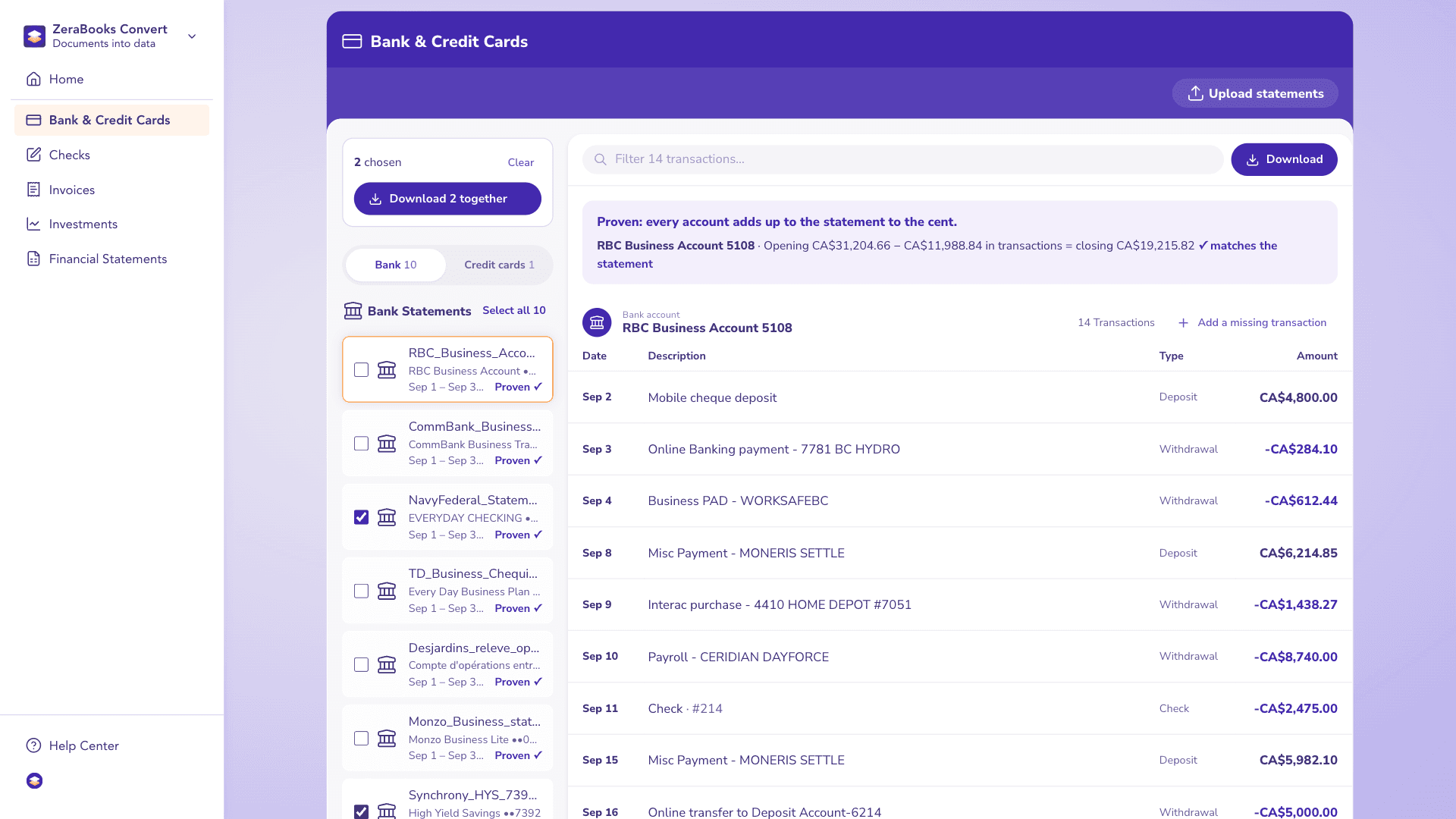
Two fictional statements from Navy Federal and Synchrony, read in ZeraBooks Convert and marked Proven only after each account’s rows reached its printed closing balance.

A real run in ZeraBooks Convert on 2 sample statements from Navy Federal and Synchrony. Fictional sample documents.

Each statement marked Proven

ZeraBooks Convert with 2 sample statements from Navy Federal and Synchrony, each marked Proven.

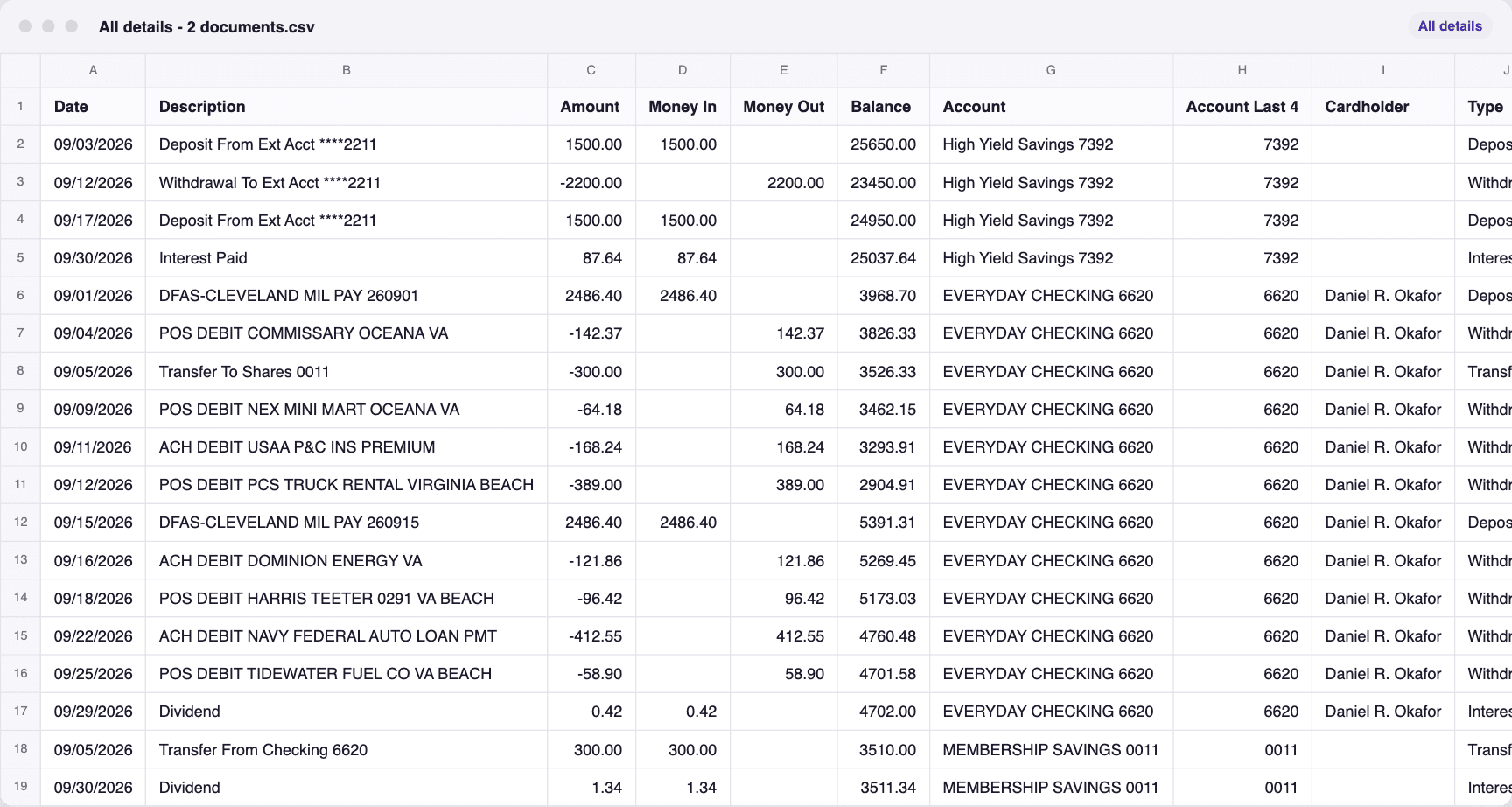
The downloaded rows

The file downloaded from ZeraBooks Convert for 2 sample statements from Navy Federal and Synchrony, opened: every row in one sheet.

SCAN IT ONCE, PROPERLY

How should you scan a bank statement for conversion?

  • Scan every page, including the summary page with the opening and closing balances.
  • Use 200 to 300 dpi, black and white or greyscale, with the page flat and straight.
  • Save all pages of one statement as one PDF, in order.
  • Leave staples and sticky notes off the transaction lines.
  • Upload the PDF as it is; no separate OCR step is needed for ZeraBooks.

THE CHECK

Why the proof matters most on scans.

OPENING PLUS ROWS EQUALS CLOSING

A wrong digit can’t pass.

A scanned statement is marked Proven only when every account adds up to its printed closing balance, so a misread line stops at Needs a look. The step-by-step for scans is on scanned bank statement to Excel, and how OCR trips on statements is on bank statement OCR.
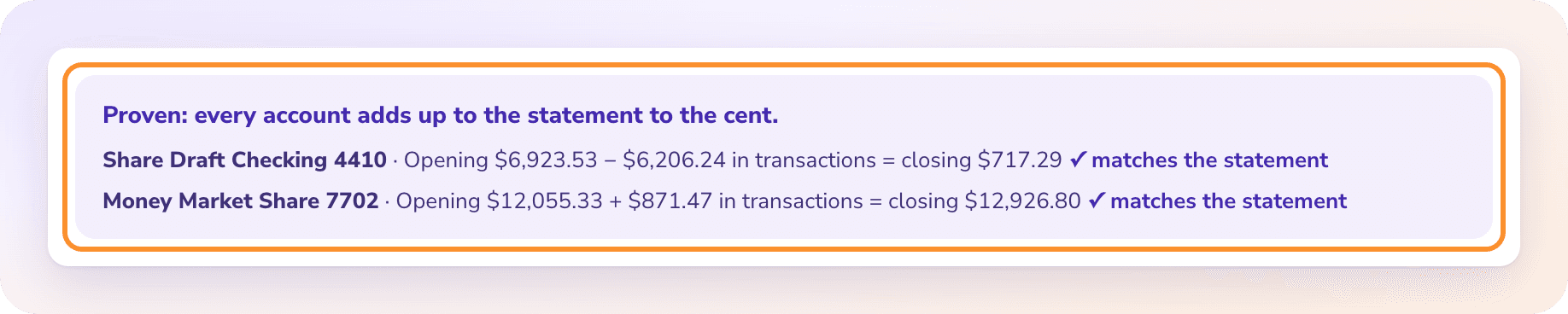
The statement proof: every account adds up to the statement to the cent, with the opening balance, transactions and closing balance for each account.

MORE CONVERTER RANKINGS

Best bank statement converters, by job

QUESTIONS

Best scanned bank statement converter: common questions

Ask Damin directly
Can I convert a photo of a bank statement?

Save the photos into one PDF first, then upload it to ZeraBooks Convert, which accepts PDFs only. Photos taken flat and in good light read best.

Do I need to run OCR before converting a scan?

Not for ZeraBooks, which reads the page image itself. Acrobat Pro can recognize text in a scan, but it still won’t check the totals.

What if the scanned statement prints no balances?

Then there is nothing to prove it against, and the statement stays at Needs a look so you compare the rows with the scan before using them.

Which converter is best for digital PDFs?

ZeraBooks there too. The general ranking is on the best bank statement converter hub, and the ranking for API platforms on the best bank statement extraction software page.

Sources and further reading

  1. DocuClipper
  2. MoneyThumb
  3. AutoEntry
  4. Hubdoc
  5. Dext
  6. Adobe Acrobat
  7. Excel Power Query (Get Data from PDF)
Damin Mutti, founder of ZeraBooks

About the author

Damin Mutti

Founder of ZeraBooks, Vancouver

Damin founded ZeraBooks in 2025 and still talks to the bookkeepers, firms and owners who use it every week. He writes about what he sees in their statements and ledgers, and every page here is checked against the live product before it goes up.

FREE SETUP + CATCH-UP

Upload your oldest scan.
See if it ties.

Try the worst statement in the drawer during the 7-day trial. The same plan includes AI bookkeeping for the years you are catching up.

Book a call with Damin

Our founder. 30 minutes on Google Meet. Pick a time on the next screen.

About: Have us do your books