Welcome to ZeraBooks General Ledger
How ZeraBooks keeps your books. You upload bank and card statements, AI does the bookkeeping, and every month is proven against the bank before you report on it.
How ZeraBooks works
ZeraBooks is a general ledger that does the bookkeeping for you. The work follows three steps:
Statements come in. You upload each bank and credit-card statement as a PDF or CSV in Banks & Cards. ZeraBooks reads every transaction and checks that the statement's opening balance plus its transactions equals its closing balance.
AI does the books. Each transaction is categorized as it lands. Autopilot handles what it is sure of, asks you about what it isn't, and logs every action with the reason and how sure it was.
Months are proven, then reported. Each account is reconciled month by month against the bank's own statement. Once the months tie, your financial statements are ready to download or send.
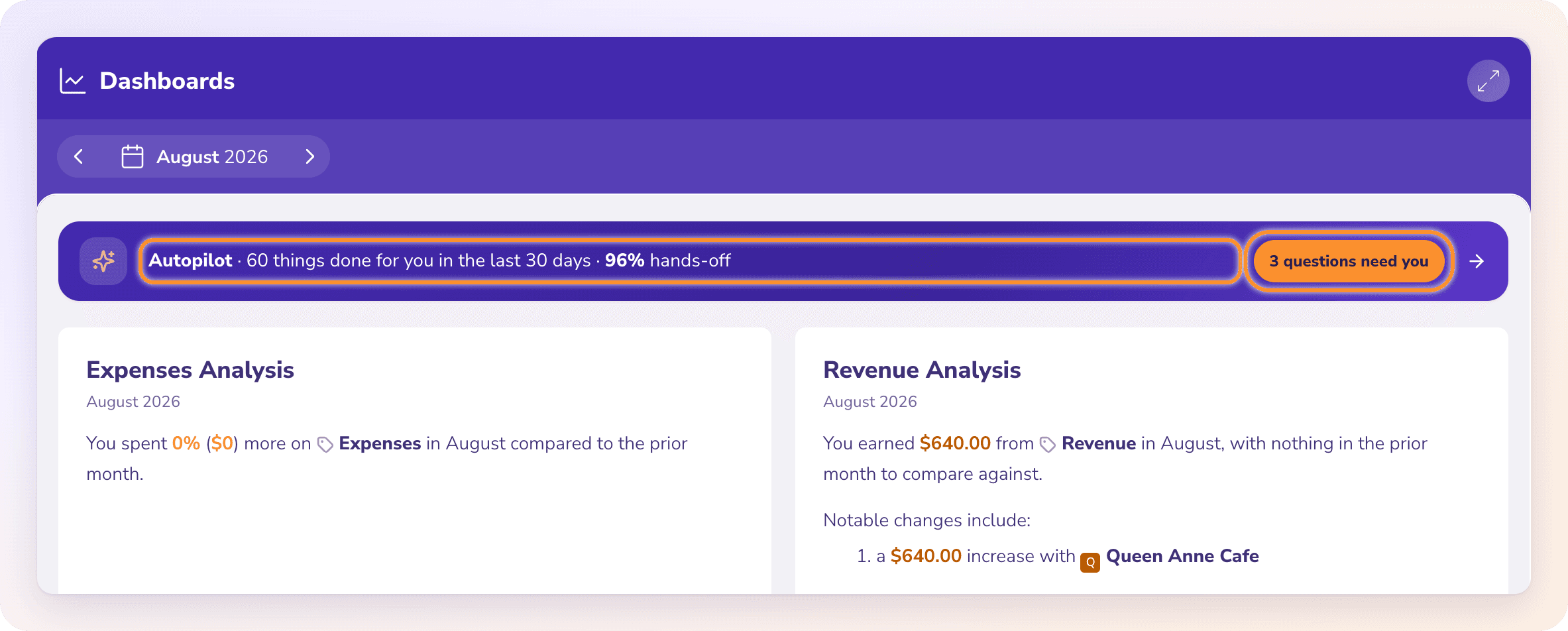
Note: ZeraBooks doesn't connect to your bank. There are no bank feeds. You bring transactions in by uploading statements, which is also how every month gets proven against the bank.
Or just ask Zera
Ask Zera is the bookkeeper built into ZeraBooks, in the bar at the bottom of every page. Drop in a month of statements and bills and ask the way you'd ask a person, for example "can you do March for me". Zera plans the job, imports and checks each statement, files the transactions, matches bills and invoices, reconciles and signs off the month. It asks you only what only you can answer, and every change can be undone.
See What Ask Zera can do.
Find your way around
The left navigation is the same on every page.
| Group | What you do there |
|---|---|
| Home | Dashboards for cash, burn and runway. Expenses, Revenue and Cost of Revenue break down where money goes and comes from. |
| Autopilot | See what ZeraBooks did on its own, answer its questions, and choose how much it does. |
| Financials | Profit and loss, balance sheet, cash flow and the other statements. |
| Custom Reports | Build a month-end report for a client or your own records. |
| Banks & Cards | Add accounts, upload statements and review transactions. |
| Vendors and Customers | The people you pay and the people who pay you. |
| Bills & Invoices | Bills, Invoices and Products & Services. |
| Accounting | The Ledger, Reconciliations and the Category Manager (your chart of accounts). |
Press ⌘ K (or Ctrl K) to search pages and companies, and ? to see the keyboard shortcuts. See Navigation and shortcuts.
Every month, proven against the bank
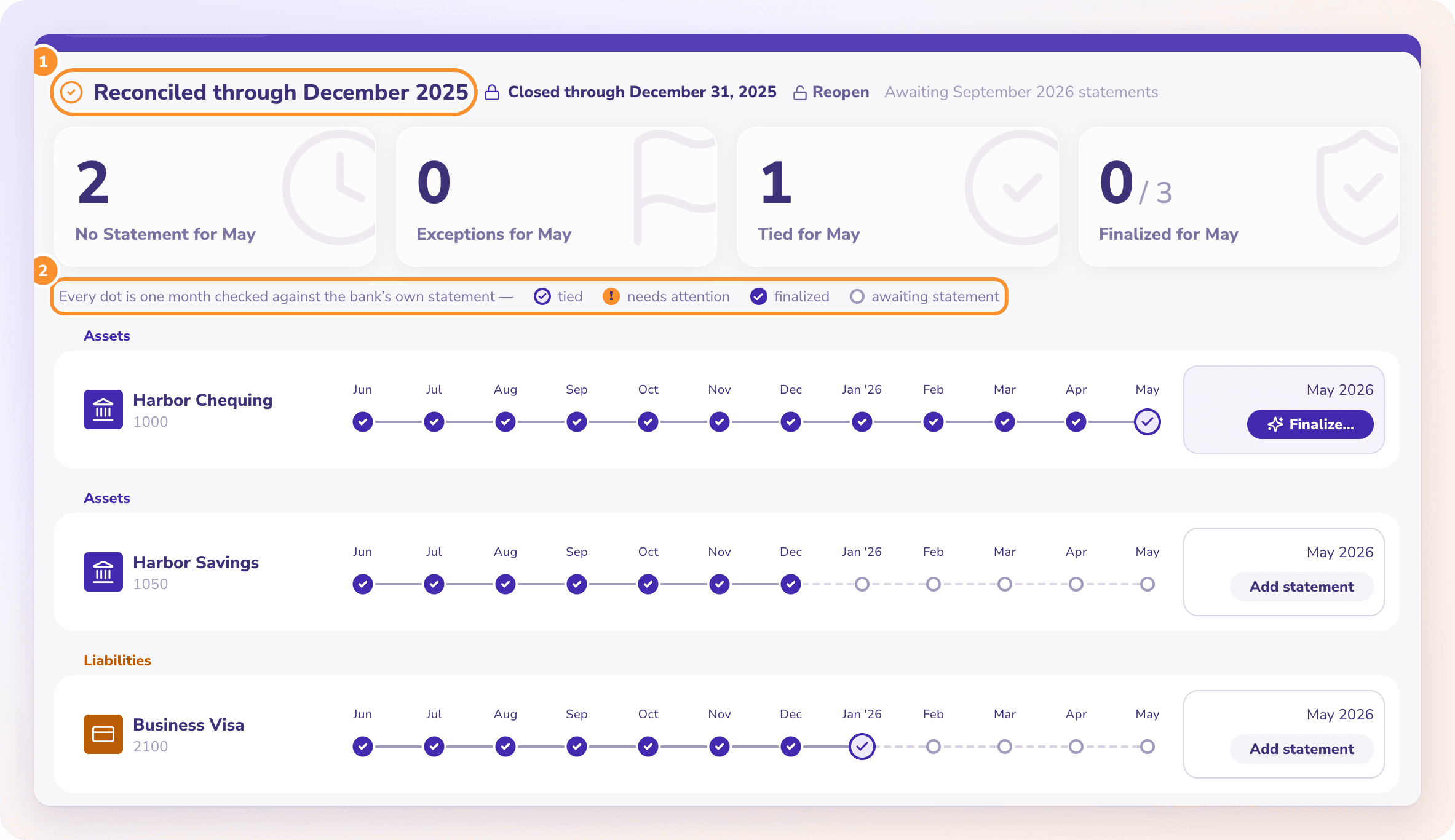
Accounting › Reconciliations shows each account as a row of months. Every dot is one month checked against that account's bank statement. When every account ties through a month, the page tells you the books are reconciled through it.
Where to start
Set up your first company. If you're coming from other accounting software, move your books to ZeraBooks.
Upload your first statement, or hand your statements to Ask Zera and let it do the month.
Watch the Product Guides for a short clip of each part of the product.
Frequently Asked Questions
Does ZeraBooks connect to my bank?
No. ZeraBooks has no bank feeds. Download each statement from your bank's website as a PDF or CSV and upload it in Banks & Cards. See Upload a statement.
Do I need to know accounting to use ZeraBooks?
No. ZeraBooks categorizes transactions, reconciles each month and prepares the statements. It asks you in plain words when it can't tell, and you can review or undo what it did in Autopilot. See What Autopilot does.
Can I keep books for more than one business?
Yes. Each business is its own company with its own categories, statements and reports. Bookkeepers can add clients from View All Clients in the company menu. See Add a client.
Does ZeraBooks do the books overnight?
No. Autopilot works while ZeraBooks is open in your browser, and you can start a pass yourself with Run now on the Autopilot page. See What Autopilot does.
Which currencies can my books use?
US dollars, Canadian dollars or euros. You choose one when you set up the company. See Currency and region.
Learn more about Pricing: One subscription for the General Ledger and Converter, with a one-week free trial.
Still stuck? A real person reads every message—come say hello.