Currency and region
Each company keeps its books in US dollars, Canadian dollars or euros. How to choose the currency and number format, and when the currency locks.
Books currency
Every company has one Books currency. Every figure in its books and reports is in that currency. ZeraBooks offers three:
| Code | Currency |
|---|---|
| USD | US dollar (the default) |
| CAD | Canadian dollar |
| EUR | Euro |
You choose it on the first step of setup, next to the business name. See Set up your first company.
Important: The books currency locks once the books have their first transaction. Choose it carefully during setup.
Check or change the currency
Open the company menu at the top of the left navigation and click Settings (or press G then S).
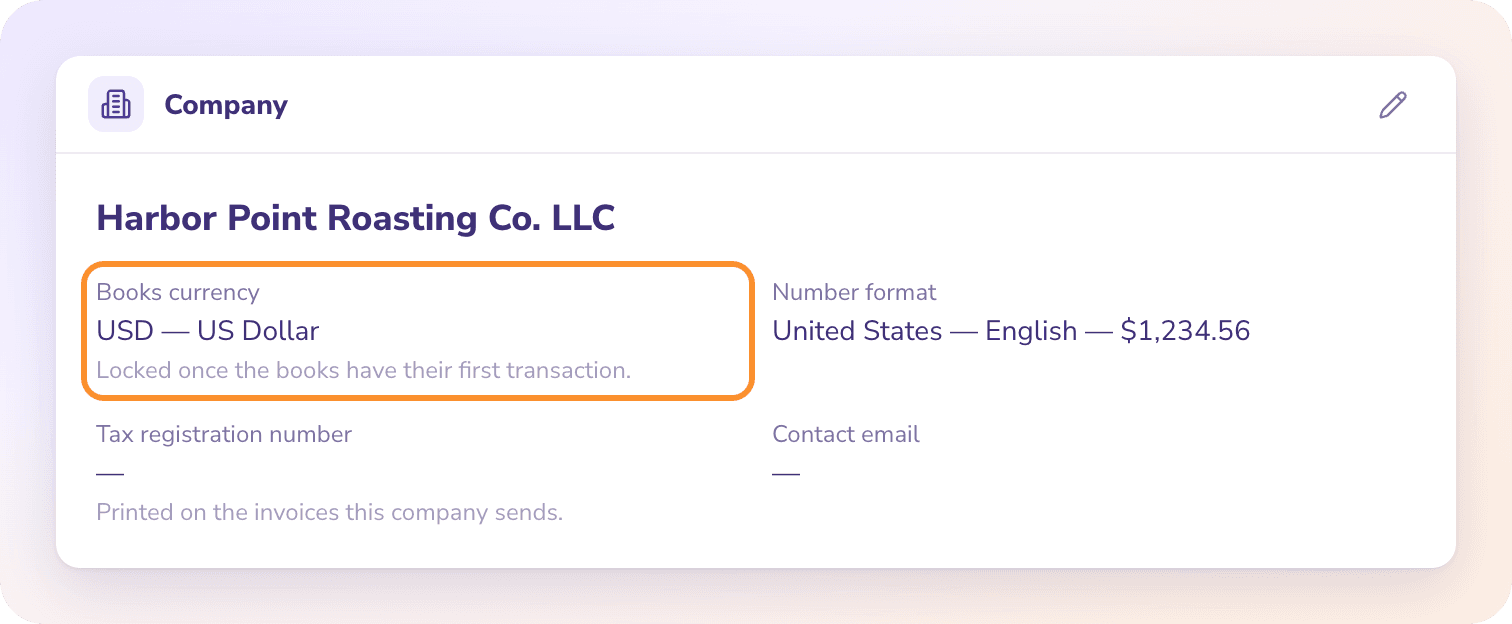
Click Company. Books currency shows the current currency with the note "Locked once the books have their first transaction."
To change it before the first transaction, click the pencil (Edit company), pick another Books currency and click Save.
Number format
Number format sets how amounts and dates are punctuated, separately from the currency. The euro, for example, is written €1,234.56 in Ireland and € 1.234,56 in the Netherlands. Change it any time in Settings › Company › Edit company; it never locks.
| Number format | Example |
|---|---|
| United States — English | $1,234.56 |
| Canada — English | $1,234.56 |
| Canada — French | 1 234,56 $ |
| Ireland — English | €1,234.56 |
| Netherlands — Dutch | € 1.234,56 |
| Germany — German | 1.234,56 € |
| France — French | 1 234,56 € |
| Spain — Spanish | 1.234,56 € |
| Italy — Italian | 1.234,56 € |
| Austria — German | € 1.234,56 |
| Belgium — Dutch | 1.234,56 € |
| Portugal — Portuguese | 1 234,56 € |
Documents in another currency
The books stay in one currency, but a bill or invoice printed in one of the other two currencies can still be recorded. Once its currency is confirmed, it posts at the exchange rate on its date, and any difference when it's paid goes to Exchange Gain or Loss.
When you add a bank or credit-card account, its currency starts as the books currency. You can mark it as held in one of the other two.
Frequently Asked Questions
Can I change the currency after I start?
No, not once the books have their first transaction. Before that, change it in Settings › Company › Edit company. If you need a different currency for books that already have activity, set up a new company with the right currency.
Can I use a currency other than USD, CAD or EUR?
No. ZeraBooks keeps books in US dollars, Canadian dollars or euros only.
Can I use ZeraBooks outside the United States?
Yes, if the books are kept in Canadian dollars or euros. Pick the currency and a matching number format, for example Canada — French or Germany — German.
Can I bring foreign-currency balances over from my old books?
No. When you move your books to ZeraBooks, opening balances in another currency aren't supported. See Move your books to ZeraBooks.
What's the difference between currency and number format?
The currency is the money the books count in. The number format only changes how amounts and dates are written, for example 1,234.56 or 1.234,56. The number format can change at any time.
Learn more about Pricing: One subscription for the General Ledger and Converter, with a one-week free trial.
Still stuck? A real person reads every message—come say hello.