Do your books with Ask Zera
Ask Zera catches up months of bookkeeping from one plain message. Attach your statements and say "do my books": Zera imports and checks each statement, categorizes, adds bills and invoices, reconciles every month, signs off what ties and closes the books, asking you only what only you can answer.
How do I ask Zera to do my books?
Open Ask Zera: click the Ask Zera… bar at the bottom of any page, or press ⌘ J (Ctrl J on Windows).
Drag your statements onto the page, up to 20 files per message. Add any bills, invoices, payroll reports or loan statements you have.
Type what you want in your own words and press Enter.
You don't need to write it carefully. All of these work:
"I'm behind 6 months, here are my statements, do my books."
"Catch up my three accounts for this year."
"Do January to June."
"I invoiced Rainier 980 on Apr 10."
Zera restates the request to itself, checks where your books stand, and starts. If you have more than 20 files, send the rest in a second message.
What does a catch-up look like?
Here is a short example. The owner has a checking account and a Visa, and is six months behind.
You: I'm behind 6 months, here are my statements, do my books. (12 files attached)
Zera: I'll do January to June for Checking and the Visa: import the 12 statements, categorize, add the bills you sent, reconcile, sign off each month and close the books. Importing 3 of 12…
Zera: All 12 statements are in, and each one matches its printed balances. I filed 214 of 231 transactions. Two questions:
Is the $1,200 cash withdrawal on Mar 3 an owner draw?
Jorge Ruiz, $850 a month: contractor or employee?
You: 1 yes, owner draw. 2 Jorge is a 1099 contractor.
Zera: Done. January to June tie for both accounts and are signed off. Books closed through June 2026.
With the default Ask first setting, each change in that job also appears as a card for you to approve. With Auto-approve on, the changes apply as Zera makes them. See Let Zera apply changes by itself (Auto-approve).
How does Zera work through the job?
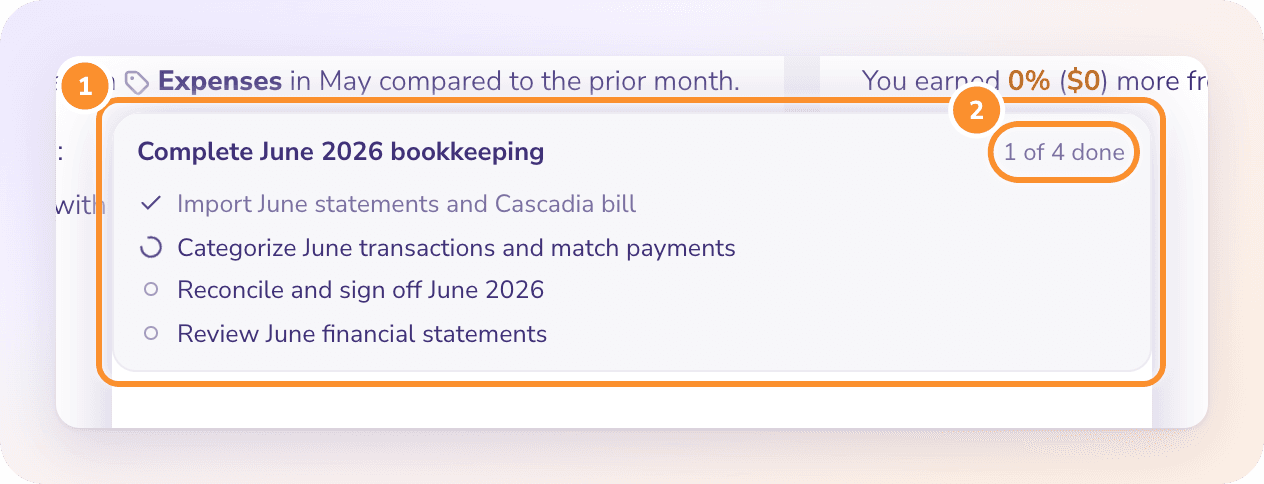
At the top of the chat, a plan card lists the steps and counts them, for example "2 of 6 done". Each step shows as done, in progress, or waiting on you.
It imports your statements, oldest first
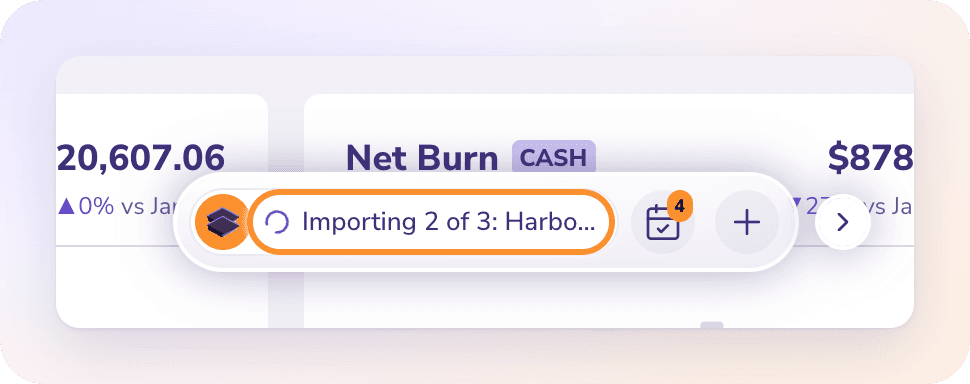
Zera matches each statement to its bank or card account and imports them one after another, oldest first. The card shows its progress, for example "Importing 3 of 20…". Every statement is checked against its own printed opening and closing balances, exactly like an upload in Banks & Cards. See Give Zera statements, bills and receipts.
It categorizes
Zera runs Autopilot on the new transactions, which files what it's sure of and links vendors and customers. For what's left, ZeraBooks' categorization engine picks a category for each merchant. The confident ones are filed together, for example Categorize 48 transactions into 6 categories. Transfers between your accounts, and bill and invoice payments, are left as they are.
It adds bills and invoices, and matches their payments
Zera reads bills and invoices from the PDFs you attach, or from details you type ("I invoiced Rainier 980 on Apr 10"). It approves them and matches each one to its payment on your statements. Partial payments are handled too: $1,215 paid against a $1,240 invoice leaves $25 owed.
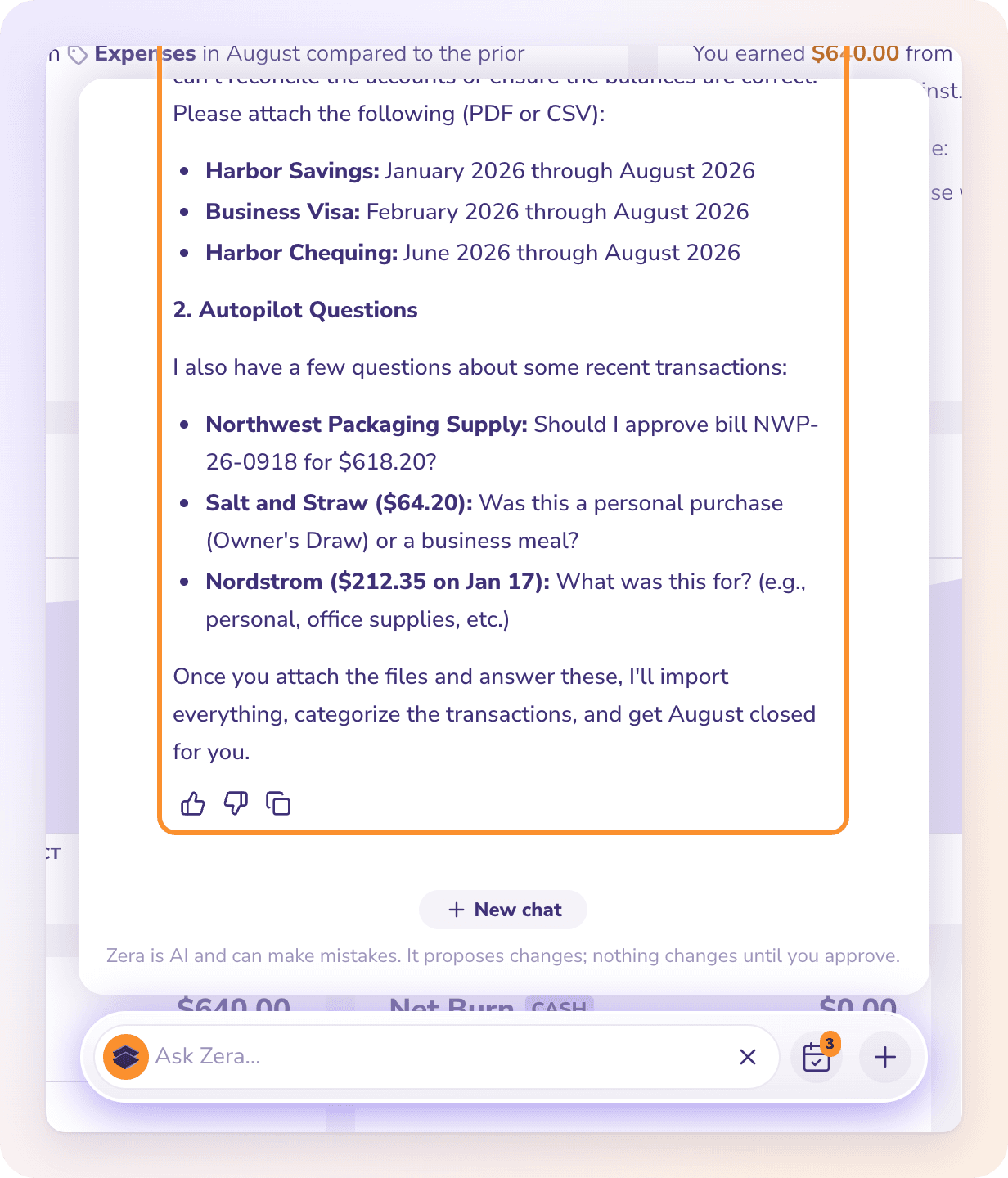
It asks what only you can answer, in one short list
Some things aren't in any document: whether a charge was personal, what a cash withdrawal or cheque was for, whether someone is a contractor or an employee, a loan's interest rate. Zera collects these into one short numbered list. Answer in plain words, all at once or one at a time. Zera remembers your answers for next time. See What Zera knows about your business.
It reconciles every account-month
Zera checks each account, month by month, against its statement. When a month doesn't tie, it finds out why (a missing row, a wrong amount, a transfer booked twice) and fixes it, then checks again until the month ties. See Troubleshoot your books with Ask Zera.
It signs off the months and the books close
Months that tie are signed off on one Sign off N account-months card. The books then close by themselves through the last month every account has signed off, for example "Books closed through June 2026." Zera finishes with a short summary: what it did, anything still waiting on you, and where to look.
Start from zero with Ask Zera
The easiest start is during setup itself: choose Let Zera set it up, write a line about the business and drop in your statements. Zera builds the categories, opens the books, adds each account and does the first month while you watch. See Set up your first company.
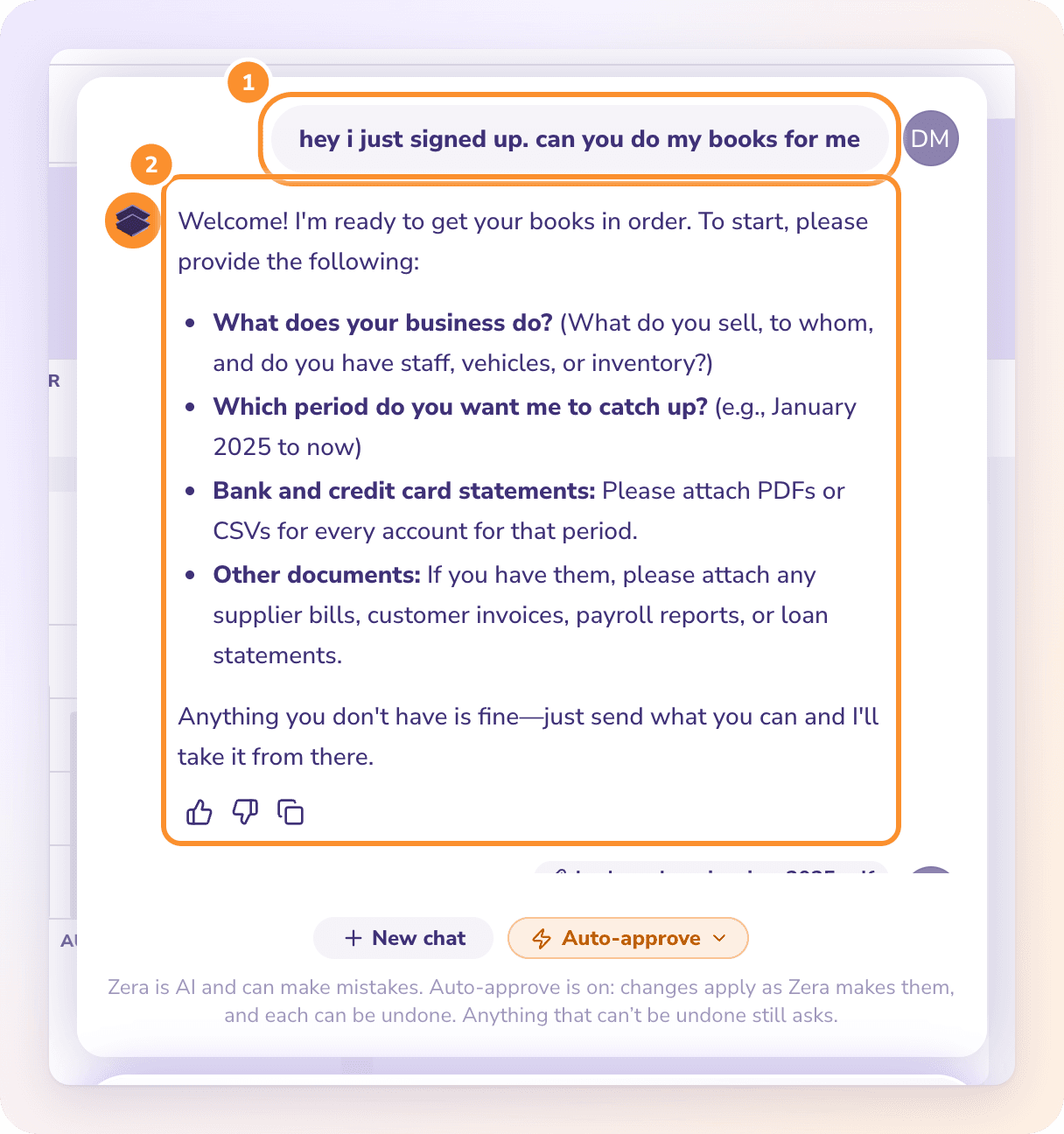
If you set the company up yourself and the books are still empty, ask Zera to do them. It asks once, as a short checklist, for what it needs:
What the business does, unless it already knows.
Which period you want done.
Each bank account and credit card, with its statements.
Any supplier bills, customer invoices, payroll reports or loan statements you have. Anything you don't have is fine.
Attach the files and send them. From there Zera:
Sets up the categories your business needs, fitted to what it does. It only adds categories that are missing.
Creates each bank account and card from its statements: the name, the last 4 digits and the opening balance printed on the first statement.
Does the books, as above.
Does Zera keep working if I close the chat?
Yes. Approved work runs on ZeraBooks' servers, not in your browser. You can close the chat, go to another page or reload, and the work continues.
The bar shows live progress. While Zera works, the resting Ask Zera… bar shows what it's doing, for example "Importing 5 of 20…" or "Step 3 of 5 · Reconcile March". When it's finished, the bar reads Zera's done · open.
It carries on by itself. When the cards you approved finish, Zera moves to the next step of the plan without being asked. A divider in the chat, "Carrying on after your approvals", shows where it picked up.
It stops only when it needs you: a new card to approve, a question only you can answer, or the end of the job.
Quick fixes don't need a plan
Not every request is a big job. A quick request gets just what it needs and a one- or two-sentence reply, with no plan card:
"Move these four deposits to Cafe Revenue."
"Is Uber filed right?"
"Draft an invoice." Zera asks one short question for the missing details: who, what and how much.
Ask "How is my business doing?" and Zera answers from your latest complete period (net income, revenue and your biggest costs), plus one line on what would bring the books up to date.
Close a single month
Ask "What's left to close March?" or "Close March". Zera lists what stands between you and a closed month, in order: missing statements, uncategorized transactions, Autopilot questions, draft bills and invoices, accounts that don't tie, and sign-offs. Then it works through the list.
You never have to approve opening or closing the books. If a change lands in a closed month, Zera opens that month just for the change and closes it again to the same date. You can still say "close March" or "reopen February" and Zera does it. For the same steps by hand, see Finalize a month and Close and reopen the books.
Note: If your books have a closing password, Zera leaves the lock to you. Reopen and close them in Reconciliations.
Frequently Asked Questions
Can Ask Zera catch up months of bookkeeping for me?
Yes. Attach your statements (up to 20 files per message) and say "Do my books". Zera imports and checks every statement, categorizes, adds bills and invoices, reconciles each account-month, signs off the months that tie and closes the books through the last signed-off month.
Do I have to approve every transaction one by one?
No. Zera groups the work into batch cards, such as one card that imports 12 statements or categorizes 48 transactions, and Approve all approves every waiting card together. With Auto-approve on, you don't approve them at all. See Let Zera apply changes by itself (Auto-approve).
What happens if I close the chat while Zera is working?
Nothing stops. Approved work runs on the server, and Zera carries on with the next step of its plan by itself. The Ask Zera… bar shows its progress on every page.
Can Zera set up a brand new company?
Yes. Choose Let Zera set it up when you add the business, and Zera sets it up from your statements while you watch. For a company already set up with empty books, Zera asks once for what it needs, then sets up the missing categories for your kind of business and creates each bank account and card from its statements, with the opening balance printed on the statement.
Why does Zera ask me for statements?
ZeraBooks doesn't connect to your bank. Every month is built and proven from your bank's own statement. Download the statements from your bank as PDF or CSV and drop them onto the page.
What's the difference between this and Autopilot?
Autopilot is the engine that does routine work in the background. Ask Zera directs it: it runs Autopilot on new material, answers Autopilot's questions when you've already told Zera the answer, and asks you the rest in plain words. See How AI works in ZeraBooks.
Learn more about AI bookkeeping: Autopilot and Ask Zera keep the books inside a real general ledger.
Still stuck? A real person reads every message—come say hello.