Navigation and shortcuts
A map of the left navigation, the company menu, search with Command-K, Ask Zera, and every keyboard shortcut in ZeraBooks.
The left navigation
| Group | Page | What it's for | Shortcut |
|---|---|---|---|
| Home | Dashboards | Cash, income, burn and runway at a glance | G D |
| Home | Expenses | Spending by category and vendor | None |
| Home | Revenue | Income by category and customer | None |
| Home | Cost of Revenue | Direct costs by category and supplier | None |
| Autopilot | What ZeraBooks did on its own, and the questions it has for you | G P | |
| Financials | Profit & Loss, Balance Sheet, Cash Flow, Trial Balance and aging | G F | |
| Custom Reports | Month-end report packs for your clients | None | |
| Banks & Cards | Accounts, statement uploads and categories | G B | |
| Vendors | The people and businesses you pay | None | |
| Customers | The people and businesses that pay you | None | |
| Bills & Invoices | Bills | What you owe | G V |
| Bills & Invoices | Invoices | What you're owed | G I |
| Bills & Invoices | Products & Services | Items with saved prices and categories | None |
| Accounting | Ledger | Every account's register and manual entries | G L |
| Accounting | Reconciliations | Month-by-month checks against the bank, sign-offs and closing | G R |
| Accounting | Category Manager | Your chart of accounts, and your bank and card accounts | G A |
At the bottom, Ask Zera opens or closes the Ask Zera bar (⌘ J), and Help Center opens this help site in a new tab (G H).
An orange dot next to Reconciliations means a statement's printed balances didn't add up when it was uploaded. See How reconciliation works.
The company menu
Click the company name at the top of the left navigation.
| Item | What it does |
|---|---|
| ZeraBooks (the top row) | Opens Settings |
| View All Clients | Opens All Clients, where you add, open, archive or delete companies |
| Your companies | The five you used most recently. Click one to switch to it. |
| Settings | Company, bookkeeping, profile, security and billing settings |
| Request a Feature | Sends an idea straight to the founder |
| Switch to Converter | Shown only if your account also has the document Converter |
| Sign Out | Signs you out |
While you're setting up a company, the menu and the left navigation are disabled until setup is finished. See Switch between clients.
Search with Command-K
Press ⌘ K on a Mac, or Ctrl K on Windows, from any page. Search ZeraBooks finds:
| Group | What you can find |
|---|---|
| Pages | Any page in the left navigation, plus Company settings |
| Quick actions | Ask Zera…, Add a client, Replay feature walkthrough and Import bank transactions |
| Ask Zera | Type a question and choose Ask Zera: followed by it to send it to Ask Zera. When nothing else matches, or you type a question, it's the first row. |
| Switch company | Your companies by name. Selecting one switches to it. |
| Vendors & customers · All Time | Vendors and customers in the current company, across all dates |
Type at least two letters to search vendors and customers. Use ↑ ↓ to move, Enter to open and Esc to close. Press ⌘ K again to close it.
Pages also match common words. For example, "profit", "balance sheet" or "trial balance" finds Financials, and "chart" or "coa" finds Category Manager.
Keyboard shortcuts
Press ? on any page to see the Keyboard shortcuts sheet.
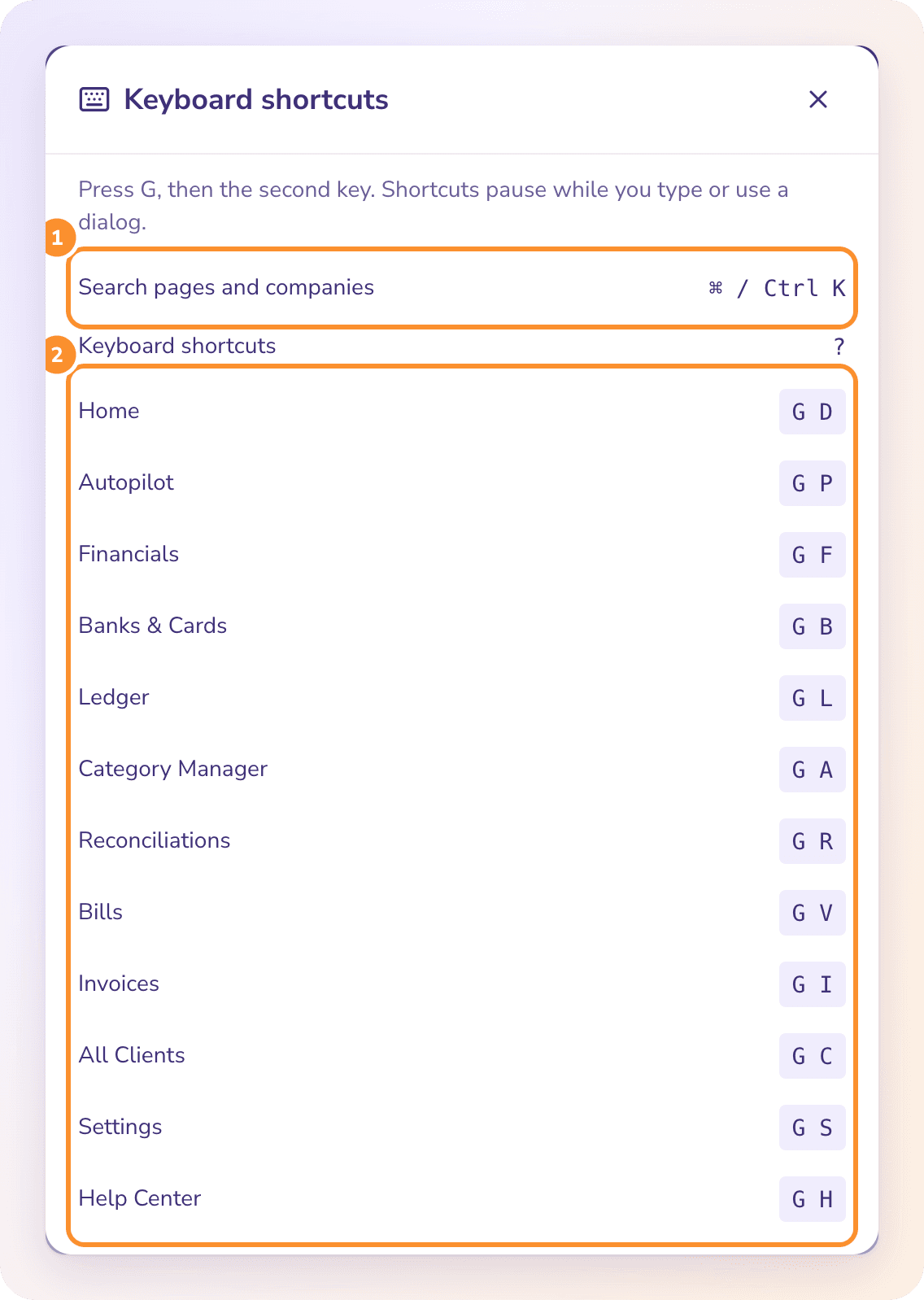
To go to a page, press G, then the second key within one second.
| Keys | Opens |
|---|---|
| ⌘ K or Ctrl K | Search pages and companies |
| ⌘ J or Ctrl J | Open or close Ask Zera |
| ? | Keyboard shortcuts |
| G then D | Home (Dashboards) |
| G then P | Autopilot |
| G then F | Financials |
| G then B | Banks & Cards |
| G then L | Ledger |
| G then A | Category Manager |
| G then R | Reconciliations |
| G then V | Bills |
| G then I | Invoices |
| G then C | All Clients |
| G then S | Settings |
| G then H | Help Center (new tab) |
Shortcuts pause while you type in a field or have a dialog open.
Ask Zera shortcuts
The Ask Zera bar at the bottom of every page has its own shortcuts. See What Ask Zera can do.
| Keys | What it does |
|---|---|
| ⌘ J or Ctrl J | Open or close Ask Zera |
| Enter | Send your message (Shift Enter adds a new line) |
| Esc | Close the + menu, or close Ask Zera |
| ⌥ T | Add Transaction: opens the Ledger with a new transaction |
| ⌥ I | Create Invoice |
| ⌥ R | Run Report: opens Financials |
| ⌥ E | Start Reconciliation: opens Reconciliations |
On Windows, use Alt for ⌥. The ⌥ shortcuts work from any page, and pause while you type in a field or have a dialog open.
Drag files onto any page to hand them to Ask Zera: statements, bills and receipts. A drop zone appears; let go and the files wait in the bar until you send. See Give Zera statements, bills and receipts.
Controls on every page
| Control | Where | What it does |
|---|---|---|
| Period picker | Dashboards, Expenses, Revenue, Cost of Revenue, Financials, Custom Reports, Banks & Cards, Ledger, Reconciliations | Presets from This Month to All Time, or Custom › by day, month, quarter or year. The arrows step one period back or forward. See Choose a reporting period. |
| View / Edit | Banks & Cards, Ledger, Vendors, Customers | View is read-only. Switch to Edit to change categories or rows. |
| Maximize / Minimize | Page header | Widens the page. The choice is kept for every page in this browser. |
Frequently Asked Questions
What is the keyboard shortcut for Ask Zera?
⌘ J on a Mac, or Ctrl J on Windows, from any page. Press it again to close it.
Can I open search from anywhere?
Yes. ⌘ K or Ctrl K works on every ZeraBooks page, as long as no other dialog is open.
Does search work across all my companies?
Search finds pages and your companies by name. Vendors and customers are searched in the current company only; switch company to search another's.
Why don't my G shortcuts work?
Shortcuts pause while your cursor is in a field or a dialog is open. Click an empty part of the page, then press G and the second key within one second.
Is there a shortcut for Custom Reports, Vendors or Customers?
No. Use the left navigation, or press ⌘ K and type the page name.
How do I switch to another company?
Click the company name at the top of the left navigation and pick one, or press ⌘ K and type its name. G then C opens All Clients.
What does "Could not search vendors and customers. Check your connection and retry." mean?
The search couldn't load this company's vendors and customers. Check your connection and click Retry search. Page and company results still work.
Learn more about AI bookkeeping: Autopilot and Ask Zera keep the books inside a real general ledger.
Still stuck? A real person reads every message—come say hello.