How AI works in ZeraBooks
ZeraBooks uses AI to read your documents and judge what each transaction means. It acts when it is sure, asks you when it isn't, and calculates every number itself.
What the AI does
ZeraBooks uses AI in a few places, and always for judgment, never for arithmetic:
Reading documents. Bank and card statements, bills and invoices are read into lines you can review.
Categorizing. Each statement line gets a category. Lines it can't place land in Uncategorized and count toward need review in Banks & Cards.
Autopilot. A bookkeeper that works through what's left: vendors and customers, categories, bills and invoices, month-end entries, sign-offs and payment reminders. See What Autopilot does for you.
Checking a statement. When a month doesn't tie, Verify against the document re-reads the statement and proposes fixes. See Verify a statement with AI.
Building a chart of accounts. Generate with AI drafts categories from a description of the business. See Generate categories with AI.
Ask Zera. The bar at the bottom of every page. Ask in plain words and Zera does the work in your books. See What Ask Zera can do.
How Autopilot decides
The AI behind Autopilot is called Jev. For every decision, Jev says what it thinks the answer is and how sure it is. ZeraBooks then does one of three things:
| How sure | What happens | Where you see it |
|---|---|---|
| Sure enough | ZeraBooks does it and logs it | Done by AI, with an Undo button |
| Fairly sure | ZeraBooks does it and flags it for you to check | Done by AI, marked For a glance |
| Not sure | ZeraBooks asks you, with its best guesses as one-tap answers | Needs you |
How sure is "sure enough" depends on the mode you choose (Cautious, Balanced or Autopilot) and on how much a wrong answer would cost. See Choose how much ZeraBooks does.
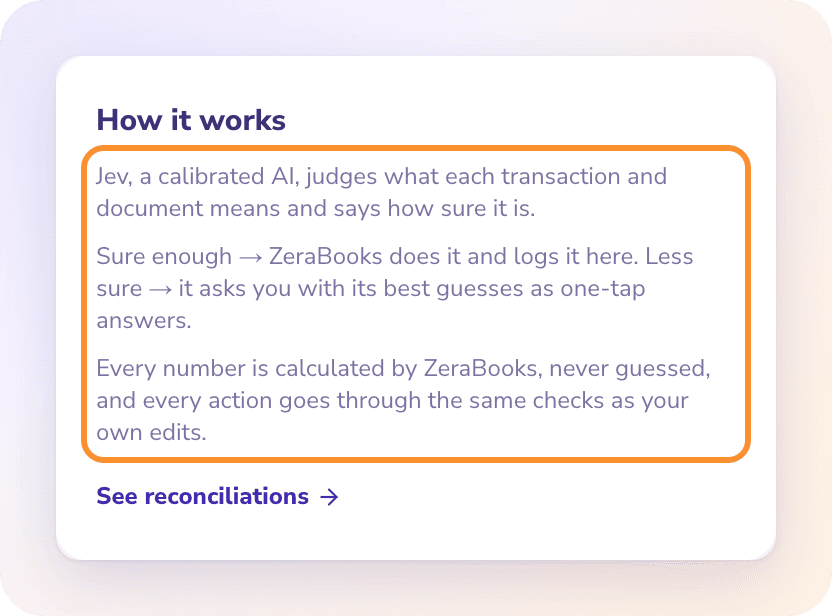
Note: Every amount and date comes from ZeraBooks' own calculations, never from the AI. Depreciation, loan interest and prepaid spreads are computed from your books, and each entry's memo shows the calculation.
What it never does on its own
It never overwrites a category you chose. If it doubts one, it flags it under The auditor noticed for you to decide.
It never deletes a possible duplicate charge. It flags it.
It never touches transfers between your accounts, bill and invoice payments, or anything dated in a closed period.
It always asks about payments to a tax authority, because the bank line doesn't say which tax was paid.
It never pays bills or moves money. ZeraBooks records what is owed and matches it to payments on your statements.
It never creates bank or card accounts. You add those yourself.
Every action goes through the same checks as your own edits, and you can undo it from the log, except merged records and reminder emails already sent. See Review and undo AI actions.
Autopilot and Ask Zera
Both use the same AI and the same checks, and both log what they change. The difference is who starts the work:
| Autopilot | Ask Zera | |
|---|---|---|
| Starts when | You click Run now, or while ZeraBooks is open in your browser | You ask |
| Works on | Routine work, within the mode and switches you chose | Whatever you ask, across the whole General Ledger |
| Changes your books | On its own when it's sure; asks you when it isn't | After you click Approve on its card, or as it goes with Auto-approve on |
| Undo | From the Done by AI log | On the card's receipt |
They work together. Ask Zera directs Autopilot: it runs it on new statements and documents, answers its questions when you've already told Zera the answer, and asks you the rest in plain words. It can also change Autopilot's settings or undo what it did. See Do your books with Ask Zera.
Frequently Asked Questions
Is AI doing my accounting now?
Partly. ZeraBooks reads your statements and documents, categorizes them and handles routine work on its own. It asks you whenever it isn't sure, and you can review or undo everything it does from Autopilot.
Does ZeraBooks learn from my corrections?
Yes. When you fix a category, ZeraBooks remembers it for future statements, and it offers to apply the same fix to similar transactions. See Apply a correction to similar transactions.
Will ZeraBooks ever post something incorrectly?
It can make a mistake, which is why every action is logged with how sure it was and an Undo button. Actions it was less sure about are marked For a glance so you can check them first.
Who or what is Jev?
Jev is the name of the AI that judges what each transaction and document means. You see it on the Autopilot page as "powered by Jev".
Does the AI calculate my numbers?
No. The AI only judges meaning, such as which category a purchase belongs to. Every amount, balance and date is calculated by ZeraBooks.
Does ZeraBooks replace my bookkeeper or accountant?
No. It does the routine bookkeeping and asks when it can't tell. Decisions only you or your accountant can make, like whether to record depreciation, arrive as questions in Needs you.
Learn more about AI bookkeeping: Autopilot and Ask Zera keep the books inside a real general ledger.
Still stuck? A real person reads every message—come say hello.