Close the books in hours,
not three days.
Zera replaces a three-day manual close with a three-step AI-assisted workflow. Verify accounts, review the numbers with Zera AI, lock the period. One ledger, reconciliation, and reports all connected.
- Accounts
- Review
- Close
- Revenue up 12% vs prior month
- 2 uncategorized transactions
- Net income: $24,830
Why this close is different
Four signals. One close-ready workspace.
Zera Books is the first AI-native general ledger. Close is a read on the work the ledger already did, not a separate process you rebuild every month.
3-step workflow
Accounts, review, close. In that order. No detours.
AI review built in
Zera AI surfaces anomalies and narrates what changed this period.
Period lock + audit
Close, lock, optional password. Every action is tamper-proof.
One source of truth
Reconciliation, reports, ledger all connected. No closing JE required.
The full close process
From a stack of documents, to a closed, reconciled month.
One ledger does every step. Drop in the raw documents. Zera AI converts, categorizes, posts, reconciles, and walks you to a locked period.
Collect & convert
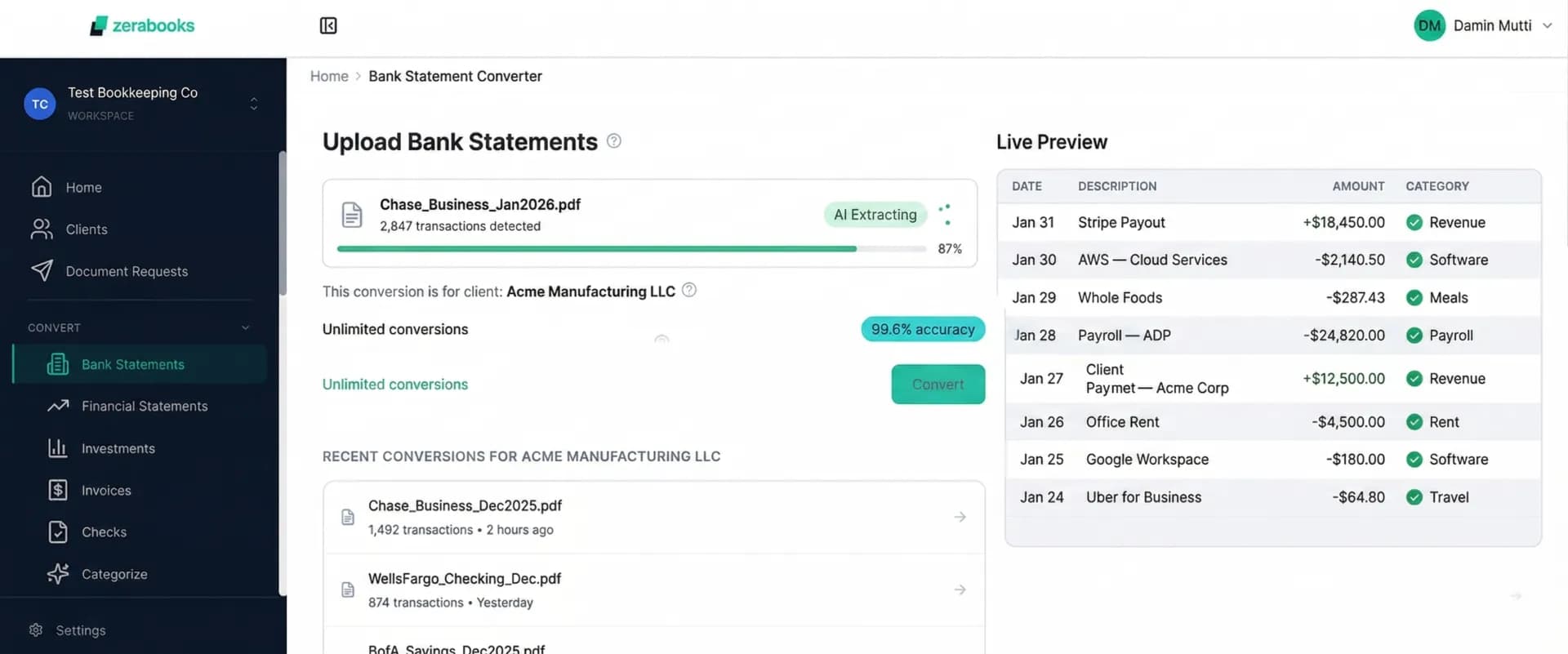
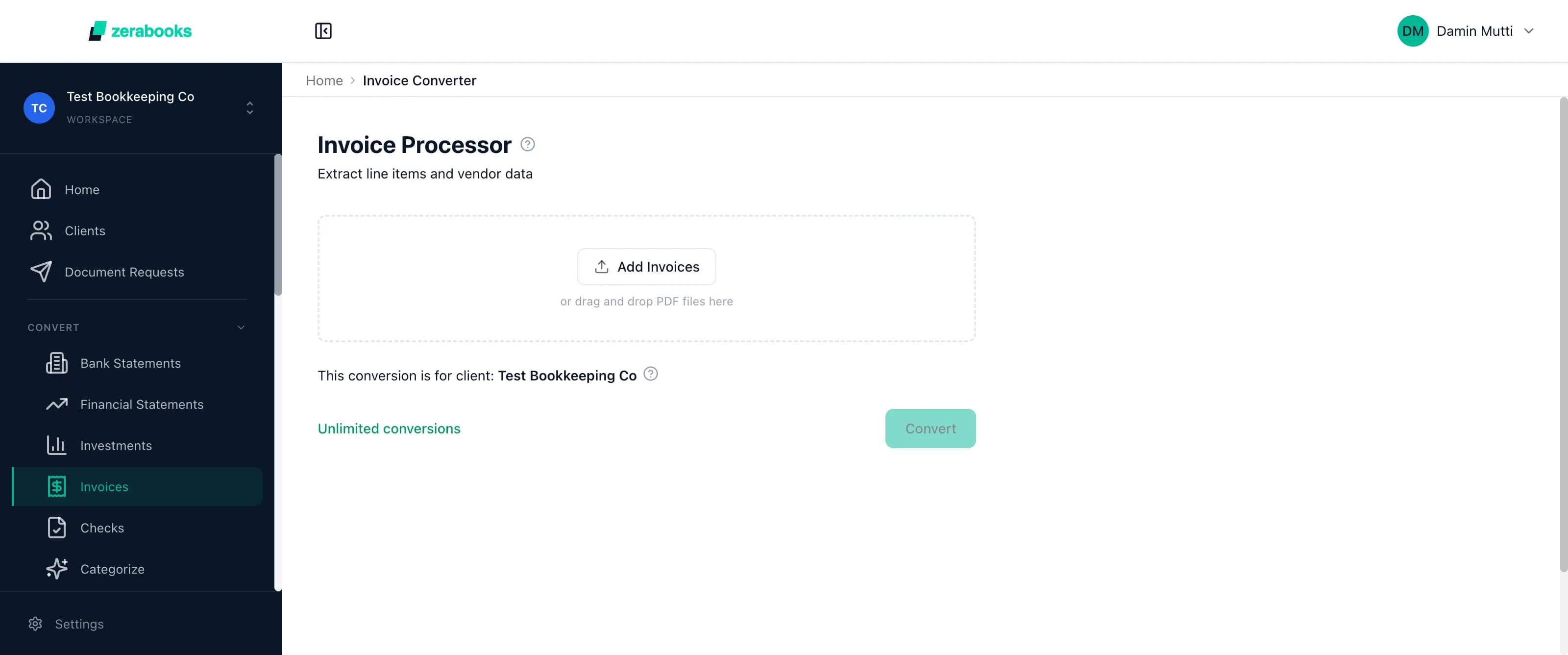
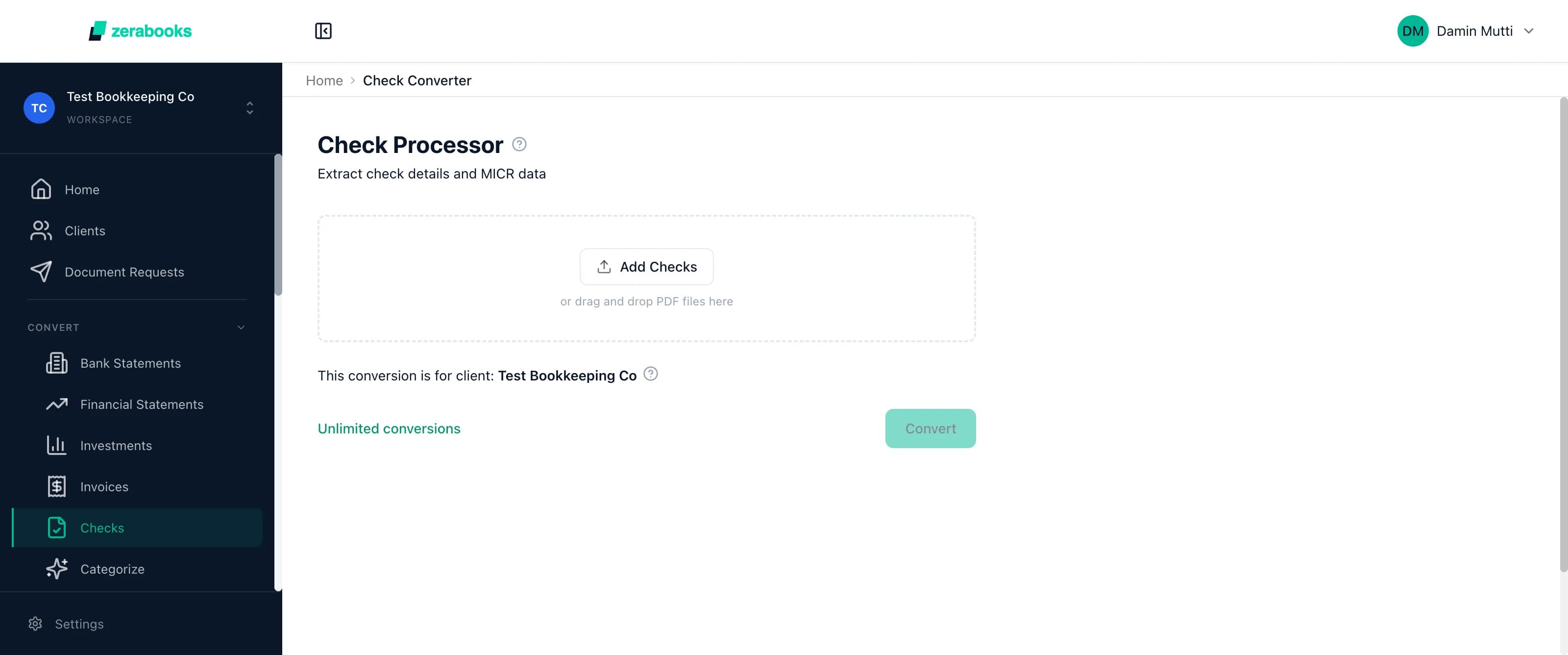
Every bank statement, invoice, and check — converted by Zera AI
Clients send in whatever they have. Zera AI extracts transactions from bank statement PDFs, invoice PDFs, and check images with 99.6% accuracy. No templates to build, no formatting to clean up.
Auto-categorize
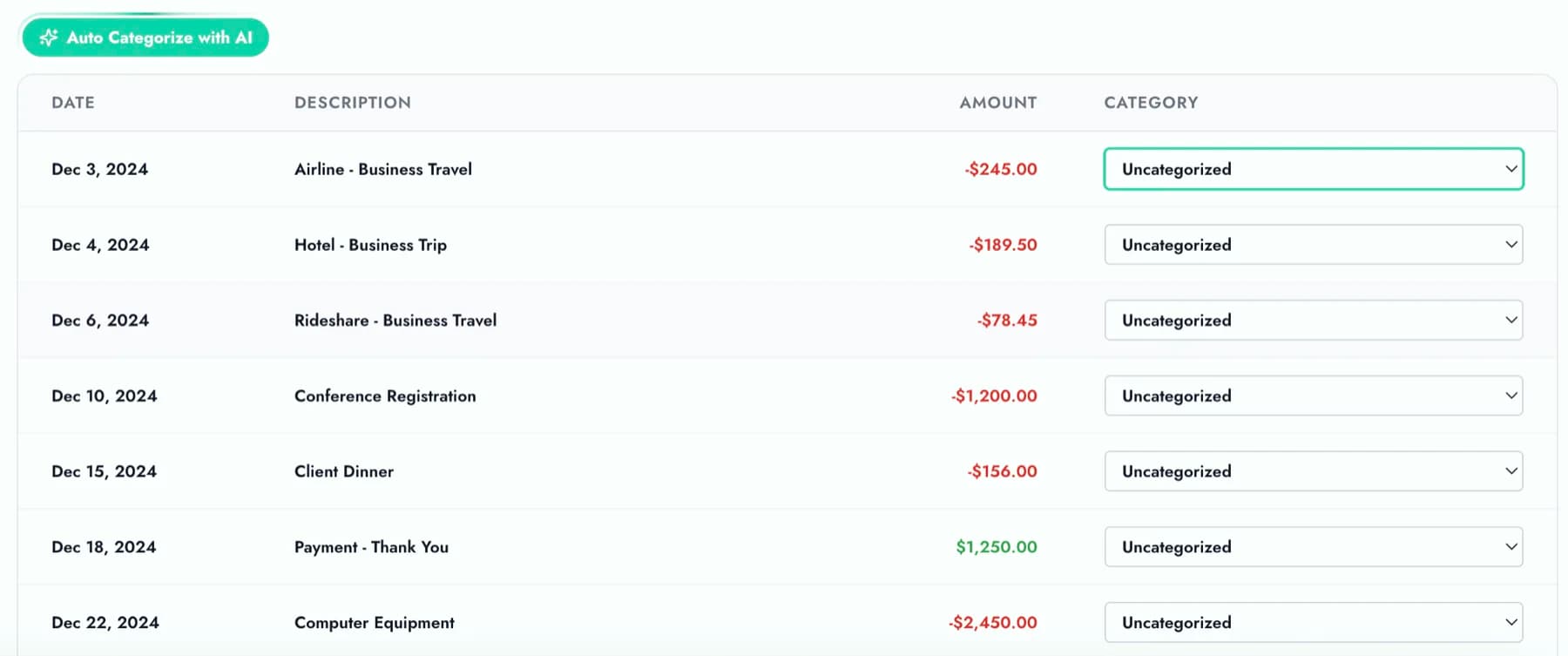
Zera AI codes every transaction to your chart of accounts
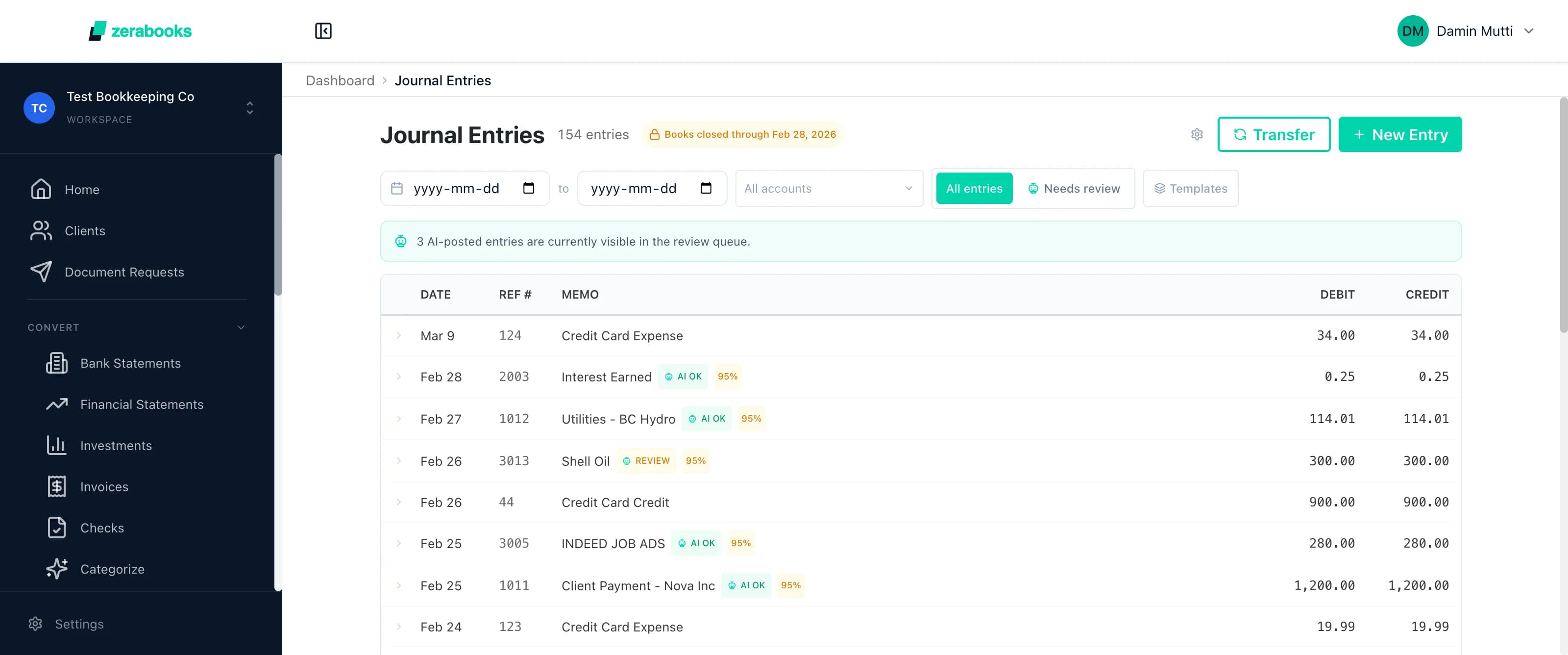
Every extracted line gets mapped to the right account. Zera AI learns your categorization patterns from past coding, so the longer you use it, the smarter it gets for each client.
Post to ledger
Everything lands in your double-entry ledger
Categorized transactions post straight into journal entries. Full audit trail. Every debit has a credit. No copy-paste, no CSV imports, no reformatting.
Reconcile, review & lock
Auto-reconcile, review with Zera AI, lock the period
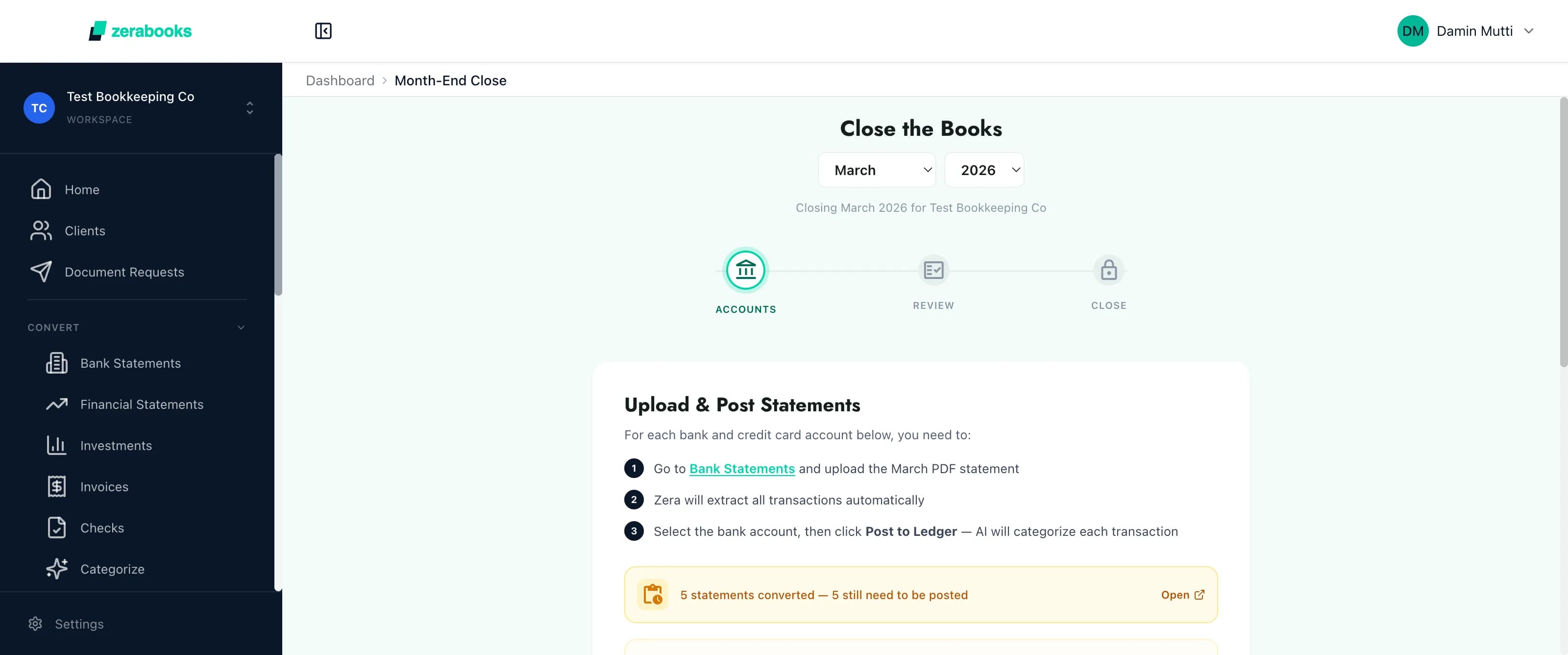
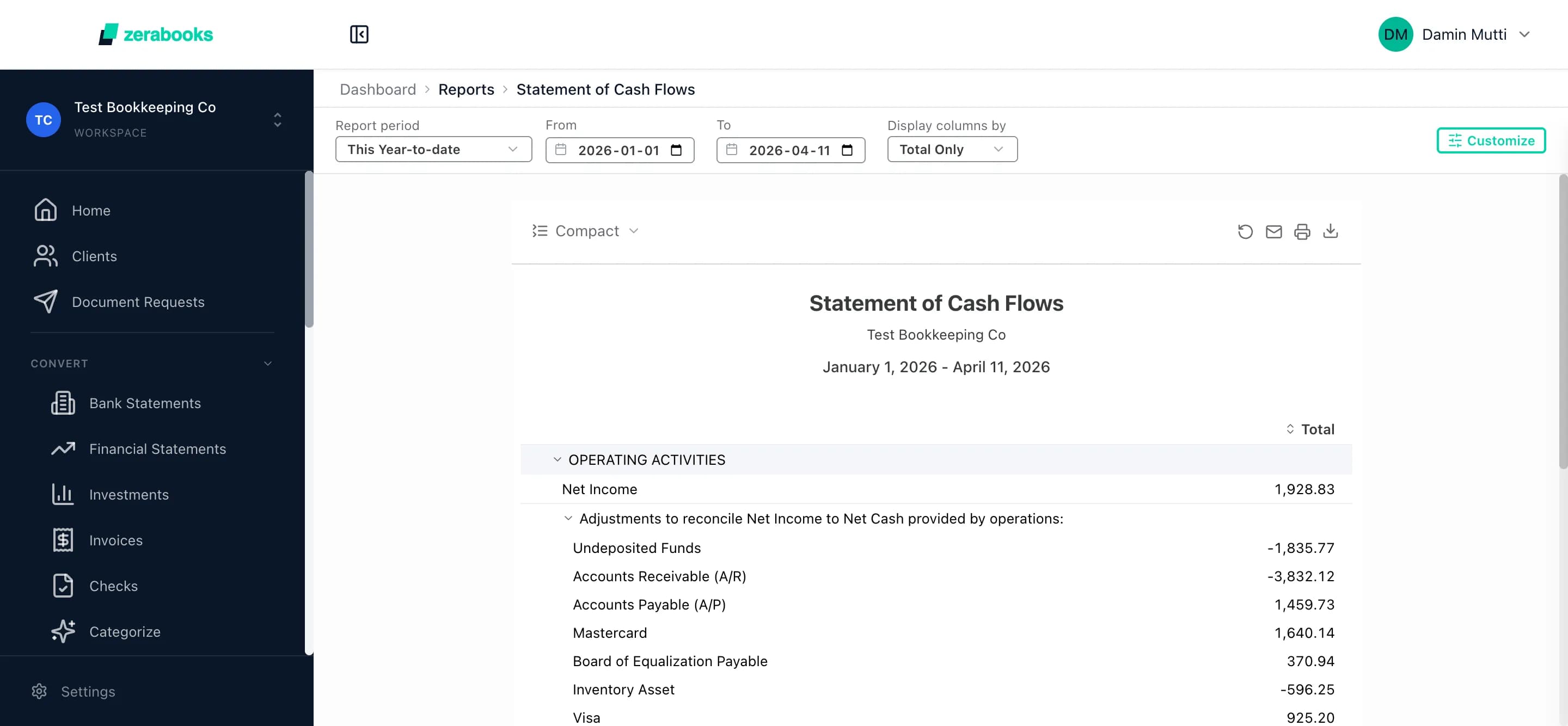
Each account shows its reconciliation status. Zera AI reads the P&L, balance sheet, and cash flow for the period and surfaces anomalies. One click locks the month with an optional password.
Reports auto-generate
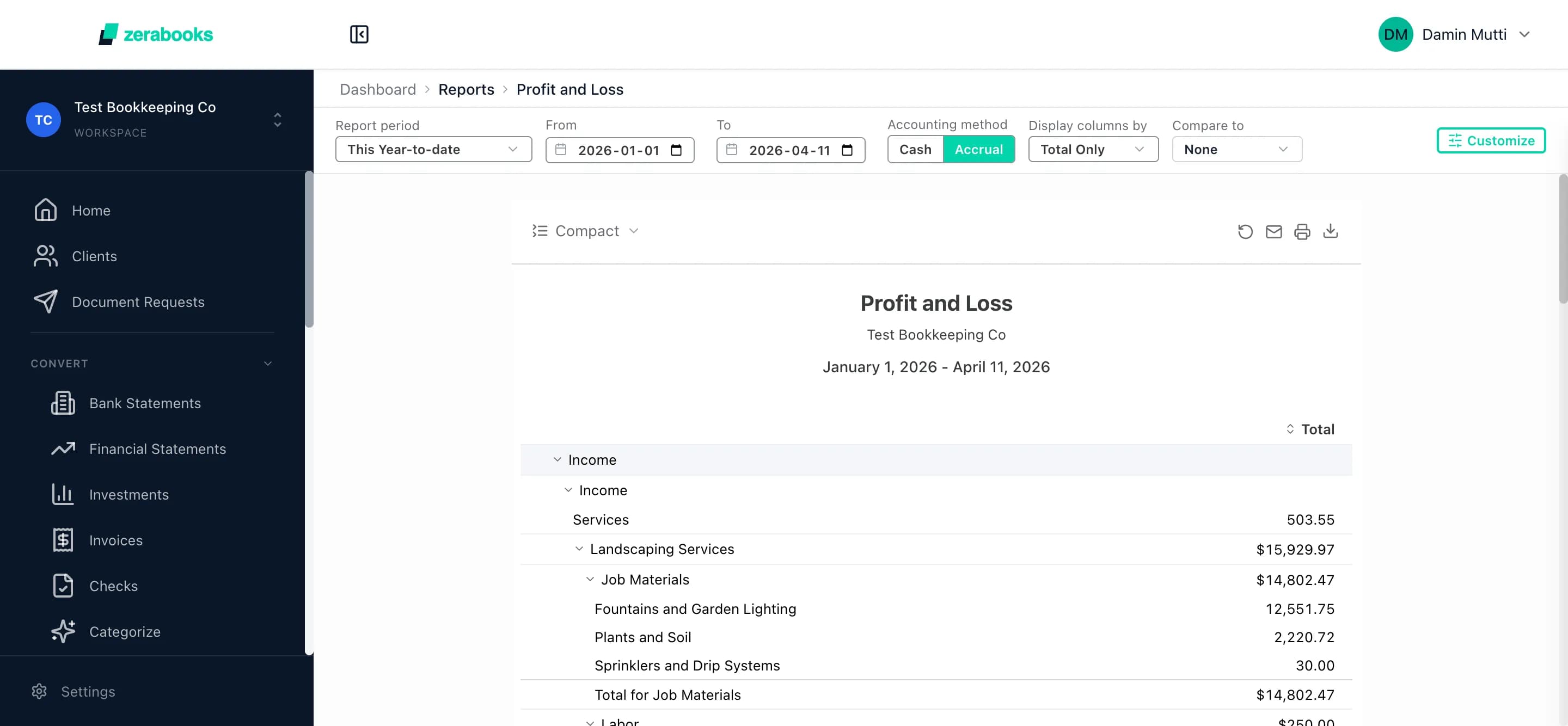
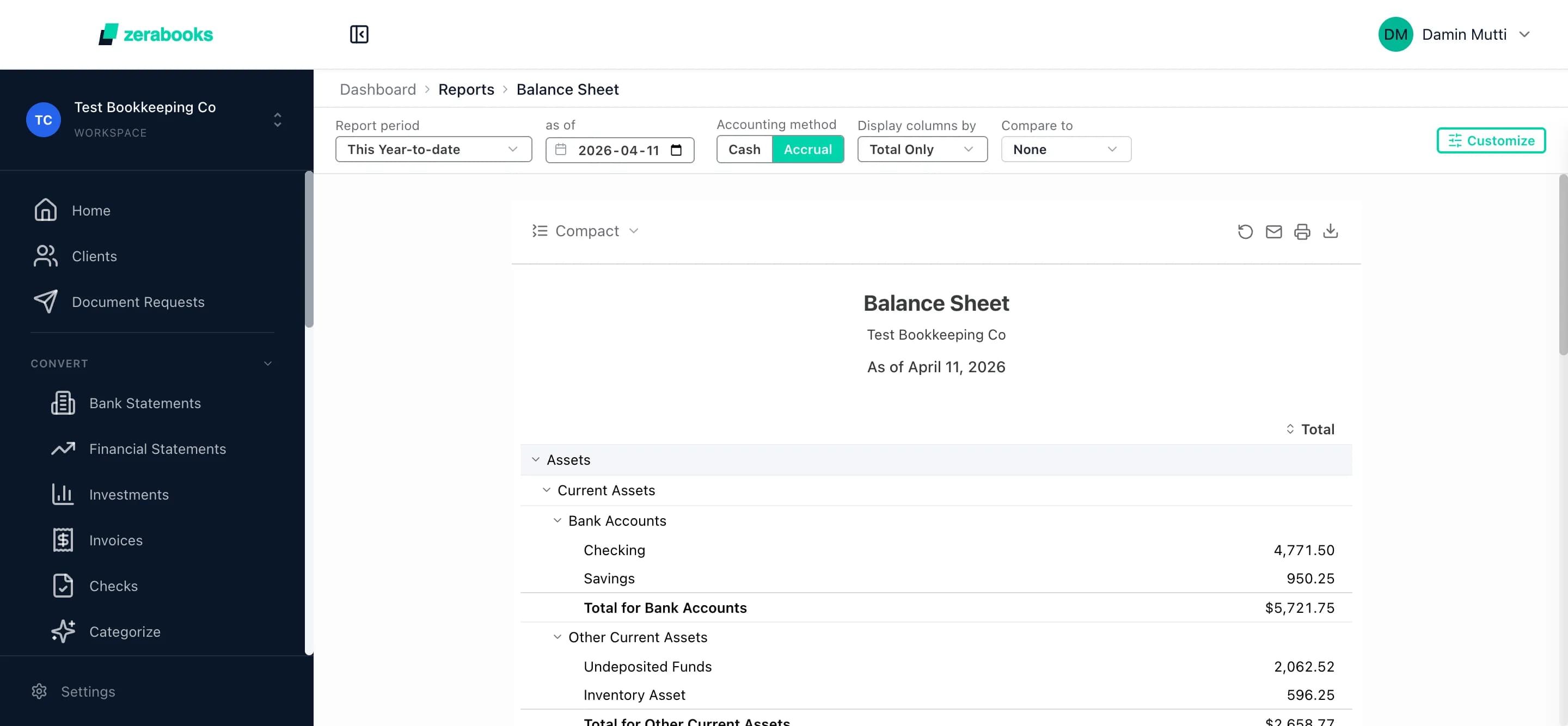
All 7 financials snap into place for the closed period
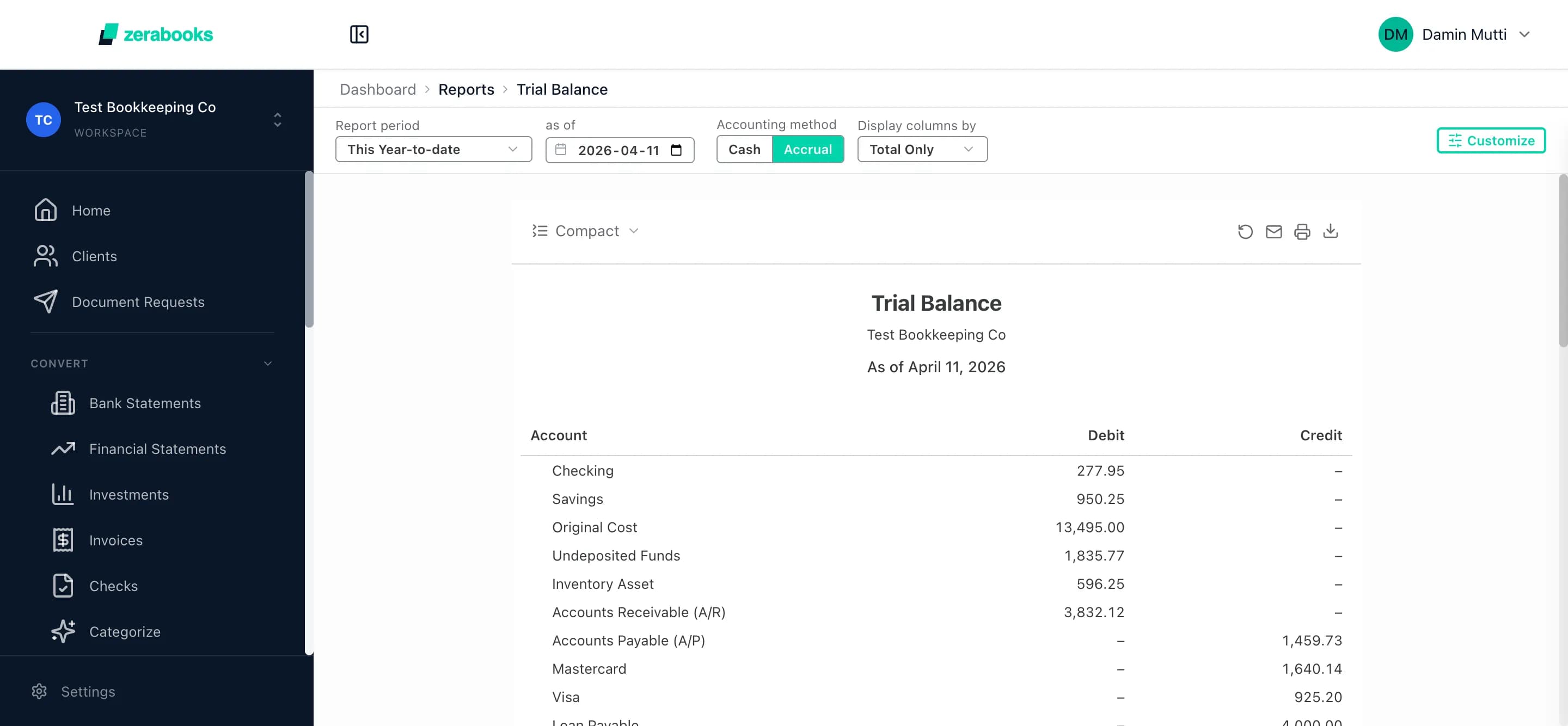
Profit & loss, balance sheet, cash flow, trial balance, general ledger, A/R aging, A/P aging. Auto-generated the moment you close. No closing journal entry required.
Signals, not spreadsheets
Every signal you need to close.
Zera inspects the ledger the same way a reviewer would. You see the same signals, in one place, before you lock.
Account readiness
Auto-trackedBank + credit card status per account
Each account shows its own pill: Not started, Converted, Reconciled, or Posted. No clicking into five screens to know where you stand.
Reconciliation link
Auto-linkedReconciliation status reads through
If a reconciliation failed or was skipped, the close page tells you before you try to lock. The ledger and the close are one system.
AI review
Zera AIZera AI reads the numbers
Revenue movement, expense outliers, net income, and uncategorized transactions. All summarized in one card by Zera AI before you lock.
Period lock
One-clickLock with optional password
Close the period and add a password if the client is the kind of client who edits old months. Every attempt after close is audited.
Readiness check
Auto-scannedClose readiness is checked first
Uncategorized entries, unreconciled accounts, pending depreciation, and recurring transactions all surface before the close button is live.
Automatic net income
Auto-rolledNo closing journal entry
Reports show net income rolled into retained earnings automatically the moment you close. No template JE, no closing routine to debug.
The math of a Zera close
Numbers that change the week.
Real outcomes on the Zera close — measured against a typical manual month-end in QuickBooks or Xero.
3 days → 4 hours
Zoom Books cut their month-end close from three days to about four hours after switching to Zera.
7 reports
P&L, balance sheet, cash flow, trial balance, general ledger, AR aging, and AP aging — all auto-generated for the closed period.
Zero JEs
No closing journal entry needed. Net income rolls into retained earnings automatically when you lock.
99.6% accuracy
The document extraction that feeds your close is 99.6% accurate across 3.2M+ statements processed.
Questions accountants ask
Month-end close, answered.
How long does month-end close take with Zera Books?
Most firms close a month in two to four hours on Zera Books. Zoom Books reduced their close from three days to about four hours by moving from manual QuickBooks workflows to Zera.
What are the three steps in the Zera close workflow?
Accounts, Review, Close. You verify every bank and credit card account is posted and reconciled, review AI-generated financials, then lock the period with one click.
Does Zera Books lock the period after close?
Yes. Closing a period locks every transaction inside those dates. Edits, voids, and new entries are blocked unless the period is reopened. An optional password adds a second control.
Can you reopen a closed period?
Yes. An authorized user can reopen any closed period from the close page. The reopen is audited and logged so you always know who unlocked what and when.
What AI reviews the month-end?
Zera Books uses Zera AI to read the P&L, balance sheet, and cash flow for the period. It surfaces anomalies, summarizes revenue and expense movement, and calls out uncategorized transactions before you lock.
How is this different from QuickBooks Online month-end close?
QuickBooks Online gives you a close date and optional password, nothing else. Zera bundles conversion, reconciliation, AI anomaly review, readiness checks, and a three-step workflow into one page.
Does the close require a closing journal entry?
No. Zera rolls net income into retained earnings automatically whenever a period is locked. There is no manual closing JE, no template routine, and nothing to debug at year-end.
What does close readiness check for?
Close readiness scans the ledger for uncategorized entries, unreconciled bank accounts, pending depreciation, and pending recurring transactions. Unresolved items surface before the close button goes live.

Manroop
Gill
Co-Founder
Zoom Books
We were drowning in bank statements from two provinces and multiple revenue streams. Zera Books cut our month-end reconciliation from three days to about four hours.
Close is one piece
Explore the rest of the workspace.
Bank reconciliation
Auto-match bank to ledger. AI handles splits and partials. Feeds close readiness.
Client bookkeeping
Run month-end for every client in one place. Switch books in one click.
Financial reports
P&L, BS, cash flow, trial balance, GL. Generated live the moment you close.
Close the books this week, not this month.
Try Zera Books free for one week. Unlimited clients, unlimited documents, one flat price.
One price
$79 a month. Unlimited everything.
Free one-week trial. Cancel anytime. Every client, every document, every close included.