Bank statements
that just work.
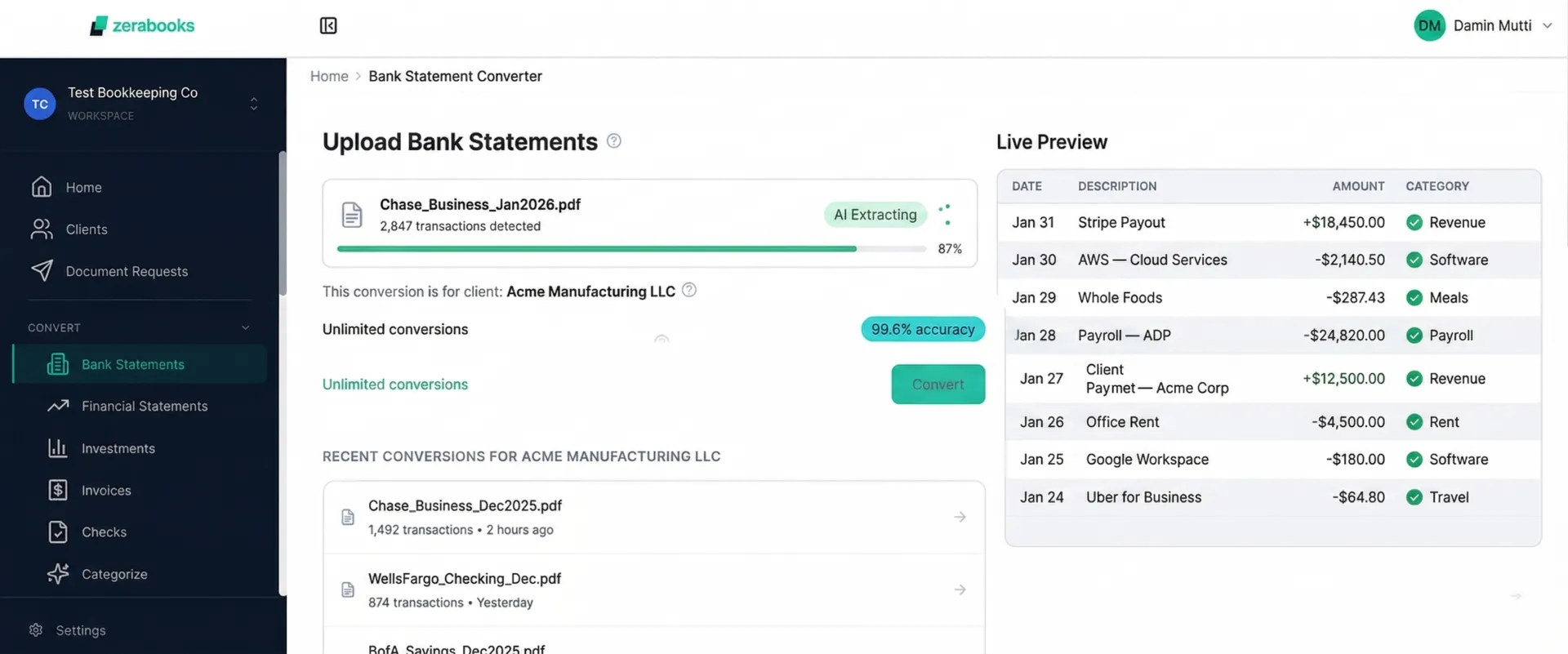
Any bank. Any format. Digital PDFs, scanned statements, multi-account batches. Zera AI reads them all with 99.6% accuracy. No templates. No training.

The full workflow
From client PDF to their QuickBooks.
Upload a full year of bank statements. Zera reads, categorizes, and syncs to your client's QBO. One sitting.
Batch upload
Drop Jan through Dec in one go. Mix banks, mix accounts, mix formats. Zera sorts it all out.
AI categorizes
Every transaction mapped to the chart of accounts. Vendor memory means the same vendor is instant next time.
Review and edit
Fix descriptions, split transactions, merge duplicates, add memos. Bulk approve hundreds in one click.
Sync to QBO
Push finished journal entries straight into the client's QuickBooks Online. No file downloads, no manual imports.
Batch upload
A full year of bookkeeping in one upload.
Drop Jan through Dec in one go. Zera reads every page, separates every account, and hands you a clean workbook covering the entire year.
- Upload 12 months at once
- Mix banks and formats in one batch
- Each month separated automatically
- Full year workbook in minutes
Multi-account detection
One PDF. Three clean sheets.
Client sends a combined statement with checking, savings, and a credit card? Zera detects every account and splits them into separate tabs with their own opening and closing balances.
- Auto-detects every account in one upload
- Separate opening and closing balances
- One tab per account in Excel
- CSV and QBO exports stay isolated
AI categorization
Every transaction coded. AI that learns your patterns.
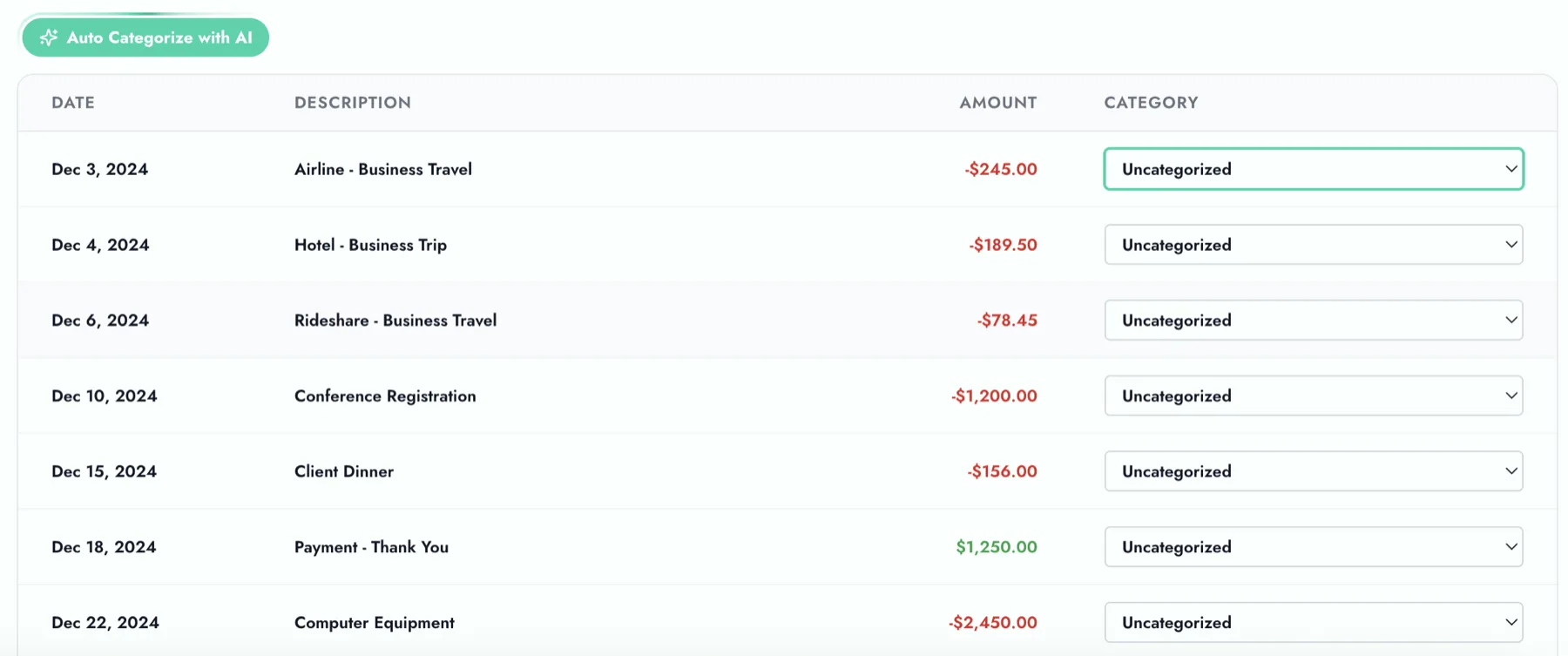
Zera maps every transaction to your chart of accounts. It remembers vendor patterns, so the second time you see the same vendor it categorizes instantly. Confidence scoring lets you auto-approve the obvious ones and review the rest.
- Maps to your chart of accounts
- Vendor memory learns from approvals
- Auto-approve above 95% confidence
- Bulk approve hundreds at once
Full control
Edit anything before you export.
Fix descriptions, split transactions, merge duplicates, adjust dates, add memos. Everything is editable inline before you download or push to the ledger.
- Edit descriptions inline
- Split one transaction into two
- Merge duplicate rows
- Add memos and notes
QuickBooks sync
Categorized, reviewed, pushed to client QBO.
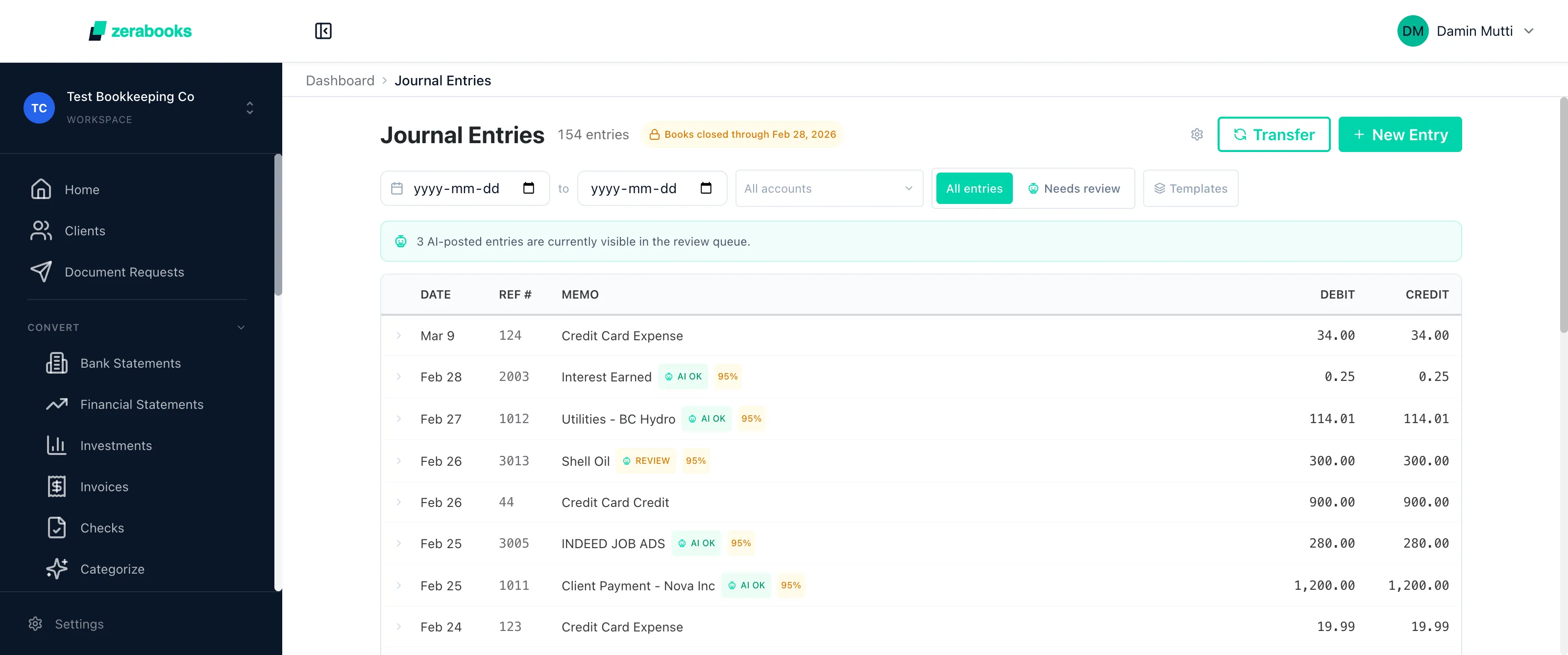
Upload bank statements, let AI categorize, review and approve, then push the finished journal entries straight into your client's QuickBooks Online. No file downloads, no manual imports.
- Push journal entries to client QBO
- No file exports or manual imports
- Full bookkeeping workflow in one sitting
- Works with QuickBooks Online and Desktop
Automatic reconciliation
Bank meets ledger. Automatically.
Bank transactions auto-match to your ledger entries on amount and date. AI handles the tricky ones like splits and partial matches. Reconcile months of data in minutes instead of days.
- Auto-match on amount, date, and description
- AI suggestions for splits and partial matches
- Surface unmatched exceptions
- Create adjusting entries from the workspace

Ashish
Josan
Manager, CPA
Manning Elliott
My clients send me all kinds of messy PDFs from different banks. This tool handles them all and saves me probably 10 hours a week that I used to spend on manual entry.
Start converting
Stop retyping bank statements.
Upload any bank PDF. Get clean data back in seconds. One flat price, unlimited conversions.
Any bank. Any format. 99.6% accuracy.
Try Zera Books free for one week. Cancel anytime during the trial.