Zera AI: Purpose-Built Bookkeeping Automation That Processes Any Bank Statement Format
Zera AI is not a generic AI with a finance plugin. It is a proprietary model trained exclusively on 3.2 million bank statements, invoices, and financial records — built by accountants, for accountants. It extracts transactions, categorizes them for QuickBooks and Xero, and exports ready-to-import files — all at 99.6% accuracy with zero template training.
TL;DR
What Zera AI does:
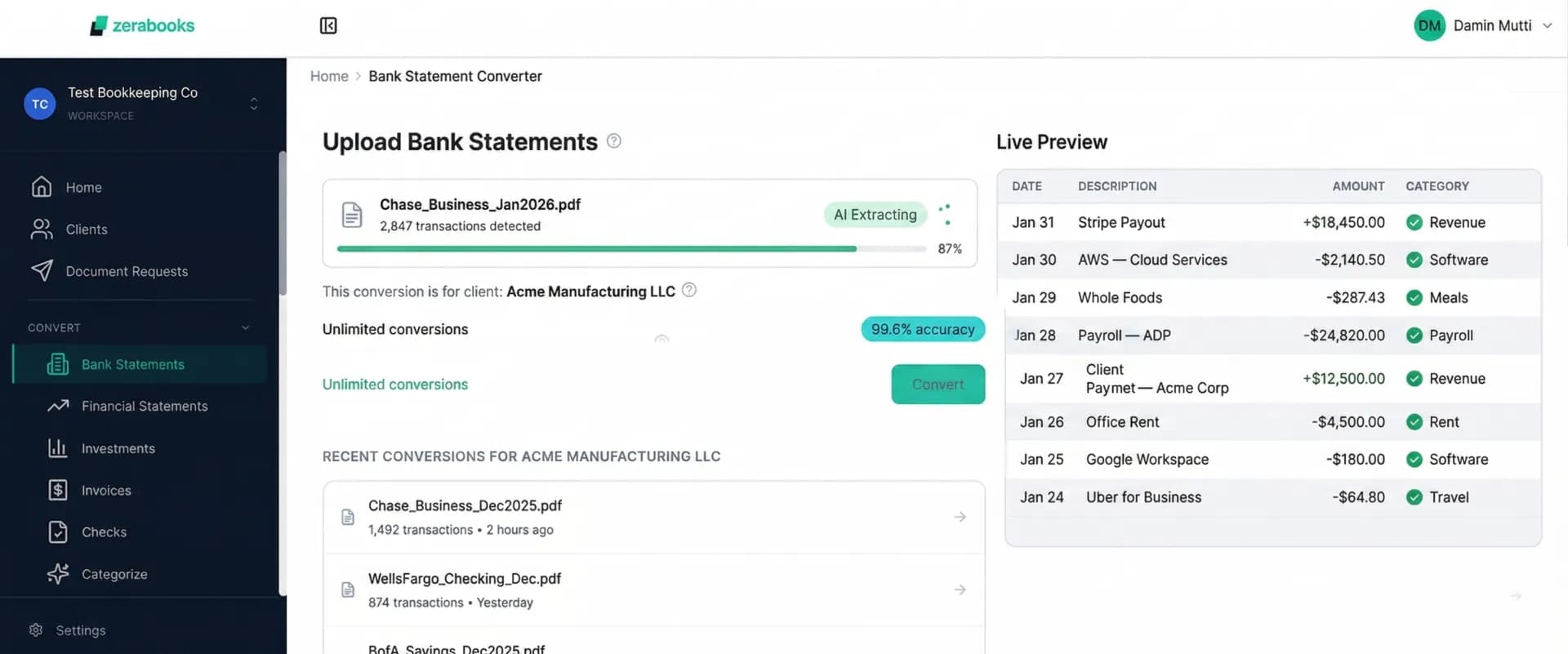
- Extracts transactions from any bank statement PDF — digital or scanned, any bank worldwide — with 99.6% accuracy
- Auto-categorizes transactions for QuickBooks, Xero, and other accounting software
- Processes 4 document types (bank statements, financial statements, invoices, checks) — most competitors handle 1-2
- $79/month unlimited. No templates. No per-page fees. No volume limits.
Why it matters for accountants:
- Save 10+ hours per week on manual data entry and transaction categorization
- Client dashboard organizes conversions by client for multi-client workflows
- AES-256 encryption, auto-delete after 30 days, SOC 2 compliant
What Is Zera AI and How Does It Automate Bookkeeping?
Zera AI is the proprietary artificial intelligence engine powering Zera Books' bank statement converter. Unlike generic AI tools that treat financial documents as just another type of text, Zera AI was trained exclusively on 3.2 million real financial documents — 2.8 million bank statements, 420,000 invoices, and 847 million individual transactions — all validated by a team of 50+ CPAs.
This purpose-built training means Zera AI understands accounting context natively. It knows the difference between a deposit reversal and a refund. It recognizes that a “CHECKCARD” entry at Bank of America is a debit card purchase, while “CHECK CARD” at Chase means the same thing in a different format. It handles multi-currency transactions, negative balance entries, and bank-specific date formats without any configuration.
The result: 99.6% field-level accuracy on bank statement extraction — measured across date, description, and amount fields on both digital and scanned PDFs. For CPAs and accountants processing dozens of client statements monthly, this accuracy translates to minutes spent reviewing instead of hours spent correcting.
Trained on 3.2 Million Financial Documents — Not Internet Text
Most AI tools on the market are general-purpose models fine-tuned with a small sample of financial data. They were originally trained on Wikipedia, Reddit, and internet text — then given a few thousand bank statements as an afterthought. That approach hits a ceiling at 85-93% accuracy because the model lacks deep financial understanding.
Zera AI took the opposite approach. We built the training pipeline from scratch using only real financial documents. No Wikipedia articles. No Reddit threads. No generic internet data. Every training document was a real bank statement, invoice, or financial record — and every label was applied by a CPA who understands the accounting context.
2.8M+
Bank Statements
From banks worldwide
420K+
Invoices & Receipts
All formats and layouts
847M+
Transactions Analyzed
Validated by CPAs
50+
CPA Validators
Professional data labeling
Six Core Capabilities That Set Zera AI Apart
Intelligent Data Extraction
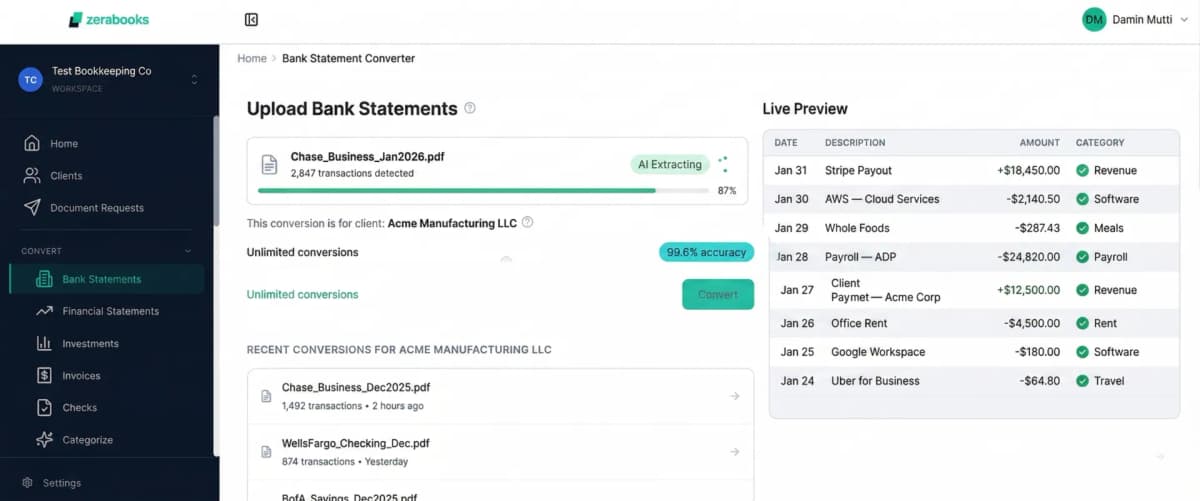
Zera AI identifies and extracts dates, descriptions, amounts, running balances, account numbers, and bank metadata from any PDF layout — digital or scanned. No manual column mapping. No header configuration.
AI Transaction Categorization
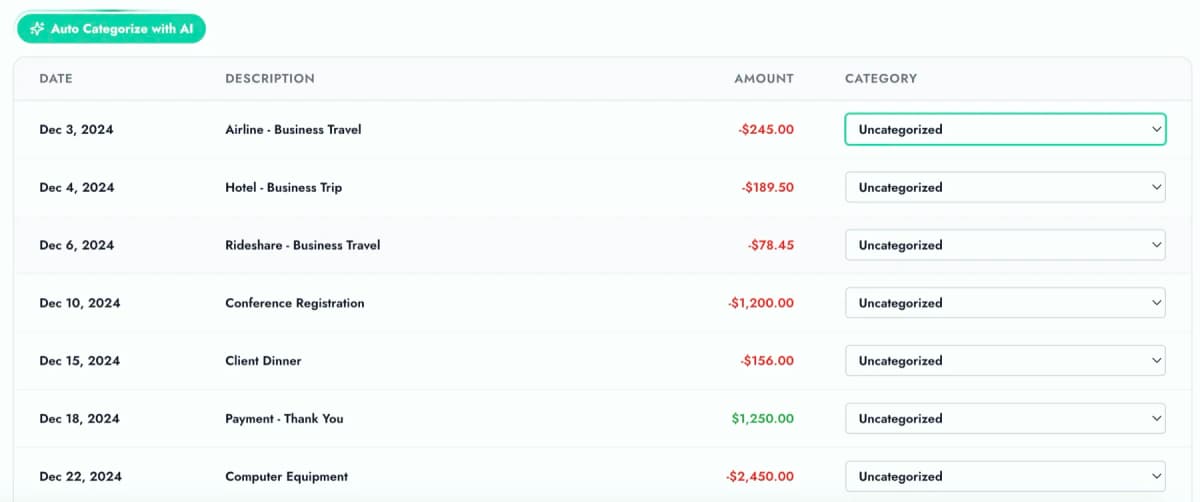
Every extracted transaction gets auto-categorized against patterns learned from 847 million transactions. Categories match QuickBooks and Xero chart of accounts. Confidence scores flag uncertain matches for your review.
Multi-Account Auto-Detection
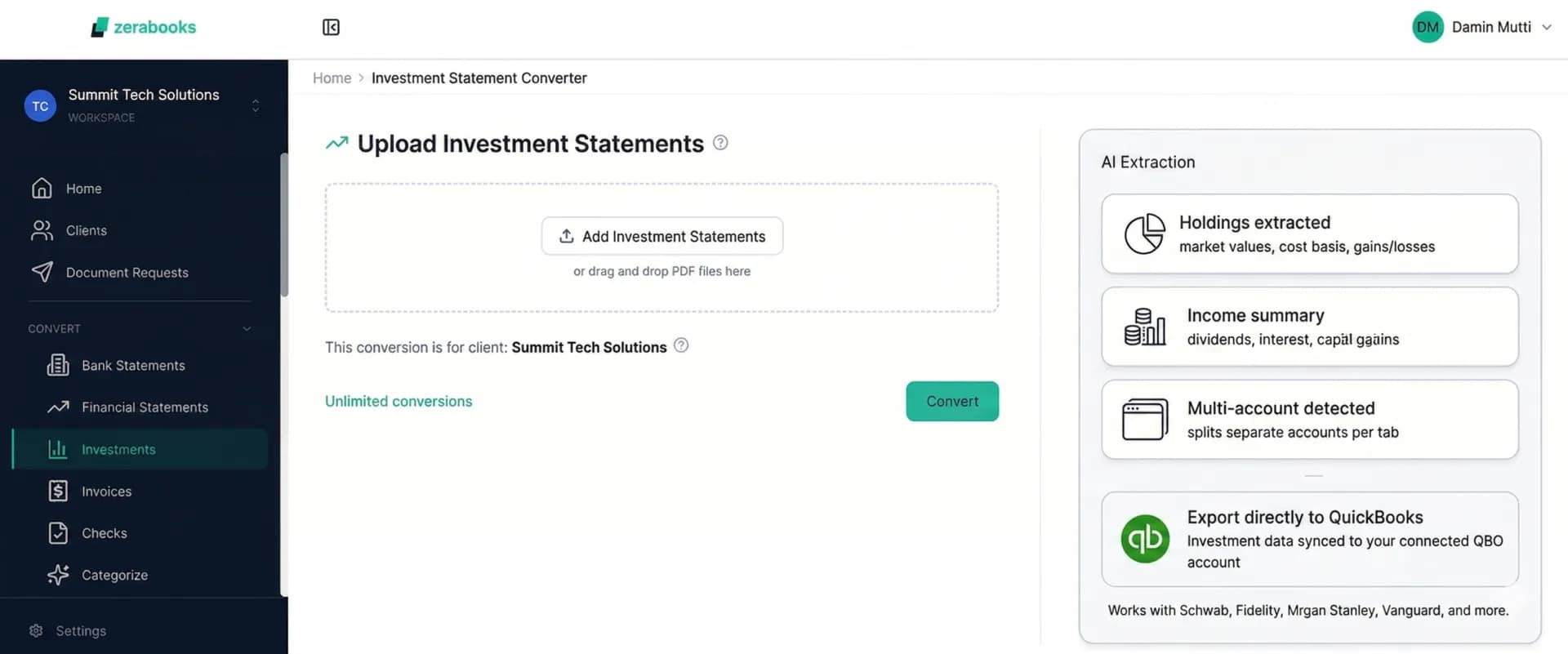
Upload a single PDF containing checking, savings, and credit card accounts. Zera AI detects each account automatically and separates them into individual files — each formatted for your accounting software.
Duplicate Transaction Detection
Zera AI cross-references every transaction against previous conversions for the same client. Duplicate uploads, overlapping date ranges, and re-processed statements get flagged before they enter your books.
Four Document Types
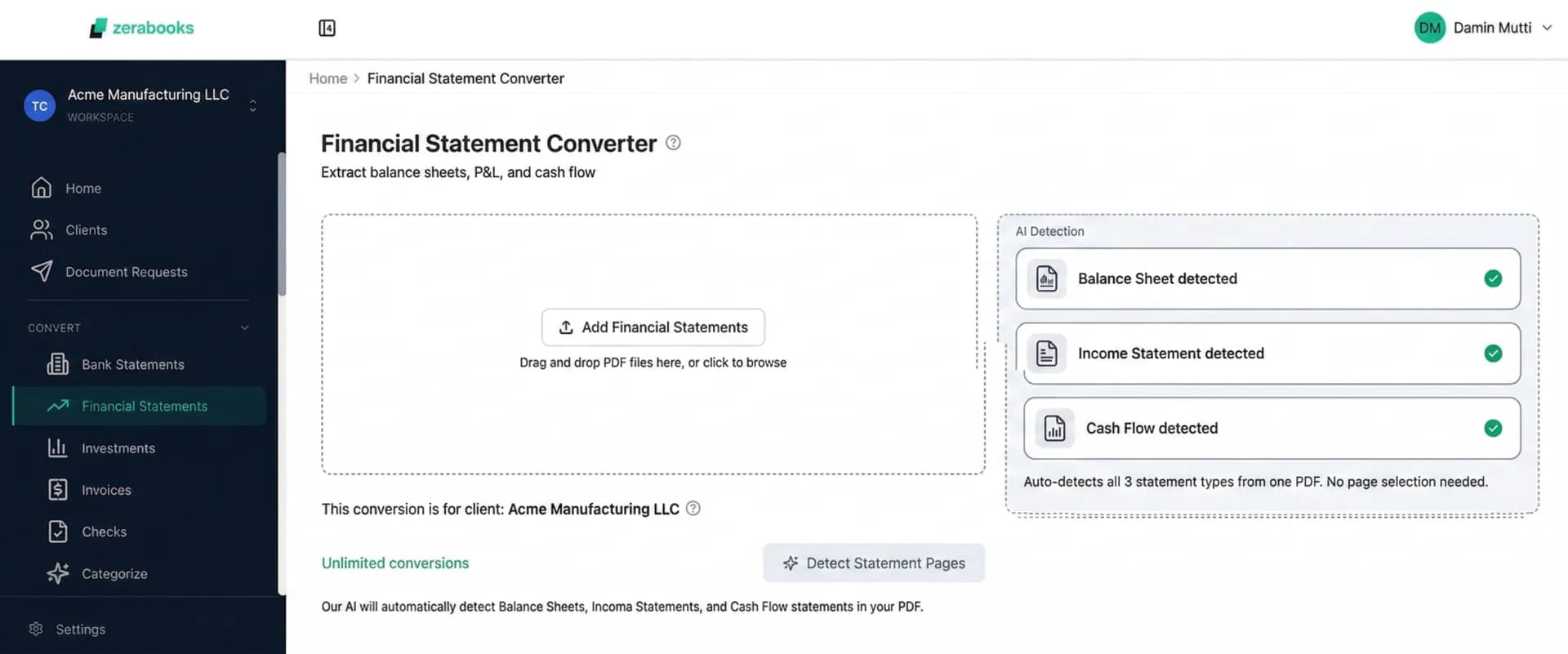
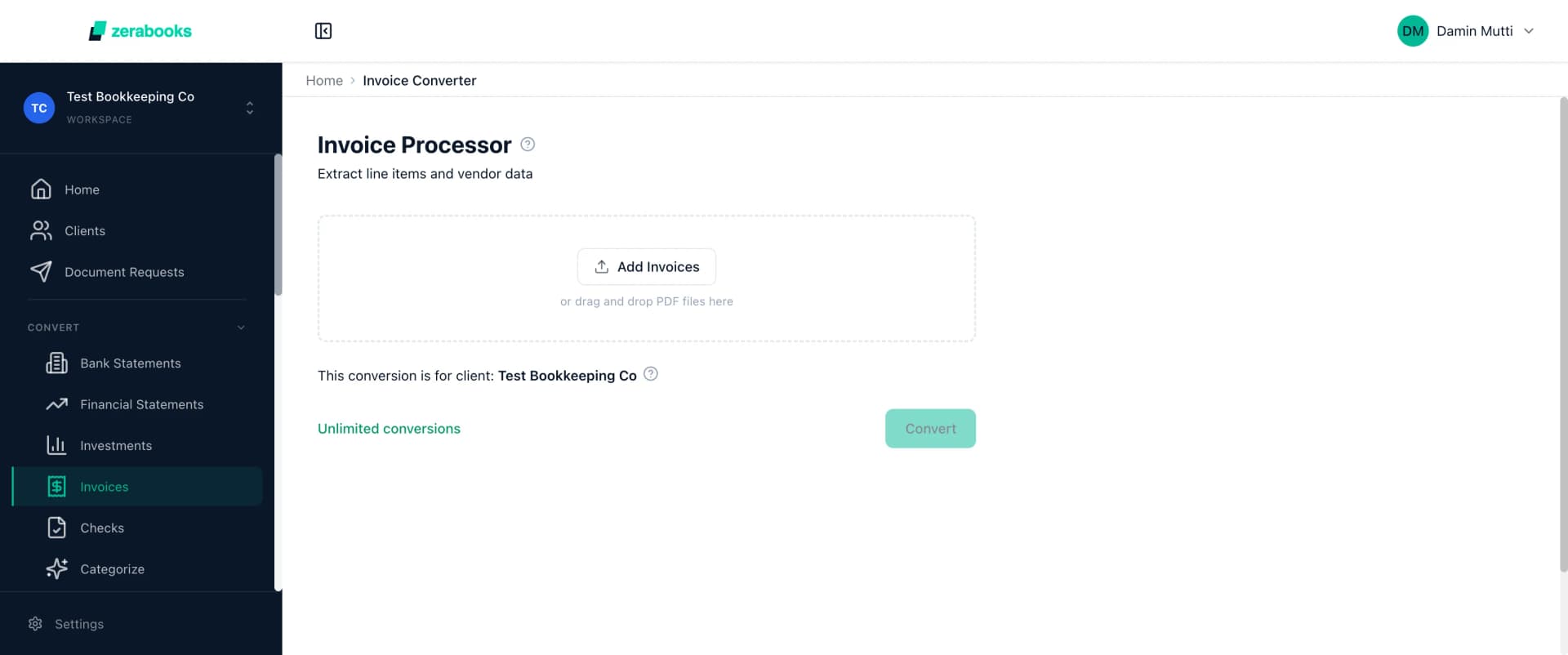
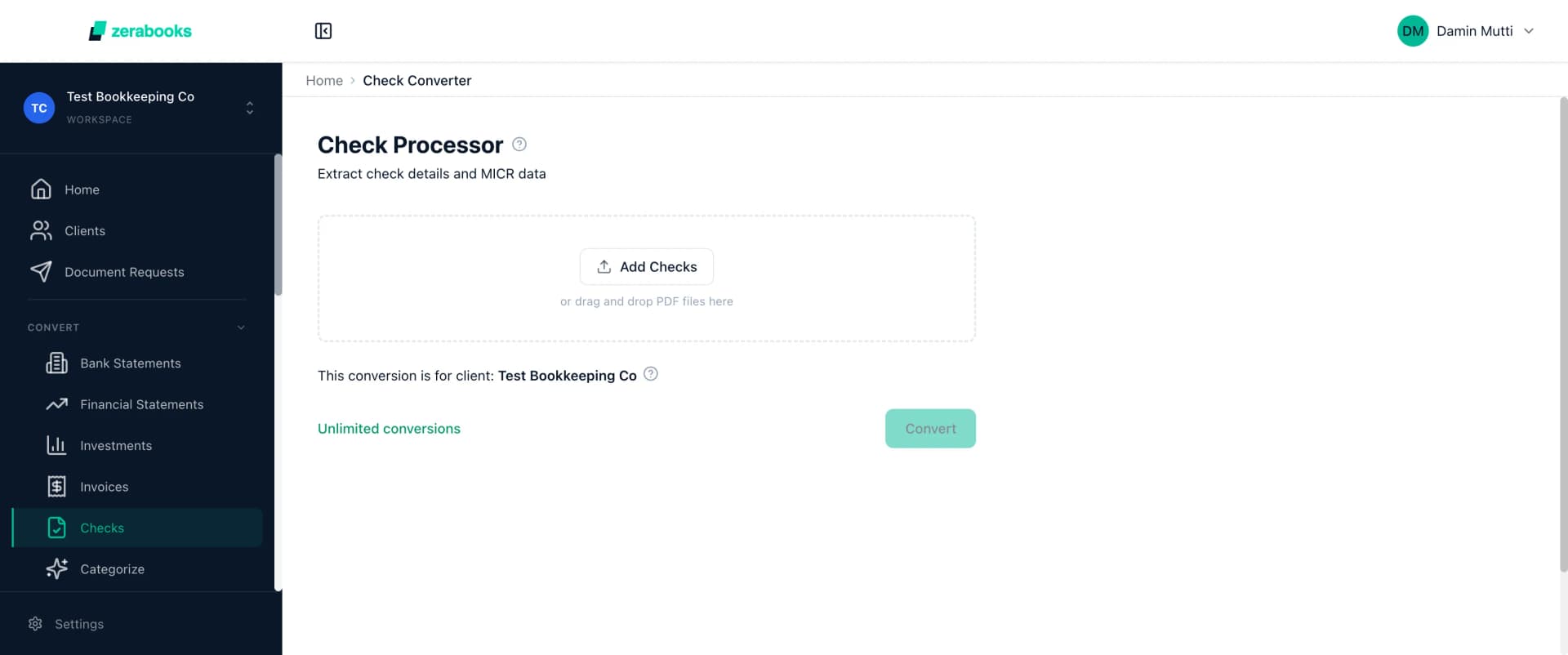
Beyond bank statements, Zera AI processes financial statements (P&L, balance sheets, cash flow), invoices (line items, tax amounts, PO matching), and checks (MICR line extraction, payee identification).
Continuous Learning
When you correct a categorization or flag an extraction error, Zera AI learns from it. The model improves weekly, meaning the tool gets more accurate for your specific client base over time.
How Zera AI Processes Your Bank Statements in 4 Steps
Upload Any Financial Document
Drag and drop PDFs — digital or scanned, single or multi-page, password-protected or plain. Upload 50+ documents at once for batch processing. Zera AI accepts any bank format worldwide without configuration.
AI Extracts and Categorizes
Zera AI identifies the document structure, extracts every transaction with date, description, and amount fields, detects multiple accounts, and assigns categories matching your accounting software chart of accounts — all in under 30 seconds.
Review Confidence Scores
Each categorization comes with a confidence score. High-confidence matches (90%+) can be auto-approved. Lower-confidence matches are flagged for your review. Correct any mismatches and Zera AI learns from your input.
Export to Your Accounting Software
Download in Excel, CSV, QBO, or IIF format — pre-formatted for QuickBooks, Xero, Sage, Wave, or any other software. Direct API integration available for QuickBooks Online and Xero for one-click import.
Total Processing Time:
Upload to export in under 60 seconds per document. Batch processing handles 50+ statements simultaneously. For a bookkeeping firm managing 20 clients, that is less than 20 minutes to process an entire month of bank statements.
Zera AI vs Generic AI Converters: Side-by-Side Comparison
Tools like Nanonets, Docsumo, and Klippa use general-purpose AI adapted for financial documents. Here is how Zera AI compares on the metrics that matter for accounting workflows.
| Feature | Generic AI Tools | Zera AI |
|---|---|---|
| Training Data | Wikipedia, Reddit, internet text | 3.2M financial documents only |
| Template Requirements | Requires per-bank templates | Zero templates — dynamic adaptation |
| Transaction Categorization | Basic or manual rules | AI-powered with confidence scores |
| Multi-Account Detection | Manual account separation | Automatic detection and splitting |
| Document Types | 1-2 types (bank statements only) | 4 types (statements, financials, invoices, checks) |
| Accuracy on Bank Statements | 85-93% (varies by format) | 99.6% field-level accuracy |
| Scanned PDF Handling | Basic OCR, degrades on poor scans | Zera OCR: 95%+ on scanned docs |
| Pricing | Per-page or per-document fees | $79/month unlimited |
Direct Integration with QuickBooks, Xero, and 7 More Platforms
Zera AI does not just extract data — it formats the output specifically for your accounting software. Every export includes AI-categorized transactions mapped to your chart of accounts, with correct date formats, column structures, and file types.
For QuickBooks Online and Xero, Zera Books offers direct API integration — one-click import without downloading files. For Sage, Wave, Zoho, NetSuite, FreshBooks, MYOB, and Oracle, exports are pre-formatted with correct column headers, date formats, and category mappings.
Excel (.xlsx)
Universal compatibility
CSV
Sage, Wave, Zoho, custom
QBO
QuickBooks Desktop
IIF
QuickBooks legacy import
Frequently Asked Questions About Zera AI
How accurate is Zera AI for bank statement conversion?
Zera AI achieves 99.6% field-level accuracy on bank statement extraction. This is measured across date, description, and amount fields on both digital and scanned PDFs. The model was trained on 3.2 million financial documents validated by CPAs, giving it native understanding of accounting-specific patterns like deposit reversals, voided checks, and multi-currency transactions.
Does Zera AI require template training for new bank formats?
No. Zera AI dynamically adapts to any bank statement format without template training. Unlike competitors like Nanonets or Docsumo that require you to configure templates for each new bank, Zera AI processes any PDF format on the first upload. This means when your client sends a statement from a bank you have never seen before, Zera AI handles it immediately.
What document types can Zera AI process?
Zera AI processes four document types: bank statements (all formats worldwide), financial statements (P&L, balance sheets, cash flow), invoices (line items, tax amounts, PO matching), and checks (MICR extraction, payee identification). Most competitors only handle bank statements. This makes Zera Books a complete financial document processing platform.
How does Zera AI categorize transactions automatically?
Zera AI analyzes transaction descriptions against patterns learned from 847 million transactions. It assigns categories matching QuickBooks and Xero chart of accounts, with confidence scores for each categorization. High-confidence matches (90%+) can be auto-approved. The AI learns from your corrections, improving accuracy for your specific client base over time.
How much does Zera AI cost?
Zera AI is included with Zera Books at $79 per month for unlimited conversions. There are no per-page fees, no volume limits, and no overage charges. Whether you process 10 documents or 10,000, the cost is the same. You can try it for one week to test with your own documents before committing.
Related Resources
Bank Statement Converter
Convert any bank statement PDF to Excel, CSV, QBO, or IIF with AI-powered extraction.
AI Transaction Categorization
How Zera AI auto-categorizes transactions for QuickBooks and Xero chart of accounts.
QuickBooks Bank Statement Import
Import bank statements directly to QuickBooks Online with pre-formatted exports.
Zera OCR for Scanned Documents
Process scanned PDFs and image-based bank statements with 95%+ OCR accuracy.
Client Management Dashboard
Organize conversions by client, track history, and manage multi-client workflows.
Solutions for CPAs and Accountants
How accounting firms use Zera Books to automate bank statement processing.

“When you’re working in finance, efficiency matters. Every hour spent on manual data entry is an hour not spent on analysis or client work. Zera Books eliminated that friction for me.”
Shaan Thind
CPA, Vice President at BMO Capital Markets
Ready to Transform Your Workflow?
Stop spending hours on manual data entry and transaction categorization. Zera AI processes any bank statement in under 60 seconds with 99.6% accuracy — and exports directly to your accounting software.
Try for one week