Reports your clients
actually read.
Nine reports, every period, with AI commentary on the numbers that matter. P&L, Balance Sheet, Cash Flow, Trial Balance, GL, AR/AP Aging, Tax. Multi-period comparisons and drill-down to source JEs.

The full workflow
From journal entry to client-ready report.
Zera turns every transaction into a balanced JE, then lets you pull any report for any period with AI commentary baked in.
AI posts JEs
Every transaction becomes a balanced journal entry. No manual coding, no broken trial balance.
Reports generate
Any report, any period, on demand. P&L, Balance Sheet, Cash Flow, TB, GL, Aging, Tax.
AI commentary
Zera reads the numbers and writes plain-English insights on what moved and why.
Export and share
Download Excel or PDF, or sync the figures back to QBO. Client-ready in one click.
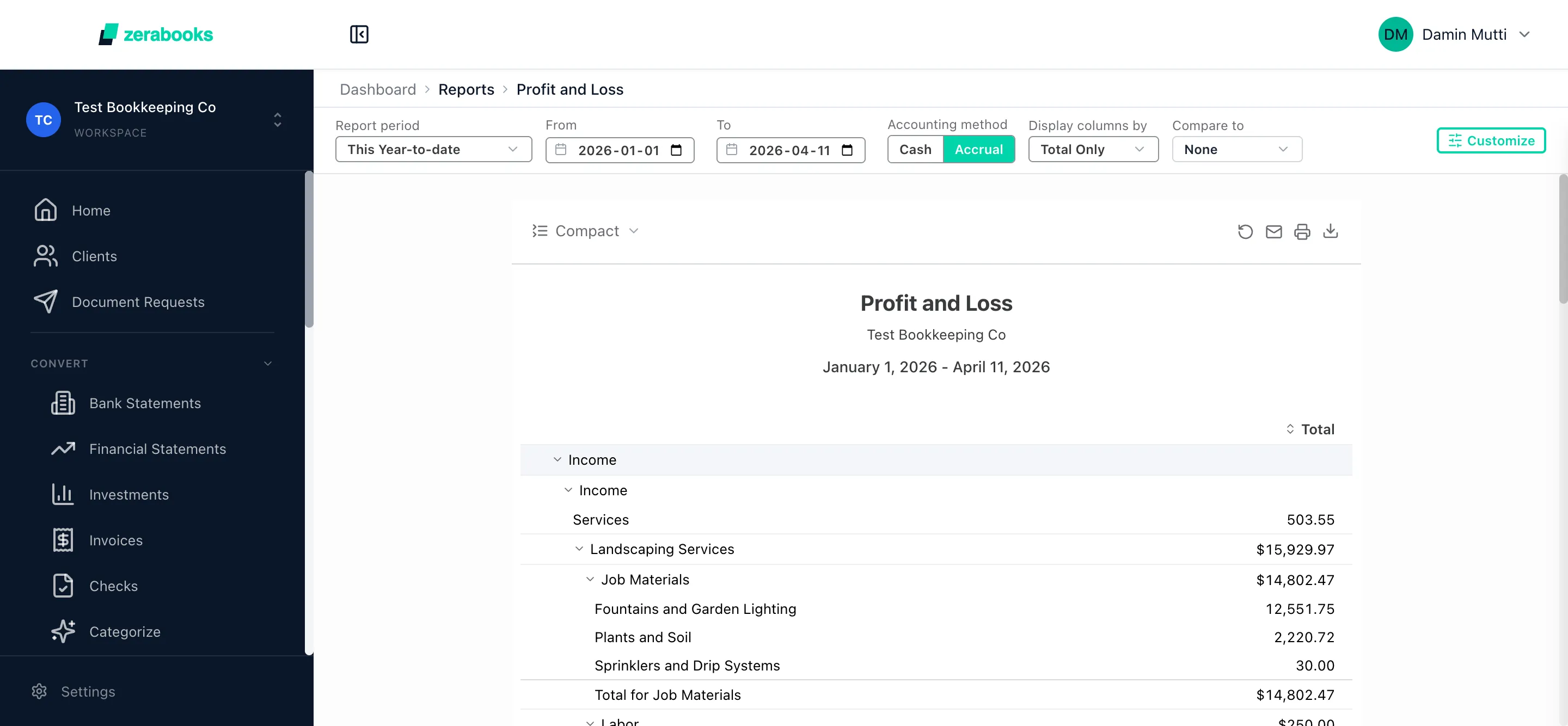
Profit & loss
Revenue. Expenses. Net income.
P&L in Zera shows revenue, COGS, gross profit, operating expenses, and net income. Any period: month, quarter, year, or custom. Side-by-side comparisons automatic. Every line drillable to source transactions.
- Any date range or period
- Multi-period comparison columns
- Drill-down to source JEs
- Export to Excel, PDF, or sync to QBO
Balance sheet
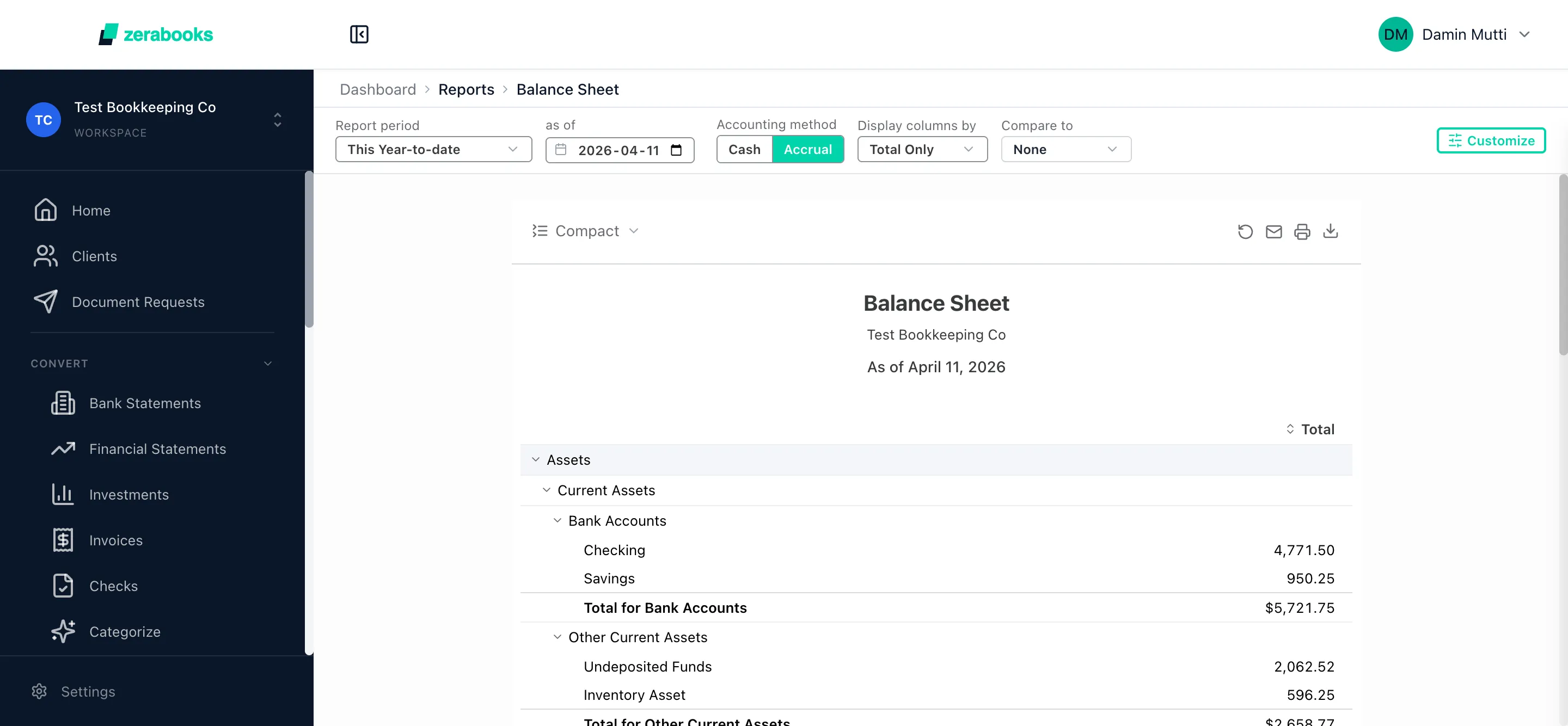
Assets. Liabilities. Equity.
Balance sheet with full asset, liability, and equity breakdown. As-of any date. Comparative columns for quarter-over-quarter or year-over-year. Equity roll-forward shown automatically.
- Full A-L-E breakdown
- As-of any date
- Comparative columns
- Equity roll-forward
Cash flow
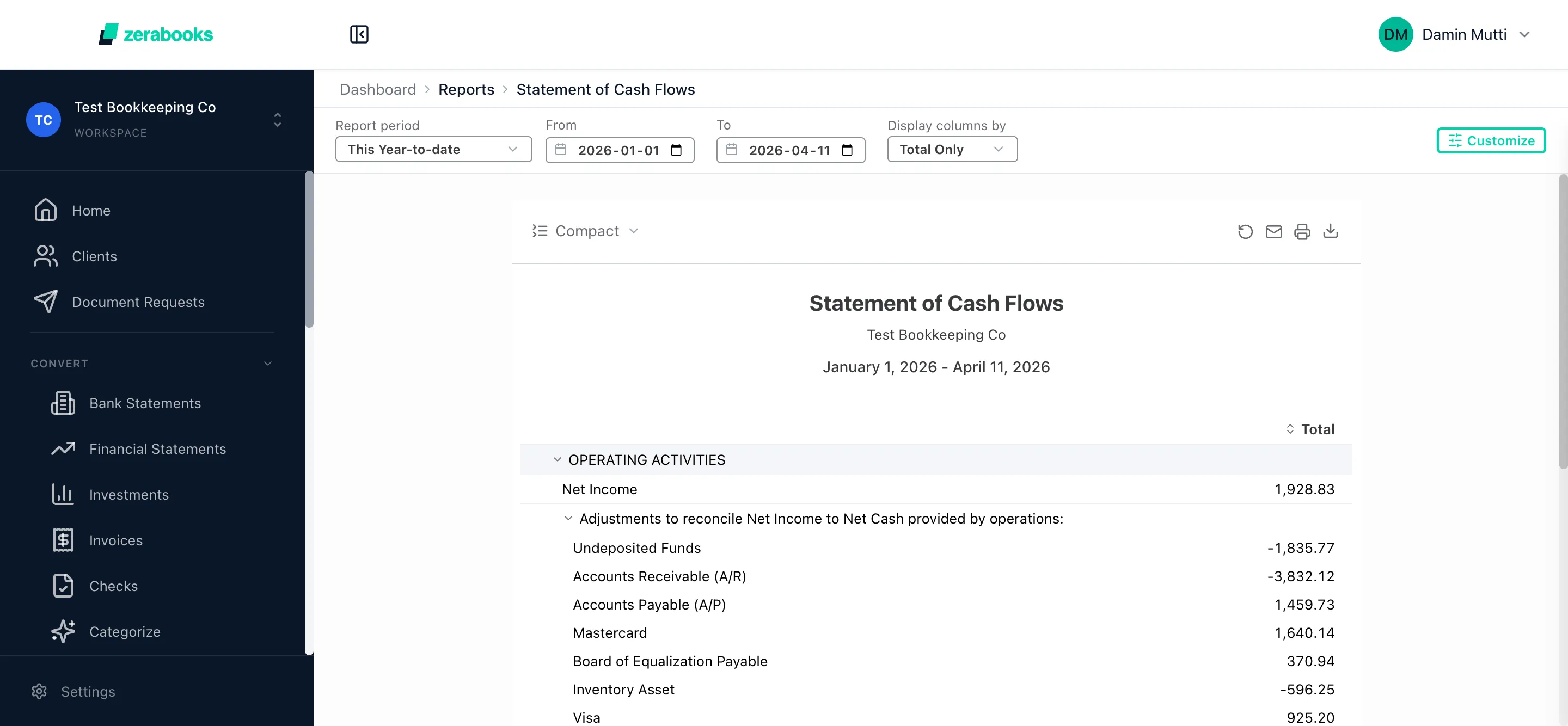
Operating. Investing. Financing.
Cash flow statement with all three sections. Indirect or direct method. Beginning-to-ending cash verified automatically. Click any section total to see source transactions.
- Operating + investing + financing
- Indirect or direct method
- Auto-verified ending balance
- Drill-down to source
Trial balance
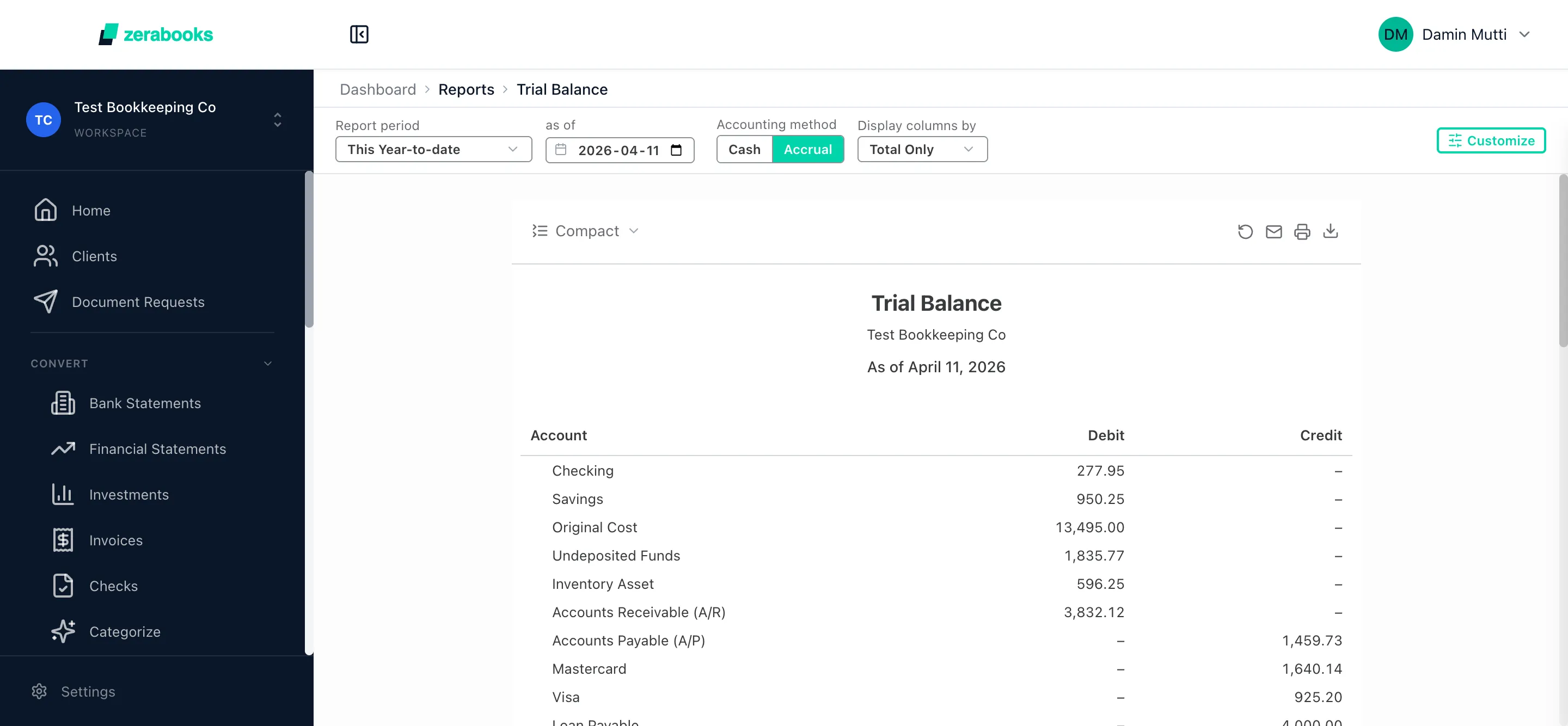
Every account. Debits equal credits.
Trial balance with full account listing. Pre-adjustment, post-adjustment, or post-closing. Balance verified automatically. Zera flags imbalances instantly. Drill to the account's full activity.
- Full account list with Dr/Cr
- Pre/post adjustment variants
- Auto-balance verification
- Drill to account activity
AI insights
Zera explains. The numbers that matter.
Every report comes with AI commentary. Zera reads the numbers, identifies drivers, and writes plain-English insights. Revenue up 18% QoQ, driven by three new enterprise clients. Expenses up 12%, rent renewal and SaaS consolidation.
- Plain-English commentary per report
- Driver identification on every movement
- YoY and QoQ trend analysis
- Copy-paste ready for client email
Revenue up 18% QoQ
SaaS costs drove 40% of expense increase
Margins improving. Net income up 23%
Multi-period comparison
Month over month. Year over year.
Side-by-side comparisons on any report. Month vs prior month, quarter vs prior quarter, year vs prior year. Variance columns automatic. Percentage and absolute change. Trend indicators for every line.
- MoM, QoQ, YoY comparisons
- Variance % and absolute
- Trend indicator per line
- Custom date ranges
Drill-down to source
Click any number. See every transaction.
Every line in every report is clickable. Click revenue, see the invoices. Click rent expense, see the JEs. Click total equity, see the roll-forward. Full audit trail from summary to source in two clicks.
- Every report line clickable
- Summary to account to transaction
- Preserves filters and period
- Export drill path as audit trail

Ashish
Josan
Manager, CPA
Manning Elliott
My clients send me all kinds of messy PDFs from different banks. This tool handles them all and saves me probably 10 hours a week that I used to spend on manual entry.
Start reporting
Reports your clients actually read.
Nine report types, every period, with AI commentary on the numbers that matter.
P&L. BS. Cash Flow. TB. Aging. Tax. All with AI insights.
Try Zera Books free for one week. Cancel anytime during the trial.