Choosing a reporting period
One period picker sets the dates on Dashboards, Financials, Custom Reports and most other pages. Here are the presets, custom ranges and how the arrows step.
Where the period picker is
The same period picker sits at the top of Dashboards, Expenses, Revenue, Cost of Revenue, Financials, Custom Reports, Banks & Cards, Ledger and Reconciliations. It shows the period you're looking at, with an arrow on each side.
Pick a preset
Click the period in the middle of the picker.
Click a preset. The page updates straight away.
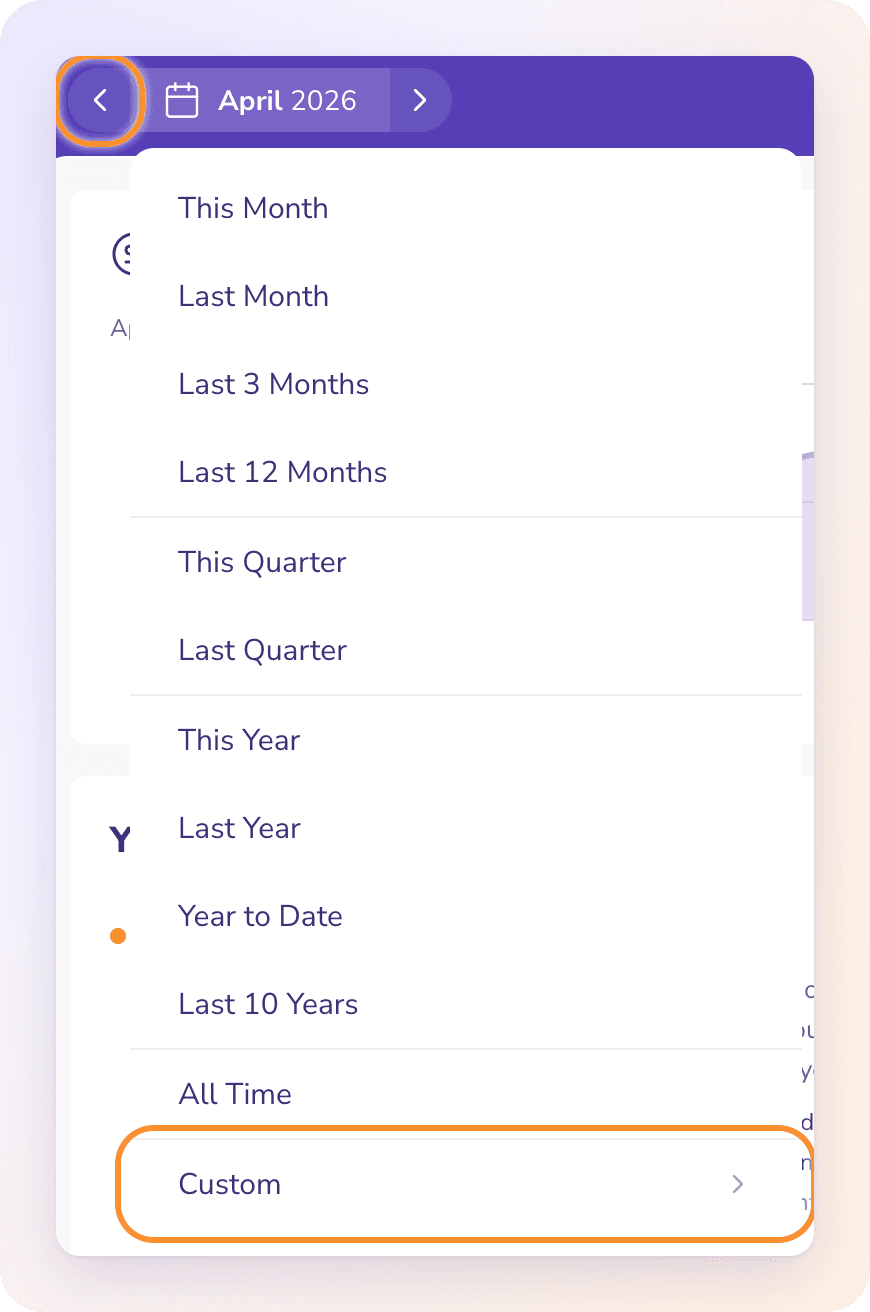
| Group | Presets |
|---|---|
| Months | This Month, Last Month, Last 3 Months, Last 12 Months |
| Quarters | This Quarter, Last Quarter |
| Years | This Year, Last Year, Year to Date, Last 10 Years |
| Everything | All Time |
Year to Date and Last 10 Years run up to today. This Year, This Quarter and This Month cover the whole calendar period, including days still to come.
Set a custom range
Open the picker and click Custom ›.
Choose how to count: Day, Month, Quarter or Year.
Click the first unit of your range, then the last one.
Click Set. Click Cancel to leave without changing anything, or Back to presets to return to the list.
Step back or forward
Click the left arrow to move back one period and the right arrow to move forward. The arrows step by the shape of your period: a month moves by a month, a quarter by a quarter, and a custom range by its own length. With All Time selected, the arrows are off.
Which period each page opens on
Dashboards, Financials, Expenses, Revenue and Cost of Revenue open on the last complete month.
Dashboards then moves once to the newest month with activity. It doesn't remember a period you picked when you leave.
Financials, Expenses, Revenue, Cost of Revenue, Custom Reports, Banks & Cards, Ledger and Reconciliations remember your last period for each company and page, until you close the browser tab.
Tip: Some reports show a balance on one date rather than activity over a range: the Balance Sheet, Trial Balance and aging reports use the last day of the period you pick. See Reading your Financials.
Frequently Asked Questions
Why does a page open on last month instead of this month?
Because the last complete month is the latest one with a full month of activity. Click This Month to see the running month.
Can I report on my fiscal year instead of the calendar year?
Yes, with Custom ›: choose Month and click your fiscal year's first and last months. The presets This Year and Last Year follow the calendar year.
Why are the arrows greyed out?
All Time is selected. It has no period before or after it, so there is nothing to step to.
Does the period I pick carry over to other pages?
No. Each page keeps its own period. Most pages remember theirs for each company until you close the browser tab.
What does "Detailed activity begins…" mean after I pick a period?
The period is before your books start date. ZeraBooks holds only opening balances for that time, not individual transactions. Pick a period on or after that date.
Why do aging reports ask me to "Choose a reporting date"?
Aging needs one date to measure from, and All Time doesn't have one. Click Use last month or pick a period.
Learn more about AI-native general ledger: A double-entry ledger where statements become proven transactions.
Still stuck? A real person reads every message—come say hello.