Unlimited conversions. Zero data entry.

Unlimited teammates, audit logged, $79 flat

Firm Wide Collaboration on Every Client

Multiplayer accounting. Inline comments on the transaction itself. Shared review queue across the firm. Immutable audit trail on every decision. No more Slack channels per client and no more PDFs emailed for review.

Accounting firm collaboration on every client file in Zera Books

The short version. Zera Books makes every client file in your firm multiplayer. Inline comments live on the transaction itself, the review queue is shared across teammates, and every decision is written to an immutable audit log. Unlimited seats on the flat $79 plan. The largest firm on the platform runs a 14 person team across 184 clients on one workspace with 99.6% extraction accuracy on the source documents.

Unlimited
Teammates per firm
99.6%
Document extraction accuracy
11h
Median client response time
$79
Flat, every seat included

By Damin Mutti, founder of Zera Books. Last reviewed 2026-05-21.

The work itself is the place you talk about the work

Most firms run accounting collaboration across three tools that do not know about each other. QuickBooks Online for the ledger, Slack or email for the conversation, a practice management app for the status board. A junior bookkeeper flags a weird entry in Slack. A senior asks for the file. The senior opens QBO, the senior cannot remember which client. The junior pastes a screenshot. The senior makes the call in QBO. No one updates the practice management tool. Two months later the year end auditor asks who approved the override and nobody has an answer.

Zera Books collapses that into one surface. Comment threads live on the journal entry. The review queue is a property of the firm. The audit trail is the same data structure as the comment thread. When the auditor asks who approved the override, you filter the audit log to the entry, you see the @mention that surfaced it, the conversation that followed, the reviewer who accepted it, and the timestamp on each step. It is the whole conversation as a single artifact.

This feature sits inside the broader AI accountant platform. The collaboration layer is what turns it from a single user tool into a firm operating system.

How firm collaboration works, step by step

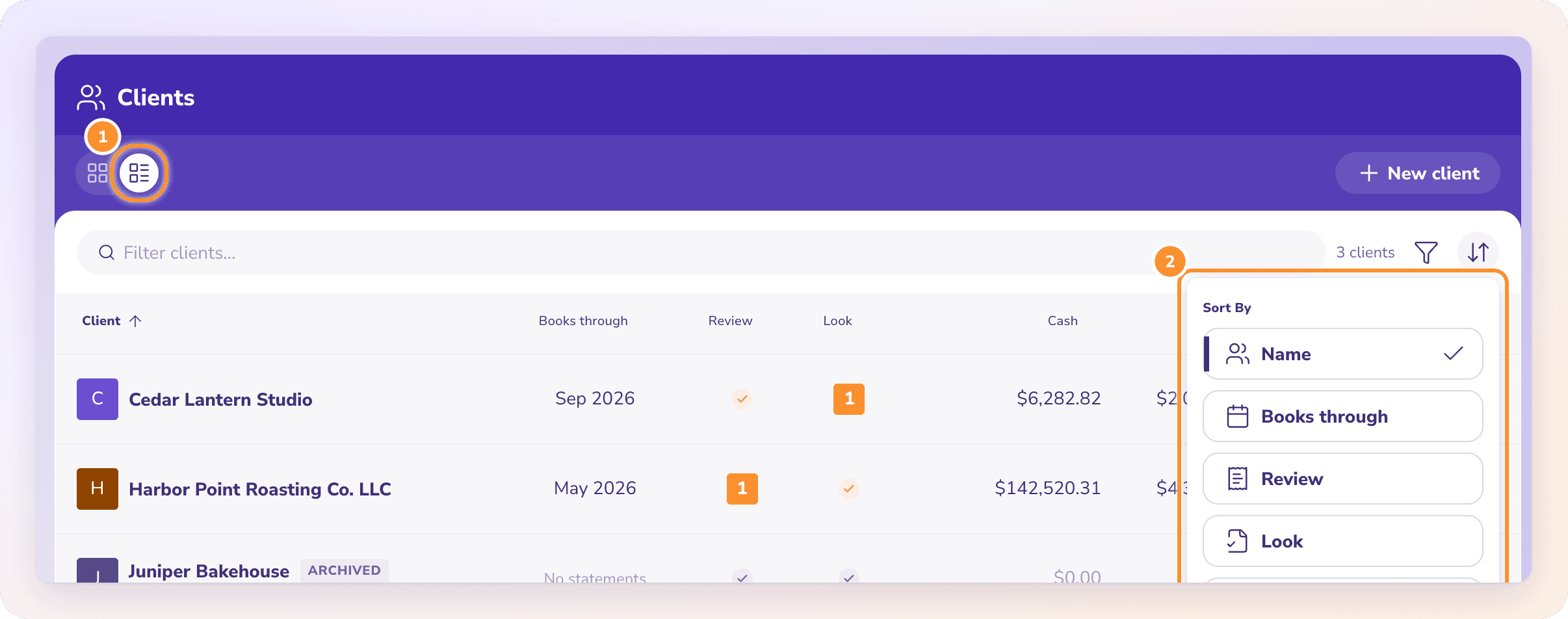
From inviting a teammate to routing a flagged entry through review, decision, and audit log. Five steps, one screen each.

01

Invite the team

Add teammates by email from firm settings. Scope each by role (admin, reviewer, preparer, viewer) and by client portfolio. Unlimited seats sit on the same flat $79 plan, so there is no commercial reason to hold back on adding the junior bookkeeper or the seasonal contractor.

Largest firm: 14 person team, 184 clients, one workspace.

02

Comment on the work itself

Click any transaction, journal entry, or low confidence extraction to open an inline thread. Mention a teammate with @ to notify them. The comment lives on the row, not in a sidebar tool, so the next reviewer sees the conversation in context the moment they open the entry.

No more Slack channel per client.

03

Route to the shared review queue

Flag an item for review and it lands in the firm queue with priority, assignee, and source document attached. Reviewers see the AI suggestion, prior comments, and the underlying PDF or receipt on one screen. Claim, work, or reassign.

Auto assign by client owner, by tag, or by load balancing.

04

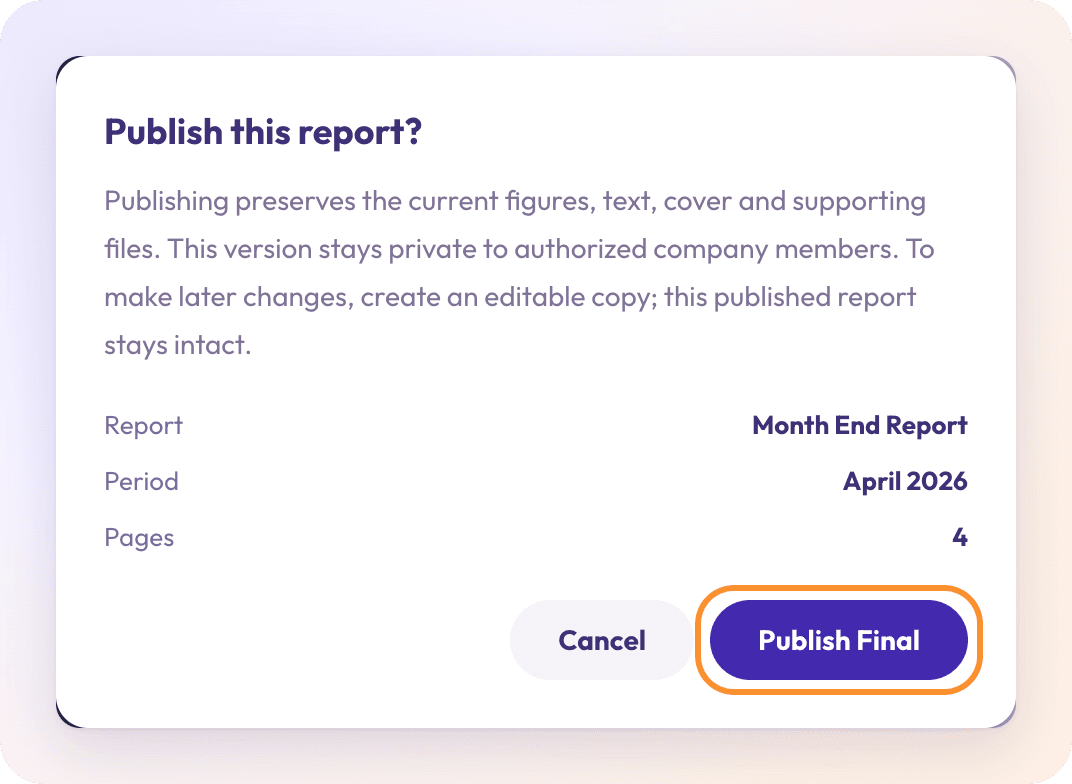
Decide with full audit trail

Accept, edit, or reject. The decision writes to an immutable per client audit log. Who, when, prior state, new state, and the comment chain that led to it. Exportable as PDF or CSV when the year end auditor asks.

Every action is reversible from the log itself.

05

Promote to a client question if you have to

If the team cannot resolve without the client, promote the thread into the client portal with one click. The client sees the question in context, replies in the portal, and the response lands back on the original transaction. No three week email chain about a single line item.

Average client response time: 11 hours, vs 4 days on email.

Zera Books firm collaboration vs QuickBooks Online Accountant

QBO Accountant gives teammates access to a client file. That is permission. Collaboration is the layer on top, and QBO leaves that to email, Slack, Karbon, or Canopy. Practice management tools cover the workflow status but they do not touch the books, so the conversation about a specific transaction still ends up screenshotted between tools.

Zera Books ships the comments, the review queue, and the audit log inside the same product as the ledger. One source of truth, one place to look back when the year end auditor asks why.

CapabilityZera BooksQBO Accountant
Comments on the transaction itselfInline thread per journal entry, bill, invoice, extractionNot supported, requires external tool
Shared review queue across teammatesFirm wide queue with auto assignment and priorityPer file work, no firm wide queue
Audit trail of decisions and overridesImmutable per client log, exportable PDF or CSVBasic activity log, limited per row history
Role based client scopingGranular per teammate per clientFirm wide accountant access, limited scoping
Per teammate costUnlimited seats on $79 flatPer user inside each client file
Client portal question handoffOne click promotion of internal thread to clientEmail the client manually, lose context

QBO Accountant feature surface per the official Intuit page. Firm practice management norms from the AICPA firm practice management hub. Audit trail requirements per the PCAOB AS 1215 audit documentation standard.

Real numbers from collaborating firms

90 days of activity from firms running 4 or more teammates. Real review queues, real handoffs, real audit log exports for year end.

  • 6 to 9% of transactions touch the review queue. The rest flow through on AI confidence with no human time spent.
  • 11 hour median client response time when a thread is promoted into the portal. Was 4 days on email.
  • 14 person team, 184 clients, one workspace. Largest firm on the platform. Audit logs export cleanly per client.
  • 4 minute teammate offboarding for a 60 client firm. The dashboard surfaces every open item owned by the departing seat in one filter.

One honest caveat. Solo bookkeepers do not get much out of the collaboration layer. The break even point where the comment thread plus audit log pays for itself is around 3 teammates or 25 clients, whichever comes first.

Accounting firm team collaborating on client books across multiple monitors

How to roll collaboration out to your firm

Activate a firm workspace via the trial signup. Invite teammates by email and assign roles. Scope each teammate to a client portfolio if needed. Most firms turn on auto assignment by client owner so the review queue routes work without anyone touching it. The whole rollout for a 6 person team across 40 clients runs in under an hour.

The collaboration layer pairs naturally with the multi client dashboard, the client portal, and document requests. See the multi client workflow playbook for the full picture, or the pricing page for the trial.

“We had a Slack channel per client. Sixty clients, sixty channels. Plus a Karbon board nobody updated. Inside Zera the comment is on the entry. The reviewer sees it the moment they open it. Last year end my auditor asked about three overrides and I exported the per client audit log in under a minute for each one. That alone is worth the price.”

Ashish Josan, CPA

Partner at a 60 client accounting firm

Frequently asked questions about firm collaboration

What does firm wide collaboration mean in Zera Books?
Every client file inside Zera Books is multiplayer by default. Teammates can comment on a journal entry, assign a review to a senior, hand off a low confidence extraction, or mention each other on a specific transaction. The work itself is the surface for conversation. No Slack channels per client, no exported PDFs for review, no copy paste between QBO and a practice management tool.
How is this different from QuickBooks Online Accountant collaboration?
QBO Accountant lets you grant a teammate access to a client file. That is permission, not collaboration. You still discuss work in Slack or email, then act on it in QBO, then track status in a third tool. Zera Books puts comments, assignments, and the audit trail on the same row as the transaction. A senior reviewer opens a flagged entry, sees the prior conversation, accepts the fix, and the audit log records who decided what. One surface.
How many teammates can I add to a firm workspace?
Unlimited. The $79 flat plan covers the entire firm regardless of team size. Largest firm on the platform runs a 14 person team across 184 clients. Every team member gets the same dashboard, the same review queue, and the same per client comment thread. No per seat fee.
Can I control which teammates see which clients?
Yes. Role based access works at the client level. A junior bookkeeper can be scoped to a specific portfolio of clients. A reviewer can be added as approver only. A partner gets firm wide access. Permissions cover books, ledger, portal, document requests, and the audit log independently.
How does the review queue work across the team?
Every low confidence extraction, every unposted journal entry, and every manual override flows into a shared review queue. Items can be auto assigned by client owner, by tag, or claimed manually. A reviewer opens an item, sees the AI suggestion, the source document, and any prior teammate comments. Accept, edit, or reject. The decision is logged with who, when, and why.
Is there an audit trail for every collaboration action?
Yes. Every comment, assignment, status change, accept, reject, edit, and override is written to an immutable audit log per client. You can filter by user, date range, action type, or transaction. The log is exportable as PDF or CSV. This is what makes the platform usable for firms that need defensible workpapers.
Can clients participate in the collaboration threads?
Selectively. By default client portal users only see threads explicitly shared with them. A teammate can promote an internal comment into a client question with one click, which moves it into the portal. The client replies in the portal and the response lands back on the original transaction. No more email threads about a single transaction across three weeks.
How does this integrate with QuickBooks Online and Xero?
When a client file is linked to QBO or Xero, collaboration happens on the Zera side and the resulting journal entries sync to the underlying ledger. Comments, reviews, and the audit trail stay on Zera because QBO and Xero do not expose those concepts at the transaction level. The team gets multiplayer collaboration even on clients that are not yet migrated off QBO.
What happens when a teammate leaves the firm?
Their access is revoked but their historical comments and audit entries remain. Open assignments are reassigned by the admin in bulk. The transition takes about 4 minutes for a 60 client firm because the dashboard surfaces every open item owned by the departing teammate.
Does collaboration slow down the work?
No. Comments are optional, assignments are optional, and the review queue only fills with items the AI is not confident about. Most journal entries flow through without any human touch. The collaboration layer activates only when the work needs a second pair of eyes, which on a typical 40 client firm is about 6 to 9% of transactions.

Make the work multiplayer.

Invite the team, comment on the work itself, ship an audit log your year end auditor will actually thank you for. $79 flat, unlimited seats.