Code 1,000 transactions
in seconds.
Zera AI reads your transaction descriptions and suggests the right account code. It learns from every approval. Confidence scoring lets you auto-approve the ones it is sure about and flag the rest for review.
How it works
Four systems. One workflow.
RAG learning, confidence scoring, bulk approve, and vendor memory work together so you spend less time coding transactions.
RAG-powered learning
AI checks past categorizations before suggesting.
Confidence scoring
Every suggestion has a score. You control the threshold.
Bulk approve
Review the flagged ones, approve the rest in one click.
Vendor memory
Categorize a vendor once. Zera remembers forever.
RAG-powered loop
How it learns
Every time you approve or override a suggestion, the AI gets smarter. Five steps in a loop that never stops improving.
AI reads the description
Zera parses the raw transaction description from your bank feed.
Checks vendor memory
The AI searches vendor_aliases for past categorizations of the same vendor.
Suggests the account code
A suggested account code appears with a confidence score.
You approve or override
Accept the suggestion or pick a different code from your chart of accounts.
AI remembers for next time
Your decision is stored. The next time this vendor appears, the AI is more confident.
Confidence scoring
It gets smarter every time.
Every suggestion comes with a confidence score. Set your threshold and the AI handles the rest.
AI is confident. No review needed.
Good suggestion. Confirm or override.
Needs your input. AI learns from it.
Bulk approve
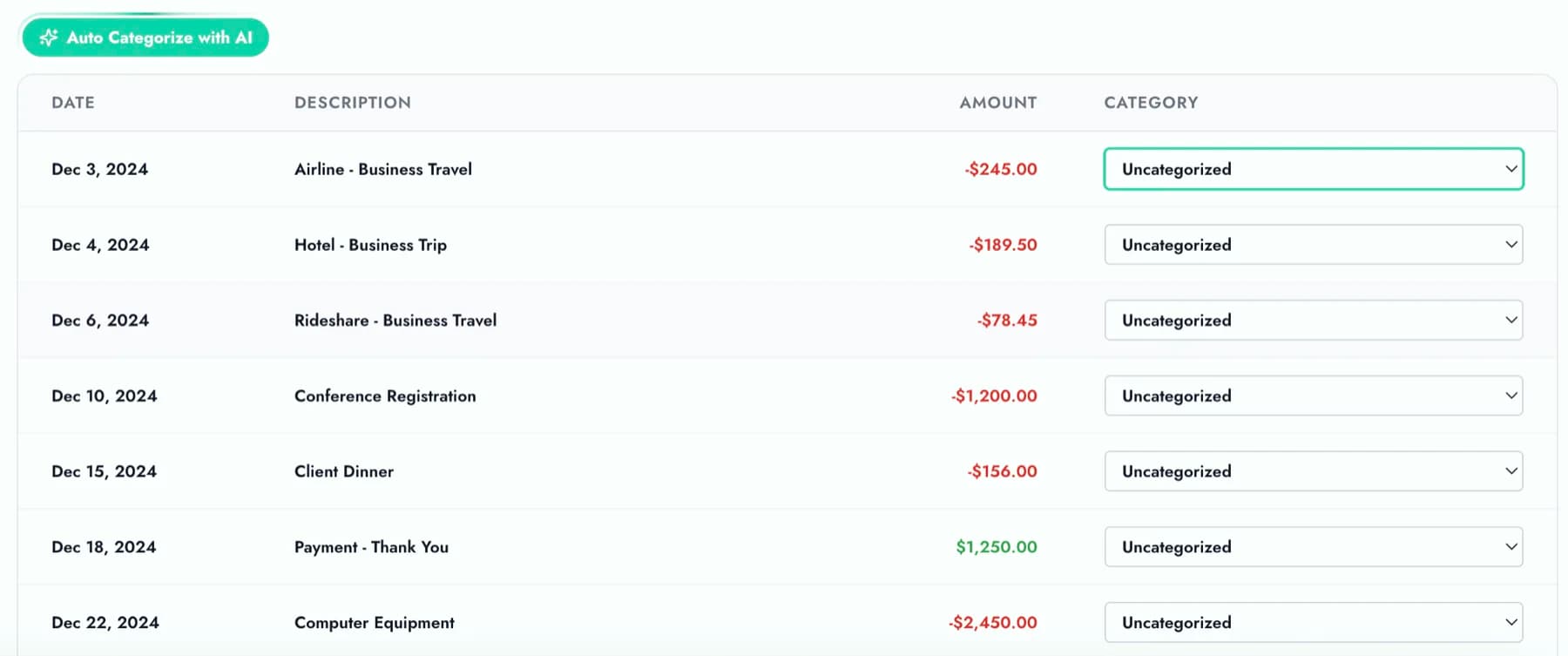
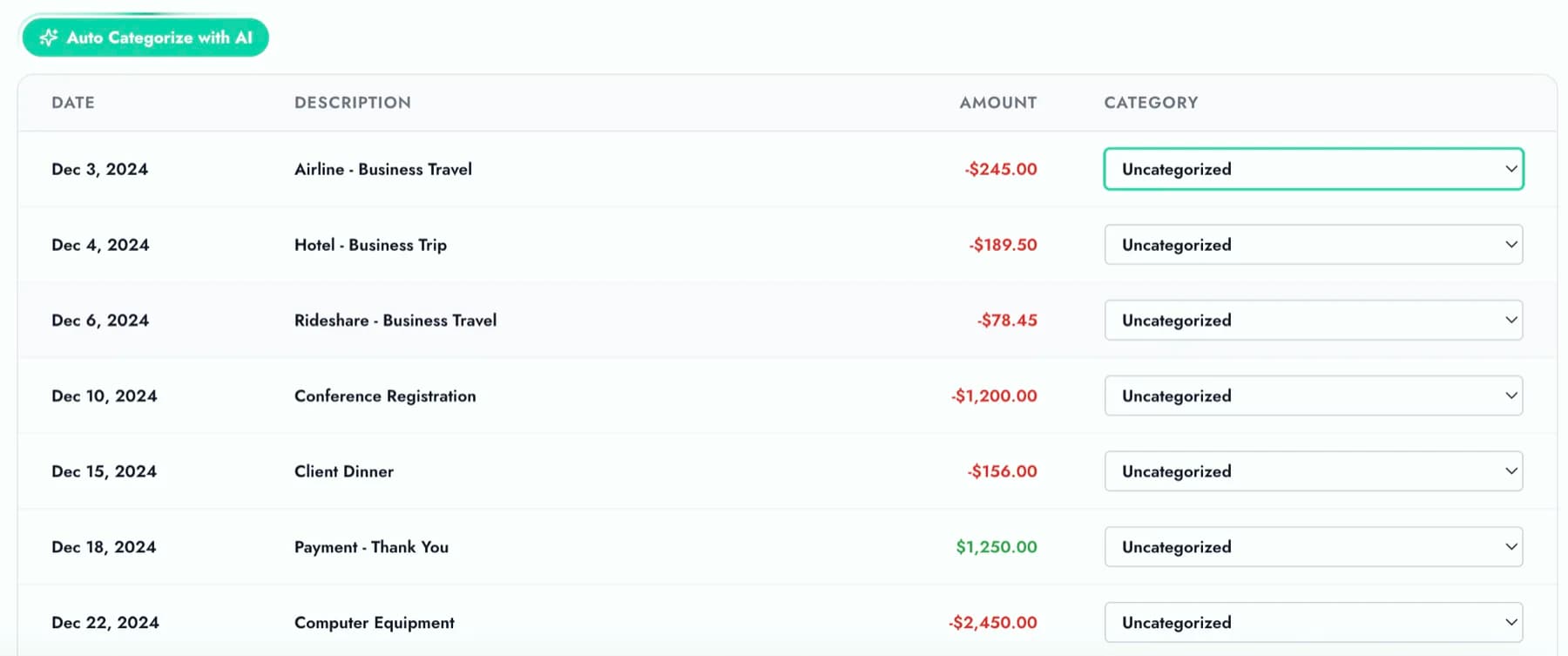
Upload hundreds. Review the flagged ones.
Upload a full month of bank transactions. The AI categorizes every line, scores each one, and queues the low-confidence rows for your review. Approve the rest in one click.
- Categorize hundreds of transactions at once
- AI flags low-confidence rows for review
- One click to approve the rest
Bank rules
Hard rules for predictable transactions.
For transactions that always map the same way, set up a rule. If the description contains "STRIPE", code it to Revenue. Rules complement the AI and run before confidence scoring kicks in.
- Condition-based matching on description text
- Runs before AI scoring
- Override or complement AI suggestions
Vendor memory
Categorize once. Never repeat.
The first time you categorize "AMZN MKTP" as Office Supplies, Zera stores that mapping in vendor_aliases. The second time that vendor appears, the suggestion is instant and the confidence score is higher. Your categorization history becomes the training data.
- Vendor aliases stored per client
- Instant recall on repeat vendors
- Your corrections refine future suggestions

Ashish
Josan
Manager, CPA
Manning Elliott
My clients send me all kinds of messy PDFs from different banks. This tool handles them all and saves me probably 10 hours a week that I used to spend on manual entry.
Start categorizing
Stop coding transactions by hand.
Upload your first batch. Watch the AI categorize every line. Approve the ones it got right in one click.
AI that learns your categories. Not the other way around.
Try Zera Books free for one week. Cancel anytime during the trial.