Fix a month that doesn't tie
When a statement and your ledger disagree, the month shows an orange ! on the timeline. Here is how to find the difference and fix it, usually in a minute.
Find the month
Go to Accounting › Reconciliations.
Look for an orange ! on the timeline, or click the Exceptions stat card to show only the months that need a look.
Click Review… on the account's card, or click the dot itself.

Read the difference
The month opens with three tiles: Deposits, Withdrawals and Net (for credit cards: Payments, Charges and Net). Each tile compares the Statement with the Ledger and shows the Difference. The panel under them says, in plain words, which check failed.
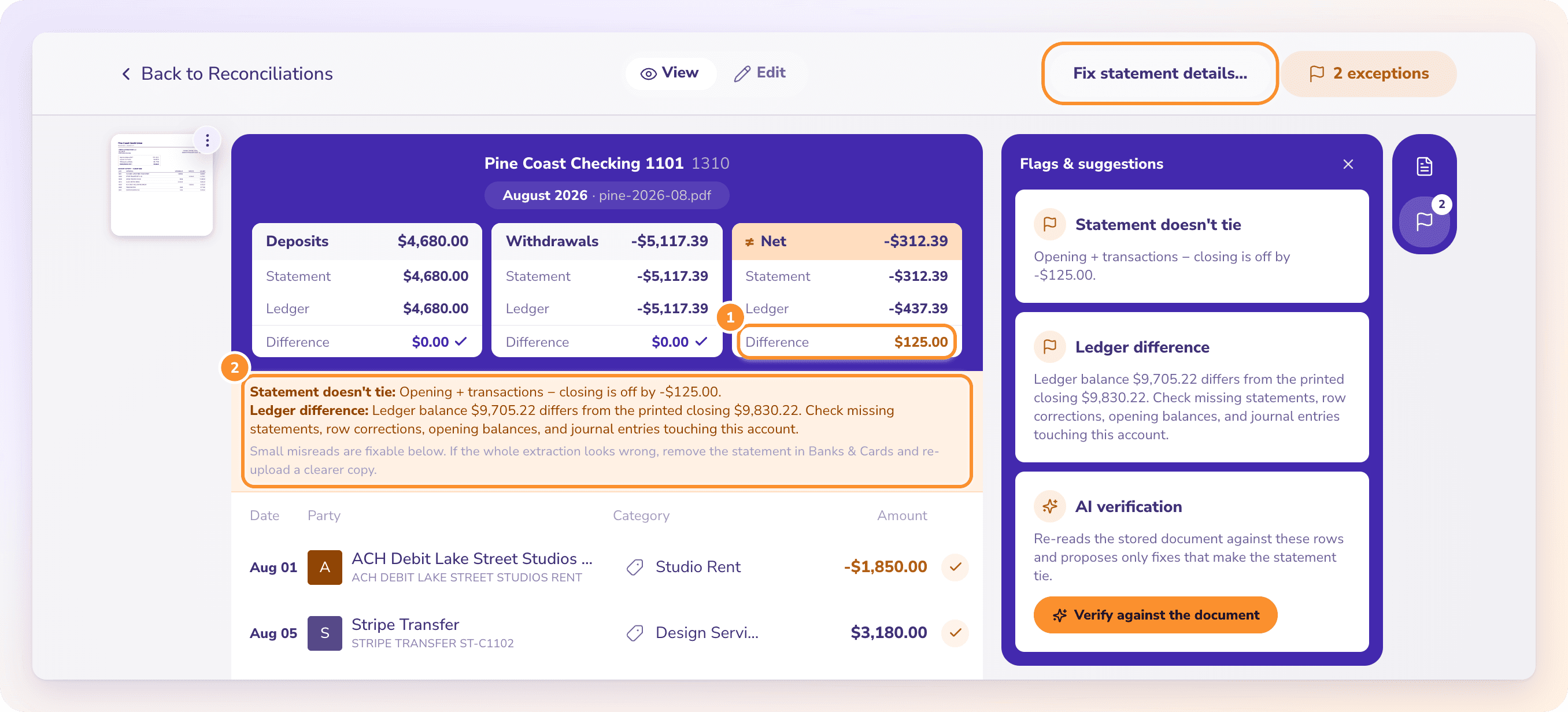
Open Flags & suggestions on the right to see every problem ZeraBooks found:
| Flag | What it means |
|---|---|
| Statement doesn't tie | Opening balance + transactions − closing balance is off by the amount shown. A line or a printed balance was probably misread. |
| Chain break | This statement's opening balance doesn't meet the previous statement's closing balance. A statement may be missing, or a balance was misread. |
| Ledger difference | Your ledger balance differs from the printed closing balance. Look for a missing statement, a row correction, an opening balance or a journal entry on this account. |
| Coverage gap | Part of the month isn't covered by any statement. |
| Review prior payment / Review manual transaction | A payment or a manual entry may already be counted elsewhere. |
Tip: If deposits and withdrawals both show a $0.00 difference but Net doesn't, the transactions are right and a printed opening or closing balance was misread.
Fix it
Let AI check it against the document
Not sure which number is wrong? In Flags & suggestions, click Verify against the document. ZeraBooks re-reads the statement and proposes only the fixes that make it tie. See Verify a statement with AI.
When the month ties, the dot turns into a purple check and you can finalize it.
If the whole statement was read badly, it's faster to start again: remove it in Banks & Cards (Account actions › Remove a statement…) and upload a clearer copy. See Remove a statement.
Frequently Asked Questions
Why is my difference not zero when every transaction is there?
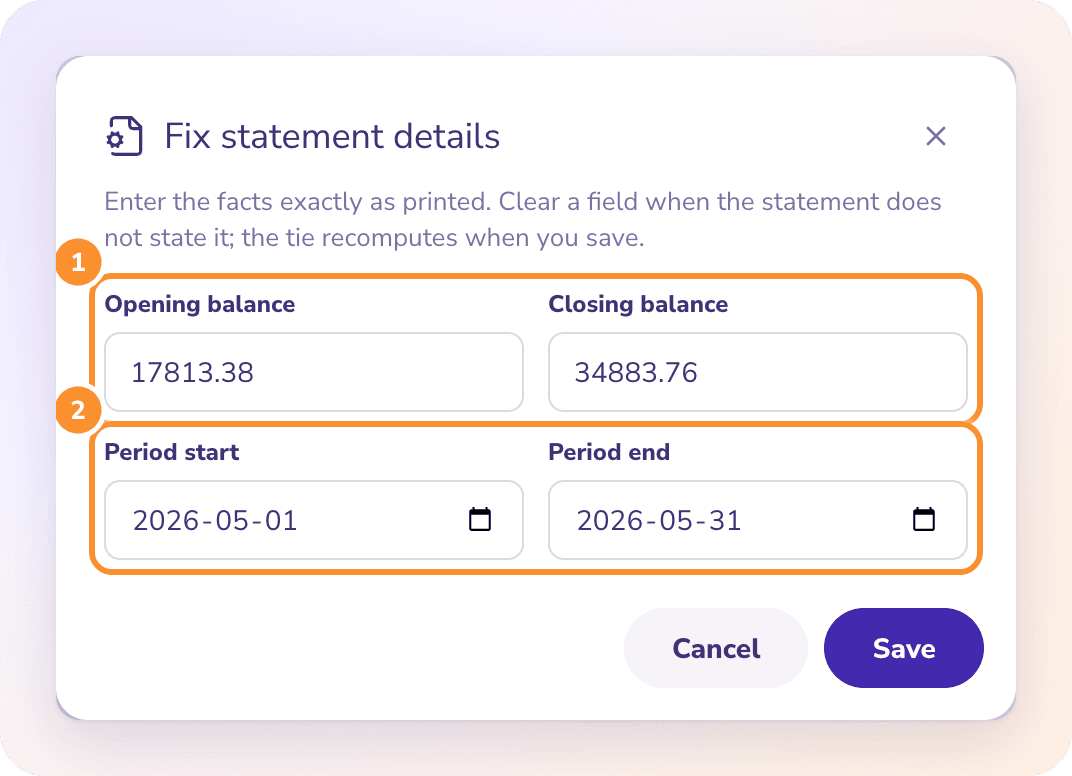
Then a printed balance is the problem. Either the opening balance doesn't match the previous statement's closing balance, or the closing balance was misread. Check both with Fix statement details….
What does "Balances must be numbers" mean?
A balance in Fix statement details contains something that isn't a number. Enter it exactly as printed, for example 9830.22, without currency symbols or letters.
Can I finalize a month that doesn't tie?
No. Finalize… appears only once all three checks pass. Until then, the month stays in the list of months that need a look.
Does changing a category fix a month that doesn't tie?
No. Categories don't change an account's balance, so they don't affect the tie. Only amounts, dates, missing or extra lines, and printed balances do.
When is "Verify against the document" offered?
Only when the statement is off by an amount other than zero. A statement that already ties has nothing to verify.
Learn more about Bank reconciliation software: Every statement proven to tie before the month closes.
Still stuck? A real person reads every message—come say hello.