Remove a statement
Removing a statement deletes it and every transaction it brought in. Use it to undo an upload into the wrong account or a statement that was read badly.
When to remove a statement
Remove a statement when:
you uploaded it into the wrong account;
it was read so badly that re-uploading a clearer copy is faster than fixing it line by line;
a new file was refused because it repeats transactions from an earlier statement, and you want to replace the earlier one.
Important: Removing a statement permanently removes its transactions from the register, including any categories you set on them. It can't be undone. To bring the transactions back, upload the statement again.
Remove a statement
In the left navigation, click Banks & Cards and select the account.
On the register, click the ⋮ menu (Account actions), then Remove a statement….
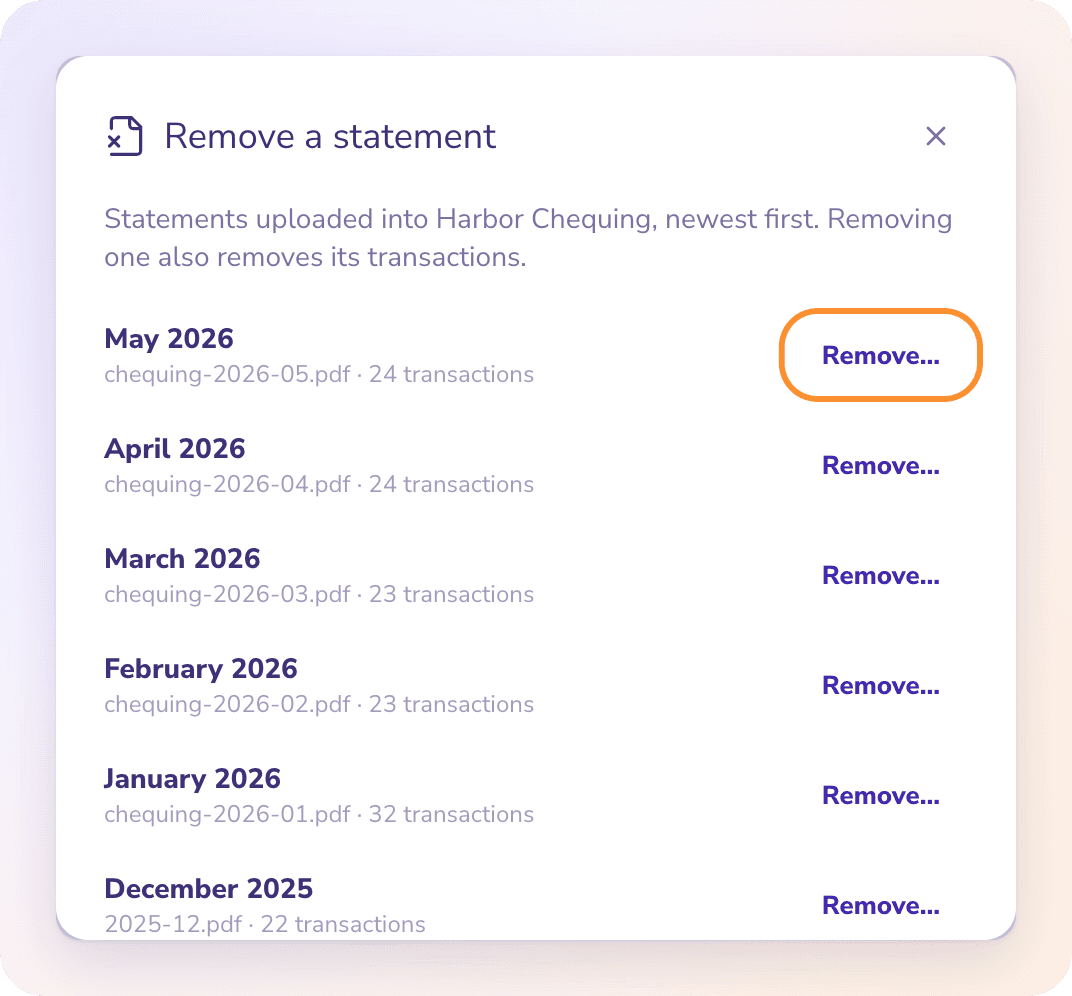
The list shows the statements uploaded into this account, newest first, with each file name and its number of transactions. Click Remove… next to the one you want to remove.
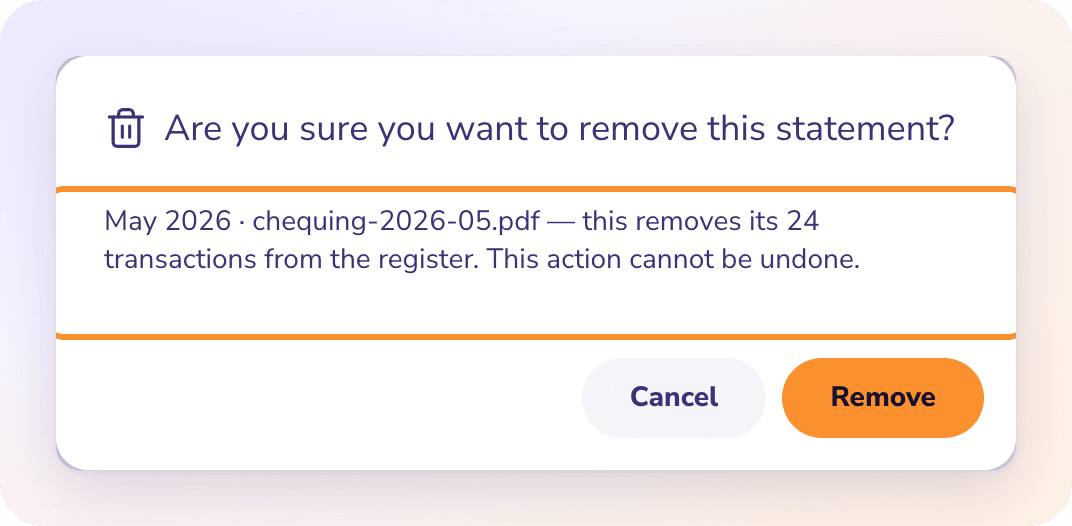
Read the confirmation. It names the statement and how many transactions will be removed. Click Remove.
When it's done, ZeraBooks shows "Statement removed · N transactions" and the register updates.
Frequently Asked Questions
Can I undo removing a statement?
No. The statement and its transactions are gone. Upload the statement again to bring the transactions back; ZeraBooks categorizes them again as it imports them.
Can I remove a single transaction instead of the whole statement?
Not from Banks & Cards. To correct one line, open the month in Reconciliations, switch to Edit and use Remove row or Edit row. See Fix a month that doesn't tie.
Why does the list say "No statements uploaded yet"?
No statement has been uploaded into the account you selected. Transactions you recorded by hand aren't statements and don't appear in this list.
What happens to reconciliation after I remove a statement?
The month loses its statement, so it no longer shows as tied. Upload the correct statement to check the month again.
Learn more about AI bookkeeping: Autopilot and Ask Zera keep the books inside a real general ledger.
Still stuck? A real person reads every message—come say hello.