The Home page
Convert's Home shows the last 30 days at a glance: documents converted, pages used on your plan, what needs a look and your latest documents, plus a link to the ZeraBooks General Ledger.
What Home shows
Click Home in the left navigation, or the ZeraBooks logo in the sidebar. Home shows the last 30 days, the same window every document list uses. The page header says Last 30 days.
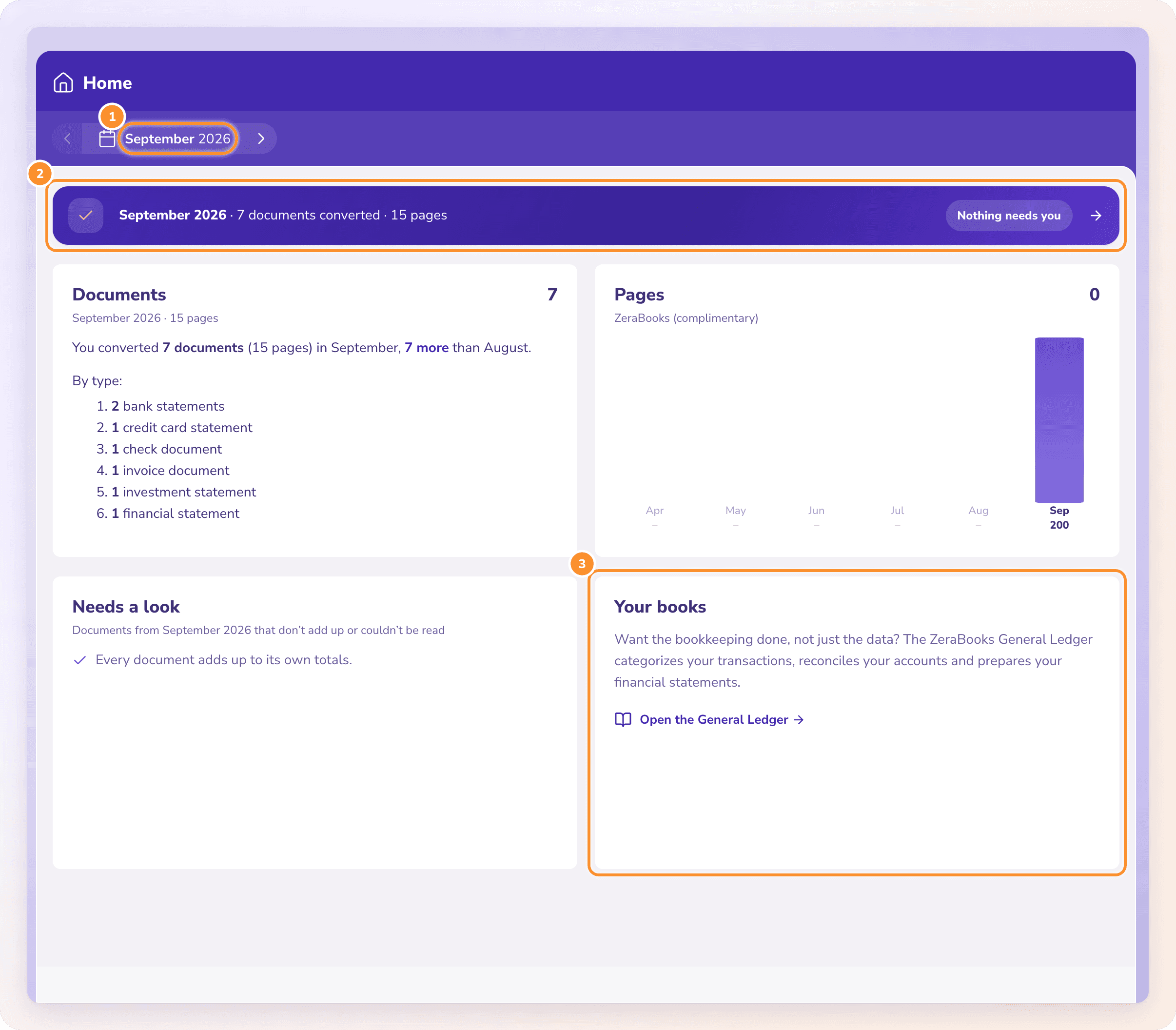
Home is for reading, not for uploading. You upload documents on their own pages: Bank & Credit Cards, Checks, Invoices, Investments and Financial Statements. See Upload documents.
The line at the top
Under the header, one line sums up the last 30 days: the number of documents converted and their pages, and how many are still being read. On the right it tells you what needs you:
| It says | What it means | Click it to open |
|---|---|---|
| "n documents need a look" | Documents from the last 30 days don't add up, or couldn't be read. | The first of those documents. |
| "Nothing needs you" | Every document adds up. | Bank & Credit Cards. |
While a document is being read, Home keeps its figures up to date by itself.
Get started
Before your first document, Home shows Get started with two steps:
Convert a statement. Click Bank & Credit Cards and upload a statement.
Download it. Download it as CSV or Excel, ready for QuickBooks, Xero or a spreadsheet. Tick several statements in the list to download them together. See Download your data.
The cards
| Card | What it shows |
|---|---|
| Pages | Pages used on your plan, for example "420 of 1,000", with your plan's name, a bar, the pages left and when they reset. Pages that can't be read never count. During the free trial it shows when the trial ends. At 80% or more, or when uploads are waiting, a button offers more pages: Move to {next plan} (for example Move to ZeraBooks 2,500), Start your plan now during the trial, or Get more pages. It opens the Get more pages dialog right on Home. |
| Needs a look | Documents from the last 30 days that don't add up to their own totals, or couldn't be read, each with the reason. Click one to open it. |
| Recent documents | The documents converted in the last 30 days, newest first, with their kind, account, period, pages, upload date and status. Click one to open it on its page. |
Your books
Under the cards, Want the bookkeeping done, not just the data? leads to the ZeraBooks General Ledger, which categorizes your transactions, reconciles your accounts and prepares your financial statements. Click Open the General Ledger if your account has it, or Keep your books in ZeraBooks if not.
Frequently Asked Questions
Can I upload documents on Home?
No. Home is read-only. Upload on the page for the document type, for example Bank & Credit Cards: click the header's Upload statements button, or drop PDFs anywhere on the page. See Upload documents.
Can I see an earlier month?
No. Home and every document list show the last 30 days. Older documents drop off the lists, so download what you need while it's listed.
What does "Needs a look" mean?
A total in the document doesn't tie to the cent, a statement prints no balances to check against, or the document couldn't be read. Click it to see why. See How Convert proves a statement.
Where do I see more about my plan?
Open the menu at the top of the sidebar and click Billing. When you're close to your pages, the button on the Pages card also lets you get more pages without leaving Home. See Billing.
How do I get to the General Ledger?
Click Open the General Ledger (or Keep your books in ZeraBooks) at the bottom of Home, or use the menu at the top of the sidebar.
Learn more about Bank statement converter: Statements to checked Excel or CSV, split by account and cardholder.
Still stuck? A real person reads every message—come say hello.