Download the Financial Package
Download your Trial Balance, Profit & Loss, Balance Sheet and Cash Flow as one PDF, with the Ledger as a CSV, in a single click.
Download the package
Go to Financials and pick the period with the period picker.
Click Download Financials at the top right.
In Download Financial Package, untick anything you don't need. Everything is ticked to start with.
Click Download. The button reads Preparing… while the files are built.
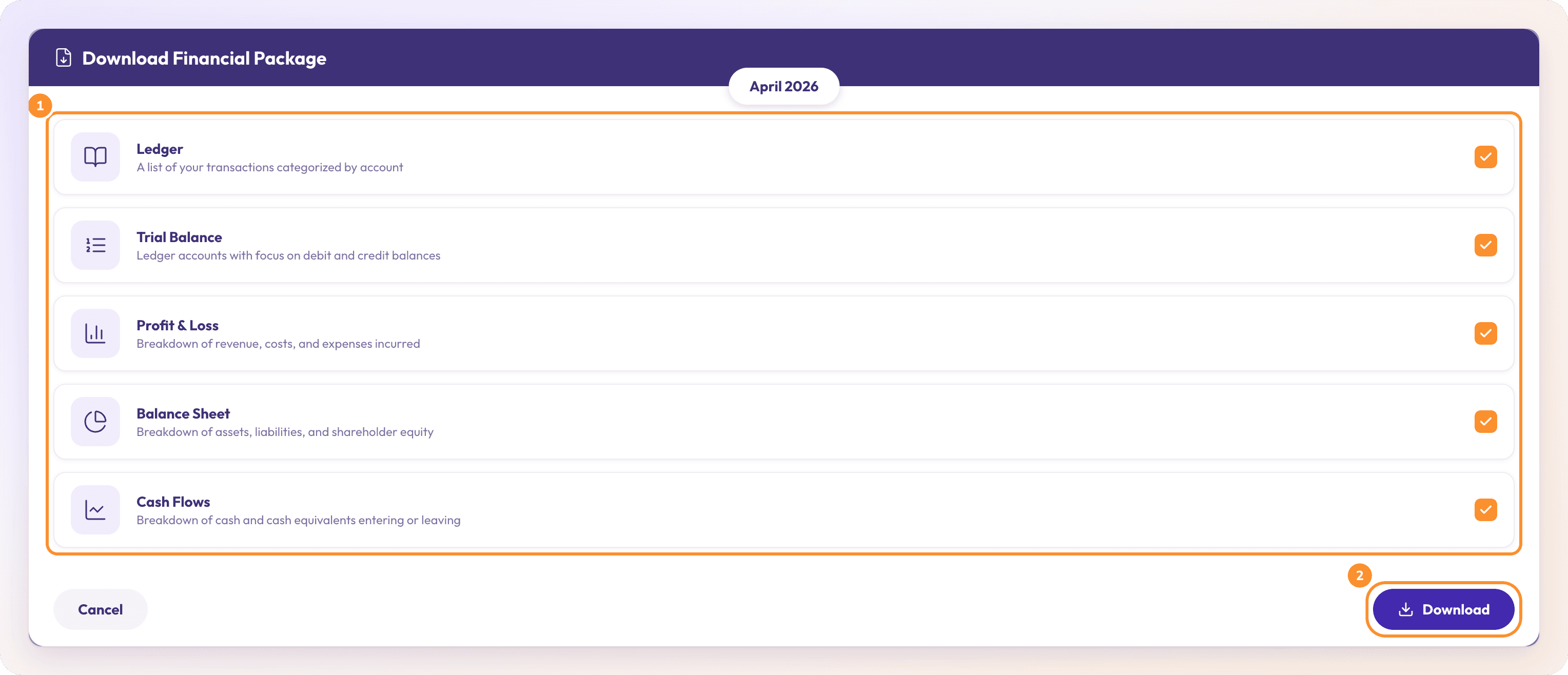
What's in the package
| Item | What it is | File |
|---|---|---|
| Ledger | A list of your transactions categorized by account | A separate CSV |
| Trial Balance | Every category's debit or credit balance | In the PDF |
| Profit & Loss | Revenue, costs and expenses | In the PDF |
| Balance Sheet | Assets, liabilities and equity | In the PDF |
| Cash Flows | Cash coming in and going out | In the PDF |
You get up to two files:
One PDF with the statements you ticked, in the order Trial Balance, Profit & Loss, Balance Sheet, Cash Flow. It's named "Company - Financial Package - Period.pdf".
The Ledger as a CSV, named "Company - Ledger - Period.csv", if you ticked Ledger.
The statements in the PDF follow the same rules as a single PDF download: at most the latest 6 columns, and the Cash Flow for the period you picked. See Download reports as PDF, CSV or Excel.
Note: If a statement in the period hasn't reconciled, the dialog says so, for example "March 2026 hasn’t reconciled — its statement is off by $125.00." You can still download. Click Review in Reconciliations → to fix it first. See Fix a month that doesn't tie.
Frequently Asked Questions
Is the Financial Package one file?
Almost. The statements are merged into one PDF. The Ledger comes as a separate CSV so you can open it in a spreadsheet.
Are the aging reports in the package?
No. The package holds the Ledger, Trial Balance, Profit & Loss, Balance Sheet and Cash Flows only.
Why is Download Financials greyed out?
Either the financials are still loading ("Loading the financials…"), or the company hasn't finished its setup ("Finish this business’s starting setup before downloading financials.").
What does "Could not build the package." mean?
The files couldn't be generated. Try again; if the page was still loading you'll see "Still loading the financials — try again in a moment."
Can I send the package to my client instead of downloading it?
Yes, by email: use Email report… in a statement's download menu, where you choose the PDFs and the Ledger CSV to attach. See Email financial statements.
Learn more about AI-native general ledger: A double-entry ledger where statements become proven transactions.
Still stuck? A real person reads every message—come say hello.