Split a payment across bills or invoices
When one deposit pays several invoices, or one payment covers several bills, split the bank transaction across them so each balance is settled.
Before you start
Customers often pay two or more invoices with one transfer, and you may pay several bills from the same vendor at once. The bank shows one amount; your books need to know which bills or invoices it settled.
The bank transaction needs a party: the customer who paid you, or the vendor you paid. If it has none, ZeraBooks says "Assign this transaction to a customer before splitting it. ZeraBooks will not guess who the money belongs to." (or "vendor" for a payment you made). Set the party first.
Split the payment
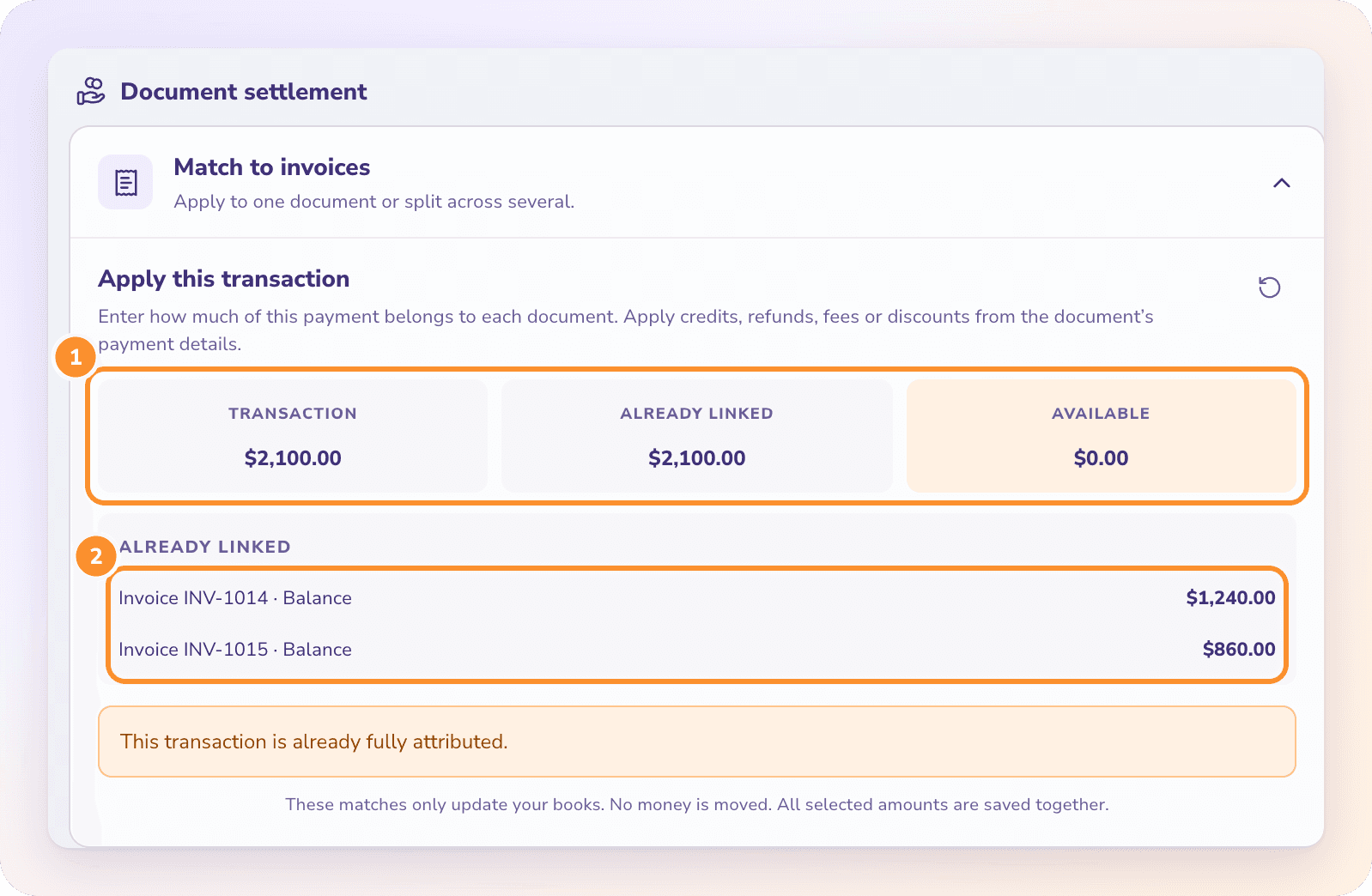
These matches only update your books. No money is moved, and all the amounts you entered are saved together.
When you can't split
| Message | What it means |
|---|---|
| "This transaction is already fully attributed." | The whole payment is already linked to bills or invoices. |
| "No eligible open invoice balances were found for this party and date." (or bill) | ZeraBooks found no open balance for this party that the payment can settle. Check the party, or record the invoice or bill first. |
| "Transfers between your own accounts cannot settle bills or invoices." | The transaction is a transfer. Document settlement isn't offered for transfers. |
| "Use a positive amount no greater than {amount}." | The amount you typed is more than that document's open balance. |
Frequently Asked Questions
How do I record a customer who paid two invoices at once?
Open the deposit in the Ledger or Banks & Cards, switch to Edit, click Match to invoices and enter each invoice's share. Click Apply N balances to save them together.
What if the customer paid a little less because of a bank fee?
Apply the payment to the invoice, then apply the fee or discount from the invoice's payment details. See Record payments and credits.
Can I split a bank transaction across several categories instead?
No. A bank transaction from a statement has one Pay For category. To spread an amount over several categories, record a Pay Out or journal entry with several lines. See Record money in, money out and transfers.
What happens to an amount I leave unmatched?
It stays Available on the transaction. You can match it to another bill or invoice later.
Does splitting a payment send money or pay the bills?
No. ZeraBooks doesn't move money. Splitting only records in your books which bills or invoices the payment settled.
Where else can I match a payment to a bill?
From the bill itself. See Match a bill to its payment.
Learn more about AI-native general ledger: A double-entry ledger where statements become proven transactions.
Still stuck? A real person reads every message—come say hello.