Record payments, partial payments and credits
Settle an invoice by matching the customer's deposit from your bank statement, applying a credit, or marking it paid when the money came in some other way.
How payments reach an invoice
ZeraBooks doesn't take payments for you. Your customer pays the way they always do, and the payment is recorded from your books:
A deposit on an uploaded bank statement: match it to the invoice. This is the usual way.
A credit memo for the same customer: apply it. No money moves.
Money that never touches an uploaded account (for example cash kept in a drawer): use Mark as Paid….
Matching only clears Accounts Receivable. The revenue was already recorded when the invoice was approved, so it's never counted twice.
Match a deposit
Upload the bank statement the payment is on. See Upload a statement.
Open the invoice and click the Payment tab on the right.
Click Match payment or apply credit.
Under Matching transactions, find the deposit and click Apply with its amount. If a deposit is offered but isn't this payment, click Not this payment and it won't be suggested again for this invoice.
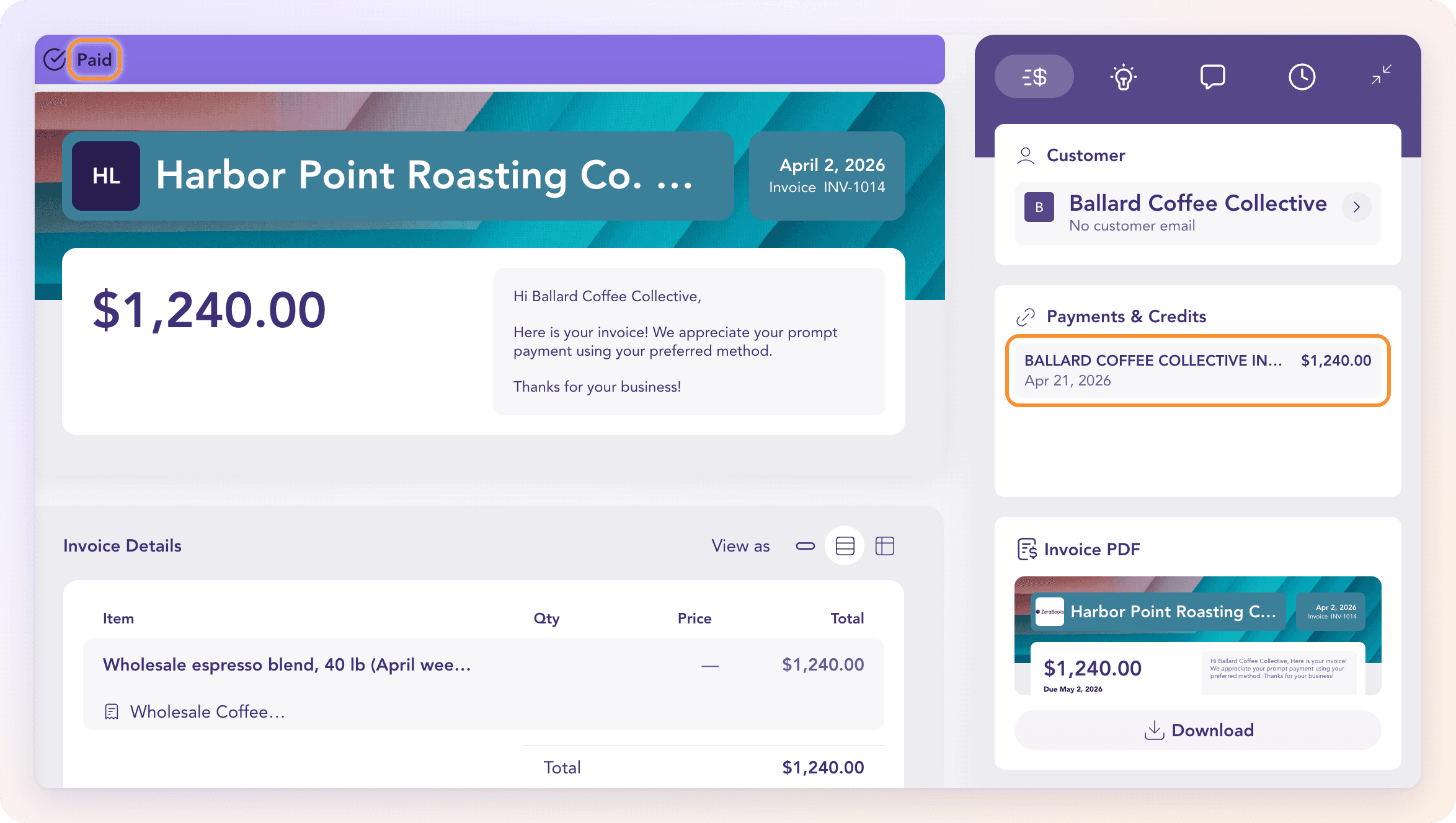
Autopilot does much of this for you. It matches payments it's sure of, and when one deposit is exactly the sum of two to five open invoices from the same customer, it applies it across them (or asks, if more than one combination fits). You can also split a deposit yourself from the transaction: see Split a payment across bills or invoices.
When the amount doesn't match
If the deposit is less than the balance, ZeraBooks asks what the gap is:
Apply as partial: the rest is still owed. The invoice stays open with its Remaining balance.
Apply and post difference: the customer won't pay the rest (for example a bank fee took it). The difference posts to your Settlement shortfalls account and the invoice closes at zero.
If no account is set for that, click Configure settlement account. See Invoice accounting settings.
A payment that bounces can be recorded under Returned payments; the amount is owing again on the invoice.
Mark as Paid
Open the invoice, click More Actions (the three dots) and choose Mark as Paid….
Set the Payment Date (it starts at the invoice date).
Choose the Pay In Category: the account the money went into, such as a cash account. It can't be an income category or Accounts Receivable itself.
Optionally add a Reference No. (for example a check number) and an Internal Memo.
Click Mark as Paid.
The invoice moves to Paid and its card reads Marked as Paid. The whole remaining balance is recorded.
If the money went into a bank account whose statements you upload, match the deposit instead of using Mark as Paid…. Otherwise the same payment is recorded twice: once here and once on the statement.
Undo a payment
On the Payment tab, click Release under the payment. The invoice is owing again. A released bank deposit goes back to the category it had before; a released Mark as Paid payment is removed.
Frequently Asked Questions
How do I record a check from a customer?
If you deposited it into a bank account you upload statements for, match the deposit once that statement is uploaded. Otherwise use Mark as Paid… and put the check number in Reference No.
Can one deposit pay several invoices?
Yes. Autopilot splits a deposit that exactly equals two to five open invoices from one customer. You can also split it yourself; see Split a payment across bills or invoices.
Can several payments settle one invoice?
Yes. Apply each deposit as a partial payment. The invoice shows what's been applied and what's still due, and moves to Paid when nothing is left.
Can I undo Mark as Paid?
Yes. Open the invoice's Payment tab and click Release under that payment. The invoice is owing again.
Why is Mark as Paid greyed out?
The invoice is in another currency: "Not yet available for foreign-currency documents". Match the deposit from the bank statement instead.
Why is no deposit offered for my invoice?
No uploaded transaction fits: the statement with the payment isn't uploaded yet, or the deposit doesn't carry anything that ties it to this customer or invoice. Upload the statement, or apply the deposit from the transaction itself in Banks & Cards.
Does ZeraBooks accept card or online payments?
No. ZeraBooks doesn't process payments. It records payments that reach your bank.
Learn more about AI-native general ledger: A double-entry ledger where statements become proven transactions.
Still stuck? A real person reads every message—come say hello.