Automatic payment reminders
Autopilot emails customers about invoices a week or more overdue, at most once a week. Here is exactly when a reminder goes out, when it asks you first, and how to turn it off.
How reminders work
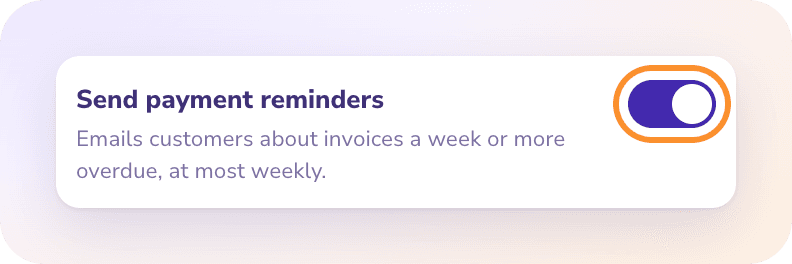
Payment reminders are part of Autopilot and are on by default. The switch lives on the Autopilot page, in the card How much ZeraBooks does on its own:
A reminder is an email to your customer with the invoice PDF attached, sent through the same pipeline as the invoice itself: plain text, no links, and replies go to your company's contact email.
When an invoice gets a reminder
An invoice is considered for a reminder only when all of these are true:
It's approved and still has a balance to pay.
It's at least 7 days past its due date.
The customer is active and has a valid email address.
No deposit from that customer arrived in the last 10 days without being applied, and no uploaded payment already matches the invoice. (The money may be on its way.)
The invoice hasn't been emailed in the last 7 days, whether by you or by an earlier reminder.
At most one reminder goes out per invoice per week, and at most 25 in one Autopilot pass.
When it sends and when it asks
Autopilot sends on its own only when:
the mode is Autopilot and Send payment reminders is on;
you emailed this invoice from ZeraBooks before, so the customer has it;
your bank statements are uploaded to within the last 35 days, so an unpaid-looking invoice isn't already paid in a statement you haven't uploaded.
Otherwise it asks you in Needs you: "Send a payment reminder to customer?", with Send the reminder or Not this week. The question says why it's asking. See Answer Autopilot questions.
Note: Autopilot has no overnight schedule. Reminders go out during an Autopilot pass, which runs when you click Run now or while ZeraBooks is open in your browser. See What Autopilot does.
Tone
Each reminder is friendly, firm or final. ZeraBooks picks the tone from how late the invoice is and how many reminders were already sent. As a rule, the first is friendly, it turns firm from 30 days overdue or after one reminder, and final from 60 days overdue or after three.
See what was sent
Open the invoice and click the Activity tab. A reminder shows as ZeraBooks Autopilot "Sent a friendly payment reminder to email (N days overdue)". It also appears in Autopilot's Done by AI log as "Sent a payment reminder".
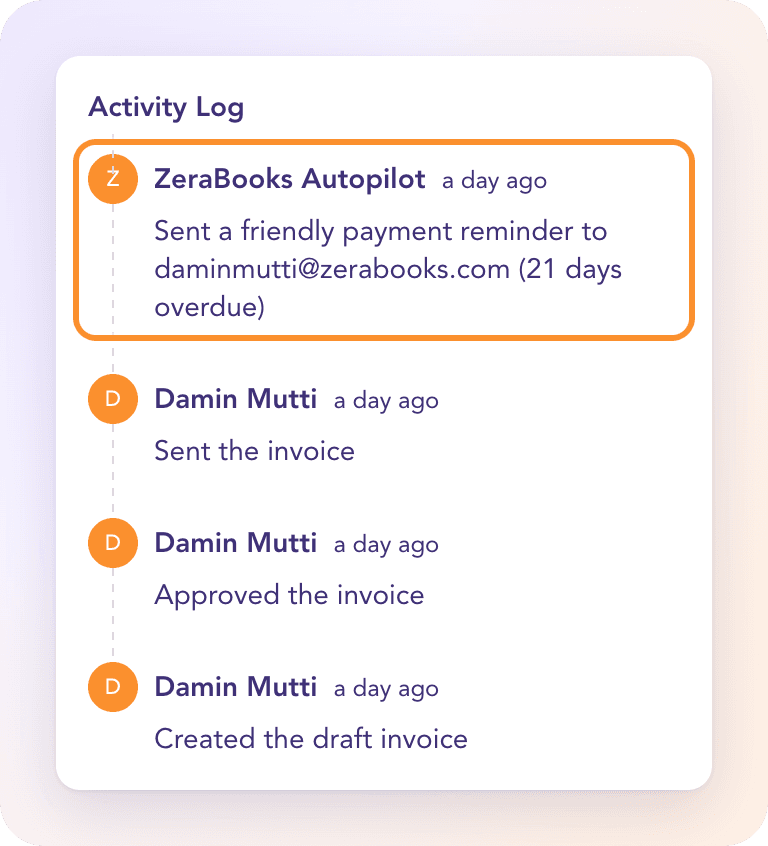
A sent reminder can't be undone. An email can't be unsent, so reminders have no Undo button in the log.
Turn reminders off
In the left navigation, click Autopilot.
In How much ZeraBooks does on its own, switch off Send payment reminders.
The change saves immediately. With it off, or in Balanced or Cautious mode, Autopilot asks before every reminder instead of sending.
Frequently Asked Questions
Are payment reminders sent automatically?
Yes, by default, when the mode is Autopilot, the invoice was emailed from ZeraBooks, it's at least 7 days overdue and your bank statements are current. In any other case Autopilot asks you first.
How often will my customer get a reminder?
At most once a week per invoice. Any email of that invoice in the last 7 days, including your own resend, pushes the next reminder back.
Why didn't an overdue invoice get a reminder?
One of the conditions wasn't met: it's less than 7 days overdue, the customer has no email address, a recent deposit from that customer may be the payment, or it was emailed in the last week. If it was never emailed from ZeraBooks or your statements are behind, Autopilot asks you in Needs you instead.
Does ZeraBooks remind customers about invoices I marked "Send manually"?
It asks you first. Because the invoice was never emailed from ZeraBooks, Autopilot can't be sure the customer has it, so it puts the reminder in Needs you.
Can I edit the reminder email?
No. The wording is set by the tone. To send your own message, open the invoice, click Resend and write it yourself.
Can I undo a reminder?
No. Once the email has gone, it can't be recalled, so sent reminders have no Undo.
Learn more about AI-native general ledger: A double-entry ledger where statements become proven transactions.
Still stuck? A real person reads every message—come say hello.