Billing and your trial
See your plan and its status, know when your trial is charged, and update your card, download invoices, change plans or cancel on Stripe's billing portal.
See your plan
Open the company menu at the top of the left navigation and click Settings.
Under Your account, click Billing.
The card shows your plan, ZeraBooks · Monthly or ZeraBooks · Annual, with its status:
| Status | What it means |
|---|---|
| Free trial | You're in the 7-day trial. "Your card is charged when the one-week trial ends." |
| Active | Your subscription is paid and running. |
| Past due | The last payment failed. Update your card in Manage billing. |
| Unpaid | Payments have failed and the invoice is still unpaid. Update your card in Manage billing. |
| Payment incomplete | The first payment wasn't completed. |
| Canceled | The subscription has ended. |
If you've canceled, the card also says "Scheduled to end on {date} — you keep access until then."
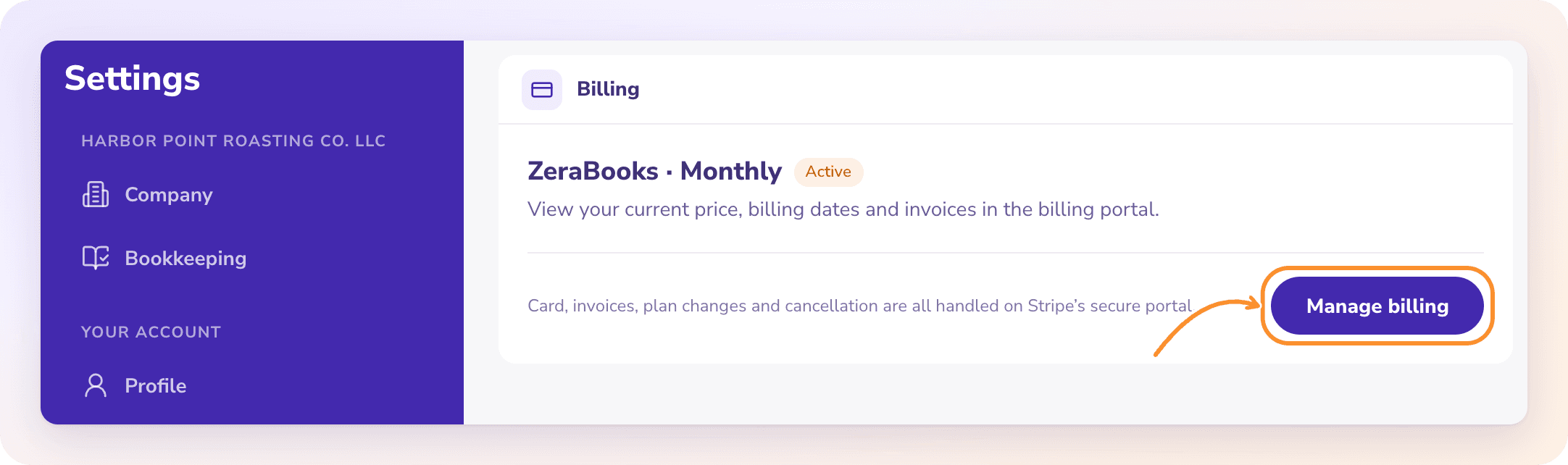
Manage billing on Stripe
Your card, invoices, plan changes and cancellation are all handled on Stripe's secure billing portal.
In Settings › Billing, click Manage billing.
The button reads Opening Stripe… while the portal loads.
On the portal, update your card, download invoices, switch between monthly and annual billing, or cancel.
Return to ZeraBooks from the portal. You land back on Billing.
Prices
| Billing | Price |
|---|---|
| Annual | $79 a month, billed annually ($948 a year) |
| Monthly | $149 a month |
The plan includes every General Ledger feature and 3 active client companies, with no per-seat fees. See Start your free trial.
Tip: To avoid being charged, cancel in Manage billing before your 7-day trial ends.
Additional clients
| Billing | Each additional active client |
|---|---|
| Annual | $290 a year |
| Monthly | $29 a month |
Additional clients are added to the same subscription. When a new client's setup finishes, you're charged a prorated amount for the rest of your current billing period. Archiving or deleting a client stops its charge from your next renewal; there are no mid-period refunds. Archived clients and your own books never count toward the 3 included.
Frequently Asked Questions
How do I cancel my subscription?
Go to Settings › Billing, click Manage billing and cancel on Stripe's portal. The Billing card then shows the date your subscription ends.
Will I still have access after I cancel?
Yes, until the end date shown on the Billing card: "Scheduled to end on {date} — you keep access until then."
How do I update my card or download an invoice?
Click Manage billing in Settings › Billing. Both are on Stripe's billing portal.
How do I switch from monthly to annual billing?
Click Manage billing and change your plan on Stripe's portal. Annual billing is $79 a month, billed as $948 a year.
Manage billing shows an error ending "You can try again in a moment." What do I do?
ZeraBooks couldn't open Stripe's portal. Wait a moment, check your connection and click Manage billing again.
Do I pay extra for each client?
Your plan includes 3 active client companies. Each additional active client is $29 a month, or $290 a year on annual billing. There are no per-seat fees. See Additional clients.
Learn more about Pricing: One subscription for the General Ledger and Converter, with a one-week free trial.
Still stuck? A real person reads every message—come say hello.