Credit memos
A credit memo is an invoice with a negative total. Create one to credit a customer, then apply it to one of their unpaid invoices.
Create a credit memo
There is no separate button: an invoice whose total is below zero becomes a credit memo.
Go to Bills & Invoices › Invoices and click Create Invoice.
Choose the Customer you're crediting.
On the line, keep the quantity positive and enter a negative price, for example Qty
1, Price-49.00. Pick the income category you're reversing.If the original invoice had tax, enter the tax as a negative amount too. A credit must reverse both the amount and the tax.
Click Preview, then Approve.
The document now reads New Credit Memo and, once approved, Credit Memo Approved. On the board its card shows Credit issued and the date.
Tip: A negative quantity is refused with "Quantities can’t be negative. For a credit, keep the quantity and enter a negative price."
What posts
A credit memo is the reverse of an invoice: it debits the income category (and Tax charged on sales, if any) and credits Accounts Receivable. The customer now owes you less.
Apply it to an invoice
Open the credit memo and click the Payment tab.
Click Apply credit to an invoice. Only unpaid invoices for the same customer are offered.
Next to the invoice, click Apply credit, check the amount and click Apply.
Or start from the invoice: on its Payment tab, click Match payment or apply credit, find the credit under Available credits, and click Apply credit.
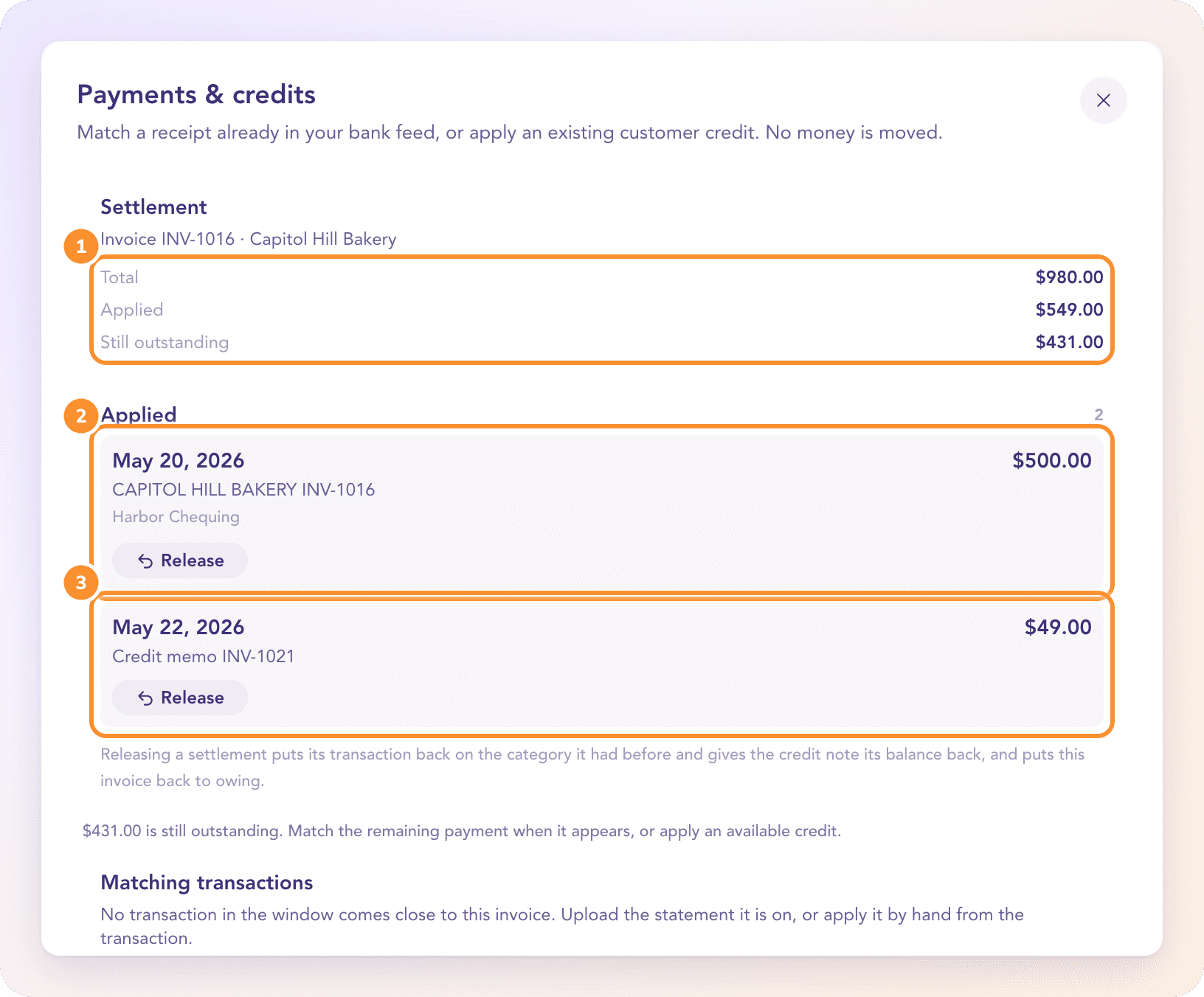
"Applying a credit moves no money. It reduces both documents through Accounts Receivable and never releases retainage." When all of the credit is used, the credit memo moves to Paid and reads Applied. Until then its card shows what's still Available.
Send it to the customer
Click Send on the approved credit memo. The default message reads "Here is your credit memo. It will reduce the amount you owe us." See Email an invoice, send it manually, or download the PDF.
Frequently Asked Questions
How do I issue a credit memo?
Create an invoice for the customer with a negative price on the line, so the total is below zero, then approve it. It becomes a credit memo automatically.
Can I apply one credit memo to several invoices?
Yes. Apply part of it to one invoice and the rest to another. Its card shows the credit still Available until it's all used.
Can a credit memo reduce an invoice for a different customer?
No. A credit only applies to invoices for the same customer.
How do I refund a customer in cash instead?
Once the refund shows on an uploaded bank statement, match it to the credit memo from the credit memo's Payment tab, the same way a deposit is matched to an invoice.
Can I undo an applied credit?
Yes. On the Payment tab, click Release under the credit. The credit memo gets its balance back and the invoice is owing again.
Can a credit memo become overdue?
No. Credit memos have no due date to miss and never get payment reminders.
Learn more about AI-native general ledger: A double-entry ledger where statements become proven transactions.
Still stuck? A real person reads every message—come say hello.