Variants and groups
Sell one product in several sizes or versions with variants, and organize your catalog into groups with their own icon and color.
Variants: one item, several versions
Use variants when you sell the same product in different sizes, packs or versions, each with its own price. Each variant has its own Variant Name, SKU, Sell Price and Income Category.
In the left navigation, click Bills & Invoices › Products & Services, then New Item.
Enter the item's Name, and optionally a Grouping and Description.
Click Use Variants.
For the first variant, enter its name, SKU, price and category.
Click + Add Variant for each extra version. Click Remove to delete one before saving.
Click Save & Close.
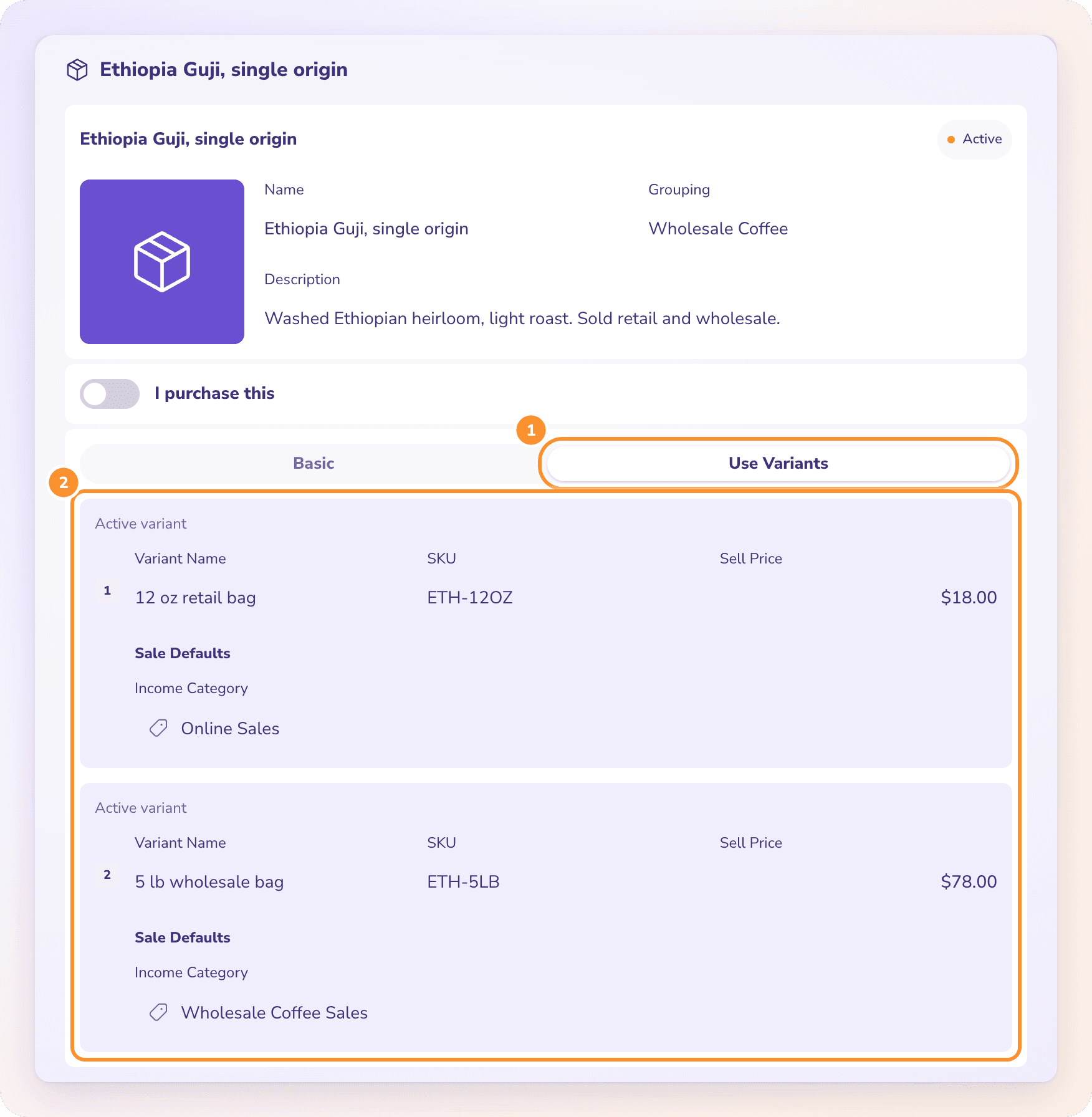
On an invoice line, choose the variant you sold and its price and category fill in.
Important: Choose Basic or Use Variants when you create the item. An item's structure is fixed once it exists. To switch later, create a new item.
Stop offering one variant
Open the item, click Edit, and turn off the switch on that variant. It shows "Inactive variant · unavailable on new documents". Documents that already use it keep it. Click Save & Close.
Groups: organize your catalog
Groups are folders for your items, shown as headings in the Products & Services list. Items with no group are listed under Ungrouped.
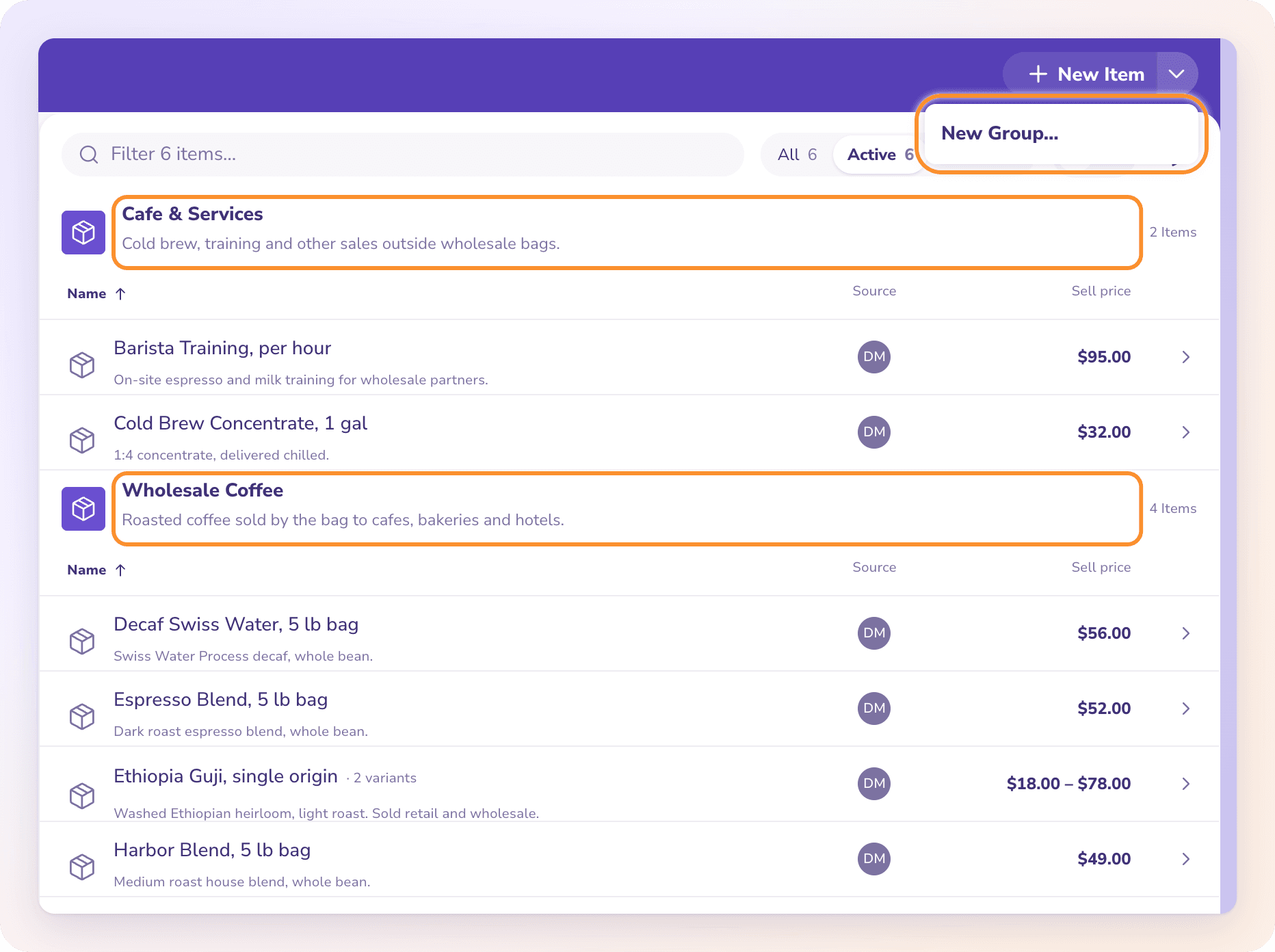
Create a group
On Products & Services, click the arrow beside New Item and choose New Group…
Choose an icon and a color, and enter a Name and an optional Description.
Click Save.
Put items in a group
Open an item, click Edit, choose the group under Grouping, and click Save & Close. Choose No Group to take it out of a group.
Use Collapse groups above the list to fold every group, or click a group heading to fold just that one.
Frequently Asked Questions
Can I switch an existing item to variants later?
No. An item's structure is fixed once it exists. Create a new item with Use Variants, and set the old one to Inactive if you no longer need it.
When should I use variants instead of separate items?
Use variants when it's the same product in different sizes or packs, such as a 12 oz bag and a 5 lb bag. Use separate items for different products.
Can each variant post to a different income category?
Yes. Each variant has its own income category, so retail and wholesale sales of the same product can land in different accounts.
What are groups for?
Groups organize the catalog list, with an icon and color for each. They don't change how anything posts in your books.
Can I rename or delete a group?
Not yet. Groups can be created and assigned to items. To stop using one, move its items to another group or to No Group.
What happens to invoices that use a variant I deactivate?
Nothing changes on them. An inactive variant just stops being offered on new invoices and bills.
Learn more about AI-native general ledger: A double-entry ledger where statements become proven transactions.
Still stuck? A real person reads every message—come say hello.